







- ASEAN Signs Digital Economy Framework Agreement, Moving Toward Harmonized Cross-Border E-Commerce RulesNov 15, 2026View details
- Shenzhen Becomes the First City in Mainland China to Exceed RMB 5 Trillion in Foreign TradeNov 15, 2026View details
- Fujian Announces the First Batch of Provincial-Level Cross-Border E-Commerce Industrial Parks and Key Brands for CultivationNov 14, 2026View details
- Amazon Global Store Announces the Launch of the 2026 Black Friday Global Shopping SeasonNov 14, 2026View details
- CCTV.com Examines APEC’s Role in China’s Foreign TradeNov 12, 2026View details
- China’s Tariff Commission of the State Council Adjusts Additional Tariffs on U.S. Goods: 24% Tariff Suspended for Two MonthsNov 10, 2026View details
How to check whether a page can be crawled for AI search optimization?
If a page cannot be crawled, AI search services may have difficulty discovering its content. Follow these practical AI search optimization steps to check everything from crawl permissions to page responses and promptly resolve indexing obstacles.
Start by confirming which crawler the target platform uses, then check the response status, robots.txt, page source, and indexing status in order. Successful crawling is only the first step toward discovery; it does not guarantee that a page will be indexed or cited in an AI-generated answer.
Step 1: Identify the pages and target crawlers to check

First, list the URLs you want to gain search visibility, such as product detail pages, industry solution pages, and English-language blog posts. Record each complete URL, including the protocol, domain, path, and parameters, so you don't check only the homepage and overlook pages that actually generate leads.
Different platforms use different crawlers, and a single platform may distinguish between search and model-training purposes. For example, OpenAI's OAI-SearchBot is used for search-related crawling, while GPTBot primarily crawls content that may be used to train models.
If your focus is Google Search and its AI search features, check Googlebot's access as well. Crawler names and purposes may change, so consult the relevant platform's official documentation before adjusting your rules.
Step 2: Check whether robots.txt blocks access
Open robots.txt in the root directory of the target website in a browser, for example, https://example.com/robots.txt. Check for rules that disallow access to the target crawler or all crawlers, and verify which paths the rules cover.
For example, Disallow: / under User-agent: * blocks crawlers that follow the rule from accessing the entire website; Disallow: /products/ blocks access to pages in that directory. An empty Disallow directive usually means that no paths are disallowed.
Also check for rule groups targeting specific crawlers. A crawler selects the applicable group according to the rules it supports, so don't draw conclusions based only on the general rules. If you're unsure which rules actually apply, validate them using the target platform's testing tool.
For multilingual websites, check each language directory and subdomain separately. If English product pages are hosted on a separate subdomain, check that subdomain's own robots.txt; the rules for the main domain do not necessarily reflect its configuration.
robots.txt manages crawling access; it does not remove pages from search indexes. If you confirm that a page is being blocked by mistake, adjust the relevant rules while retaining restrictions on paths that don't need to be public, such as admin areas and shopping carts, and wait for the platform to crawl the site again.
Step 3: Check whether the page responds correctly
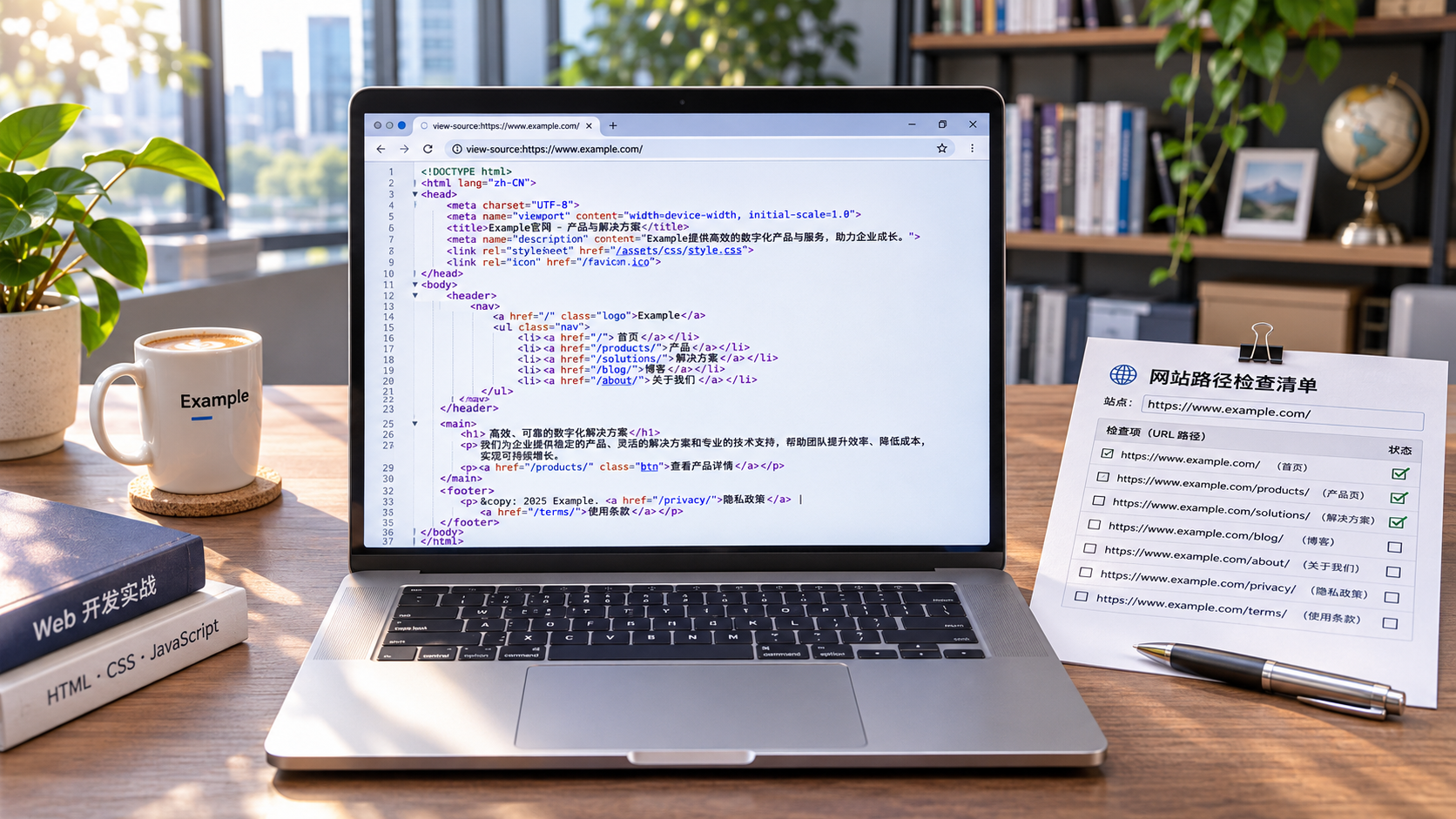
Run curl -I https://example.com/page in a terminal to check the response headers first. Public pages should typically return a 200 status code. If the response is 404 or 410, confirm whether the URL is incorrect, the page has been taken down, or the link needs updating.
A 301 or 302 indicates a redirect. Check that the destination URL is correct and that there are no multiple redirects or redirect loops. Use curl -IL followed by the URL to view the redirect chain, and make sure it ultimately leads to an accessible page with the expected content.
A 403 or 429 may be related to a firewall, access rate limits, or anti-bot measures. Status codes such as 500, 502, and 503 may indicate a server or upstream service issue. Investigate the cause using the time of the incident and server logs.
A page opening in a browser does not mean that a crawler can access it. In an environment where you have permission to administer the site, you can use curl with the relevant User-Agent as an initial test. However, impersonating a crawler's name is only a troubleshooting aid and does not prove that a request came from a real crawler.
If you suspect a security rule is blocking access by mistake, check the status code, request time, and reason for blocking in your firewall and server logs. When allowing access, prioritize the platform's official crawler verification methods rather than relying on the User-Agent alone.
Step 4: Confirm that the page content can be read
Open the page source and search for the product name, specifications, or a key sentence from the article. If the source contains only an empty container and the main content is loaded using JavaScript, check further whether the target platform can render the page correctly.
Google Search Console's URL Inspection tool shows how Google processes a page and also offers live testing. Check whether the rendered page contains the main content, important links, and image text, rather than checking only whether the page displays successfully.
Other AI search platforms may have different rendering capabilities and crawling processes, so Google's test results cannot be applied directly to them. For important content, try to include clear headings, body text, and navigation in the initial HTML, reducing reliance on complex scripts.
Also check for login requirements, regional restrictions, pop-ups, and CAPTCHAs. If visitors or crawlers have to interact with the page to see its core content, assess whether you can provide a directly accessible version for public pages, and confirm that users in overseas markets can access it.
Step 5: Check indexing directives and canonical settings
Search the page source for robots-related meta tags, and check the X-Robots-Tag in the response headers. If noindex is present, search engines that support the directive generally won't include the page in their index, even if they can crawl it.
Distinguish between crawl restrictions and indexing restrictions: if robots.txt blocks access, a crawler may be unable to read the page's noindex directive. To remove a page from an index by mistake, follow the target platform's official process rather than changing only one of these settings.
Next, check the URL specified in the canonical tag. If a product page incorrectly points its canonical URL to the homepage, a search engine may consider the homepage the more appropriate version. Make sure the canonical URL is accessible and matches the content and language version of the current page.
For multilingual websites, also check the links between language versions and the hreflang configuration to prevent English and German pages from pointing to the wrong URLs. The page's actual language, canonical URL, and language annotations should be consistent to help search engines understand it.
Step 6: Submit discovery signals and keep checking
Check that the XML sitemap includes the canonical URLs you want to promote, and remove pages that have been deleted, redirected, or should not be indexed. Submit the sitemap to the relevant search platforms, and make sure key pages are linked from locations such as the homepage and category pages.
In Google Search Console, review URL Inspection and the Page indexing report to distinguish between statuses such as “Unable to crawl” and “Crawled - currently not indexed.” After fixing an issue, you can request indexing, but the platform determines how long processing takes and what the result will be.
For other AI search services, check each service's public webmaster documentation, crawler information, and available reports. If a platform doesn't provide page-level indexing checks, track changes using server logs, page access tests, and actual search results.
Consider creating a checklist that records the URL, target crawler, status code, rule issues, owner, and review date. Recheck after launching a site in a new language, changing firewall rules, or redesigning the site to prevent technical changes from making previously accessible pages unavailable.
Summary: Resolve access issues first, then monitor search performance
The key to these practical AI search optimization steps is to verify separately whether a page can be accessed, whether its content can be read, and whether it is allowed to be indexed. First fix any issues blocking crawling or content retrieval, then monitor the results through platform reports and logs.
Crawlability is only a prerequisite for gaining visibility in AI search. To increase the chances of being selected, content must also be accurate, clear, and closely aligned with users' questions. Whether a page is ultimately indexed or cited still depends on each platform's processing and display mechanisms.
Related Articles
 How to check whether a page can be crawled for AI search optimization?
 How Can GEO Optimization Increase the Chances of Content Being Cited in AI Search Results?
 OpenAI tests Business in ChatGPT, allowing merchants to create profiles and business agents


Related Products
 Yiyingbao SaaS Intelligent Website Building and Marketing SystemYiyingbao SaaS Intelligent Website Building and Marketing System, AI-powered no-code website building, rapid creation of multilingual B2B international websites in 10 minutes, global server acceleration, AI-powered SEO optimization, helping businesses connect efficiently with global markets. The perfect integration of technology and operation makes building an international trade website remarkably simple
 AI+SEM Intelligent Advertising Marketing SystemAI+SEM drives intelligent ad creation, empowering full-funnel precision advertising marketing. The system automatically generates weekly/monthly reports, AI recommends keywords and target countries, monitors core metrics in real-time with intelligent alerts, and enables one-click high-conversion ad solutions to help quickly acquire customers and improve ROI.
 AI+SEO Dual-Engine System Optimization ServicesYiyingbao’s AI+SEO dual-engine optimization system helps foreign trade enterprises acquire high-quality organic traffic through AI-powered keyword research, content generation, and comprehensive technical optimization, significantly improving search rankings and conversion rates.
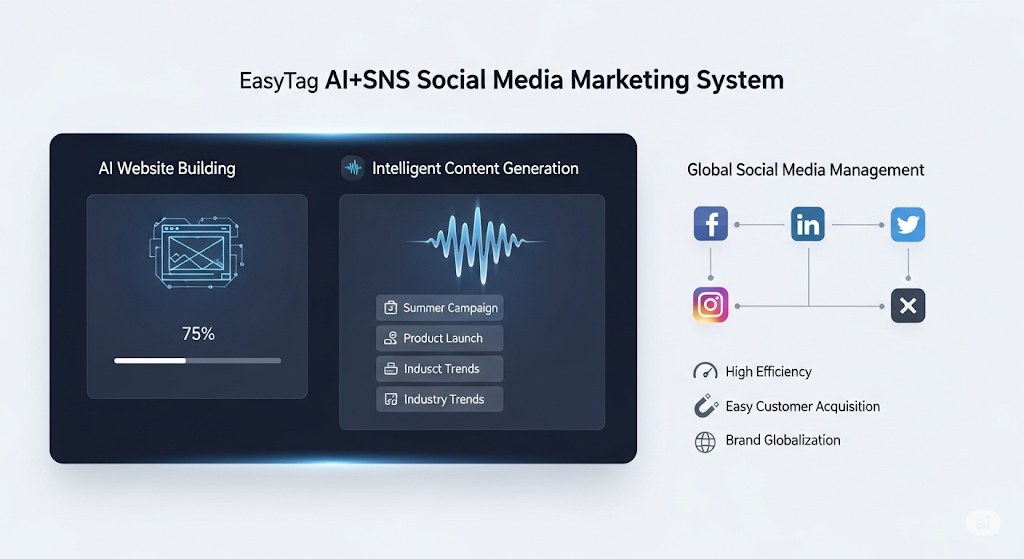
 AI+SNS Social Media Marketing SystemYingbao AI+SNS Social Media Marketing System - Precision social capture for the social media era. Supports one-click content synchronization across major platforms like Facebook and LinkedIn. AI intelligently rewrites posts for enhanced relevance. 24/7 AI customer service and user profiling analysis empower businesses to efficiently expand into global markets.
 AI+SEO营销解决方案易营宝AI+SEO营销解决方案,通过AI批量写作、智能生成TDK、精准关键词扩词等功能,全面优化网站SEO效果,提升流量与转化率。助力企业构建高效智能网站新生态。
 AI+SEM Advertising Marketing SolutionsAI+SEM Advertising Marketing Solution leverages AI technology to deeply empower SEM ad campaigns. It automatically generates weekly/monthly reports using AI, presenting account data across multiple dimensions for comprehensive insights into campaign performance and trends. The system precisely recommends keywords and target countries, intelligently generates high-conversion ad copy, and enables one-click activation of efficient campaign plans to help businesses rapidly acquire customers. Simultaneously, it monitors core metrics in real time, intelligently identifies abnormal fluctuations, and issues timely alerts to ensure stable, high-return advertising results.
 Domain Name ServicesEasyWin provides professional domain name services, including intelligent queries, one-stop registration, brand protection, and full lifecycle management, helping businesses build a digital brand image.
 EasyOperate B2C Cross-Border E-Commerce Platform & Independent WebsiteEasyStore B2C Cross-border E-commerce Independent Store is an intelligent website building and cross-border e-commerce integrated solution independently developed by EasyStore Information Technology (Beijing) Co., Ltd. The system is specially designed for small and medium-sized as well as large export enterprises, integrating 'website building, operation, marketing, advertising, and conversion' into one, helping enterprises quickly establish cross-border e-commerce independent stores to achieve brand globalization and global sales growth.
The platform supports multiple languages, multiple currencies, and multi-channel marketing, with built-in AI intelligent translation and SEO optimization systems, suitable for mainstream markets such as Southeast Asia, Europe and America, Latin America, and the Middle East, assisting Chinese manufacturing enterprises in efficiently deploying international e-commerce strategies. SSL证书易营宝提供专业SSL安全证书服务,包括单域名和泛域名证书,确保网站数据传输加密、身份验证和完整性保护,助力企业建立安全可信的在线业务环境。