









- The China-US tariff arrangement has reached a preliminary consensus, and the trade association will be establishedJun 15, 2026View details
- China-Morocco zero-tariff access, a breakthrough in the cost of Moroccan goods exports to ChinaJun 11, 2026View details
- What signal should be released for the suspension of exports to JapanJun 10, 2026View details
- China's May LNG imports rebounded, with increased volumes from Russia and Canada filling the Middle East supply gapJun 10, 2026View details
- Will GEO change its SEO strategy?Jun 04, 2026View details
- What types of businesses are end-to-end solutions suitable for?Jun 03, 2026View details
- 2026 Global Growth Channel TrendsJun 02, 2026View details
- Changes in Search Engine Ranking Factors in 2026Jun 06, 2026View details
How to Choose a Website Design Template Without Making It Look Cheap
How should you choose a website design template so it doesn’t make your brand feel cheap? The most direct judgment is this: the template itself does not determine whether a website feels premium. What truly determines a “low-cost feel” is whether the layout is unbalanced, whether the information is cluttered, whether the interactions feel awkward, and whether it can support subsequent SEO optimization, content updates, and conversion actions. For businesses, choosing a template is not about picking a “good-looking skin,” but about selecting an online storefront that can be operated, promoted, and expanded over the long term.
Especially today, when website and marketing services are increasingly integrated, many companies comparing website design quotes tend to focus only on the homepage visuals while overlooking how well the template fits their actual business needs. The result is a fast launch, but difficult follow-up promotion, low conversion rates, and high maintenance costs. This article will help you judge what kind of website design template is worth choosing—and what kind should be avoided no matter how cheap it is—from the perspectives of brand perception, user experience, search engine optimization service compatibility, and practical operations.
Conclusion first: a template that doesn’t look cheap is not defined by being “expensive,” but by being “restrained, clear, and consistent”
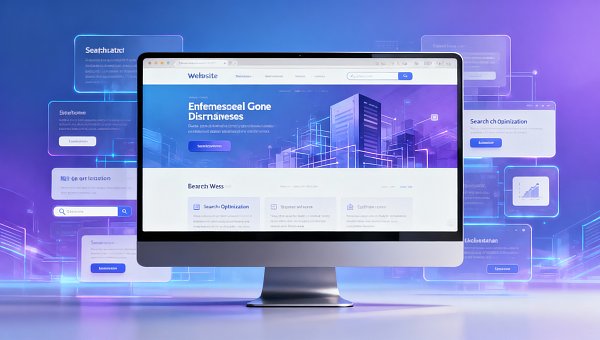
Many people think a “premium feel” comes from flashy animations, full-screen visual effects, and complex layouts, but the reality is often the opposite. Most website templates that look cheap tend to share several common problems: too many piled-up elements, overly complicated colors, inconsistent fonts, insufficient whitespace, chaotic button styles, and uneven image quality.
Templates that truly stand the test of time usually have the following characteristics:
- Clear information hierarchy, so users can immediately understand what the company does;
- A structured layout, instead of a different style on every screen;
- Key content stands out, with clear CTA buttons;
- Reasonable whitespace, making the page feel breathable;
- Smooth mobile experience, without crowded text or misaligned elements;
- Support for future content expansion, rather than only being suitable for displaying a few images.
Therefore, when choosing a website design template, the first principle is not “the more features, the better,” but “whether it is stable enough.” For business decision-makers, stability means the brand does not lose value; for operators and maintenance staff, stability means future updates are less likely to go wrong; for distributors, agents, and end consumers, stability means a browsing experience that feels trustworthy and professional.
Why do some website templates look cheap at first glance? The problem usually lies in these 5 areas
If you are screening templates, the following 5 points can help you quickly avoid pitfalls.
1. Too much information on the homepage, making it look like an “ad collage”
To make a template appear “content-rich,” many designs cram the company introduction, product displays, news, client cases, forms, pop-ups, and banners all onto the homepage. The result is not richness, but clutter. After entering the page, users cannot grasp the key points, and the brand’s sense of professionalism is diluted.
2. Inconsistent visual style
One set of icons, another set of buttons, and yet another style for the banner—even the corner radius of different modules may be inconsistent. This makes the website look like a temporary patchwork rather than a polished product. In fact, the foundation of brand perception is consistency.
3. The template relies too heavily on large images and special effects
Large images and animation themselves are not the problem. The problem is that many templates treat visual stimulation as design quality. Once the image assets are not professional enough, or the loading speed becomes slow, the page not only fails to look premium, but instead feels more like low-cost packaging.
4. The copy blocks are not suitable for real business content
Many showcase-style templates look attractive, but they are only suitable for very short slogans. Once a company needs to include service descriptions, product specifications, FAQs, or case details, problems such as crowded layouts and loss of formatting control quickly appear.
5. No support for SEO-structured layout
If a template has visuals only, without clear heading hierarchy, URL planning, content modules, internal linking space, and mobile performance optimization, then later search engine optimization work will become very difficult. A website that looks good but cannot be found in search results is, in essence, also very limited in its ability to create business value.
When choosing a template, what businesses really need to evaluate is not “beauty,” but these 4 business criteria
A corporate website is not an artwork. It is a tool for customer acquisition, conversion, trust building, and brand communication. Therefore, template selection should prioritize business judgment.
1. Whether it fits your business scenario
Different businesses are suited to different types of templates:
- Brand showcase companies: place more emphasis on visual consistency, case presentation, and brand storytelling;
- Lead generation businesses: place more emphasis on forms, inquiry entry points, landing page structure, and conversion paths;
- Product-based businesses: place more emphasis on category logic, parameter display, FAQs, and search functionality;
- Multi-region or overseas businesses: place more emphasis on multilingual support, multi-site capability, and localized presentation.
If the template style is inconsistent with the business goal, even a beautiful design will waste your budget.
2. Whether it is convenient for future operation and maintenance
For after-sales maintenance staff and operators, whether a template is easy to maintain is extremely important. You can focus on the following:
- Whether the backend makes it easy to update text, images, and sections;
- Whether newly added pages can maintain a consistent style;
- Whether it supports modular drag-and-drop or standardized components;
- Whether mobile-side modifications require a large amount of duplicated work.
A website that is difficult to maintain may seem to save website-building costs in the short term, but in the long run it will increase a large amount of hidden expenses.
3. Whether it supports marketing growth
If a website design template cannot support marketing activities, its value will be significantly reduced. For example:
- Whether it leaves enough space for SEO article pages, topic pages, and landing pages;
- Whether inquiry buttons, forms, phone numbers, WhatsApp, WeChat, and other conversion entry points can be deployed;
- Whether it supports tracking analysis, conversion tracking, and ad campaign integration;
- Whether it helps quickly capture traffic coming from social media.
For businesses engaged in integrated marketing, the website is the central hub for traffic capture, not an independent “brochure.”
4. Whether the website design quote matches the actual value
When asking for website design quotes, many companies fear two situations most: one is a very low price but a crude template; the other is a very high quote that only changes the visual packaging. A more effective way to judge is not to ask only “how much,” but to ask “what is included in the quote.”
At minimum, you should confirm:
- Whether it includes template adaptation and secondary design;
- Whether it includes mobile optimization;
- Whether it includes basic SEO settings;
- Whether it supports future content expansion;
- Whether it includes speed optimization, security maintenance, and technical support.
If a template quote is very low, but every page revision or every added section requires extra charges later, then it may not actually be cost-effective.
From a user experience perspective, what kind of template is more likely to generate inquiries and conversions?
The target audience includes business managers, front-line executors, and end users, so whether a template can improve user experience is directly related to conversion results.
The 3 core questions users ask after entering a website
After entering a website, any visitor will quickly judge 3 things:
- What do you do?
- How are you different from others?
- What should I do next to contact you or continue learning more?
If a template cannot clearly answer these 3 questions, even a refined design will be difficult to convert.
Templates that convert more easily usually show these traits
- A clear first-screen headline, so users do not have to guess the business;
- Concise core selling points, avoiding long stretches of empty statements;
- Stable placement of contact methods and inquiry entry points;
- Trust elements such as case studies, client reviews, and qualifications are easy to find;
- Clear product or service paths, so users do not need to click 3 or 4 times and still fail to find the key points;
- Smooth reading on mobile devices, with buttons that are sufficiently prominent.
If your customers include distributors, agents, or channel partners, the template should also pay special attention to the clear presentation of “partnership policies, product advantages, support systems, and application entry points.” This type of user cares more than ordinary consumers about cooperation efficiency and information completeness.
Don’t overlook SEO: choose the wrong template, and later search engine optimization services will become very passive
Many companies leave SEO until the final stage of website building, only to discover after launch that article pages are difficult to index, the category structure is messy, pages load slowly, and title tags are not controllable. Reworking at that stage will cost far more than addressing it in the early phase.
A website design template suitable for SEO should at least have the following basics:
- Clear H tag structure and page hierarchy;
- Customizable titles, descriptions, and URLs;
- Complete structures for article pages, product pages, and case pages;
- Image support for Alt settings and compression optimization;
- Mobile friendliness and stable loading speed;
- Easy implementation of internal link recommendations and content clustering.
For the “website + marketing services integration” industry, website building should not be separated from promotion. If the template considers search scenarios, conversion scenarios, and data analysis scenarios from the very beginning, then subsequent SEO optimization, advertising campaigns, and social media traffic generation will all run more smoothly.
From a management perspective, this is actually very similar to organizational collaboration: front-end presentation, content production, marketing delivery, and technical maintenance must work together in coordination to create growth efficiency. This kind of systematic optimization thinking is also common in business management research. For example, Research on the Correlation and Optimization Strategies of Enterprise Organizational Structure and Position Analysis from the Perspective of Labor Economics emphasizes the interactive relationship between structural design and execution efficiency. The same applies to website development.
How should different roles choose a template? Practical advice for 5 types of readers
Since the target audience includes more than one type of role, the focus when choosing a template should also be treated differently.
Business decision-makers
Focus on brand perception, conversion capability, scalability, and long-term return on investment. Don’t look only at the visual mockup; look at whether the template can support business growth over the next 1 to 3 years.
Users/operators
Focus on whether the backend is easy to use, whether pages are easy to edit, and whether content publishing is standardized. A template that “looks premium but nobody knows how to maintain” will drag down execution efficiency.
After-sales maintenance staff
Focus on system stability, compatibility, component standardization, and modification cost. The more standardized the template, the easier later maintenance will be.
Distributors/agents/resellers
Focus on whether the website can quickly build trust, whether it clearly explains the value of cooperation, and whether it has convenient inquiry entry points and partnership information display areas.
End consumers
Focus on whether the information is easy to understand, whether the operation feels intuitive, and whether the page feels trustworthy. Consumers will not evaluate whether your template is professionally designed, but they will directly give the answer through dwell time and bounce rate.
Practical advice: use this template screening checklist to quickly judge whether it is worth choosing
If you are comparing multiple options, you can directly use the following checklist:
- Whether the first screen can explain the business clearly within 5 seconds;
- Whether the overall style is consistent and free of any obvious patchwork feel;
- Whether it adapts well to both desktop and mobile;
- Whether it supports content expansion for articles, case studies, products, topics, and more;
- Whether it is convenient for basic SEO setup;
- Whether it has a clear inquiry and conversion path;
- Whether it supports future advertising campaigns and data analysis;
- Whether it is easy for internal staff to maintain continuously;
- Whether the website design quote is transparent and whether there are high additional costs later;
- Whether the template fits your industry, rather than simply “looking pretty good.”
If a template clearly fails more than 3 of these 10 items, then even if the price is low and the demo site looks good, it is still advisable to choose cautiously.
Summary: choosing a template is essentially choosing brand communication efficiency and future growth efficiency
How should you choose a website design template so it doesn’t look cheap? The key is not whether it is a “high-priced template,” but whether it can make brand communication more professional, user browsing smoother, future operations more efficient, and SEO and marketing follow-up easier to handle.
Simply put, a template truly worth choosing should satisfy 4 things at the same time: it should not look cluttered, it should explain the business clearly, it should make promotion easy, and it should be easy to maintain later. For businesses, this has more practical value than simply pursuing visual impact.
If you are evaluating a website design quote, don’t just ask “how much does this template cost,” but go one step further and ask: can it support my brand upgrade, search engine optimization services, and long-term conversion goals? Only by viewing the template within a complete digital marketing chain can you avoid falling into the trap of “cheap launch, costly rework later.”
Related Articles



Related Products
 EasyCamp SaaS Smart Website Marketing SystemE-Yingbao SaaS Smart Website Marketing System: AI-powered, zero-code website building. Rapidly launch multilingual independent e-commerce sites in just 10 minutes. Global server acceleration and AI-driven SEO optimization empower businesses to efficiently connect with global markets. The seamless integration of technology and user-friendly operation makes building e-commerce sites incredibly simple.
 AI+SEM Intelligent Advertising Marketing SystemAI+SEM drives intelligent ad creation, empowering full-funnel precision advertising marketing. The system automatically generates weekly/monthly reports, AI recommends keywords and target countries, monitors core metrics in real-time with intelligent alerts, and enables one-click high-conversion ad solutions to help quickly acquire customers and improve ROI.
 AI+SEO Dual Engine Optimization ServiceEasyWin AI+SEO Dual Engine Optimization System leverages AI-powered keyword mining, content generation, and comprehensive technical optimization to help foreign trade enterprises acquire high-quality organic traffic, significantly improving search rankings and conversion rates.
 AI+SNS Social Media Marketing SystemYingbao AI+SNS Social Media Marketing System - Precision social capture for the social media era. Supports one-click content synchronization across major platforms like Facebook and LinkedIn. AI intelligently rewrites posts for enhanced relevance. 24/7 AI customer service and user profiling analysis empower businesses to efficiently expand into global markets.
 AI+SEO营销解决方案易营宝AI+SEO营销解决方案,通过AI批量写作、智能生成TDK、精准关键词扩词等功能,全面优化网站SEO效果,提升流量与转化率。助力企业构建高效智能网站新生态。
 AI+SEM Advertising Marketing SolutionsAI+SEM Advertising Marketing Solution leverages AI technology to deeply empower SEM ad campaigns. It automatically generates weekly/monthly reports using AI, presenting account data across multiple dimensions for comprehensive insights into campaign performance and trends. The system precisely recommends keywords and target countries, intelligently generates high-conversion ad copy, and enables one-click activation of efficient campaign plans to help businesses rapidly acquire customers. Simultaneously, it monitors core metrics in real time, intelligently identifies abnormal fluctuations, and issues timely alerts to ensure stable, high-return advertising results.
 Domain Name ServicesEasyWin provides professional domain name services, including intelligent queries, one-stop registration, brand protection, and full lifecycle management, helping businesses build a digital brand image.
 EasyOperate B2C Cross-Border E-Commerce Platform & Independent WebsiteEasyStore B2C Cross-border E-commerce Independent Store is an intelligent website building and cross-border e-commerce integrated solution independently developed by EasyStore Information Technology (Beijing) Co., Ltd. The system is specially designed for small and medium-sized as well as large export enterprises, integrating 'website building, operation, marketing, advertising, and conversion' into one, helping enterprises quickly establish cross-border e-commerce independent stores to achieve brand globalization and global sales growth.
The platform supports multiple languages, multiple currencies, and multi-channel marketing, with built-in AI intelligent translation and SEO optimization systems, suitable for mainstream markets such as Southeast Asia, Europe and America, Latin America, and the Middle East, assisting Chinese manufacturing enterprises in efficiently deploying international e-commerce strategies. SSL证书易营宝提供专业SSL安全证书服务,包括单域名和泛域名证书,确保网站数据传输加密、身份验证和完整性保护,助力企业建立安全可信的在线业务环境。









