









- Can the average annual growth rate reflect real opportunities in overseas markets?Oct 07, 2026View details
- Which customer acquisition channels will be affected by cross-border marketing trends in 2026?Sep 06, 2026View details
- Which homogenization risks should be considered in an analysis of the AI-powered website building industry?Aug 30, 2026View details
- How Will AI Marketing Trends 2026 Change Advertising Budget AllocationAug 28, 2026View details
- Is the EV SSL certificate market shrinking or upgrading? How should companies assess certificate procurement?Aug 11, 2026View details
- Why the old AMP SEO 2020 practices no longer work and what has changed in current optimization prioritiesAug 02, 2026View details
Is AI drag-and-drop website building suitable for teams without coding skills?
Yes. For most teams without coding skills, the drag-and-drop editor of an AI-powered website building system can already cover the day-to-day needs of building corporate websites, product showcase pages, advertising landing pages, and some cross-border online stores. Page sections, images, buttons, forms, and navigation can usually be completed through dragging and configuration. AI can also assist with generating first drafts, organizing page structures, rewriting headlines, and translating content.
However, “not knowing how to code” does not mean “simply dragging things around will create an effective website.” Once the coding barrier is lowered, the focus shifts to other areas: choosing templates that fit the business, preparing clear and credible content, designing visitors' browsing paths, and confirming whether the website can support search, advertising, and inquiries. Whether a website delivers results often depends on these decisions rather than the drag-and-drop actions themselves.
Drag-and-drop website building solves production issues, not every operational issue
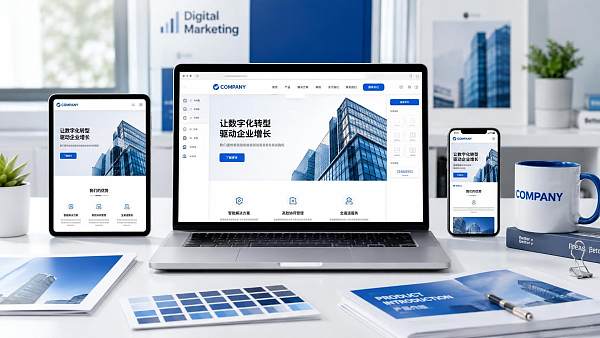
In traditional website development, changing a section, adding an image, or adjusting mobile layouts often requires a designer or developer. Drag-and-drop website building turns these frequent tasks into visual operations: add components to a page, set styles, destination links, and display rules, then use previews to review how the page appears on desktop and mobile devices.
This approach is especially suitable for scenarios where content is updated frequently. For example, when a company adds a new product line, needs to create a dedicated page for an exhibition, requires standalone landing pages for advertising campaigns, or needs to add pages for a specific market to a multilingual website. Operations staff can make changes within established standards without waiting for technical scheduling every time.
AI's value also lies mainly in accelerating the preparation process. It can help organize page modules, generate first drafts of product introductions, adapt wording for different languages, or provide headline and description suggestions based on existing content. “First draft” is important here: AI does not know a company's actual lead times, certifications, specification limits, after-sales policies, or differentiating advantages. This key information still needs to be confirmed by business personnel before publication.
Therefore, drag-and-drop tools reduce the difficulty of “turning content into web pages”; “what the website should say, who it is for, and what action visitors should be encouraged to take” remain business decisions that the team needs to make.
Which teams are suitable for using it directly
If website objectives are clear and functions are relatively standard, non-technical teams can usually get started quickly. When assessing suitability, do not focus only on whether the team can use design software; consider whether the website involves complex business rules.
For foreign trade companies and manufacturing plants, the common value of drag-and-drop website building is not simply “going live quickly.” Product pages need to continuously add models, application scenarios, downloadable materials, and inquiry entry points as markets change. Only when marketing staff can maintain content independently can the website keep pace with promotional activities. If the platform also provides multilingual management, basic SEO configuration, form lead collection, and marketing page capabilities, the website can more easily become part of the lead-generation process.
The three most common pitfalls for teams without coding skills
Treating a template as a website strategy
Templates can solve layout and provide a visual starting point, but they cannot automatically determine what customers care about. A B2B page aimed at procurement professionals usually needs to let visitors quickly see product applications, key specifications, supply capacity, quality credentials, delivery methods, and contact channels. If the homepage consists only of large images and a few generic slogans, it may look attractive but will not help build trust or generate inquiries.
Before selecting a template, list the tasks the website must perform: introduce the brand, collect inquiries, promote a single product, or receive advertising traffic? A page should ideally have one primary action, such as submitting requirements, requesting a quotation, viewing product categories, or entering the purchasing process. Too many objectives make it difficult for visitors to determine the next step.
Editing only on desktop
Desktop previews in drag-and-drop editors are usually intuitive, but actual visitors may primarily access the site on mobile phones. Whether text in images is too small, buttons are easy to click, forms contain too many fields, and the above-the-fold content takes too long to display all need to be checked separately. This is especially important for advertising landing pages, where a poor mobile experience directly affects subsequent actions after a visit.
A simple working habit can help: before each publication, check the mobile above-the-fold view, expanded navigation, product images, key buttons, and form submission in sequence. This saves more time than conducting large-scale rework after the page is finished.
Assuming AI-generated content can be published directly
AI can improve writing efficiency, but product models, dimensional units, service scope, delivery terms, and industry terminology cannot rely on automatic generation. For overseas markets, direct translation is often insufficient as well: customers in different regions do not search in exactly the same way, use the same common expressions, or have the same purchase concerns. A more reliable approach is to let AI complete the framework and first draft, then have people familiar with the products and markets add factual details, standardize terminology, and remove vague wording.
When selecting an AI-powered website building system, do not just test whether it can be dragged
During demonstrations, most systems can complete image-and-text layouts. What truly creates differences is whether the website can be maintained and promoted over the long term after going live. Operators can assess this in the following order:
- First, review content maintenance: Can products, articles, case studies, and downloadable materials be conveniently added, categorized, and reused? Can multiple editors avoid accidentally changing core pages?
- Then, review marketing fundamentals: Is it easy to set page titles, descriptions, link structures, image descriptions, sitemaps, and redirects? Can form leads be effectively received and managed?
- Check multilingual logic: If targeting multiple countries, do not only check whether there is a translation button. Also check whether pages in different languages can be optimized independently and whether content and SEO settings for corresponding markets are supported.
- Confirm extension boundaries: If analytics tools, ad conversion tracking, customer service systems, payment systems, or ERP may be integrated in the future, does the platform support the corresponding connection methods?
- Understand delivery and support: No matter how easy a template is to use, issues such as domain binding, content migration, page errors, and promotion configuration can still arise. For teams without technical roles, clear implementation support is more practical than flashy features.
For websites targeting overseas customer acquisition, attention should also be paid to whether website building and marketing are disconnected. The services provided by Yiyingbao cover AI-powered website building, multilingual websites, SEO optimization, advertising placement, and social media marketing, making them suitable for companies that want to use their websites as destination pages for overseas promotion. In actual evaluations, the key is not whether the feature list is long, but whether the website building system can enable content, search visibility, advertising landing pages, and lead collection to form a continuous process.
Some situations should not rely solely on drag-and-drop
When operations involve complex pricing, real-time inventory, multi-role permissions, distributor systems, customized quotation rules, or deep data synchronization with internal systems, pure drag-and-drop website building may not be enough. In such cases, visual website building can be used for front-end content and marketing pages, while complex logic for orders, customers, and supply chains is handled by specialized systems and connected through APIs or integration methods.
Another boundary is brand consistency. The more open page components are, the easier it is for different people to use different fonts, colors, and button styles. When the team is larger, basic templates, image sizes, button copy, and publishing permissions should be standardized before opening up routine editing. This preserves the efficiency of drag-and-drop website building without gradually causing the website to lose consistency.
Prepare four types of materials before getting started
For teams without coding skills that want to genuinely improve launch efficiency, the most useful preparation is not studying every feature first, but organizing business materials first: company and brand introductions, product categories and actual specifications, questions frequently asked by target customers, and images, videos, certificates, or case-study materials. Then define the primary objective of each page type, for example, product pages mainly for inquiries, content pages mainly for attracting search traffic, and advertising pages mainly for lead capture or purchases.
Once these materials and objectives are clear, the drag-and-drop capabilities of an AI-powered website building system become highly efficient: they enable operators to update websites continuously, create marketing pages quickly, and reduce reliance on coding resources. If the materials themselves are incomplete or website objectives have not yet been determined, even the easiest tool to use can only create a content-deficient website more quickly.
Related Articles

Related Products
 Yiyingbao SaaS Intelligent Website Building and Marketing SystemYiyingbao SaaS Intelligent Website Building and Marketing System, AI-powered no-code website building, rapid creation of multilingual B2B international websites in 10 minutes, global server acceleration, AI-powered SEO optimization, helping businesses connect efficiently with global markets. The perfect integration of technology and operation makes building an international trade website remarkably simple
 AI+SEM Intelligent Advertising Marketing SystemAI+SEM drives intelligent ad creation, empowering full-funnel precision advertising marketing. The system automatically generates weekly/monthly reports, AI recommends keywords and target countries, monitors core metrics in real-time with intelligent alerts, and enables one-click high-conversion ad solutions to help quickly acquire customers and improve ROI.
 AI+SEO Dual-Engine System Optimization ServicesYiyingbao’s AI+SEO dual-engine optimization system helps foreign trade enterprises acquire high-quality organic traffic through AI-powered keyword research, content generation, and comprehensive technical optimization, significantly improving search rankings and conversion rates.
 AI+SNS Social Media Marketing SystemYingbao AI+SNS Social Media Marketing System - Precision social capture for the social media era. Supports one-click content synchronization across major platforms like Facebook and LinkedIn. AI intelligently rewrites posts for enhanced relevance. 24/7 AI customer service and user profiling analysis empower businesses to efficiently expand into global markets.
 AI+SEO营销解决方案易营宝AI+SEO营销解决方案,通过AI批量写作、智能生成TDK、精准关键词扩词等功能,全面优化网站SEO效果,提升流量与转化率。助力企业构建高效智能网站新生态。
 AI+SEM Advertising Marketing SolutionsAI+SEM Advertising Marketing Solution leverages AI technology to deeply empower SEM ad campaigns. It automatically generates weekly/monthly reports using AI, presenting account data across multiple dimensions for comprehensive insights into campaign performance and trends. The system precisely recommends keywords and target countries, intelligently generates high-conversion ad copy, and enables one-click activation of efficient campaign plans to help businesses rapidly acquire customers. Simultaneously, it monitors core metrics in real time, intelligently identifies abnormal fluctuations, and issues timely alerts to ensure stable, high-return advertising results.
 Domain Name ServicesEasyWin provides professional domain name services, including intelligent queries, one-stop registration, brand protection, and full lifecycle management, helping businesses build a digital brand image.
 EasyOperate B2C Cross-Border E-Commerce Platform & Independent WebsiteEasyStore B2C Cross-border E-commerce Independent Store is an intelligent website building and cross-border e-commerce integrated solution independently developed by EasyStore Information Technology (Beijing) Co., Ltd. The system is specially designed for small and medium-sized as well as large export enterprises, integrating 'website building, operation, marketing, advertising, and conversion' into one, helping enterprises quickly establish cross-border e-commerce independent stores to achieve brand globalization and global sales growth.
The platform supports multiple languages, multiple currencies, and multi-channel marketing, with built-in AI intelligent translation and SEO optimization systems, suitable for mainstream markets such as Southeast Asia, Europe and America, Latin America, and the Middle East, assisting Chinese manufacturing enterprises in efficiently deploying international e-commerce strategies. SSL证书易营宝提供专业SSL安全证书服务,包括单域名和泛域名证书,确保网站数据传输加密、身份验证和完整性保护,助力企业建立安全可信的在线业务环境。









