









- Which customer acquisition channels will be affected by cross-border marketing trends in 2026?Sep 06, 2026View details
- Which homogenization risks should be considered in an analysis of the AI-powered website building industry?Aug 30, 2026View details
- How Will AI Marketing Trends 2026 Change Advertising Budget AllocationAug 28, 2026View details
- Is the EV SSL certificate market shrinking or upgrading? How should companies assess certificate procurement?Aug 11, 2026View details
- Why the old AMP SEO 2020 practices no longer work and what has changed in current optimization prioritiesAug 02, 2026View details
- How to Choose Topics for an Industry News Section to Attract More Organic Search TrafficJul 29, 2026View details
Can website builders automatically issue SSL certificates? Deployment methods and renewal mechanisms explained
Can website building tools automatically issue SSL certificates? First, understand the answer and the limitations
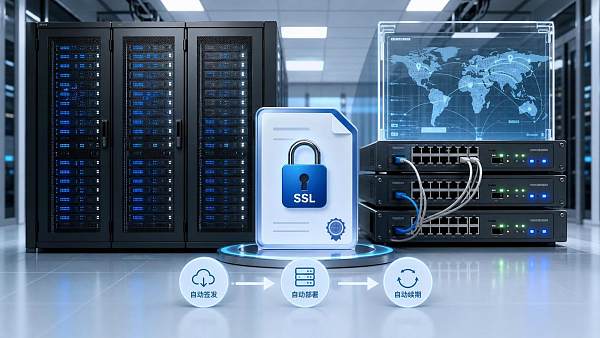
Can website building tools automatically issue SSL certificates? The answer is: most mainstream platforms can, but it does not mean everything is foolproof once it is enabled. Whether it is truly automatic depends on the website building system, domain DNS configuration, server deployment method, and whether the certificate renewal workflow is complete.
For website operations and maintenance, the value of an SSL certificate is no longer limited to the small lock icon in the browser. It is related to data transmission encryption, search engine trust, form submission security, compliance review results, and the accessibility of advertising landing pages.
Judging from recent trends, more and more enterprises are choosing SaaS website building or cloud deployment solutions. One important reason is that they want the system to automatically handle high-frequency but error-prone tasks such as certificate application, installation, and renewal.
However, in reality, automatic SSL certificate issuance does not equal automatic compliance, nor does it equal automatic stability. Whether a certificate can be issued, whether it will become invalid midway, and whether renewal will succeed all depend on clear technical conditions behind the scenes.
How mainstream website building tools enable automatic SSL certificate issuance
To understand whether website building tools can automatically issue SSL certificates, you first need to understand where certificates come from. Mainstream platforms usually connect to public certificate authorities and, after domain validation, automatically issue DV certificates for websites, which are domain validation certificates.
The common process is generally divided into four steps: binding the domain name, completing DNS resolution, verifying domain control, and issuing the certificate and deploying it to the Web service. For users, this may look like just an “Enable HTTPS” button in the admin panel, but internally the system has actually completed the full certificate lifecycle workflow.
If the platform uses a fully managed architecture, the level of automation is usually higher. This is because domain access, reverse proxy, certificate storage, and service reload are all completed within the same control plane, resulting in fewer failure points and a higher renewal success rate.
If it is a semi-managed model, such as a site deployed on a cloud host or a third-party server, the website building tool may be able to issue certificates, but it may still depend on external DNS, valid ports, and gateway configuration. As long as one of these steps is abnormal, automatic SSL certificate issuance will be interrupted.
Common conditions for automatic issuance
- The domain name has been correctly resolved, and the DNS records are accessible from the public internet.
- Ports 80 or 443 are not incorrectly blocked or occupied.
- The domain name is not in a state of abnormal redirects, proxy loops, or validation conflicts.
- The website building platform has a certificate application interface and automatic deployment capability.
- After the certificate is issued, the site has been forced to redirect to HTTPS.
The degree of SSL certificate automation varies greatly across different deployment methods
When many enterprises ask whether website building tools can automatically issue SSL certificates, they are essentially asking: does my deployment model support true automation? This question cannot be judged separately from the architecture.
1. SaaS website building platforms
This is the category with the highest level of automation. After the domain name is connected, the platform usually automatically applies for the certificate, binds it to the site, configures CDN or load balancing, and then enables HTTPS. As long as DNS resolution is stable, renewal is often automatically executed in the backend as well.
2. Self-deployment on cloud servers
This method offers greater flexibility, but it also requires higher technical coordination. Certificates can be automatically applied for with the help of scripts or control panels, but Nginx, Apache, container gateways, and scheduled tasks all need to work together. If any renewal action fails, the certificate may expire.
3. CDN or cloud acceleration in front of the origin site
This type of model often involves a “dual certificate” issue. The front-end CDN may have one certificate, while the origin site has another. HTTPS may appear to be enabled, but if the origin certificate expires, origin fetching may still fail, and the business may still be interrupted.
4. Multilingual site clusters or multi-region nodes
This scenario is more complex. With many subdomains, distributed nodes, and diverse DNS resolution strategies, automatic certificate issuance and renewal must be centrally managed. Otherwise, when a site in a certain language becomes invalid, it is often not discovered immediately, but it can still affect indexing and conversion.
How the automatic renewal mechanism works, and why problems still occur
When discussing whether website building tools can automatically issue SSL certificates, you cannot only look at the initial issuance; you must also look at the renewal mechanism. Since most free or automatically issued certificates have relatively short validity periods, the system needs to regularly re-validate and complete replacement.
The standard process is usually: initiate a renewal request before expiration, perform domain validation again, obtain a new certificate, write it into certificate storage, and then hot-update the service configuration. If the platform is mature, users are almost unaware of this process.
The problem is that renewal depends on the assumption that “the current environment is still correct.” For example, if domain DNS settings have been changed, the validation path has been blocked, WAF policies have blocked validation requests, or scheduled tasks have failed, renewal can fail.
A more obvious sign is that some sites usually work normally, but suddenly report an error after a certificate expires. The cause is not an abnormal certificate authority, but a small change in the automatic renewal workflow that has gone unmonitored for a long time.
Frequent causes of renewal failure
- After DNS resolution adjustments, the changes were not synchronized with the certificate validation strategy.
- After server reinstallation or migration, the renewal script was not restored.
- CDN, WAF, or load balancing blocked validation requests.
- In a multi-domain certificate, validation failure for one subdomain caused the entire renewal to fail.
- No expiration reminder was configured, so the problem was only exposed after expiration.
Beyond automatic issuance, what security and compliance points should also be considered?
Whether website building tools can automatically issue SSL certificates is, of course, important. But from the perspective of risk control and management, what truly matters is whether certificates are auditable, alertable, and traceable. Automation is only a means, not the ultimate goal.
First, you need to look at certificate coverage. Whether the primary domain, www domain, subdomains, and redirect domains are all included in certificate management must be checked. You cannot only protect the main site while ignoring campaign pages, landing pages, and multilingual sub-sites.
Second, you need to look at protocol configuration. Even if automatic SSL certificate issuance succeeds, if the TLS version is outdated, weak cipher suites are not disabled, or forced redirects are missing, it will still affect security ratings and external audit results.
Third, certificate asset management matters. Many enterprises do not lack certificates; rather, their certificates are scattered across different service provider dashboards, responsibilities are unclear, renewal reminders are fragmented, and the result is a situation that “appears automated but is actually out of control.”
Recommended key inspection items
- Whether certificate expiration warnings and failure alerts are supported.
- Whether issuance time, expiration time, and deployment nodes can be viewed.
- Whether one-click forced HTTPS redirect is supported.
- Whether multiple domains, multiple sites, and multilingual versions can be managed centrally.
- Whether logs are provided to help trace the causes of automatic renewal failures.
How to determine whether a website building platform’s SSL capabilities are reliable
In real business scenarios, when determining whether a website building tool can automatically issue SSL certificates, you cannot simply look at whether the promotional page says “free HTTPS.” A more practical approach is to verify it from two dimensions: the deployment closed loop and the operations and maintenance closed loop.
The deployment closed loop focuses on: after the domain is connected, how long it takes to issue the certificate, whether manual operation is required, and whether there are clear prompts after failure. The operations and maintenance closed loop focuses on: whether renewal is automatic, whether exceptions trigger alerts, whether logs are available, and whether certificates can be managed in batches.
For websites that need overseas customer acquisition, global access stability also deserves extra attention. Certificate deployment not only affects browser trust, but also affects search indexing, advertising review, form submission success rates, and access consistency across overseas nodes.
For platforms like 易营宝 that integrate website building, SEO optimization, advertising marketing, and multilingual site management, the advantage lies in managing site creation, certificate deployment, global access, and marketing conversion within the same system, reducing certificate risks caused by system fragmentation.
In summary, the answer to whether website building tools can automatically issue SSL certificates is not simply “yes” or “no.” A more accurate evaluation standard is whether they can issue certificates stably, renew them continuously, monitor them centrally, and remain controllable in multi-site scenarios. If you clearly assess these four points during selection, later maintenance costs will be much lower.
Related Articles



Related Products
 Yiyingbao SaaS Intelligent Website Building and Marketing SystemYiyingbao SaaS Intelligent Website Building and Marketing System, AI-powered no-code website building, rapid creation of multilingual B2B international websites in 10 minutes, global server acceleration, AI-powered SEO optimization, helping businesses connect efficiently with global markets. The perfect integration of technology and operation makes building an international trade website remarkably simple
 AI+SEM Intelligent Advertising Marketing SystemAI+SEM drives intelligent ad creation, empowering full-funnel precision advertising marketing. The system automatically generates weekly/monthly reports, AI recommends keywords and target countries, monitors core metrics in real-time with intelligent alerts, and enables one-click high-conversion ad solutions to help quickly acquire customers and improve ROI.
 AI+SEO Dual-Engine System Optimization ServicesYiyingbao’s AI+SEO dual-engine optimization system helps foreign trade enterprises acquire high-quality organic traffic through AI-powered keyword research, content generation, and comprehensive technical optimization, significantly improving search rankings and conversion rates.
 AI+SNS Social Media Marketing SystemYingbao AI+SNS Social Media Marketing System - Precision social capture for the social media era. Supports one-click content synchronization across major platforms like Facebook and LinkedIn. AI intelligently rewrites posts for enhanced relevance. 24/7 AI customer service and user profiling analysis empower businesses to efficiently expand into global markets.
 AI+SEO营销解决方案易营宝AI+SEO营销解决方案,通过AI批量写作、智能生成TDK、精准关键词扩词等功能,全面优化网站SEO效果,提升流量与转化率。助力企业构建高效智能网站新生态。
 AI+SEM Advertising Marketing SolutionsAI+SEM Advertising Marketing Solution leverages AI technology to deeply empower SEM ad campaigns. It automatically generates weekly/monthly reports using AI, presenting account data across multiple dimensions for comprehensive insights into campaign performance and trends. The system precisely recommends keywords and target countries, intelligently generates high-conversion ad copy, and enables one-click activation of efficient campaign plans to help businesses rapidly acquire customers. Simultaneously, it monitors core metrics in real time, intelligently identifies abnormal fluctuations, and issues timely alerts to ensure stable, high-return advertising results.
 Domain Name ServicesEasyWin provides professional domain name services, including intelligent queries, one-stop registration, brand protection, and full lifecycle management, helping businesses build a digital brand image.
 EasyOperate B2C Cross-Border E-Commerce Platform & Independent WebsiteEasyStore B2C Cross-border E-commerce Independent Store is an intelligent website building and cross-border e-commerce integrated solution independently developed by EasyStore Information Technology (Beijing) Co., Ltd. The system is specially designed for small and medium-sized as well as large export enterprises, integrating 'website building, operation, marketing, advertising, and conversion' into one, helping enterprises quickly establish cross-border e-commerce independent stores to achieve brand globalization and global sales growth.
The platform supports multiple languages, multiple currencies, and multi-channel marketing, with built-in AI intelligent translation and SEO optimization systems, suitable for mainstream markets such as Southeast Asia, Europe and America, Latin America, and the Middle East, assisting Chinese manufacturing enterprises in efficiently deploying international e-commerce strategies. SSL证书易营宝提供专业SSL安全证书服务,包括单域名和泛域名证书,确保网站数据传输加密、身份验证和完整性保护,助力企业建立安全可信的在线业务环境。









