









- What stages does the cross-border services ecosystem include? How do website building, promotion, payment, and compliance work togetherJun 22, 2026View details
- How will email marketing costs change in 2026Jun 22, 2026View details
- The China-US tariff arrangement has reached a preliminary consensus, and the trade association will be establishedJun 15, 2026View details
- Should overseas brand marketing start with ads or contentJun 21, 2026View details
- What determines B2C cross-border e-commerce website development costs? A breakdown of features, interfaces, and deployment methodsJun 17, 2026View details
- China-Morocco zero-tariff access, a breakthrough in the cost of Moroccan goods exports to ChinaJun 11, 2026View details
What to do if you forget your WhatsApp two-step verification PIN?
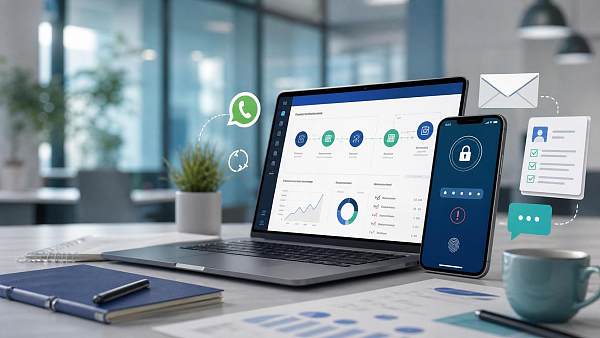
Forgot your WhatsApp two-step verification PIN, and can’t log in or receive the verification code? Don’t panic. This article will quickly walk you through the recovery methods, common causes, and prevention tips to help you restore account access as soon as possible and avoid disrupting daily communication and customer contact.
For foreign trade companies, cross-border e-commerce sellers, and brand global expansion teams, WhatsApp often handles three core tasks: inquiry follow-up, customer communication, and after-sales replies. Once the account is restricted due to a PIN issue, it may slightly affect communication efficiency for 1–3 days, or even interrupt the entire process of ad lead handoff and independent site conversions.
Why does the WhatsApp two-step verification PIN affect marketing and business collaboration
The two-step verification PIN is essentially a second security passcode for the account, usually a 6-digit number. It not only prevents the phone number from being re-registered by others, but is also closely related to the enterprise sales, customer service, and overseas operations teams’ continuous control over customer assets.
4 common business scenarios affected
- After a salesperson changes phones, they cannot complete login on the new device
- Customer inquiries brought by ad campaigns cannot be responded to in time within 2–12 hours
- Forms, landing pages, and WhatsApp jump links on the independent site are interrupted
- Handover of shared accounts among multiple people is unclear, causing the PIN to be left unbacked up by anyone
Practical impact on websites and marketing conversions
In a website + marketing services integrated scenario, WhatsApp is not a standalone tool; it is a key touchpoint from ad clicks, official website visits, inquiry submissions, to transaction follow-up. If the customer service window is interrupted for more than 24 hours, many high-intent customers will directly turn to competitors with faster responses.
The table below is suitable for enterprises to quickly determine the impact priority of forgetting the PIN on different marketing channels, so they can decide whether to restore the account first or enable a backup communication channel first.
As you can see, forgetting the PIN may seem like an account issue, but in reality it affects traffic handoff, customer response speed, and conversion funnel integrity. For companies running overseas ads, it is best to keep the handling time within the same day.
After forgetting the PIN, how to quickly recover access
If you forgot your WhatsApp two-step verification PIN, do not repeatedly try to enter it first. Multiple consecutive errors may trigger a waiting period, which commonly ranges from a few hours to 7 days. A more stable approach is to step by step determine whether an email is linked, and whether the account can still receive SMS verification codes.
3-step troubleshooting process
- Confirm whether the current number can still normally receive SMS or phone verification codes
- Check whether an email has ever been bound for two-step verification recovery
- Determine whether the account is for personal use or shared by a team of 2 or more people
How to handle when an email is linked
If an email was set up previously, you can usually request a reset email through the “Forgot PIN” entry. After receiving the email, follow the prompts to turn off or reset two-step verification. In most cases, processing can be completed within 10–30 minutes, provided the email can still be logged into normally.
How to handle when no email is linked
If no email is linked, recovery will be more passive. Users often need to wait for the system security period to end before verifying the number again. This waiting time is not fixed, so enterprises should prepare a backup communication plan in advance to avoid major lead loss within 48 hours.
For ease of execution, the following summarizes the handling paths and recommended timelines under different scenarios, suitable for unified coordination among operations, customer service, and management.
The key conclusion is: email binding determines recovery speed, and team permission management determines risk level. For enterprises, account security should not rely solely on individual memory, but should be incorporated into marketing infrastructure management.
How to prevent PIN forgetting and avoid affecting your independent site and overseas lead generation
Truly mature website and marketing integrated operations are not just about running ads and building websites; they also need to ensure that every customer touchpoint remains stable and usable. WhatsApp, enterprise email, form systems, ad accounts, and the official website backend should each undergo at least one unified permission audit, and be reviewed every 3–6 months.
5 preventive actions that enterprises can implement
- Bind a regular company email to two-step verification instead of a personal temporary email
- Set up an account ledger to record number usage, responsible persons, email resets, and activation dates
- Keep at least 2 backup contact channels for important customer entry points
- Synchronize forms, email, and social media entry points on the independent site pages
- Use a checklist for handover; do not verbally pass on the PIN or permission information
More stable configuration suggestions for export enterprises
If the enterprise is continuously acquiring customers through Google SEO, Google Ads, Facebook Ads, or short video channels, it is recommended to design the customer handoff model as “1 main entry + 2 backup entries”. In this way, even if one account encounters a short-term issue, traffic will not be directly wasted.
When serving foreign trade enterprises and brand global expansion projects, Yiyingbao usually integrates website building, conversion forms, customer service entry points, landing pages, and content optimization into the same operation framework to reduce the impact of single-point failures on inquiry handoff and improve the continuity and controllability of overseas promotion.
If your team is currently facing issues such as forgotten WhatsApp PIN, scattered customer entry points, or unstable conversion paths on the official website, it is often more effective to quickly connect account security, website handoff, and marketing channels than to fix one tool separately. Based on your business model, Yiyingbao can provide independent site development, multilingual official website, SEO optimization, and overseas customer acquisition collaboration solutions to help reduce communication interruption risks and improve lead conversion efficiency. Contact us now to get a more suitable digital solution for your overseas business.
Related Articles
Related Products
 EasyCamp SaaS Smart Website Marketing SystemE-Yingbao SaaS Smart Website Marketing System: AI-powered, zero-code website building. Rapidly launch multilingual independent e-commerce sites in just 10 minutes. Global server acceleration and AI-driven SEO optimization empower businesses to efficiently connect with global markets. The seamless integration of technology and user-friendly operation makes building e-commerce sites incredibly simple.
 AI+SEM Intelligent Advertising Marketing SystemAI+SEM drives intelligent ad creation, empowering full-funnel precision advertising marketing. The system automatically generates weekly/monthly reports, AI recommends keywords and target countries, monitors core metrics in real-time with intelligent alerts, and enables one-click high-conversion ad solutions to help quickly acquire customers and improve ROI.
 AI+SEO Dual Engine Optimization ServiceEasyWin AI+SEO Dual Engine Optimization System leverages AI-powered keyword mining, content generation, and comprehensive technical optimization to help foreign trade enterprises acquire high-quality organic traffic, significantly improving search rankings and conversion rates.
 AI+SNS Social Media Marketing SystemYingbao AI+SNS Social Media Marketing System - Precision social capture for the social media era. Supports one-click content synchronization across major platforms like Facebook and LinkedIn. AI intelligently rewrites posts for enhanced relevance. 24/7 AI customer service and user profiling analysis empower businesses to efficiently expand into global markets.
 AI+SEO营销解决方案易营宝AI+SEO营销解决方案,通过AI批量写作、智能生成TDK、精准关键词扩词等功能,全面优化网站SEO效果,提升流量与转化率。助力企业构建高效智能网站新生态。
 AI+SEM Advertising Marketing SolutionsAI+SEM Advertising Marketing Solution leverages AI technology to deeply empower SEM ad campaigns. It automatically generates weekly/monthly reports using AI, presenting account data across multiple dimensions for comprehensive insights into campaign performance and trends. The system precisely recommends keywords and target countries, intelligently generates high-conversion ad copy, and enables one-click activation of efficient campaign plans to help businesses rapidly acquire customers. Simultaneously, it monitors core metrics in real time, intelligently identifies abnormal fluctuations, and issues timely alerts to ensure stable, high-return advertising results.
 Domain Name ServicesEasyWin provides professional domain name services, including intelligent queries, one-stop registration, brand protection, and full lifecycle management, helping businesses build a digital brand image.
 EasyOperate B2C Cross-Border E-Commerce Platform & Independent WebsiteEasyStore B2C Cross-border E-commerce Independent Store is an intelligent website building and cross-border e-commerce integrated solution independently developed by EasyStore Information Technology (Beijing) Co., Ltd. The system is specially designed for small and medium-sized as well as large export enterprises, integrating 'website building, operation, marketing, advertising, and conversion' into one, helping enterprises quickly establish cross-border e-commerce independent stores to achieve brand globalization and global sales growth.
The platform supports multiple languages, multiple currencies, and multi-channel marketing, with built-in AI intelligent translation and SEO optimization systems, suitable for mainstream markets such as Southeast Asia, Europe and America, Latin America, and the Middle East, assisting Chinese manufacturing enterprises in efficiently deploying international e-commerce strategies. SSL证书易营宝提供专业SSL安全证书服务,包括单域名和泛域名证书,确保网站数据传输加密、身份验证和完整性保护,助力企业建立安全可信的在线业务环境。









