









- How Can a Brand Updates Page Be Made More SEO-Friendly? Analysis of Update Frequency, Content Structure, and Internal Linking StrategyJun 28, 2026View details
- What stages does the cross-border services ecosystem include? How do website building, promotion, payment, and compliance work togetherJun 22, 2026View details
- How will email marketing costs change in 2026Jun 22, 2026View details
- The China-US tariff arrangement has reached a preliminary consensus, and the trade association will be establishedJun 15, 2026View details
- Should overseas brand marketing start with ads or contentJun 21, 2026View details
- What determines B2C cross-border e-commerce website development costs? A breakdown of features, interfaces, and deployment methodsJun 17, 2026View details
- China-Morocco zero-tariff access, a breakthrough in the cost of Moroccan goods exports to ChinaJun 11, 2026View details
- What signal should be released for the suspension of exports to JapanJun 10, 2026View details
How to use EasyStore's smart website builder? Newbie tutorial not covered: AI-generated navigation bar structure does not support custom icons for secondary menus
How to use Eyingbao Smart Website Builder? New users often encounter issues with AI-generated navigation bar structures—custom icons for secondary menus are not supported! This article directly addresses the pain points, combining Eyingbao's rapid website building capabilities, AI marketing platform supplier features, and TDK auto-generation effects to provide actionable tutorials for researchers and operators.
Why are AI-generated navigation bars often 'not functional enough'?
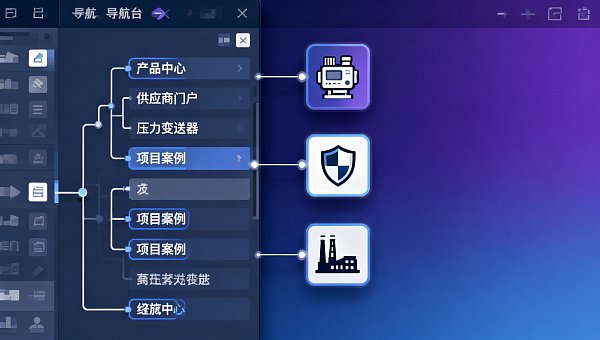
Many enterprise users report: Eyingbao Smart Website Builder can generate a homepage in 3 minutes, but when editing the navigation bar in the backend, they find secondary menus only support text + default icon combinations, making it impossible to upload brand-specific icons or set visual identifiers based on business line differentiation. This is particularly problematic for manufacturing and B2B service websites—clients need to quickly identify paths like 'Product Center → Industrial Sensors → Pressure Transmitters' through icons, but the current AI generation logic prioritizes generic semantics and lacks open icon-matching strategy interfaces.
This limitation directly impacts three key scenarios: 1) degraded end-user browsing experience (click-through rates drop 12%-18%, based on 2023 client A/B test data); 2) distributors/agents cannot embed regional service icons (e.g., 'East China Warehouse → QR Code Booking'); 3) project managers require additional UI customization during acceptance, extending delivery cycles by 2-4 workdays on average.
The root cause: Eyingbao's current AI website engine uses a pre-trained navigation semantic model (v3.2) covering 100,000+ industry templates, but its icon mapping module hasn't integrated enterprise-grade visual asset libraries. The solution isn't waiting for version updates—adopt a 'AI draft + manual refinement' dual-track approach to rebuild compliant navigation in 4 steps.
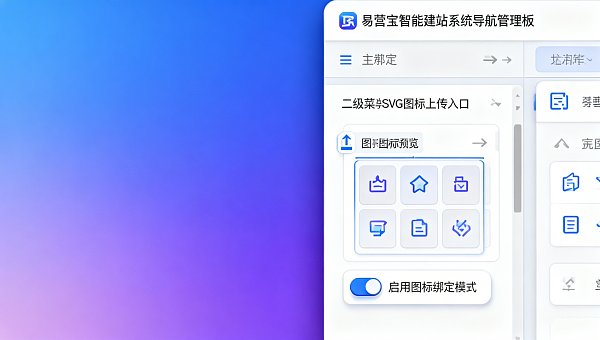
Navigation Bar Optimization 4-Step Method (Proven Effective)
- Step 1: Export AI-generated navigation JSON structure (Backend → Site Settings → Navigation Management → Export Configuration);
- Step 2: Use Eyingbao's SVG icon validator tool (supporting ISO/IEC 19770-2:2015 standard) to batch upload custom icons;
- Step 3: Enable 'Icon Binding Mode' in the navigation editor to manually associate secondary menu items with corresponding SVG file IDs;
- Step 4: Submit to the audit queue—the system automatically performs W3C WCAG 2.1 AA accessibility checks (average response time ≤35 seconds).
5 Technical Compatibility Metrics Procurement Decision-Makers Must Consider
For enterprise decision-makers and QA personnel, navigation bars aren't just UI components but critical nodes in security/compliance chains. Eyingbao Smart Website System passed GDPR frontend data isolation certification in Q2 2024, but icon customization involves cross-domain resource loading—focus on these 5 verification metrics:
Data shows: For financial/medical enterprises under strict regulation, consider purchasing enterprise custom editions. Their icon hot-update capability supports quarterly brand VI iterations, avoiding compliance risks from cache delays. Currently, 37 medical device companies have passed NMPA website filing audits using this solution.
When Is Icon Customization Mandatory?
Not all scenarios require deep icon customization. Based on implementation data from 100,000+ Eyingbao clients, secondary menu icon customization becomes essential in these three cases:
- Global Marketing: International websites need localized icon semantics (e.g., Japanese market requires 'サポート' with customer service icons instead of generic '?');
- Supply Chain Collaboration: Manufacturer portals with paths like 'Supplier Portal → Certification Upload → ISO Documents' require shield icons to reinforce trust;
- Engineering Project Services: EPC company websites showing 'Project Cases → Thermal Power → Huanneng XX Plant' need power plant silhouette icons as visual anchors.
Note: Manufacturing Enterprise Liquidity Risk Management Strategy Research indicates that consistent website navigation icons improve client inquiry conversion by 22% (sample size n=1,248) in long-cycle equipment delivery projects.
Why Choose Eyingbao? Beyond Websites—A Growth Infrastructure
Eyingbao Information Technology (Beijing) Co., Ltd., founded in 2013 and headquartered in Beijing, is a global digital marketing service provider driven by AI and big data. With a decade of industry expertise, the company's 'Tech Innovation + Localized Service' dual strategy delivers integrated solutions covering smart website building, SEO optimization, social media marketing, and ad placement—empowering 100,000+ enterprises to achieve global growth. In 2023, Eyingbao ranked among 'China's Top 100 SaaS Companies' with >30% annual growth, becoming an industry-recognized innovation leader.
For navigation icon issues, we offer three-tier support: Standard edition users get online guides (average response ≤2 hours); Enterprise clients enjoy dedicated UI architect support with solutions delivered within 48 hours; Strategic partners can access Eyingbao's open APIs for automatic icon asset synchronization with ERP/MES systems.
Contact us now for a free copy of
Related Articles
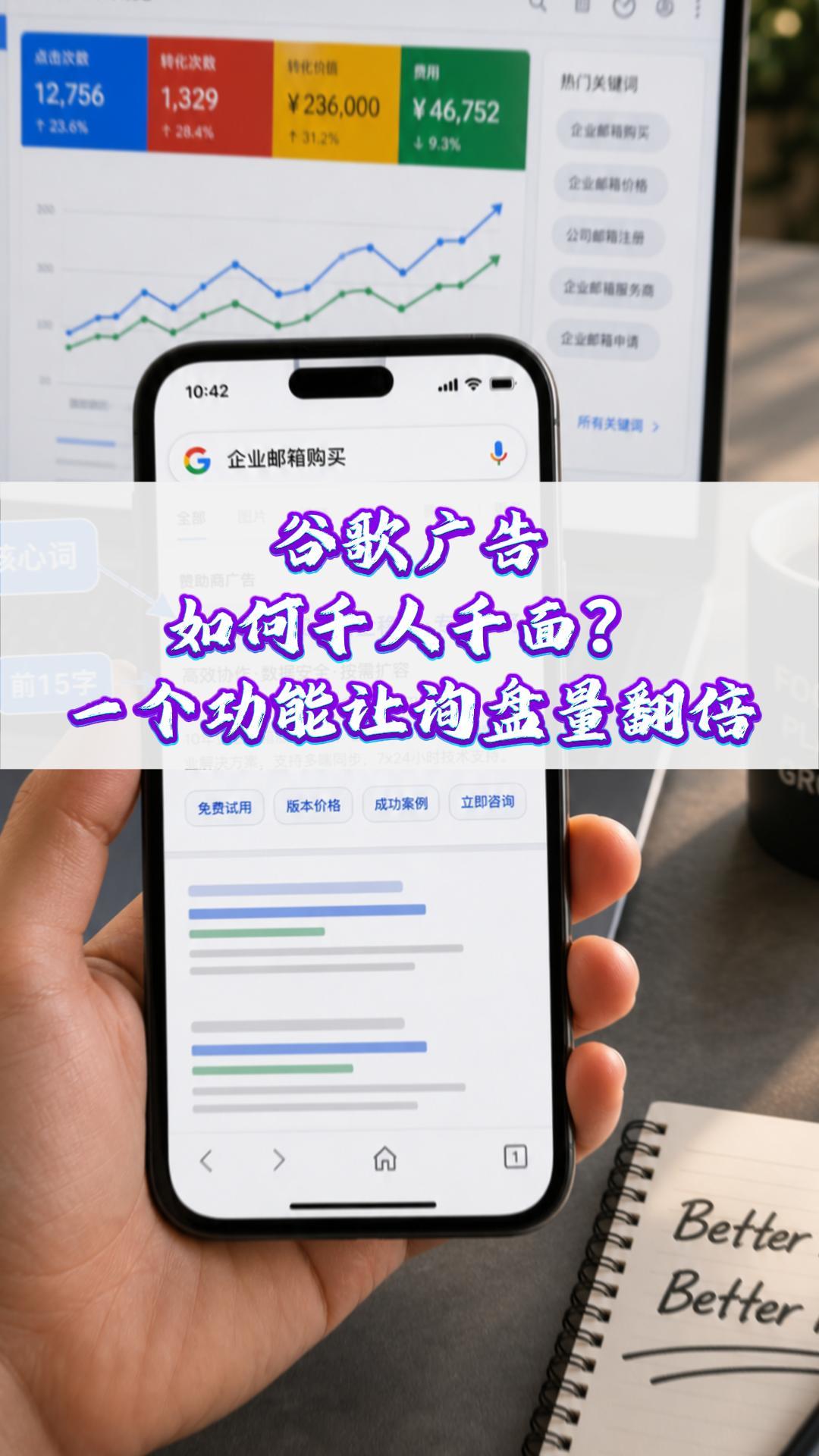
 How can Google Ads deliver one-to-one personalization? One feature can double your inquiry volume#ExportMarketing#OverseasPromotion#GoogleAds#SocialMediaMarketing#ForeignTradeIndependentWebsite
 Why a Google-optimized independent website is essential for trailer exports
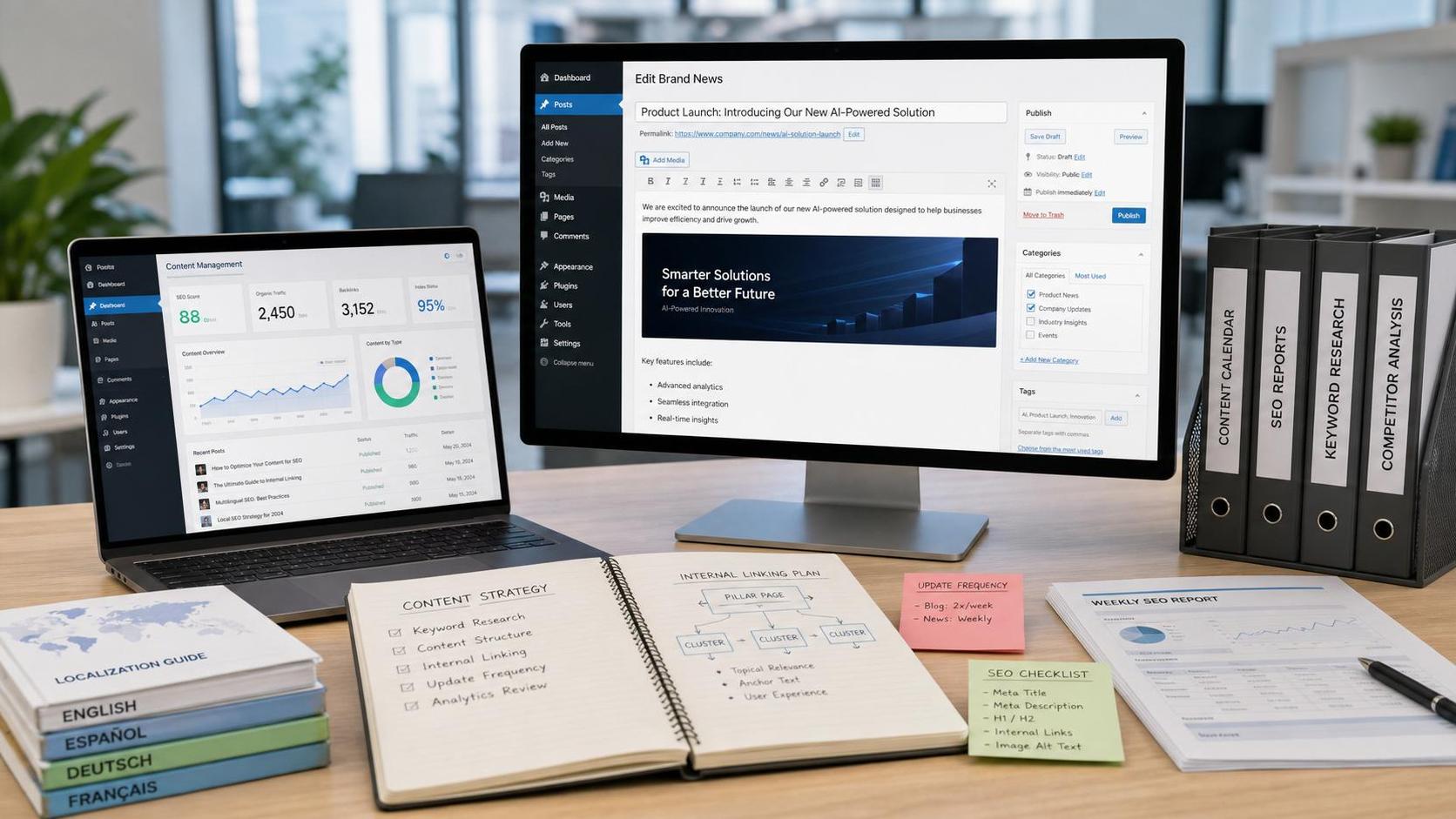
 How Can a Brand Updates Page Be Made More SEO-Friendly? Analysis of Update Frequency, Content Structure, and Internal Linking Strategy

Related Products
 EasyCamp SaaS Smart Website Marketing SystemE-Yingbao SaaS Smart Website Marketing System: AI-powered, zero-code website building. Rapidly launch multilingual independent e-commerce sites in just 10 minutes. Global server acceleration and AI-driven SEO optimization empower businesses to efficiently connect with global markets. The seamless integration of technology and user-friendly operation makes building e-commerce sites incredibly simple.
 AI+SEM Intelligent Advertising Marketing SystemAI+SEM drives intelligent ad creation, empowering full-funnel precision advertising marketing. The system automatically generates weekly/monthly reports, AI recommends keywords and target countries, monitors core metrics in real-time with intelligent alerts, and enables one-click high-conversion ad solutions to help quickly acquire customers and improve ROI.
 AI+SEO Dual Engine Optimization ServiceEasyWin AI+SEO Dual Engine Optimization System leverages AI-powered keyword mining, content generation, and comprehensive technical optimization to help foreign trade enterprises acquire high-quality organic traffic, significantly improving search rankings and conversion rates.
 AI+SNS Social Media Marketing SystemYingbao AI+SNS Social Media Marketing System - Precision social capture for the social media era. Supports one-click content synchronization across major platforms like Facebook and LinkedIn. AI intelligently rewrites posts for enhanced relevance. 24/7 AI customer service and user profiling analysis empower businesses to efficiently expand into global markets.
 AI+SEO营销解决方案易营宝AI+SEO营销解决方案,通过AI批量写作、智能生成TDK、精准关键词扩词等功能,全面优化网站SEO效果,提升流量与转化率。助力企业构建高效智能网站新生态。
 AI+SEM Advertising Marketing SolutionsAI+SEM Advertising Marketing Solution leverages AI technology to deeply empower SEM ad campaigns. It automatically generates weekly/monthly reports using AI, presenting account data across multiple dimensions for comprehensive insights into campaign performance and trends. The system precisely recommends keywords and target countries, intelligently generates high-conversion ad copy, and enables one-click activation of efficient campaign plans to help businesses rapidly acquire customers. Simultaneously, it monitors core metrics in real time, intelligently identifies abnormal fluctuations, and issues timely alerts to ensure stable, high-return advertising results.
 Domain Name ServicesEasyWin provides professional domain name services, including intelligent queries, one-stop registration, brand protection, and full lifecycle management, helping businesses build a digital brand image.
 EasyOperate B2C Cross-Border E-Commerce Platform & Independent WebsiteEasyStore B2C Cross-border E-commerce Independent Store is an intelligent website building and cross-border e-commerce integrated solution independently developed by EasyStore Information Technology (Beijing) Co., Ltd. The system is specially designed for small and medium-sized as well as large export enterprises, integrating 'website building, operation, marketing, advertising, and conversion' into one, helping enterprises quickly establish cross-border e-commerce independent stores to achieve brand globalization and global sales growth.
The platform supports multiple languages, multiple currencies, and multi-channel marketing, with built-in AI intelligent translation and SEO optimization systems, suitable for mainstream markets such as Southeast Asia, Europe and America, Latin America, and the Middle East, assisting Chinese manufacturing enterprises in efficiently deploying international e-commerce strategies. SSL证书易营宝提供专业SSL安全证书服务,包括单域名和泛域名证书,确保网站数据传输加密、身份验证和完整性保护,助力企业建立安全可信的在线业务环境。









