








- Qingdao Port's Imports and Exports Exceed RMB 23.699 Trillion in the First 10 Months, Drawing Attention to Port IntelligenceNov 22, 2026View details
- Ningbo Cross-Border E-Commerce Export Value Surges 94.87% Year on Year, Opening Up a New Billion-Yuan Growth TrackNov 22, 2026View details
- AliExpress Global Double 11: Brand Sales Grow Nearly 50% in the First Week, U.S. GMV Rises 70%Nov 21, 2026View details
- Ministry of Commerce Reports E-commerce Development from January to October 2026, with Cross-Border Imports Performing StronglyNov 21, 2026View details
- Amazon Black Friday Orders Sluggish on Day One; NRF Forecasts 4.2 Million Fewer ParticipantsNov 21, 2026View details
- 21st Century Business Herald: AI and CTV Become Core Growth Engines for Digital Marketing in Overseas MarketsNov 18, 2026View details
How to Request a Review After Violating Google Ads Policies
If an ad is disapproved for violating Google Ads policies, first review the specific reason for the violation, make changes to the ad or landing page, and then request a review using the “Appeal” option next to the ad. If you believe the system made an incorrect decision, you can also appeal the policy decision. If your account is suspended, review the suspension notice and follow the account appeal process provided there; simply resubmitting the ad will not resolve the issue.
Before taking action, confirm what is affected: a single ad that cannot run, multiple disapproved assets, or a suspended account. The scope determines what needs to be corrected and which appeal option to use. Changing only the ad copy while overlooking a landing page shared by all ads often will not resolve the issue.
Review the notice to identify what needs to be changed
Sign in to Google Ads and check the status and policy details in the ads or assets list. You can also check relevant policy management pages in your account and notification emails. Note the policy cited, the affected items, the destination URL, and the specific details in the notice. Interface names and navigation may vary by account type or product updates, so refer to what is actually displayed in your account.
A status of “Limited” does not necessarily mean an ad is disapproved. Some content may run only in certain regions, on certain devices, or to eligible audiences. First confirm whether the restriction affects your target markets, then decide whether to make changes or request a review. If the notice says the account is suspended, prioritize reviewing the suspension reason and appeal requirements; do not treat it as a standard ad review.
If the notice is vague, look for commonalities among the disapproved ads. For example, if several ads lead to the same page, first check that page and its redirect chain. If only one ad is disapproved, check its headline, description, images, and additional assets.

Fix the source of the violation, not just the surface wording
- Ad content: Check for exaggerated results, unsubstantiated claims, misleading statements, and information that does not match the landing page. Remove or rewrite problematic content, then make sure the remaining claims are supported by the information on the page.
- Landing page content: Check that descriptions of products or services, prices, fees, and important restrictions are clear. If the business requires licenses or certifications, also verify the policy requirements for the target region. Do not rely on copy changes alone to get around restrictions.
- Website accessibility: Test the site on both desktop and mobile devices. Check for page errors, loading failures, or redirects to unrelated pages. Also investigate server restrictions, regional access limits, and settings that may prevent ad reviewers from accessing the site.
- Security and redirects: Check for malicious code, unusual pop-ups, tampered links, or unexpected redirects. After cleaning up the site, review related scripts, plugins, and redirect destinations to make sure the issue does not persist on other pages or devices.
For violations involving contact details, identity, or transaction information, check the account details against the information displayed on your website, provide any required explanations, and ensure that submitted materials are genuine and verifiable. Refer to the relevant policy and account notice for specific requirements.
Do not limit your changes to the specific content shown in a review screenshot. Also check the final URLs actually used by the ads, language versions, mobile pages, and shared assets. After making changes, simulate a typical visitor's journey from clicking the ad to entering the page, and confirm that the page content matches the ad's claims.
Request a review in your account
- Open the affected ad or asset. In Google Ads, find the relevant item and check the policy details next to its status. Make sure you select the item that has been updated, not another version that points to a similar page.
- Select an available appeal option. If “Appeal” appears next to the ad or asset, select it and follow the instructions. Some issues can be handled on relevant policy management pages; available buttons and appeal eligibility depend on what is shown in your account.
- Select the appropriate appeal reason. If you have changed the content that violated the policy, select an option such as “Made changes to comply with policy.” If you made no changes and have grounds to believe the decision was incorrect, select an option such as “Dispute the decision.” Do not use these options interchangeably.
- Confirm the scope and submit. Follow the on-screen instructions to select the ads or scope covered by the appeal. If there is a field for additional details or materials, briefly state where the issue occurred, what changes you made, and what information can be verified. Do not include promotional content unrelated to the review.
- Track the status. After submitting, check your account notifications, policy details, or appeal-related pages for updates and results. Review times may vary depending on the issue and account. Submitting an appeal does not guarantee that the ad will be able to run again.
Some ad changes may trigger a new review without requiring a separate appeal; follow the instructions shown in your account. If you do not see an appeal button, first check your account permissions, the item’s status, and the type of violation. Then check whether the notice directs you to use a specific form or another process.
What to do if your account is suspended or a review is unsuccessful
If your account is suspended, first check the reasons listed in the notice. If the issue involves payments, identity verification, business information, or a serious policy violation, address the relevant requirements and submit an account-level appeal using the option provided in the suspension notice or your account. Distinguish between issues you have already fixed and parts of the decision you believe are incorrect, and attach the evidence requested by the platform. An ad-level appeal cannot replace an account appeal.
If a subsequent review is still unsuccessful, check whether the new policy details are the same as before. If the reason is unchanged, your corrective action may be incomplete—for example, an issue may remain on a page shared by multiple ads. If the reason has changed, address the newly identified item. Do not repeatedly submit the same appeal without new changes or evidence, and do not try to bypass restrictions by creating a new account, copying ads, or changing domains, as this may put your account at further risk.
If the notice does not provide enough information to identify the issue, gather the ad ID, policy name, destination URL, date of changes, and actions taken, then use an official support channel available in your account to ask for help. For website security issues, keep records of the cleanup, check whether the issue recurs, and continue based on the support response or policy guidance.
Related Articles
 How to Request a Review After Violating Google Ads Policies
 What factors determine Google Ads costs?
 Microsoft Confirms Ads with “Made With AI” Labels in Bing AI Overviews



Related Products
 Yiyingbao SaaS Intelligent Website Building and Marketing SystemYiyingbao SaaS Intelligent Website Building and Marketing System, AI-powered no-code website building, rapid creation of multilingual B2B international websites in 10 minutes, global server acceleration, AI-powered SEO optimization, helping businesses connect efficiently with global markets. The perfect integration of technology and operation makes building an international trade website remarkably simple
 AI+SEM Intelligent Advertising Marketing SystemAI+SEM drives intelligent ad creation, empowering full-funnel precision advertising marketing. The system automatically generates weekly/monthly reports, AI recommends keywords and target countries, monitors core metrics in real-time with intelligent alerts, and enables one-click high-conversion ad solutions to help quickly acquire customers and improve ROI.
 AI+SEO Dual-Engine System Optimization ServicesYiyingbao’s AI+SEO dual-engine optimization system helps foreign trade enterprises acquire high-quality organic traffic through AI-powered keyword research, content generation, and comprehensive technical optimization, significantly improving search rankings and conversion rates.
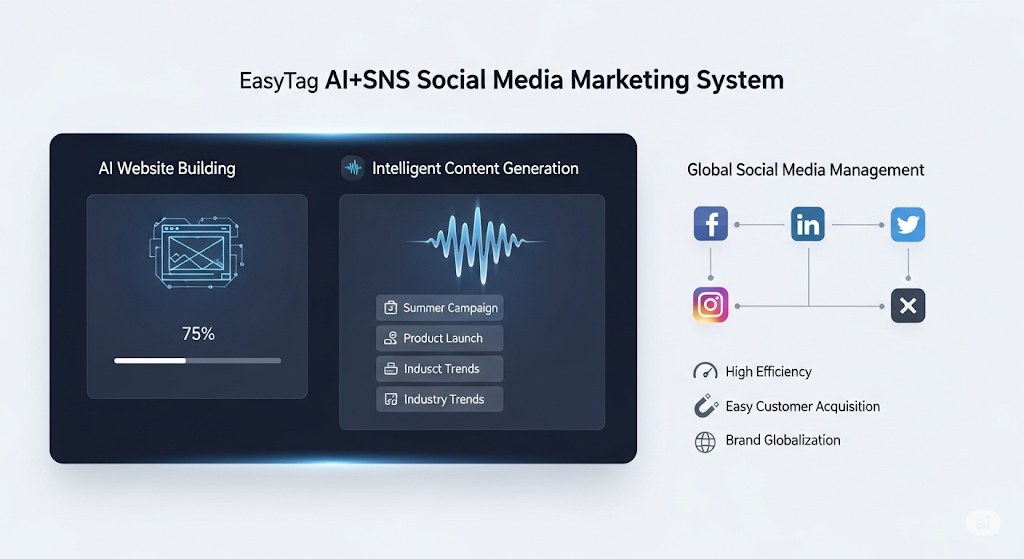
 AI+SNS Social Media Marketing SystemYingbao AI+SNS Social Media Marketing System - Precision social capture for the social media era. Supports one-click content synchronization across major platforms like Facebook and LinkedIn. AI intelligently rewrites posts for enhanced relevance. 24/7 AI customer service and user profiling analysis empower businesses to efficiently expand into global markets.
 AI+SEO营销解决方案易营宝AI+SEO营销解决方案,通过AI批量写作、智能生成TDK、精准关键词扩词等功能,全面优化网站SEO效果,提升流量与转化率。助力企业构建高效智能网站新生态。
 AI+SEM Advertising Marketing SolutionsAI+SEM Advertising Marketing Solution leverages AI technology to deeply empower SEM ad campaigns. It automatically generates weekly/monthly reports using AI, presenting account data across multiple dimensions for comprehensive insights into campaign performance and trends. The system precisely recommends keywords and target countries, intelligently generates high-conversion ad copy, and enables one-click activation of efficient campaign plans to help businesses rapidly acquire customers. Simultaneously, it monitors core metrics in real time, intelligently identifies abnormal fluctuations, and issues timely alerts to ensure stable, high-return advertising results.
 Domain Name ServicesEasyWin provides professional domain name services, including intelligent queries, one-stop registration, brand protection, and full lifecycle management, helping businesses build a digital brand image.
 EasyOperate B2C Cross-Border E-Commerce Platform & Independent WebsiteEasyStore B2C Cross-border E-commerce Independent Store is an intelligent website building and cross-border e-commerce integrated solution independently developed by EasyStore Information Technology (Beijing) Co., Ltd. The system is specially designed for small and medium-sized as well as large export enterprises, integrating 'website building, operation, marketing, advertising, and conversion' into one, helping enterprises quickly establish cross-border e-commerce independent stores to achieve brand globalization and global sales growth.
The platform supports multiple languages, multiple currencies, and multi-channel marketing, with built-in AI intelligent translation and SEO optimization systems, suitable for mainstream markets such as Southeast Asia, Europe and America, Latin America, and the Middle East, assisting Chinese manufacturing enterprises in efficiently deploying international e-commerce strategies. SSL证书易营宝提供专业SSL安全证书服务,包括单域名和泛域名证书,确保网站数据传输加密、身份验证和完整性保护,助力企业建立安全可信的在线业务环境。