








- Qingdao Port's Imports and Exports Exceed RMB 23.699 Trillion in the First 10 Months, Drawing Attention to Port IntelligenceNov 22, 2026View details
- Ningbo Cross-Border E-Commerce Export Value Surges 94.87% Year on Year, Opening Up a New Billion-Yuan Growth TrackNov 22, 2026View details
- AliExpress Global Double 11: Brand Sales Grow Nearly 50% in the First Week, U.S. GMV Rises 70%Nov 21, 2026View details
- Ministry of Commerce Reports E-commerce Development from January to October 2026, with Cross-Border Imports Performing StronglyNov 21, 2026View details
- Amazon Black Friday Orders Sluggish on Day One; NRF Forecasts 4.2 Million Fewer ParticipantsNov 21, 2026View details
- 21st Century Business Herald: AI and CTV Become Core Growth Engines for Digital Marketing in Overseas MarketsNov 18, 2026View details
Getting Clicks but No Conversions on Google Ads? Check Your Tracking Setup and Landing Page Experience
Google Ads clicks without conversions do not necessarily mean the ads are targeting the wrong audience. Inquiries may have been generated but not recorded in the account; or visitors may have reached the website but dropped off while the page was loading, filling out a form, or waiting for a response. When carrying out adwords optimisation, don't rush to change your bids. First confirm that conversion tracking is accurate, then review the landing page along the visitor's actual journey.
First, confirm: Are there no conversions, or are conversions simply not being recorded?
Open the “Goals” or conversion actions page in Google Ads and check which behavior is currently being counted: form submissions, phone calls, online chats, or completed purchases. Review the status and most recent records for the relevant action, as well as its goal inclusion settings. Page views and button clicks can be useful for additional insight, but they are not the same as qualified inquiries.
Next, run a complete test: visit the landing page linked to the ad on a phone or computer and submit test information. Confirm that the page indicates successful submission, that the record actually arrives in the backend, and then check whether the tag fired. You can use Google Tag Assistant to troubleshoot tag loading and event firing. Make sure test leads are clearly marked so sales staff do not follow up on them by mistake; test results may also be included in reporting, so distinguish them when reviewing the data later.
If a thank-you page is used as the conversion condition, confirm that it only appears after a successful submission. Visitors refreshing the thank-you page or accessing it directly, or multiple tags recording the same action more than once, can inflate conversion numbers. Conversely, if the form submits asynchronously without redirecting to another page, a thank-you-page rule alone may miss conversions. In that case, configure tracking based on the actual successful submission event.
When troubleshooting, don't overlook cross-domain redirects and privacy consent settings. For example, click identifiers may be lost when visitors move from the main website to a third-party form domain. In some regions, tracking may also be affected when users do not consent to the relevant tracking. Check the website's consent management and tag configuration in these cases, and don't bypass privacy requirements just to capture more complete data.
Break down an inquiry journey to find the actual point of failure
Once tracking is working properly, look at what visitors experience from the ad click to the inquiry: ad click, page load, content viewed, form started, successful submission, and sales team receipt. Looking only at the final number in the ad platform makes it hard to tell whether the page failed to persuade visitors or the form failed to submit.
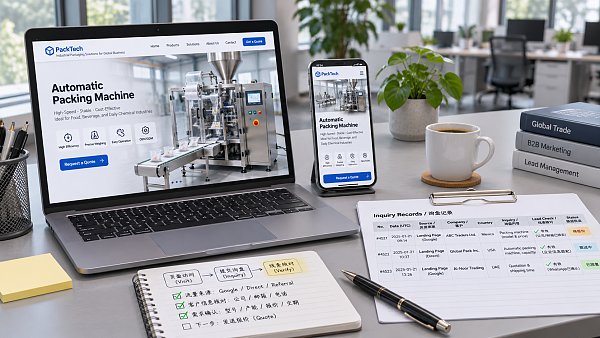
When reviewing performance, look at ad clicks, website visits, form starts, successful submissions, and the number of leads received in the backend together. These metrics may differ in their definitions, attribution methods, and update times, so they do not need to match exactly. However, if page visits drop significantly, check page loading and redirects. If many visitors start filling out the form but few submit it successfully, focus on the fields and submission process.
And don't treat “successful submission” as the finish line. Check whether test emails land in the spam folder, notifications are being sent to former employees, and leads are reaching the customer management system. Some businesses have ads and forms that appear to work normally, while the actual problem lies in lead notifications or follow-up.
A landing page is not a company profile page; it should answer the visitor's immediate questions
When international manufacturers advertise product-related keywords, visitors usually want to quickly confirm specifications, applications, minimum order requirements, and how to request a quote. If the ad promises a particular type of equipment but leads to a homepage containing only a company introduction, users have to find the product themselves and are more likely to leave. Keeping the ad copy, search intent, and above-the-fold content aligned is more useful than simply adding a more prominent button.
Include enough information on the page to help visitors make an initial assessment, such as available specifications, applications, delivery process, and contact details. If specific parameters are uncertain, say that they need to be confirmed rather than making unverified promises to attract clicks. For different language markets, check that translations are accurate, contact details work, and the language used for inquiry responses is appropriate. Don't just translate the page text and publish it.
For mobile, go through the process yourself: Is the product clearly visible above the fold? Are images slowing down loading? Is the form input field obscured by the keyboard? You can use PageSpeed Insights to identify performance issues, but the score is only a starting point for troubleshooting. Ultimately, check whether users can complete the process smoothly in the target region, on commonly used devices, and over real-world network connections.
The longer the form, the more important it is to explain why the information is needed
Quotes for complex equipment may indeed require dimensions, intended use, and order quantity, but there is no need to ask for all the details in the first contact. You can initially collect contact information and core requirements, then ask detailed technical questions in follow-up communications. Clearly mark required fields, show a specific reason if submission fails, and retain information the user has already entered.
If the page offers phone, email, and live chat, confirm that each option works. Clicking an email link does not mean an email has been sent; clicking a chat button does not mean a meaningful conversation has taken place. Track different conversion actions separately so that an action that is easy to trigger does not mask the real inquiry problem.
If there are no obvious page issues, review traffic and budget
Check the search terms report to determine whether people reaching the website are looking for suppliers, researching information, or searching for something unrelated to the business. For example, if you are advertising industrial equipment quotes but keep attracting searches for repair tutorials or jobs, add negative keywords as appropriate, while taking care not to exclude potential purchase-related searches. Review different regions, devices, and ad groups separately, since averages can conceal localized problems.
Before adjusting the budget, consider the conversion cycle. Purchasing major equipment often requires internal discussion, so a click today may not lead to an inquiry today. Recent data may also be incomplete due to conversion delays. When the sample size is small, repeatedly changing bids, keywords, and landing pages makes it difficult to tell which change had an effect.
Budget management materials can provide additional context for understanding spending management, such as Research on Comprehensive Budget Management in Administrative Institutions. However, administrative institutions and commercial advertising campaigns have different goals and constraints, so their approaches cannot be applied directly. Advertising budgets should still be assessed in light of lead quality, the sales cycle, and an affordable cost per acquisition.
Set a comparable baseline for the next round of optimization
Record the date, conversion definition, main search terms, and page version before making changes, and prioritize addressing one clearly defined issue at a time. For example, if you confirm that form submissions are not being recorded, fix tracking first; once the data is stable, test simplifying the form fields. If you change the page, targeting, and bids all at once, it will be difficult to know what caused the result to change.
When different teams handle website development and ad operations, it is particularly important to agree on who maintains tags, who checks forms, and who verifies sales leads. 易营宝 provides intelligent website building, ad placement, overseas marketing, and other services. The practical value of this kind of integrated collaboration lies in connecting page updates, tracking verification, and lead feedback. The specific responsibilities and data handoffs within each project still need to be clearly defined.
The next time you see “clicks but zero conversions,” submit a test inquiry and take it through the entire process before deciding whether to change the page or the campaign. Identifying the step where the problem occurs is usually more useful than blindly increasing the budget.
Related Articles
 Microsoft Confirms Ads with “Made With AI” Labels in Bing AI Overviews
 How Should You Set an Advertising Budget Based on Customer Acquisition Goals?
 How Can Cross-Border E-Commerce Stores Reduce Invalid Clicks on Google Ads?

Related Products
 Yiyingbao SaaS Intelligent Website Building and Marketing SystemYiyingbao SaaS Intelligent Website Building and Marketing System, AI-powered no-code website building, rapid creation of multilingual B2B international websites in 10 minutes, global server acceleration, AI-powered SEO optimization, helping businesses connect efficiently with global markets. The perfect integration of technology and operation makes building an international trade website remarkably simple
 AI+SEM Intelligent Advertising Marketing SystemAI+SEM drives intelligent ad creation, empowering full-funnel precision advertising marketing. The system automatically generates weekly/monthly reports, AI recommends keywords and target countries, monitors core metrics in real-time with intelligent alerts, and enables one-click high-conversion ad solutions to help quickly acquire customers and improve ROI.
 AI+SEO Dual-Engine System Optimization ServicesYiyingbao’s AI+SEO dual-engine optimization system helps foreign trade enterprises acquire high-quality organic traffic through AI-powered keyword research, content generation, and comprehensive technical optimization, significantly improving search rankings and conversion rates.
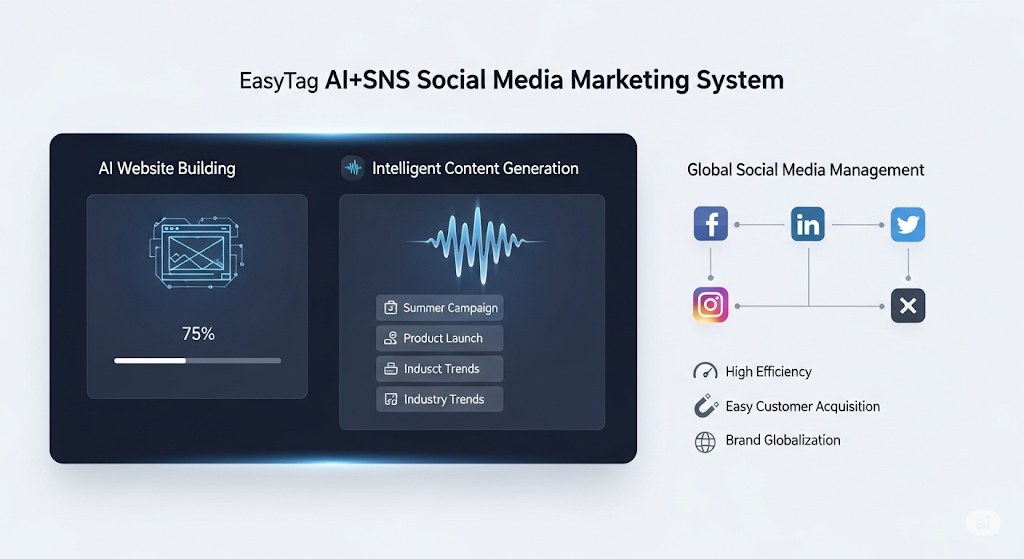
 AI+SNS Social Media Marketing SystemYingbao AI+SNS Social Media Marketing System - Precision social capture for the social media era. Supports one-click content synchronization across major platforms like Facebook and LinkedIn. AI intelligently rewrites posts for enhanced relevance. 24/7 AI customer service and user profiling analysis empower businesses to efficiently expand into global markets.
 AI+SEO营销解决方案易营宝AI+SEO营销解决方案,通过AI批量写作、智能生成TDK、精准关键词扩词等功能,全面优化网站SEO效果,提升流量与转化率。助力企业构建高效智能网站新生态。
 AI+SEM Advertising Marketing SolutionsAI+SEM Advertising Marketing Solution leverages AI technology to deeply empower SEM ad campaigns. It automatically generates weekly/monthly reports using AI, presenting account data across multiple dimensions for comprehensive insights into campaign performance and trends. The system precisely recommends keywords and target countries, intelligently generates high-conversion ad copy, and enables one-click activation of efficient campaign plans to help businesses rapidly acquire customers. Simultaneously, it monitors core metrics in real time, intelligently identifies abnormal fluctuations, and issues timely alerts to ensure stable, high-return advertising results.
 Domain Name ServicesEasyWin provides professional domain name services, including intelligent queries, one-stop registration, brand protection, and full lifecycle management, helping businesses build a digital brand image.
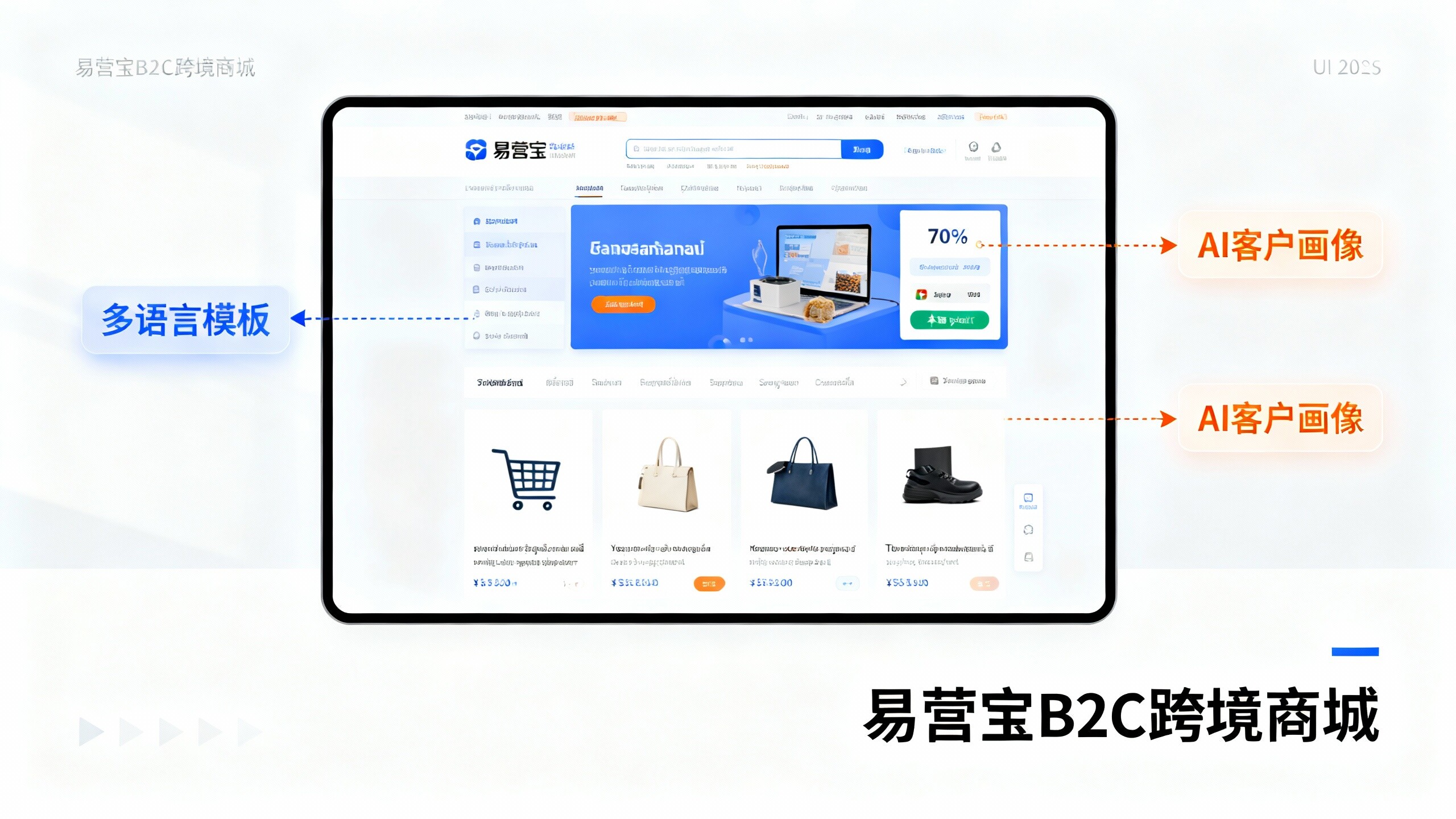
 EasyOperate B2C Cross-Border E-Commerce Platform & Independent WebsiteEasyStore B2C Cross-border E-commerce Independent Store is an intelligent website building and cross-border e-commerce integrated solution independently developed by EasyStore Information Technology (Beijing) Co., Ltd. The system is specially designed for small and medium-sized as well as large export enterprises, integrating 'website building, operation, marketing, advertising, and conversion' into one, helping enterprises quickly establish cross-border e-commerce independent stores to achieve brand globalization and global sales growth.
The platform supports multiple languages, multiple currencies, and multi-channel marketing, with built-in AI intelligent translation and SEO optimization systems, suitable for mainstream markets such as Southeast Asia, Europe and America, Latin America, and the Middle East, assisting Chinese manufacturing enterprises in efficiently deploying international e-commerce strategies. SSL证书易营宝提供专业SSL安全证书服务,包括单域名和泛域名证书,确保网站数据传输加密、身份验证和完整性保护,助力企业建立安全可信的在线业务环境。