









- Can the average annual growth rate reflect real opportunities in overseas markets?Oct 07, 2026View details
- Which customer acquisition channels will be affected by cross-border marketing trends in 2026?Sep 06, 2026View details
- Which homogenization risks should be considered in an analysis of the AI-powered website building industry?Aug 30, 2026View details
- How Will AI Marketing Trends 2026 Change Advertising Budget AllocationAug 28, 2026View details
- Is the EV SSL certificate market shrinking or upgrading? How should companies assess certificate procurement?Aug 11, 2026View details
- Why the old AMP SEO 2020 practices no longer work and what has changed in current optimization prioritiesAug 02, 2026View details
How to Re-Verify WhatsApp After Changing Your Phone Number
When you cannot log in to WhatsApp or receive a verification code after changing your phone number, the first reaction for many people is, “There must be something wrong with the system.” In actual use, however, the problem is often not WhatsApp itself, but the order in which the number was changed, the status of the original number, the device environment, and whether two-step verification was enabled. For foreign trade businesses, cross-border customer service teams, and overseas marketing teams, WhatsApp is more than a chat tool—it is also a customer relationship asset. If verification fails when you try to rebind the account after changing your phone number, the impact may extend far beyond one or two messages, affecting customer follow-up, inquiry response, and team collaboration.
This article focuses on the frequently asked question, “How do I rebind WhatsApp after changing my phone number during security verification?” It explains when you can migrate the account directly, when you must register again, and which factors should be checked first if you do not receive the verification code.
Many people regard “changing a phone number” as one single situation, but it actually involves two completely different scenarios:
- You can still log in to the old account and only want to switch the account to a new number;
- The old number has been deactivated and the phone has also been logged out, so you can only verify again with the new number.
The procedures for these two scenarios are very different. If you choose the wrong approach, all subsequent operations may be ineffective.
If you are still logged in to the old account, the correct approach is not to log out and reinstall, but to use “Change Number” directly
If you can still access WhatsApp, the safest approach is to use the in-app “Change Number” feature. The usual path is: Settings > Account > Change Number. This feature is not simply used to change the phone number for logging in. Its core function is to migrate the existing account information, profile photo, personal information, group memberships, and account identification logic to the new number.
This step is crucial. Many users mistakenly believe that they can simply register again with the new number after replacing the SIM card. Although they may be able to log in, they may then find that their original groups, chat identity, and recognition among customers have become disconnected. For foreign trade sales and cross-border operations teams, this creates real business risks: customers see a “new account” and may no longer trust the original communication relationship.
The standard procedure is usually as follows:
- Confirm that the old number can still receive messages and that the current account remains logged in;
- Prepare the new phone number and make sure it can receive SMS messages or phone calls normally;
- Use “Change Number” within WhatsApp;
- Enter the old and new numbers and complete verification as prompted;
- Notify all contacts or only selected contacts as needed.
This approach provides the best account continuity, and its verification success rate is usually higher than registering again after logging out.
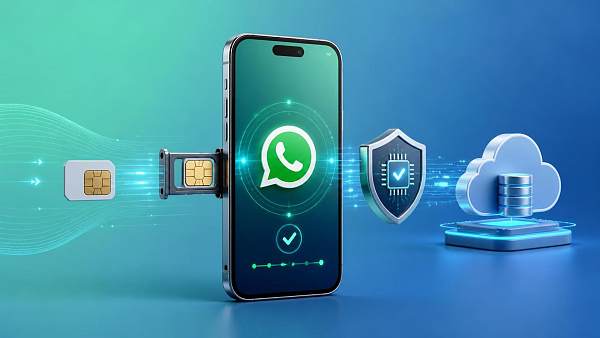
How to rebind and verify your phone number after you have logged out
If the old account has been logged out, or if you need to log in again after changing phones or reinstalling the system, the focus is no longer “migration,” but whether the new number can be recognized by the platform and pass its checks.
The process is generally as follows:
- Install or open WhatsApp on your phone;
- Enter the new phone number, making sure the country code is correct;
- Choose to receive the verification code by SMS, and try voice-call verification if that fails;
- Enter the 6-digit verification code;
- If two-step verification was previously enabled, enter the PIN you set yourself;
- After verification succeeds, the system will attempt to restore the cloud backup, if one is available.
The most common misunderstanding here is treating the verification code as the only barrier. In fact, when rebinding WhatsApp after changing a phone number, users often get stuck at two stages: number verification and security verification. The former depends on whether SMS or voice calls can be delivered, while the latter is often related to two-step verification, device risk controls, and repeated requests within a short period.
If you do not receive the verification code, do not repeatedly tap “Resend”
“Not receiving the verification code” is the most common problem, but repeatedly requesting a new code is not necessarily helpful and may instead trigger a longer waiting period. A more practical approach is to troubleshoot in order of priority.
First, check the number format. An incorrect country code is a very common problem among users engaged in cross-border business. People who frequently use overseas SIM cards, eSIMs, or numbers from multiple countries can easily carry local dialing habits into the registration process. When entering the number, you generally do not need to add an extra leading “0”; enter it in international format.
Second, check SMS reception. Some newly issued numbers, virtual numbers, VoIP numbers, and internet telephony number ranges are not well supported by verification platforms. WhatsApp applies relatively strict recognition rules to certain number resources. Therefore, even if a number can make and receive calls, that does not necessarily mean it can reliably receive verification messages.
Third, check the device and network environment. If the device frequently switches networks, uses an unusual proxy environment, or repeatedly attempts registration on multiple devices within a short period, the system may delay sending the verification code. This is not uncommon for foreign trade teams working overseas, using corporate networks, or logging in across regions.
Fourth, check for carrier blocking. Some carriers may delay international SMS messages or classify verification messages as marketing content. Check the SMS blocking folder and spam message folder, and confirm that the number is enabled to receive international SMS messages.
Only then consider voice verification. If the SMS does not arrive, wait until the countdown ends and then try “Call me.” In some regions, voice verification has a higher success rate.
Why does verification still fail after entering the SMS code?
This situation is not uncommon, especially in the following scenarios:
- The code has expired, and you entered an old code from a previous attempt;
- After multiple attempts, the system has placed the account under a temporary restriction;
- Two-step verification was previously enabled, but the user has forgotten the PIN;
- The new device has been identified by the system as an unusual login environment.
Two-step verification is the easiest factor to overlook. Many people assume that receiving the SMS verification code is enough to complete the login. However, if a 6-digit PIN was previously set for the WhatsApp account, this step may still appear when you rebind and verify the account after changing the phone number. If you forget the PIN, you generally need to recover it through the linked email address. If no email address was linked, the recovery process will be more difficult, and the waiting period may be longer.
From the perspective of business continuity, company owners or sales managers should avoid allowing a WhatsApp account to depend solely on an individual’s memory. The two-step verification PIN, linked email address, SIM card control, and ownership of chat backups should preferably be incorporated into the team’s account management rules. Otherwise, the recovery cost may be very high if an employee leaves or a device is damaged.
If the old number has been deactivated, can the original customer relationships be migrated to the new number?
This depends on whether you still have an active login session for the old account.
If the old number has been deactivated but WhatsApp remains logged in on the old phone, you may still be able to complete the migration through “Change Number.” This is the ideal window of opportunity. It is recommended that you do not uninstall the app, clear the cache, or log out prematurely.
If the old number has become invalid and the account has also been logged out, you generally cannot use the standard process to fully migrate the original account to the new number. At this point, you are registering a “new number” rather than continuing the “old account.” Whether chat history can be restored depends on whether the local or cloud backup is complete. Whether contacts can continue to identify you depends on your subsequent notifications and customer follow-up.
For B2B foreign trade teams, this is also a common management gap. Many companies use WhatsApp as a personal tool and fail to establish standard procedures for number changes, employee handovers, and device replacements. As a result, once the account is interrupted, inquiry handling and customer trust are directly affected.
Will chat history and groups be lost after changing the phone number?
Not necessarily. It depends on the circumstances.
When you use “Change Number,” group memberships are generally retained, and account continuity is also better. Whether chat history can be retained completely depends more on the device’s local data and backup status.
If you verify with the new number after reinstalling the app:
- If a valid backup exists within the same ecosystem, some or all chat history can usually be restored;
- If there is no backup, or the backup account does not match, chat history may not be recoverable;
- Whether groups are retained automatically depends on whether the original account migration succeeded, not merely on whether registration with the new number succeeded.
Here is a practical recommendation: before changing the number, confirm the backup time, backup account, available device storage, and recovery conditions. This is particularly important for business numbers—do not wait until verification fails to consider data preservation.
Which numbers are more likely to encounter problems during rebinding?
In practice, the following types of numbers are more likely to encounter failure when re binding WhatsApp security verification after changing the phone number:
- Numbers that have been activated only recently;
- Virtual numbers, internet telephony numbers, and some cloud communication numbers;
- Second-hand numbers that have frequently been used by multiple people to register social platforms;
- Numbers used while roaming internationally;
- Carrier numbers affected by SMS blocking or international SMS restrictions.
This does not mean that these numbers cannot be used. Rather, their verification success rate, stability, and difficulty of ongoing security management are generally less favorable. For companies that need to maintain overseas customer relationships over the long term, it is better to use a stable physical mobile number and ensure that its ownership is clear, long-term renewal is possible, and control is reliable.
When managing a WhatsApp business number, the main issue to avoid is not a technical problem, but a process gap
From a marketing and customer operations perspective, a WhatsApp number is no longer merely a communication channel. It is also part of customer outreach, advertising lead handling, off-site conversion, and after-sales communication. If rebinding and verification cannot be completed quickly after changing the phone number, the impact often extends across the entire business process.
Common risks include:
- The landing page used for advertising still lists the old number, so leads cannot be routed back;
- Contact information on the official website, independent site, or social media profile becomes invalid;
- After a salesperson leaves, the company cannot regain control of verification code reception;
- The team does not know the two-step verification PIN or backup email address;
- Customers regard the new number as an unfamiliar account, resulting in a lower response rate.
Therefore, for businesses, the key issue is not only “how to rebind after changing the number,” but also incorporating number management into digital asset management. At a minimum, the number should be owned by the company, the email address should be transferable, backups should be recoverable, verification information should be documented, and the official website and marketing channels should be updated simultaneously.
What should you do if verification still fails—wait or appeal?
If you have confirmed that the number format is correct, tried both SMS and voice verification, and confirmed that the network environment is normal, but still cannot complete verification, first check whether the system provides a specific waiting period. If there is a countdown, do not repeatedly trigger verification. Wait until the restriction ends before trying again.
If the issue involves a forgotten two-step verification PIN, first try to recover it through the email address. If the email address is unavailable, you can only wait for the recovery window according to the platform’s instructions.
As for whether you need to contact official support, the decision is straightforward: if the problem is “not receiving the verification code,” first check the number and carrier in most cases; if the problem involves an “abnormal account status, conflicting verification logic, or an inability to complete binding for an extended period,” then consider submitting a description through the official help channel. When submitting the request, prepare the device operating system, the country associated with the number, the error page, and the time of the attempts as clearly as possible to avoid ineffective communication.
The most important thing to remember is the order of changing the number
When rebinding and verifying WhatsApp after changing the phone number, the biggest risk is not that there are too many steps, but that they are performed in the wrong order. As long as the old account is still online, prioritize “Change Number.” If you have already logged out, focus on the verification conditions for the new number, two-step verification, and backup recovery. Business users in particular should avoid tying corporate customer assets to personal numbers and devices. Otherwise, a single number change could turn into customer loss.
If your WhatsApp is used to handle foreign trade inquiries, independent-site conversions, or overseas customer management, you should complete three checks before every number change: confirm that the old number is still logged in, confirm that the new number can receive verification codes reliably, and confirm that backup and two-step verification information is available. Preparing these three items properly can help you avoid many unnecessary difficulties during rebinding.
Related Articles


Related Products
 Yiyingbao SaaS Intelligent Website Building and Marketing SystemYiyingbao SaaS Intelligent Website Building and Marketing System, AI-powered no-code website building, rapid creation of multilingual B2B international websites in 10 minutes, global server acceleration, AI-powered SEO optimization, helping businesses connect efficiently with global markets. The perfect integration of technology and operation makes building an international trade website remarkably simple
 AI+SEM Intelligent Advertising Marketing SystemAI+SEM drives intelligent ad creation, empowering full-funnel precision advertising marketing. The system automatically generates weekly/monthly reports, AI recommends keywords and target countries, monitors core metrics in real-time with intelligent alerts, and enables one-click high-conversion ad solutions to help quickly acquire customers and improve ROI.
 AI+SEO Dual-Engine System Optimization ServicesYiyingbao’s AI+SEO dual-engine optimization system helps foreign trade enterprises acquire high-quality organic traffic through AI-powered keyword research, content generation, and comprehensive technical optimization, significantly improving search rankings and conversion rates.
 AI+SNS Social Media Marketing SystemYingbao AI+SNS Social Media Marketing System - Precision social capture for the social media era. Supports one-click content synchronization across major platforms like Facebook and LinkedIn. AI intelligently rewrites posts for enhanced relevance. 24/7 AI customer service and user profiling analysis empower businesses to efficiently expand into global markets.
 AI+SEO营销解决方案易营宝AI+SEO营销解决方案,通过AI批量写作、智能生成TDK、精准关键词扩词等功能,全面优化网站SEO效果,提升流量与转化率。助力企业构建高效智能网站新生态。
 AI+SEM Advertising Marketing SolutionsAI+SEM Advertising Marketing Solution leverages AI technology to deeply empower SEM ad campaigns. It automatically generates weekly/monthly reports using AI, presenting account data across multiple dimensions for comprehensive insights into campaign performance and trends. The system precisely recommends keywords and target countries, intelligently generates high-conversion ad copy, and enables one-click activation of efficient campaign plans to help businesses rapidly acquire customers. Simultaneously, it monitors core metrics in real time, intelligently identifies abnormal fluctuations, and issues timely alerts to ensure stable, high-return advertising results.
 Domain Name ServicesEasyWin provides professional domain name services, including intelligent queries, one-stop registration, brand protection, and full lifecycle management, helping businesses build a digital brand image.
 EasyOperate B2C Cross-Border E-Commerce Platform & Independent WebsiteEasyStore B2C Cross-border E-commerce Independent Store is an intelligent website building and cross-border e-commerce integrated solution independently developed by EasyStore Information Technology (Beijing) Co., Ltd. The system is specially designed for small and medium-sized as well as large export enterprises, integrating 'website building, operation, marketing, advertising, and conversion' into one, helping enterprises quickly establish cross-border e-commerce independent stores to achieve brand globalization and global sales growth.
The platform supports multiple languages, multiple currencies, and multi-channel marketing, with built-in AI intelligent translation and SEO optimization systems, suitable for mainstream markets such as Southeast Asia, Europe and America, Latin America, and the Middle East, assisting Chinese manufacturing enterprises in efficiently deploying international e-commerce strategies. SSL证书易营宝提供专业SSL安全证书服务,包括单域名和泛域名证书,确保网站数据传输加密、身份验证和完整性保护,助力企业建立安全可信的在线业务环境。









