









- Which customer acquisition channels will be affected by cross-border marketing trends in 2026?Sep 06, 2026View details
- Which homogenization risks should be considered in an analysis of the AI-powered website building industry?Aug 30, 2026View details
- How Will AI Marketing Trends 2026 Change Advertising Budget AllocationAug 28, 2026View details
- Is the EV SSL certificate market shrinking or upgrading? How should companies assess certificate procurement?Aug 11, 2026View details
- Why the old AMP SEO 2020 practices no longer work and what has changed in current optimization prioritiesAug 02, 2026View details
- How to Choose Topics for an Industry News Section to Attract More Organic Search TrafficJul 29, 2026View details
How to Avoid Version Confusion in Multilingual Content Management? Common Enterprise Problems and Solutions
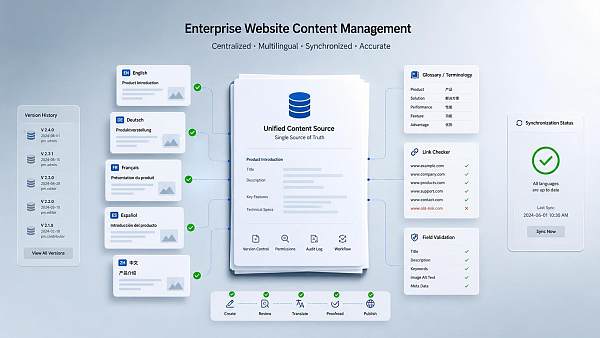
To prevent version confusion in multilingual content management, the first step is to distinguish between the “master content” and the “language copies.” The common problem is not that translation is too slow, but that the same content is modified separately in different languages, causing the title, button copy, image descriptions, and landing page parameters to become disconnected. The page may look like the same article, but it is actually a patchwork of several different versions, affecting the search, navigation, and conversion paths.
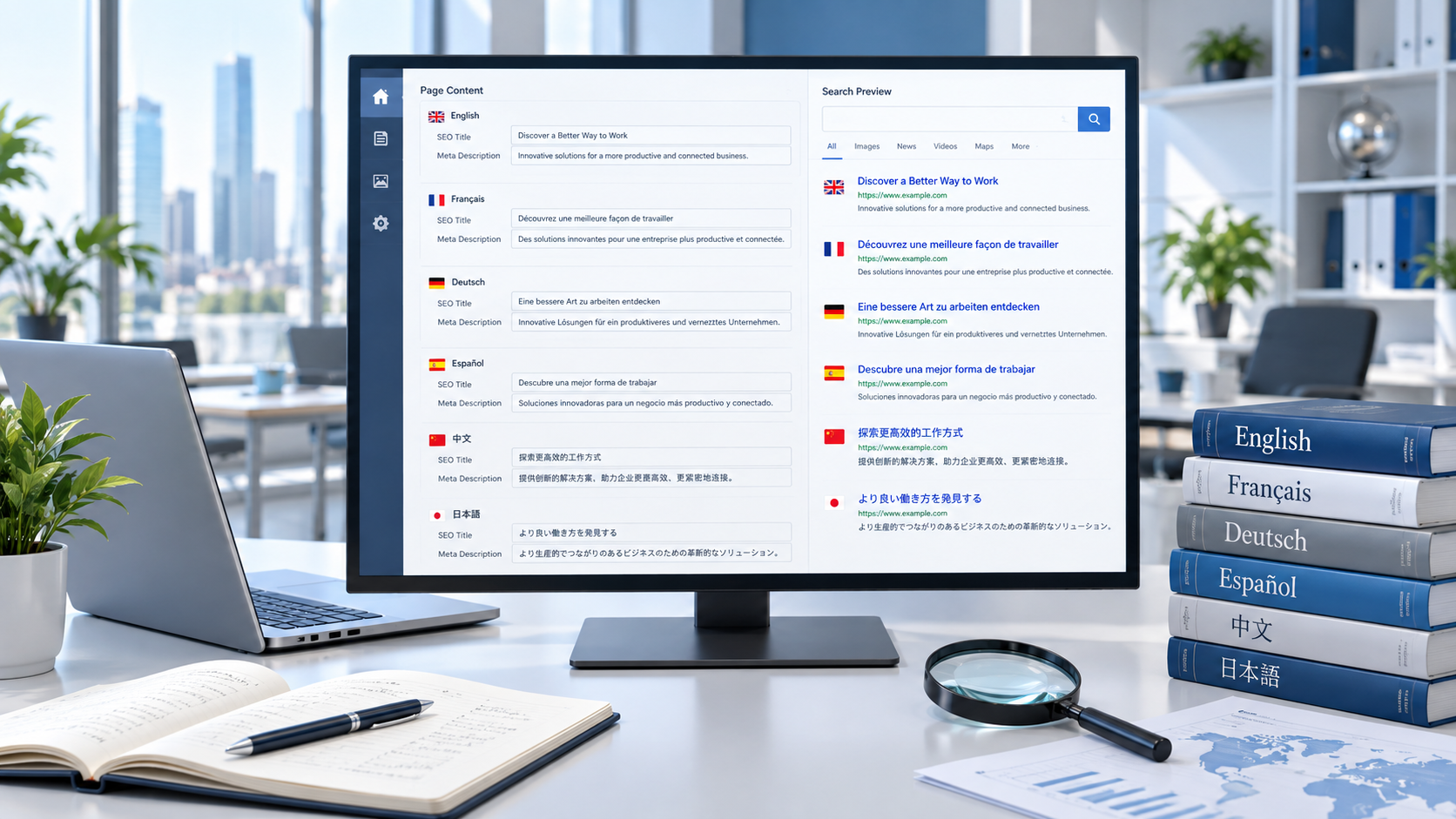
The areas most likely to cause problems are often not the long passages of the main text, but the small fields. For example, the English page may change “Submit an Inquiry” to “Get a Quote,” while the French page still retains the old button; the main site may update a product model, while the specification table on the Spanish page is not synchronized; or some language versions may replace an image without updating the alternative text, file name, and link anchor. In multilingual content management, these details are more likely to cause misjudgments than an entire paragraph because they are often treated as “optional supporting information.”
To handle this type of confusion, one rule must be established first: all language versions must be linked to the same content source, and any modification must first be made to the master copy before being distributed to each language. Do not allow editors working in different languages to save separate documents independently, and do not write temporary changes directly into live pages. A more reliable approach is to assign a unified ID to each piece of content and include the title, summary, body text, image descriptions, redirect links, and form fields in the same record. When the version number changes, each language can immediately show whether it is outdated.
In practice, version control should not only track “whether something was changed,” but also “what was changed.” If the change is merely a typo correction, the impact is limited; if it involves replacing a core selling point, adjusting a specification table, or updating an event date, all language versions should be reviewed again. This is especially important in integrated website and marketing service scenarios, where content is frequently used on landing pages, in advertising copy, social media profiles, and email templates. If the main page text is changed but external advertising materials are not synchronized, users may click through and see a different message.
Terminology consistency is also essential. Many companies translate the same term in multiple ways, such as mixing “inquiry,” “lead,” and “consultation request,” or independently transliterating the same product name in different languages. As a result, everything may appear publishable in the backend, while the frontend struggles to establish consistent recognition. A reliable approach is to maintain a terminology database and a prohibited-terms list, defining fixed expressions for product names, feature names, units of measurement, country and region names, currency formats, date formats, and button verbs. When units such as “mm,” “cm,” and “inch” are mixed on a page, validation between the frontend and backend and manual review become more complicated.
Version management for images and attachments must not be overlooked either. A common mistake on multilingual pages is to replace only the text while leaving the text embedded in images unchanged. If an image contains a model number, interface label, or campaign slogan, the translated version should be treated as an independent asset. File names should ideally include the language code and version number. Do not use one ambiguously named image across multiple language folders, or it will be difficult to determine which file is the currently approved version. For pages containing tables, specification cards, and FAQ accordions, attachments are even more likely to be missed during synchronization than the main text.
In collaborative workflows, problems usually arise from the review order. Reviewing the translations before reviewing the source text allows each language to stand on its own, but leaves no consistent reference point. A more reliable process is to first confirm that the content in the primary language has been finalized, followed by four steps: translation, proofreading, layout, and publication. Before going live, the review should cover not only the wording, but also whether buttons still point to the correct pages, whether on-page anchors remain valid, and whether pagination and page navigation are consistent across all languages. If regionalized formats are involved, such as telephone numbers, addresses, or tax identification numbers, they should also be checked separately in the localized version.
Some version confusion is not caused by the translation team, but by having too many content sources. When product introductions, campaign pages, blogs, help centers, and advertising landing pages are updated simultaneously, changes made in one place may become inconsistent elsewhere if there is no unified change entry point. Frequently changing fields can be separated out, such as price information, inventory status, delivery time, contact details, and CTA copy, rather than burying them in long-form content. This allows key fields to be updated in batches by language even when the main text remains unchanged, reducing missed changes.
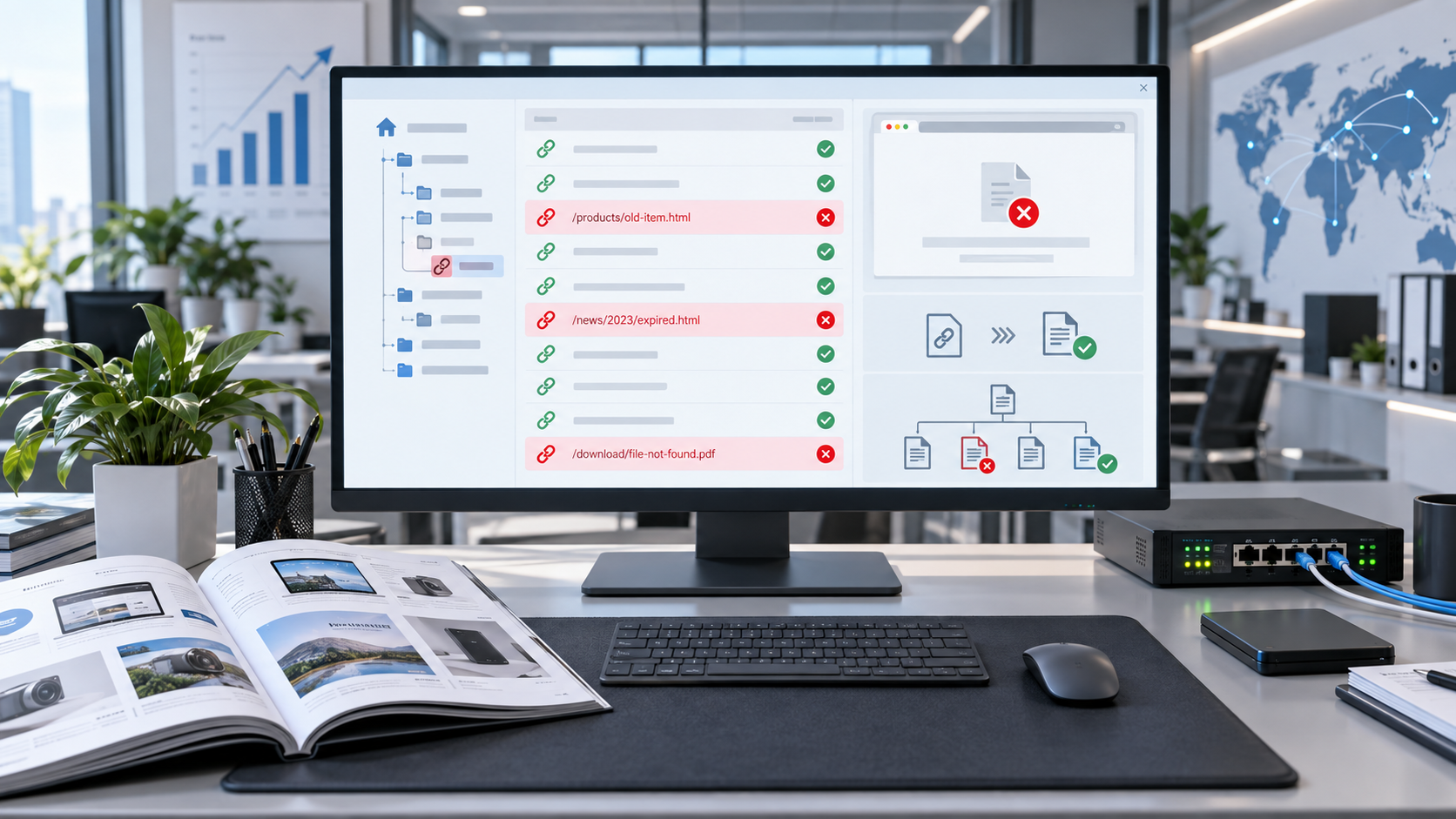
If the content involves external links or topic pages, link management should also be included in version control. Link management is not limited to checking whether an address is accessible; it must also confirm whether the language of the destination page matches. For example, some pages may reference Research on Financial Management of Hospital Infrastructure Construction under the New Accounting System in the text. This embedded link can be retained in different language versions, but the surrounding context, anchor text, and language of the destination page should remain consistent; otherwise, users may experience a break in continuity while browsing. One occurrence of a link is usually sufficient, while repeated placement may interfere with readability.
During the maintenance phase, review logs rather than looking only at the final result. If the title of a language page is overwritten, the paragraph order is disrupted, or an image replacement fails after publication, first check the change history and then inspect the templates and field mappings. Many versioning problems are not caused by incorrect translation, but by fields being incorrectly linked to another language slot or by the cache not being refreshed, leaving old content on display. For regularly updated content, retaining rollback points is important so that an incorrect version can at least be quickly restored to the previous usable version.
Ultimately, multilingual content management tests an organization’s sense of order: the source text, translation, assets, links, review, and publication must all correspond to one another. The more content there is, the less it can be managed through memory and temporary communication. When version numbers, terminology databases, field mappings, and publication records are properly implemented, version confusion can usually be transformed from a “recurring problem” into a “traceable problem.”
Related Articles

Related Products
 Yiyingbao SaaS Intelligent Website Building and Marketing SystemYiyingbao SaaS Intelligent Website Building and Marketing System, AI-powered no-code website building, rapid creation of multilingual B2B international websites in 10 minutes, global server acceleration, AI-powered SEO optimization, helping businesses connect efficiently with global markets. The perfect integration of technology and operation makes building an international trade website remarkably simple
 AI+SEM Intelligent Advertising Marketing SystemAI+SEM drives intelligent ad creation, empowering full-funnel precision advertising marketing. The system automatically generates weekly/monthly reports, AI recommends keywords and target countries, monitors core metrics in real-time with intelligent alerts, and enables one-click high-conversion ad solutions to help quickly acquire customers and improve ROI.
 AI+SEO Dual-Engine System Optimization ServicesYiyingbao’s AI+SEO dual-engine optimization system helps foreign trade enterprises acquire high-quality organic traffic through AI-powered keyword research, content generation, and comprehensive technical optimization, significantly improving search rankings and conversion rates.
 AI+SNS Social Media Marketing SystemYingbao AI+SNS Social Media Marketing System - Precision social capture for the social media era. Supports one-click content synchronization across major platforms like Facebook and LinkedIn. AI intelligently rewrites posts for enhanced relevance. 24/7 AI customer service and user profiling analysis empower businesses to efficiently expand into global markets.
 AI+SEO营销解决方案易营宝AI+SEO营销解决方案,通过AI批量写作、智能生成TDK、精准关键词扩词等功能,全面优化网站SEO效果,提升流量与转化率。助力企业构建高效智能网站新生态。
 AI+SEM Advertising Marketing SolutionsAI+SEM Advertising Marketing Solution leverages AI technology to deeply empower SEM ad campaigns. It automatically generates weekly/monthly reports using AI, presenting account data across multiple dimensions for comprehensive insights into campaign performance and trends. The system precisely recommends keywords and target countries, intelligently generates high-conversion ad copy, and enables one-click activation of efficient campaign plans to help businesses rapidly acquire customers. Simultaneously, it monitors core metrics in real time, intelligently identifies abnormal fluctuations, and issues timely alerts to ensure stable, high-return advertising results.
 Domain Name ServicesEasyWin provides professional domain name services, including intelligent queries, one-stop registration, brand protection, and full lifecycle management, helping businesses build a digital brand image.
 EasyOperate B2C Cross-Border E-Commerce Platform & Independent WebsiteEasyStore B2C Cross-border E-commerce Independent Store is an intelligent website building and cross-border e-commerce integrated solution independently developed by EasyStore Information Technology (Beijing) Co., Ltd. The system is specially designed for small and medium-sized as well as large export enterprises, integrating 'website building, operation, marketing, advertising, and conversion' into one, helping enterprises quickly establish cross-border e-commerce independent stores to achieve brand globalization and global sales growth.
The platform supports multiple languages, multiple currencies, and multi-channel marketing, with built-in AI intelligent translation and SEO optimization systems, suitable for mainstream markets such as Southeast Asia, Europe and America, Latin America, and the Middle East, assisting Chinese manufacturing enterprises in efficiently deploying international e-commerce strategies. SSL证书易营宝提供专业SSL安全证书服务,包括单域名和泛域名证书,确保网站数据传输加密、身份验证和完整性保护,助力企业建立安全可信的在线业务环境。









