








- Amazon Reportedly Sends Exclusivity Warning Letters to Multiplatform SellersNov 03, 2026View details
- New TikTok Shop Cross-Border Returns Rules for Southeast Asia Take Effect on November 5Nov 03, 2026View details
- U.S. Tightens De Minimis Exemption Channel and Revises Section 321 Data PilotNov 03, 2026View details
- Amazon FBA Fuel and Logistics Surcharge in 10 European Countries to Increase to 2% on November 2Nov 02, 2026View details
- EU Customs Code reform to take effect on November 1, with new handling fees for direct-mail small parcelsNov 01, 2026View details
- EU Plans to Raise Tax on Incoming Small Parcels to €5Oct 31, 2026View details
How can you assess data export capabilities when building an independent website with an AI website builder?
Assessing a website builder’s data export capabilities for an independent website requires more than checking whether the admin panel has an “Export” button. What truly affects migration and business continuity is whether all critical data can be retrieved, relationships between data can be reconstructed, and the exported files can be used by the target system. A CSV file may provide a product list, but it may not include product images, multilingual content, or original page URLs.
Data export should also be distinguished from full-site migration. The former addresses the retrieval of content and business records; the latter also involves page templates, interactive functions, the deployment environment, and reconfiguration of external services. Even if all data can be exported, that does not mean the website will run identically on another platform.
First, determine which data must be taken with you
The scope of the export should be determined by the website’s actual business functions, rather than simply by the names of the data categories offered by the provider. A B2B lead-generation site and a cross-border e-commerce store have different critical data, while a multilingual website must also preserve the relationships between language versions. During evaluation, check at the field level rather than merely confirming that “products” or “customers” can be exported.
- Pages and content: Page copy, section hierarchy, articles, menus, form settings, and content generated by AI and subsequently edited by a human. Check the actual files to see whether images, links, and formatting in rich text are preserved.
- Products and media: Product names, descriptions, specifications, categories, attributes, attachments, and images. In particular, confirm whether images are packaged as files or provided only as links that depend on the original platform.
- Leads and transactions: Inquiry content, submission times, source fields, and customer details. For e-commerce stores, also check whether records such as orders, line items, and payment and shipping statuses are included in the export.
- Multilingual content and SEO: Copy, titles, descriptions, URL paths, canonical links, image alt text for each language version, and the relationships between language versions of pages.
Relationships between data for the same object are especially easy to overlook. For example, the presence of an image field in a product table does not mean the image file is available; similarly, a customer’s name in an order table does not mean that the order, line items, and customer record can be accurately linked. Exported data should retain stable object IDs, relationship IDs, or other fields that can be used to reconstruct these relationships.

You have the files—but can they be imported and used to rebuild the site?
A standard file format is only the starting point for assessing usability. CSV files are convenient for reviewing and processing tabular data, but offer limited support for nested structures, multilingual fields, and complex relationships. Structured formats such as JSON can accommodate more complex data, but still require field definitions and import adaptation. Whatever the format, request field definitions, data types, encoding details, and sample files.
When checking export files, look out for character encoding, dates and time zones, currencies, line breaks, and special characters. If multilingual content is garbled or rich text is converted into platform-specific markup that cannot be recognized, additional data-cleaning work will be required. Also verify whether a blank value in a file means that the field was originally empty or that it was not exported.
Media assets need to be validated separately: download a sample of images and attachments, confirm that the files themselves are accessible and that their filenames or IDs can be matched to pages and products, and check whether export links expire. If only URLs to the original platform’s CDN are provided, pages may display missing images after migration if the service is discontinued or the links stop working.
Page URLs and search-related fields also need to be checked beyond simply confirming that they exist. Compare the exported paths, language identifiers, and page relationships, and confirm whether the new system can retain the original URLs. If not, use this information to create a redirect map from old URLs to new ones at a minimum. Export files cannot guarantee search engine indexing or rankings, but complete URLs and metadata can help reduce information loss during migration.
Use a controlled export to verify the provider’s claims
During platform selection, create a set of test data covering key scenarios—for example, a product with multiple images and specifications, an inquiry with an attachment, related multilingual pages, and an order with custom fields. Using test data rather than real customer information helps reduce privacy risks during validation.
After exporting data using the method provided by the platform, do not just check whether the files open. Complete a round of verification across the “source data—export files—target environment”:
- Compare record counts and field values with the source system, checking for missing items, truncation, duplicates, or garbled text.
- Sample-check relationships such as products and images, pages and language versions, and orders and line items to confirm they can be reconstructed using the fields provided.
- Import the sample data into a candidate system or test database, and document field mapping, format conversions, manual fixes, and any data that cannot be imported.
- Check download permissions, link expiration, bulk export limits, and whether the export process interrupts routine updates.
A sample export cannot prove that a large-scale migration will go smoothly, but it can reveal issues such as missing fields, incompatible formats, and dependencies on external resources. For websites that are updated continuously, also confirm whether exports can be run by date or by change range. If only full exports are supported, plan for a data freeze or manual entry during the actual migration to avoid missing inquiries or orders received after the final export.
Clarify exit terms and system boundaries
Some capabilities are not part of data export itself: prompts, source assets, and generation history used to create AI-generated pages, as well as website templates, source code, plugin logic, or third-party licenses, may not be delivered along with page content. If you need to reuse the design or continue editing AI-generated content, confirm separately what can be delivered. Do not assume that “content can be exported” means the source code and runtime environment can also be migrated.
Contracts or terms of service should specify the data categories and fields that can be exported, file formats, permissions, limits on the number of exports or fees, and whether data can still be retrieved after the service expires, payment is overdue, or the service is terminated. If the provider’s assistance is required for exports, also agree on the request process, delivery timeline, and division of responsibilities. When personal information is involved, confirm access controls and security measures for its transmission, storage, and delivery.
The key to deciding whether a solution is acceptable is not whether it supports a particular format, but whether missing content would affect the business and whether the cost of addressing the gaps is manageable. For lead-generation websites, prioritize validating lead records, page content, media files, and URL mapping. For e-commerce stores, the completeness of orders and line items, and the relationships between them, are more critical. If data that cannot be exported must be rebuilt manually, include that cost in the platform selection process rather than leaving it until it is time to exit the platform.
Related Articles
 How can you assess data export capabilities when building an independent website with an AI website builder?
 Can a Japanese AI website generator create a multilingual website for international trade?
 How do AI website builders and template-based website builders differ in page customization capabilities?



Related Products
 Yiyingbao SaaS Intelligent Website Building and Marketing SystemYiyingbao SaaS Intelligent Website Building and Marketing System, AI-powered no-code website building, rapid creation of multilingual B2B international websites in 10 minutes, global server acceleration, AI-powered SEO optimization, helping businesses connect efficiently with global markets. The perfect integration of technology and operation makes building an international trade website remarkably simple
 AI+SEM Intelligent Advertising Marketing SystemAI+SEM drives intelligent ad creation, empowering full-funnel precision advertising marketing. The system automatically generates weekly/monthly reports, AI recommends keywords and target countries, monitors core metrics in real-time with intelligent alerts, and enables one-click high-conversion ad solutions to help quickly acquire customers and improve ROI.
 AI+SEO Dual-Engine System Optimization ServicesYiyingbao’s AI+SEO dual-engine optimization system helps foreign trade enterprises acquire high-quality organic traffic through AI-powered keyword research, content generation, and comprehensive technical optimization, significantly improving search rankings and conversion rates.
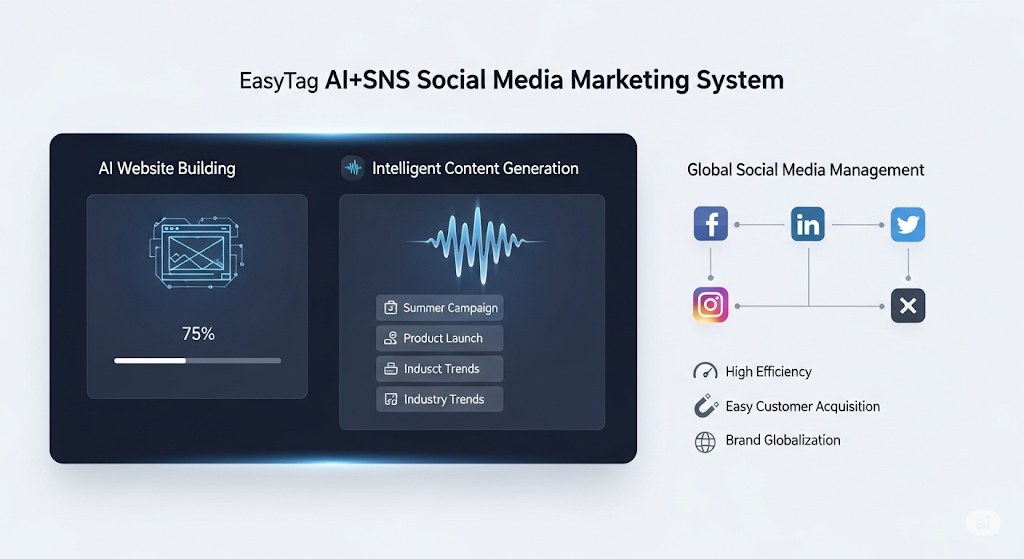
 AI+SNS Social Media Marketing SystemYingbao AI+SNS Social Media Marketing System - Precision social capture for the social media era. Supports one-click content synchronization across major platforms like Facebook and LinkedIn. AI intelligently rewrites posts for enhanced relevance. 24/7 AI customer service and user profiling analysis empower businesses to efficiently expand into global markets.
 AI+SEO营销解决方案易营宝AI+SEO营销解决方案,通过AI批量写作、智能生成TDK、精准关键词扩词等功能,全面优化网站SEO效果,提升流量与转化率。助力企业构建高效智能网站新生态。
 AI+SEM Advertising Marketing SolutionsAI+SEM Advertising Marketing Solution leverages AI technology to deeply empower SEM ad campaigns. It automatically generates weekly/monthly reports using AI, presenting account data across multiple dimensions for comprehensive insights into campaign performance and trends. The system precisely recommends keywords and target countries, intelligently generates high-conversion ad copy, and enables one-click activation of efficient campaign plans to help businesses rapidly acquire customers. Simultaneously, it monitors core metrics in real time, intelligently identifies abnormal fluctuations, and issues timely alerts to ensure stable, high-return advertising results.
 Domain Name ServicesEasyWin provides professional domain name services, including intelligent queries, one-stop registration, brand protection, and full lifecycle management, helping businesses build a digital brand image.
 EasyOperate B2C Cross-Border E-Commerce Platform & Independent WebsiteEasyStore B2C Cross-border E-commerce Independent Store is an intelligent website building and cross-border e-commerce integrated solution independently developed by EasyStore Information Technology (Beijing) Co., Ltd. The system is specially designed for small and medium-sized as well as large export enterprises, integrating 'website building, operation, marketing, advertising, and conversion' into one, helping enterprises quickly establish cross-border e-commerce independent stores to achieve brand globalization and global sales growth.
The platform supports multiple languages, multiple currencies, and multi-channel marketing, with built-in AI intelligent translation and SEO optimization systems, suitable for mainstream markets such as Southeast Asia, Europe and America, Latin America, and the Middle East, assisting Chinese manufacturing enterprises in efficiently deploying international e-commerce strategies. SSL证书易营宝提供专业SSL安全证书服务,包括单域名和泛域名证书,确保网站数据传输加密、身份验证和完整性保护,助力企业建立安全可信的在线业务环境。