









- Cross-Border Marketing Trend Research: Why More and More Companies Are Starting to Deploy AI Search and GEO OptimizationJun 30, 2026View details
- Cross-Border Marketing Trend Research: How Independent Sites, AI Content, and Short-Video Customer Acquisition Are ChangingJun 30, 2026View details
- How Can a Brand Updates Page Be Made More SEO-Friendly? Analysis of Update Frequency, Content Structure, and Internal Linking StrategyJun 28, 2026View details
- What stages does the cross-border services ecosystem include? How do website building, promotion, payment, and compliance work togetherJun 22, 2026View details
- How will email marketing costs change in 2026Jun 22, 2026View details
- The China-US tariff arrangement has reached a preliminary consensus, and the trade association will be establishedJun 15, 2026View details
- Should overseas brand marketing start with ads or contentJun 21, 2026View details
- What determines B2C cross-border e-commerce website development costs? A breakdown of features, interfaces, and deployment methodsJun 17, 2026View details
How to Use Eyingbao and What Common Configuration Errors to Watch For
Want to quickly master how to use Eyingbao, but keep making mistakes in basic settings? This article combines after-sales maintenance scenarios, sorts out common operating steps and easy-to-misconfigure items, helps you improve handling efficiency, and reduce system exceptions and customer communication costs.
Why do after-sales maintenance staff keep stumbling over how to use Eyingbao?
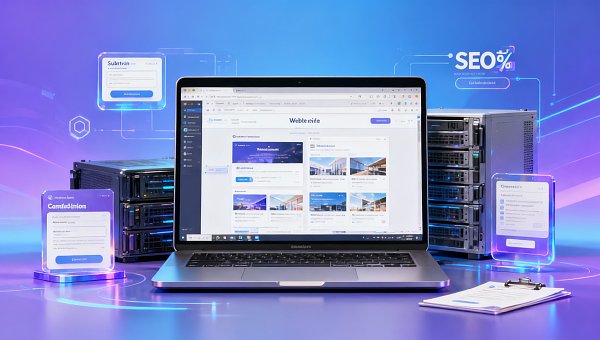
For after-sales maintenance staff, how to use Eyingbao is not just a matter of “whether you know how to click buttons”, but whether you can locate exceptions, restore page display, and keep the marketing pipeline running in the shortest possible time. In a website+marketing service integrated system, site structure, form submission, content publishing, SEO settings, access acceleration, and multilingual management are all involved; any basic configuration error can magnify customer complaints.
Especially in foreign trade scenarios, maintenance work often involves multiple time zones, multiple languages, and multi-device access. After-sales personnel not only need to handle issues such as “page won’t open”, “content not updated”, and “indexing exception”, but also explain the cause and provide a repair path. Therefore, understanding how to use Eyingbao is essentially about forming a stable troubleshooting sequence, rather than a fragmented memory of functions.
Since its establishment in 2013, Yiyingbao Information Technology (Beijing) Co., Ltd. has been deeply engaged in the collaborative scenarios of intelligent website building, SEO optimization, social media marketing, and advertising placement. It has relatively mature process-based experience in the common configuration omissions that frequently occur in after-sales maintenance. This experience is especially important for maintenance teams, because what really affects efficiency is often not complex failures, but repeated basic errors.
- After the first delivery, the site basic check was not completed, resulting in missing titles, navigation failure, or misaligned mobile display immediately after launch.
- After the client modified content on their own, the existing structure was damaged, and after-sales staff lacked traceability records, so they could only repeatedly investigate.
- When marketing and website building belong to different systems, data, pages, and promotional entry points are inconsistent, significantly increasing troubleshooting costs.
How to use Eyingbao: the basic operating sequence after-sales staff should master most
If you are learning how to use Eyingbao, it is recommended not to start with fragmented functions, but to follow the sequence of “login—site check—page check—content check—form check—SEO check—publish verification”. This sequence fits most after-sales maintenance scenarios and is also more conducive to quickly forming a standard operating process.
Recommended daily inspection steps
- First confirm whether the account permissions are complete to avoid misjudging system exceptions due to role restrictions.
- Check domain binding, access status, and page load speed, and prioritize excluding network and parsing layer issues.
- Verify whether the homepage, category pages, and detail pages load normally, and confirm whether the template and content are misaligned.
- Check whether forms, buttons, and online consultation entry points can be submitted to prevent lead interruption.
- Verify title, description, link structure, and indexing-related settings to avoid losing search exposure on marketing pages.
- After completing modifications, preview immediately and verify on different devices before official publishing.
For the maintenance team, the greatest value of this process is reducing rework. You do not need to start from technical details every time; instead, first rule out the most common basic items that most affect the business. Many so-called “system issues” can ultimately be traced back to permission, publishing, cache, or field configuration errors.
What are the common configuration errors? First look at this troubleshooting table
The table below is suitable for inclusion in an after-sales maintenance manual. It is not a general discussion, but is centered on the configuration points most likely to go wrong in how to use Eyingbao, helping you quickly compare symptoms, causes, and corrective actions after a problem occurs.
From actual maintenance experience, more than 80% of issues can be traced in such a basic table. If the after-sales team can establish a correspondence between “abnormal symptoms” and “configuration items”, how to use Eyingbao will no longer stay at the level of “knowing how to operate”, but will enter the stage of rapid diagnosis.
Which configurations are most likely to affect website and marketing integration results?
In the website+marketing service integration industry, maintenance cannot only focus on whether the page opens; more attention should be paid to whether the marketing pipeline is complete. A seemingly minor configuration error may directly affect search exposure, ad landing page conversion, and customer inquiry flow.
Four key configurations to check first
- Basic page information: whether category names, titles, descriptions, breadcrumbs, and redirect rules are consistent to avoid semantic confusion.
- Forms and conversion components: whether button copy, required fields, submission feedback, and notification paths are complete to prevent lead loss.
- Multilingual and content synchronization: whether pages in different languages are missing translations, whether URLs are independent, and whether content has incorrect versions.
- Access and speed: whether domain resolution, server nodes, image resources, and global access stability meet target market requirements.
If your work is not only to fix issues, but also to help customers maintain continuous operations, then you should prioritize a system that has website building, SEO, translation, and global acceleration collaboration capabilities. For example, Yiyingbao SaaS intelligent website building and marketing system can support AI-driven no-code website building, multi-device responsiveness, and intelligent translation in foreign trade scenarios, helping reduce the maintenance pressure caused by switching between multiple systems.
How should after-sales maintenance determine whether a problem is caused by operation, configuration, or the system solution?
When many teams handle issues related to how to use Eyingbao, they tend to attribute all exceptions to “the system is not easy to use”. In fact, after-sales should first distinguish whether it is a one-time operational error, a long-term non-standard configuration, or whether the existing solution itself is not suitable for the stage of business development. Different causes correspond to completely different handling costs.
The comparison table below is suitable for internal review or explaining issue boundaries to clients, helping reduce ineffective communication.
For the after-sales team, this distinction is very important. The earlier you identify the problem level, the easier it is to avoid falling into the low-efficiency state of “repeatedly fixing the same point”. For multilingual foreign trade websites, if maintenance frequency remains high and publishing paths are complex, it often means that a more integrated solution should be considered instead of continuing to patch things up.
In foreign trade scenarios, how should Eyingbao be used to save maintenance costs?
Foreign trade businesses have higher requirements for after-sales maintenance because you are dealing with cross-regional access, different language versions, search engine indexing differences, and mobile display habits. Simply knowing how to use the backend is not enough; the key is to make configurations as standardized as possible, modules as unified as possible, and publishing as process-driven as possible.
Key points for solution selection suitable for maintenance teams
- Prioritize no-code or low-code backends to lower the onboarding difficulty for new members and reduce maintenance fluctuations caused by technical differences.
- Pay attention to global access capabilities, whether server nodes cover major markets, and avoid slow opening for overseas customers affecting conversion.
- Check whether multilingual capability is stable and whether translated pages can preserve page structure, SEO fields, and localized presentation logic.
- See whether it has a unified CMS management system, making it easier for after-sales staff to handle content, pages, and conversion components in one backend.
Taking foreign trade applications as an example, if the system has 22 server nodes and uses Google Neural Machine Translation technology, it is usually more conducive to shortening deployment and maintenance time. For after-sales personnel, the more automated and intuitive the system is, the more time they can spend on issue prevention and customer support instead of consuming energy on repetitive publishing operations.
FAQ: High-frequency questions about how to use Eyingbao
1. What functions should new after-sales staff learn first?
First learn account permissions, page editing, content publishing, form testing, and basic SEO fields. Do not start by studying all advanced functions. Maintenance work emphasizes stability first and speed second; first master the handling paths for high-frequency issues, then gradually expand to multilingual support, redirect rules, and marketing components.
2. The page has been changed, so why do customers still say there is no change?
This is usually related to unpublished content, cache not refreshed, browser cache, and differences in local network nodes. When handling it, do not only look at the backend save status; also check front-end preview, the live domain, mobile devices, and incognito browsing windows. When replying to customers, it should also be explained that “save” and “publish” are not the same action.
3. How should Eyingbao be used so that SEO is not easily affected?
The key is to change URLs as little as possible, fill in titles and descriptions according to specifications, avoid duplicate categories, and control the number of invalid pages. After each structural adjustment, check navigation, breadcrumbs, internal links, and page accessibility. If the maintenance target is a foreign trade website, it is even more necessary to synchronize and verify whether the title logic of different language versions is consistent.
4. Which teams are more suitable for an integrated website building and marketing system?
If your team has limited manpower, a tight delivery schedule, and the customer requires coordinated advancement of site, content, SEO, and promotion, then an integrated system is more suitable. It can reduce the maintenance cost brought by system fragmentation. Solutions like Yiyingbao SaaS intelligent website building and marketing system are more suitable for enterprises that want to balance launch efficiency, global access, and subsequent marketing expansion.
Why choose us: not only teaching you how to use it, but also helping you reduce after-sales pressure
If your team is currently solving how to use Eyingbao, frequent basic setting errors, difficult foreign trade site maintenance, and disconnected marketing and website building issues, what you need more is a solution that balances delivery efficiency and post-launch operations. Yiyingbao Information Technology (Beijing) Co., Ltd. is driven by artificial intelligence and big data, has long served global growth scenarios, and can provide full-chain support from website building, SEO, social media marketing to ad placement.
For after-sales maintenance staff, we can help you focus on confirming these contents: whether the current system is suitable for foreign trade business, how to standardize parameter configuration, whether the delivery cycle is controllable, how multilingual pages can reduce maintenance costs, how to reduce repeated fault reports after launch, and whether the future expansion of marketing functions requires rebuilding from scratch.
- Product selection consultation available: solutions suitable for existing customer scale, number of sites, and language versions.
- Parameter confirmation available: server nodes, translation capabilities, mobile adaptation, and SEO function coverage.
- Delivery cycle consultation available: time arrangement from site building, content migration to publishing and launch.
- Customized solution consultation available: standardized processes, permission management, and common issue playbooks for after-sales teams.
- Quotation communication available: investment and subsequent operation and maintenance costs evaluated according to the business scenario.
When you truly turn how to use Eyingbao into a repeatable maintenance process, after-sales efficiency will improve significantly and the customer experience will become more stable. If you want to further confirm system capabilities, deployment methods, or customized delivery details, you can now start targeted communication around parameters, selection, delivery, and quotation.
Related Articles
 4 Major Reasons Behind WhatsApp Account Bans, A Quick Self-Check for Foreign Trade Professionals
 Cross-Border Marketing Trend Research: Why More and More Companies Are Starting to Deploy AI Search and GEO Optimization
 Cross-Border Marketing Trend Research: How Independent Sites, AI Content, and Short-Video Customer Acquisition Are Changing


Related Products
 EasyCamp SaaS Smart Website Marketing SystemE-Yingbao SaaS Smart Website Marketing System: AI-powered, zero-code website building. Rapidly launch multilingual independent e-commerce sites in just 10 minutes. Global server acceleration and AI-driven SEO optimization empower businesses to efficiently connect with global markets. The seamless integration of technology and user-friendly operation makes building e-commerce sites incredibly simple.
 AI+SEM Intelligent Advertising Marketing SystemAI+SEM drives intelligent ad creation, empowering full-funnel precision advertising marketing. The system automatically generates weekly/monthly reports, AI recommends keywords and target countries, monitors core metrics in real-time with intelligent alerts, and enables one-click high-conversion ad solutions to help quickly acquire customers and improve ROI.
 AI+SEO Dual Engine Optimization ServiceEasyWin AI+SEO Dual Engine Optimization System leverages AI-powered keyword mining, content generation, and comprehensive technical optimization to help foreign trade enterprises acquire high-quality organic traffic, significantly improving search rankings and conversion rates.
 AI+SNS Social Media Marketing SystemYingbao AI+SNS Social Media Marketing System - Precision social capture for the social media era. Supports one-click content synchronization across major platforms like Facebook and LinkedIn. AI intelligently rewrites posts for enhanced relevance. 24/7 AI customer service and user profiling analysis empower businesses to efficiently expand into global markets.
 AI+SEO营销解决方案易营宝AI+SEO营销解决方案,通过AI批量写作、智能生成TDK、精准关键词扩词等功能,全面优化网站SEO效果,提升流量与转化率。助力企业构建高效智能网站新生态。
 AI+SEM Advertising Marketing SolutionsAI+SEM Advertising Marketing Solution leverages AI technology to deeply empower SEM ad campaigns. It automatically generates weekly/monthly reports using AI, presenting account data across multiple dimensions for comprehensive insights into campaign performance and trends. The system precisely recommends keywords and target countries, intelligently generates high-conversion ad copy, and enables one-click activation of efficient campaign plans to help businesses rapidly acquire customers. Simultaneously, it monitors core metrics in real time, intelligently identifies abnormal fluctuations, and issues timely alerts to ensure stable, high-return advertising results.
 Domain Name ServicesEasyWin provides professional domain name services, including intelligent queries, one-stop registration, brand protection, and full lifecycle management, helping businesses build a digital brand image.
 EasyOperate B2C Cross-Border E-Commerce Platform & Independent WebsiteEasyStore B2C Cross-border E-commerce Independent Store is an intelligent website building and cross-border e-commerce integrated solution independently developed by EasyStore Information Technology (Beijing) Co., Ltd. The system is specially designed for small and medium-sized as well as large export enterprises, integrating 'website building, operation, marketing, advertising, and conversion' into one, helping enterprises quickly establish cross-border e-commerce independent stores to achieve brand globalization and global sales growth.
The platform supports multiple languages, multiple currencies, and multi-channel marketing, with built-in AI intelligent translation and SEO optimization systems, suitable for mainstream markets such as Southeast Asia, Europe and America, Latin America, and the Middle East, assisting Chinese manufacturing enterprises in efficiently deploying international e-commerce strategies. SSL证书易营宝提供专业SSL安全证书服务,包括单域名和泛域名证书,确保网站数据传输加密、身份验证和完整性保护,助力企业建立安全可信的在线业务环境。









