








- Fujian Announces the First Batch of Provincial-Level Cross-Border E-Commerce Industrial Parks and Key Brands for CultivationNov 14, 2026View details
- Amazon Global Store Announces the Launch of the 2026 Black Friday Global Shopping SeasonNov 14, 2026View details
- CCTV.com Examines APEC’s Role in China’s Foreign TradeNov 12, 2026View details
- China’s Tariff Commission of the State Council Adjusts Additional Tariffs on U.S. Goods: 24% Tariff Suspended for Two MonthsNov 10, 2026View details
- APEC Shenzhen Spotlight: Cross-Border E-Commerce Orders Promote Asia-Pacific Trade and Economic CooperationNov 08, 2026View details
- China-Europe Railway Express and CIIE Hold Business Matchmaking Event, Focusing on Cross-Border E-commerce B2B ExportsNov 07, 2026View details
How to Review Your Request-for-Information Form to Increase B2B Inquiries
To increase B2B inquiries, a document request form should not be viewed as an administrative tool at the end of a website, but as an important interface for qualifying business opportunities and establishing permission for follow-up communication. Visitors are usually willing to submit information not because a form is “beautifully” designed, but because they have determined that the materials can help address specific issues in procurement, product selection, specification confirmation, or supplier comparison. The core of form optimization is not simply reducing fields, but aligning the cost of requesting materials, the expected value of the materials, and the sales follow-up approach.
Many B2B websites have considerable traffic but limited conversion from document downloads. The reason often lies not in the content page, but in an obvious disconnect at the final step: the page promises product catalogs, technical specifications, or solution descriptions, while the form asks for information disproportionate to the current need, such as company size, budget, procurement cycle, and detailed address. For visitors still in the information-gathering stage, this may be understood as “I will be sold to immediately after submission,” prompting them to leave directly.
Determine whether the materials are worth exchanging before discussing the number of fields
The resistance to completing a form is determined by two factors: the information cost users need to provide and the certain benefits they can obtain. When the latter is insufficient, retaining only a name and email address may not necessarily increase the number of valid submissions.
The content of the materials should align with the task users had when entering the page. Users searching for a specific equipment model need dimensions, performance ranges, interfaces, certification applicability, and lead-time information; users looking for contract manufacturers are more concerned with capacity limits, quality control processes, sample arrangements, and service regions; users evaluating overseas marketing services need descriptions of channel combinations, implementation scope, data ownership, and phased deliverables. Packaging a generic “company brochure” as high-value material will usually not support users in leaving contactable information.
Downloadable content does not have to be limited to product PDFs. Technical selection checklists, pre-inquiry parameter sheets, compliance document indexes, industry application descriptions, and maintenance guides can all provide clearer reasons for exchange. For example, readers focused on governance and process management needs may, when obtaining research materials such as A Discussion on Development Strategies for Building Internal Control Systems in Public Institutions, be concerned with the completeness of the materials themselves rather than immediately accepting business contact. Form design for such scenarios should respect their information research stage.
Separate “information required to obtain” from “information you would like to know”
The most common mistake in document request forms is making every field that the CRM is expected to capture mandatory. Sales teams do want to understand a customer's position, project scale, purchasing timeline, and target market as early as possible, but obtaining this information at the first contact has a high cost and may not be accurate. If visitors fill in information casually just to download materials, subsequent lead assessment may instead be distorted.
A more actionable principle is that only information that directly affects material delivery, compliance review, or the initial response method should be considered mandatory. A common minimum combination is a business email address, name or salutation, company name, and one business field that can determine the material version or subsequent routing. If the product involves regional authorization, technical restrictions, or export controls, country or region can be added; if materials are offered in different versions by industry, users can select an application scenario. Other questions can be optional or moved to follow-up communication after the download.
“Phone number required” particularly requires caution. A phone number may be valuable for high-ticket projects, urgent projects, or business requiring engineering clarification, but if the page only provides a basic catalog, mandatory phone number collection can easily raise the psychological barrier. A more reasonable approach is to explain its purpose, for example, “used to confirm large-file downloads or schedule technical discussions,” and allow users to choose email contact. The more transparent the purpose behind each field, the easier it is to improve information quality.

The same material should not use the same form for every visitor path
Visitors arriving through organic search, advertising landing pages, existing customer portals, and trade show QR codes do not have the same intent. Users entering through search are usually solving a specific problem, so the page should retain their search topic and provide corresponding materials; if advertising traffic comes from broad interest targeting, a brief explanation should first be used to confirm needs before requesting submission; logged-in customers should not be asked repeatedly for basic company information, as this creates unnecessary friction.
Multilingual B2B websites must also pay attention to localizing field semantics and privacy notices. Simply translating labels is not enough. Fields such as “company type,” “job level,” and “province” are understood and completed differently across markets. If the form language, material language, automated reply email language, and subsequent human response language are inconsistent, this weakens confidence in a company's ability to handle cross-border business. For materials intended for different regions, the document language, applicable market, and version date should also be clearly stated to avoid discovering after download that the content is not applicable.
The post-submission experience determines whether leads continue moving forward
Conversion for document requests cannot be assessed solely by the successful submission page. After clicking submit, users should at least immediately know how to obtain the materials: whether they will download directly in the browser, receive them by email, or require manual review. If files are sent by email, the page should indicate where to check for them and provide an alternative path if they are not received. A “submission successful” page without delivery instructions leaves users unsure whether their information has been received.
Automated emails should not contain only attachments and a sales signature. More effective content clearly states the file name, download link validity period, version information, and one next-step option related to the material, such as requesting a sample, obtaining a specification confirmation form, or scheduling technical Q&A. This neither forces sales involvement nor provides a natural path for users with stronger intent. Avoid sending consecutive unrelated promotional emails after the initial download; such practices reduce subsequent email open rates and cause visitors to form a negative impression of the initial information exchange.
When measuring forms, do not focus only on submission volume
Reducing fields often increases the number of submissions, but does not necessarily increase actionable business opportunities. In business evaluation, it is more valuable to observe the complete journey: material page visits, form-start rate, field-level abandonment points, submission completion rate, valid email ratio, sales contactability rate, subsequent response rate, and the proportion entering inquiry or technical communication. If a field causes many users to leave but does not improve lead qualification capability, it should be considered for removal, made optional, or replaced with an easier-to-answer selection option.
Data should also be differentiated by material, channel, and region. Judging form quality after aggregating all downloads can easily conceal the real issues: one technical document may support more fields because of its high document value, while another basic catalog is only suitable for low-barrier access; brand-term visitors and non-brand search visitors may also have different willingness to submit. Testing should adjust only one key variable at a time, such as mandatory fields, button copy, material delivery method, or privacy notice; otherwise, it is difficult to determine where the change came from.
Truly sustainable improvement is achieved by gradually making the form an entry point for business assessment: people seeking information with a low barrier can obtain materials smoothly, people with clear needs can quickly enter the appropriate communication path, and the sales team obtains enough information to provide targeted responses. A document request form does not need to undertake all qualification tasks, but it must reduce ineffective friction and avoid sending potential customers back to the search results page.
Related Articles
 How should you choose which markets to enter first for global growth?
 China Securities Journal: Double 11 Reflects the Upgrading of Cross-Border E-Commerce
 How to Diagnose Slow Growth in B2B Export Inquiries


Related Products
 Yiyingbao SaaS Intelligent Website Building and Marketing SystemYiyingbao SaaS Intelligent Website Building and Marketing System, AI-powered no-code website building, rapid creation of multilingual B2B international websites in 10 minutes, global server acceleration, AI-powered SEO optimization, helping businesses connect efficiently with global markets. The perfect integration of technology and operation makes building an international trade website remarkably simple
 AI+SEM Intelligent Advertising Marketing SystemAI+SEM drives intelligent ad creation, empowering full-funnel precision advertising marketing. The system automatically generates weekly/monthly reports, AI recommends keywords and target countries, monitors core metrics in real-time with intelligent alerts, and enables one-click high-conversion ad solutions to help quickly acquire customers and improve ROI.
 AI+SEO Dual-Engine System Optimization ServicesYiyingbao’s AI+SEO dual-engine optimization system helps foreign trade enterprises acquire high-quality organic traffic through AI-powered keyword research, content generation, and comprehensive technical optimization, significantly improving search rankings and conversion rates.
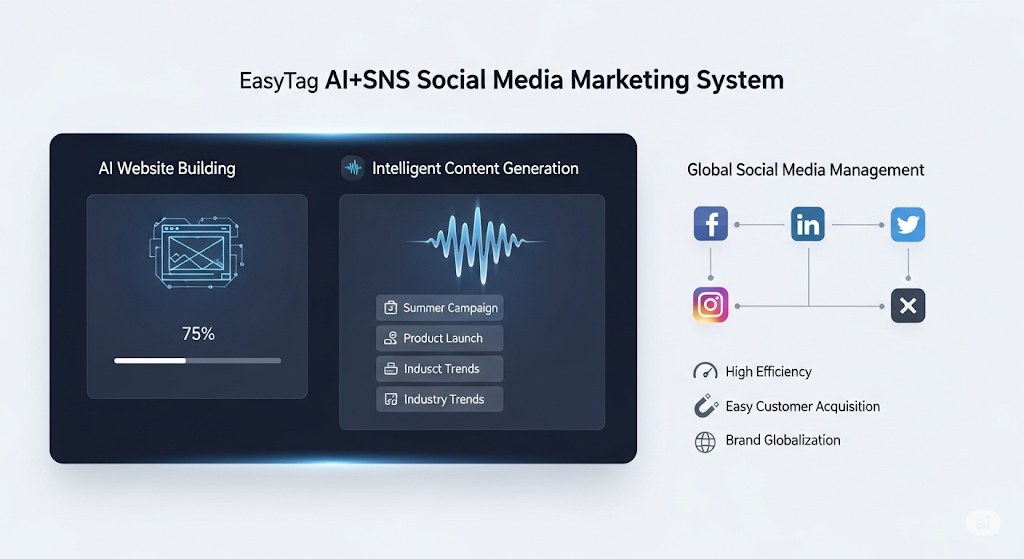
 AI+SNS Social Media Marketing SystemYingbao AI+SNS Social Media Marketing System - Precision social capture for the social media era. Supports one-click content synchronization across major platforms like Facebook and LinkedIn. AI intelligently rewrites posts for enhanced relevance. 24/7 AI customer service and user profiling analysis empower businesses to efficiently expand into global markets.
 AI+SEO营销解决方案易营宝AI+SEO营销解决方案,通过AI批量写作、智能生成TDK、精准关键词扩词等功能,全面优化网站SEO效果,提升流量与转化率。助力企业构建高效智能网站新生态。
 AI+SEM Advertising Marketing SolutionsAI+SEM Advertising Marketing Solution leverages AI technology to deeply empower SEM ad campaigns. It automatically generates weekly/monthly reports using AI, presenting account data across multiple dimensions for comprehensive insights into campaign performance and trends. The system precisely recommends keywords and target countries, intelligently generates high-conversion ad copy, and enables one-click activation of efficient campaign plans to help businesses rapidly acquire customers. Simultaneously, it monitors core metrics in real time, intelligently identifies abnormal fluctuations, and issues timely alerts to ensure stable, high-return advertising results.
 Domain Name ServicesEasyWin provides professional domain name services, including intelligent queries, one-stop registration, brand protection, and full lifecycle management, helping businesses build a digital brand image.
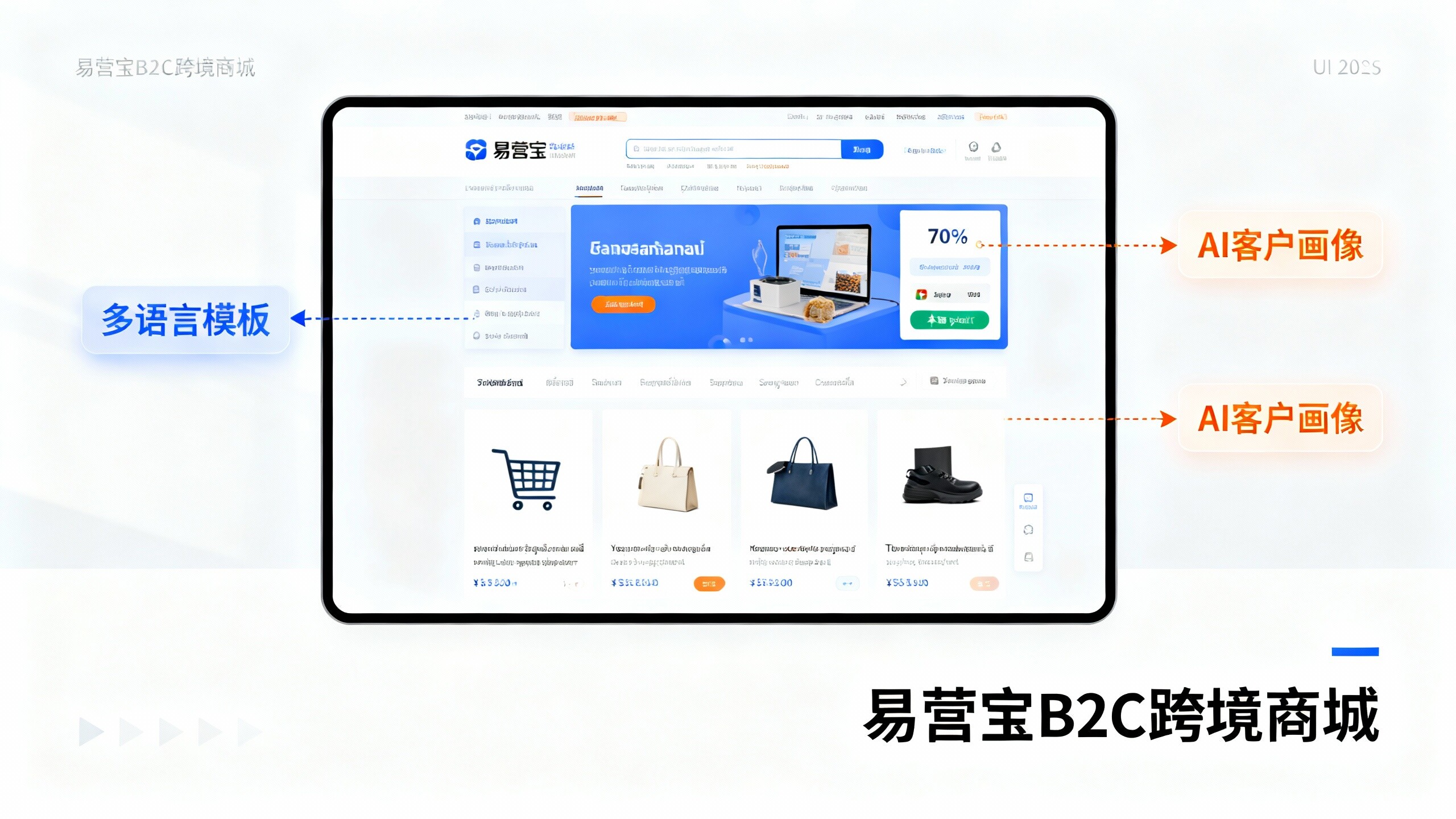
 EasyOperate B2C Cross-Border E-Commerce Platform & Independent WebsiteEasyStore B2C Cross-border E-commerce Independent Store is an intelligent website building and cross-border e-commerce integrated solution independently developed by EasyStore Information Technology (Beijing) Co., Ltd. The system is specially designed for small and medium-sized as well as large export enterprises, integrating 'website building, operation, marketing, advertising, and conversion' into one, helping enterprises quickly establish cross-border e-commerce independent stores to achieve brand globalization and global sales growth.
The platform supports multiple languages, multiple currencies, and multi-channel marketing, with built-in AI intelligent translation and SEO optimization systems, suitable for mainstream markets such as Southeast Asia, Europe and America, Latin America, and the Middle East, assisting Chinese manufacturing enterprises in efficiently deploying international e-commerce strategies. SSL证书易营宝提供专业SSL安全证书服务,包括单域名和泛域名证书,确保网站数据传输加密、身份验证和完整性保护,助力企业建立安全可信的在线业务环境。