









- Amazon Reportedly Sends Exclusivity Warning Letters to Multiplatform SellersNov 03, 2026View details
- New TikTok Shop Cross-Border Returns Rules for Southeast Asia Take Effect on November 5Nov 03, 2026View details
- U.S. Tightens De Minimis Exemption Channel and Revises Section 321 Data PilotNov 03, 2026View details
- Amazon FBA Fuel and Logistics Surcharge in 10 European Countries to Increase to 2% on November 2Nov 02, 2026View details
- EU Customs Code reform to take effect on November 1, with new handling fees for direct-mail small parcelsNov 01, 2026View details
- EU Plans to Raise Tax on Incoming Small Parcels to €5Oct 31, 2026View details
Google Search Console indexing has declined. Should you check the content or crawling first?
Google Search Console Indexing Decline: What Should You Check First?
When indexing declines in Google Search Console, many operators instinctively change titles, add text, or resubmit URLs. After spending a great deal of time on these tasks, however, the problem often remains. A more reliable approach is to first determine whether this is content-level elimination or an issue with crawling or indexing. Both types of problems may appear as “declining indexing,” but their solutions are completely different. The former requires improving page value and removing duplication, while the latter focuses more on technical troubleshooting, such as robots, status codes, site structure, canonical tags, and server stability.
For people responsible for daily website operations, classifying the problem first is more important than rushing to “fix the site.” A misdiagnosis can lead to common consequences: the technical problem remains unresolved while the content becomes disorganized, or content quality is actually declining while the operator keeps searching for answers in crawl logs.
Which Situations Look More Like Content Problems, and Which Look More Like Crawling Problems?
First, look at the scope of the decline. If indexing has decreased only in certain directories, a specific type of product page, or highly repetitive article pages, it is usually more likely to be a content problem. If the entire site or multiple sections fluctuate at the same time, or both new and old pages drop together, the probability of a crawling or indexing issue is higher.
Which Search Console Reports Should You Check First?
There is no need to review every report at the beginning. Start with the “Pages” report, sort the statuses by quantity and growth, and focus on these categories:
- “Crawled - currently not indexed”: The page has been visited, but Google considers it unnecessary to include in the index.
- “Discovered - currently not indexed”: The link has been found, but the crawl budget or willingness to crawl is insufficient.
- “Duplicate without user-selected canonical”: Commonly seen when product variants, multilingual pages, or parameter pages are not handled clearly.
- “Excluded by ‘noindex’ tag” or “Blocked by robots.txt”: These are often caused by leftover rules from a redesign, plugin, or development environment.
Next, check whether there are any issues with the sitemap, and then conduct sample URL inspections. Do not check only the homepage. Select several directory pages, product pages, and article pages with the most obvious indexing declines. This will help you quickly determine whether the problem is local or site-wide.
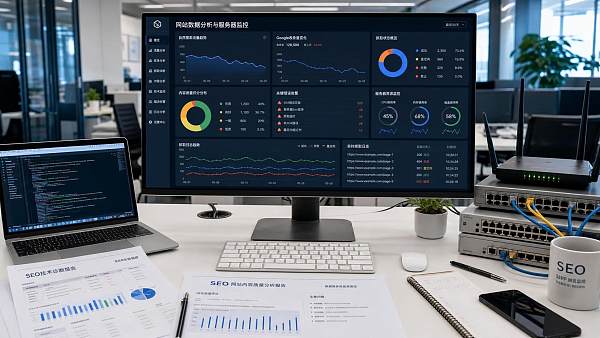
Does “Crawled but Not Indexed” Mean That the Content Is Poor?
Most of the time, it is a content-level problem, but it should not simply be understood as “not enough words.” More commonly, the page is too easily replaceable. For example, many product pages on company websites contain only a model number, a specification table, and a nearly identical description. Alternatively, an article page may simply rewrite the same topic with a different title. Although the page is accessible and Google can crawl it, Google may decide that this type of content adds little value to the index and therefore choose not to index it.
In this situation, do not rush to modify meta tags in bulk. First check three areas: whether the body content truly answers the user’s question, whether similar pages differ only in a small number of fields, and whether internal links effectively promote key pages. If a large number of pages have exactly the same content structure and only the country name, city name, or product name is changed, declining indexing is common.
Which Signals Indicate That You Should Check Crawling and Technical Issues First?
In several situations, the priority should be reversed. For example, if you have recently redesigned the site, changed the software, migrated the domain, switched the CDN, added security policies, or experienced frequent slow loading, you should first suspect the crawling path as long as these actions occurred before the indexing decline. Do not change the content first.
During the actual investigation, focus on the following:
- Are page response codes consistently 200, or do 403, 404, or 5xx errors occur occasionally?
- Does robots.txt mistakenly block directories, parameter paths, or static resources?
- Is canonical pointing to the wrong page, directing a page that should be indexed to another version?
- Is the sitemap still submitting old URLs, redirected URLs, or noindex pages?
- Do server logs show a significant decrease in Googlebot crawling recently?
If crawling volume drops first, indexing usually follows. If crawling remains normal but a large number of pages stay out of the index for a long time, then return to the content and page value analysis. This approach will be more accurate.
If a Page Is Not Indexed, Should You Immediately Click “Request Indexing”?
You can use it, but do not treat it as the primary solution. This feature is suitable for a small number of important pages, such as newly launched core product pages, repaired key landing pages, or pages that were previously indexed normally but later dropped due to technical issues.
If hundreds or thousands of pages across the entire site are dropping, repeatedly submitting them manually usually only resubmits the symptom. If the root cause of the Google Search Console indexing decline still exists, submitting more URLs will not restore indexing steadily. The genuinely useful approach is to first remove system-level obstacles, then use a small number of key pages to verify the repair results.
Why Are Multilingual and International Trade Websites More Likely to Encounter These Problems?
These websites have a large number of pages, heavy use of templates, and multiple language versions, making them especially prone to simultaneous problems with “duplication” and “crawling efficiency.” International trade websites, in particular, commonly include country sites, language directories, and product variant pages. If the translation quality is average and the differences between pages are small, Google can easily regard them as similar pages and retain only a limited number of versions.
Another frequent issue is that the relationships among hreflang, canonical, and language versions have not been handled properly. What appears to be a decline in indexing may actually be Google’s inability to determine accurately which language page should enter the index. When building a multilingual website, page readability, version mapping, and the hierarchy of internal links are all essential. Missing any one of these may hinder indexing.
If the Problem Is Confirmed to Be Content-Related, How Can Operators Make Changes Without Wasting Time?
Do not start by rewriting all pages at once. That approach is usually costly and slow to produce results. A more practical method is to classify pages first:
- Retain and strengthen: Core pages that already receive impressions but have unstable indexing.
- Consolidate: Article pages and product description pages with duplicate topics and similar search intent.
- Remove directly: Low-value pages with no traffic, no backlinks, and very thin content over a long period.
When revising content, the focus should not be on “writing more,” but on adding information unique to the page. For product pages, you can add applicable scenarios, purchasing considerations, delivery information, and frequently asked questions. For article pages, clearly explain the decisions users actually struggle with instead of merely providing conceptual explanations. This makes it easier for the page to stand apart from other content on the same site.
If the Problem Is Confirmed to Be Crawling-Related, Which Issues Should Be Fixed First for the Best Results?
Fix issues that affect the entire site before addressing those affecting individual pages. In practice, the following items are most worth handling first:
First, incorrect combinations of robots and noindex. Once such a problem exists, its impact is often not limited to one or two pages.
Second, confused canonical settings, especially when parameter pages, paginated pages, and variant pages point to one another incorrectly.
Third, poor sitemap quality, with invalid pages, redirected pages, and URLs that should not be indexed mixed together.
Fourth, slow or unstable server responses. If Googlebot has difficulty crawling the site several times, the subsequent crawl frequency will usually decrease.
Fifth, weak internal links. If important pages are almost impossible to find within the site, there will naturally be insufficient crawling entry points.
After fixing these issues, do not draw conclusions on the same day. Indexing recovery usually requires an observation period. For websites with a large number of pages in particular, you should monitor whether the status continues to improve over one to two weeks.
If Indexing Has Declined but Rankings Remain, Should You Take Action?
It depends on which types of pages have dropped. If a large number of low-value parameter pages or duplicate tag pages have disappeared while rankings and clicks for core business pages remain stable, this is not necessarily a bad thing. It may even indicate that the index structure is becoming cleaner. However, if product detail pages, core category pages, or inquiry pages have dropped, you cannot simply wait.
A common mistake operators make is focusing only on the “total number of indexed pages.” What matters more is whether the pages removed from the index have business value, whether they cover important search intent, and whether they affect key countries and language versions. More indexed pages are not always better. The key is whether the pages that should be indexed are being indexed consistently.
A Final Order of Analysis Can Help You Avoid Many Detours
When you encounter a Google Search Console indexing decline, do not rush to change the copy or repeatedly submit URLs. A more effective order is: first examine the scope of the decline, then review the index status categories, next inspect sample URLs, and only then decide whether to revise content, fix crawling, or address both at the same time. For operators, the greatest value of this sequence is not that it appears “more professional,” but that it prevents time from being spent in the wrong direction.
If you can do only one thing first, begin by identifying the page type with the most significant decline. Once you determine which type of page is experiencing problems as a group, the subsequent analysis will be much faster and the corrective actions will be more likely to produce results.
Related Articles
 How Should You Evaluate the Results of Managed Google SEO Services?
 How to Find Orphan Pages on Your Website with an Internal Linking Optimization Tool
 How Can an SEO Audit Identify Why a Webpage Has Not Been Indexed?


Related Products
 Yiyingbao SaaS Intelligent Website Building and Marketing SystemYiyingbao SaaS Intelligent Website Building and Marketing System, AI-powered no-code website building, rapid creation of multilingual B2B international websites in 10 minutes, global server acceleration, AI-powered SEO optimization, helping businesses connect efficiently with global markets. The perfect integration of technology and operation makes building an international trade website remarkably simple
 AI+SEM Intelligent Advertising Marketing SystemAI+SEM drives intelligent ad creation, empowering full-funnel precision advertising marketing. The system automatically generates weekly/monthly reports, AI recommends keywords and target countries, monitors core metrics in real-time with intelligent alerts, and enables one-click high-conversion ad solutions to help quickly acquire customers and improve ROI.
 AI+SEO Dual-Engine System Optimization ServicesYiyingbao’s AI+SEO dual-engine optimization system helps foreign trade enterprises acquire high-quality organic traffic through AI-powered keyword research, content generation, and comprehensive technical optimization, significantly improving search rankings and conversion rates.
 AI+SNS Social Media Marketing SystemYingbao AI+SNS Social Media Marketing System - Precision social capture for the social media era. Supports one-click content synchronization across major platforms like Facebook and LinkedIn. AI intelligently rewrites posts for enhanced relevance. 24/7 AI customer service and user profiling analysis empower businesses to efficiently expand into global markets.
 AI+SEO营销解决方案易营宝AI+SEO营销解决方案,通过AI批量写作、智能生成TDK、精准关键词扩词等功能,全面优化网站SEO效果,提升流量与转化率。助力企业构建高效智能网站新生态。
 AI+SEM Advertising Marketing SolutionsAI+SEM Advertising Marketing Solution leverages AI technology to deeply empower SEM ad campaigns. It automatically generates weekly/monthly reports using AI, presenting account data across multiple dimensions for comprehensive insights into campaign performance and trends. The system precisely recommends keywords and target countries, intelligently generates high-conversion ad copy, and enables one-click activation of efficient campaign plans to help businesses rapidly acquire customers. Simultaneously, it monitors core metrics in real time, intelligently identifies abnormal fluctuations, and issues timely alerts to ensure stable, high-return advertising results.
 Domain Name ServicesEasyWin provides professional domain name services, including intelligent queries, one-stop registration, brand protection, and full lifecycle management, helping businesses build a digital brand image.
 EasyOperate B2C Cross-Border E-Commerce Platform & Independent WebsiteEasyStore B2C Cross-border E-commerce Independent Store is an intelligent website building and cross-border e-commerce integrated solution independently developed by EasyStore Information Technology (Beijing) Co., Ltd. The system is specially designed for small and medium-sized as well as large export enterprises, integrating 'website building, operation, marketing, advertising, and conversion' into one, helping enterprises quickly establish cross-border e-commerce independent stores to achieve brand globalization and global sales growth.
The platform supports multiple languages, multiple currencies, and multi-channel marketing, with built-in AI intelligent translation and SEO optimization systems, suitable for mainstream markets such as Southeast Asia, Europe and America, Latin America, and the Middle East, assisting Chinese manufacturing enterprises in efficiently deploying international e-commerce strategies. SSL证书易营宝提供专业SSL安全证书服务,包括单域名和泛域名证书,确保网站数据传输加密、身份验证和完整性保护,助力企业建立安全可信的在线业务环境。









