









- CBP Finalizes Electronic Rail Export Manifest Rule, Effective October 26, 2026Oct 26, 2026View details
- Amazon’s 2026 peak season surcharge takes effect on October 25Oct 26, 2026View details
- AI Is Eating SaaS: Three Real-World Cases in One AfternoonOct 25, 2026View details
- Exiger CEO: The SaaS Apocalypse Is Real, but It Means Something DifferentOct 25, 2026View details
- Hengqin Cooperation Zone Shares Cross-Border E-Commerce Developments, Focusing on Macao-Hengqin Collaboration and International MarketsOct 24, 2026View details
- A Shenyang study highlights the development of the “cross-border e-commerce + industrial cluster” modelOct 24, 2026View details
First-Time Facebook Ad Campaign: A Step-by-Step Guide from Choosing a Marketing Objective to Pre-Launch Checks
When running Facebook ads for the first time (ads in facebook), the biggest source of hesitation is often not where to find the “Publish” button, but whether the right objective has been selected, whether the budget will be spent effectively, and whether customers will be able to get in touch easily after clicking. For export businesses and website operators, launching an ad is only the starting point. Connecting the marketing objective, audience, creative, landing page, and data feedback in one continuous process makes it easier to see where the money is going and what to adjust next.
First, decide: What action do you want this campaign to drive?
Before creating an ad in Meta Ads Manager, write down one sentence: “I want this type of customer to take this action.” For example, get German buyers to submit an equipment inquiry, or get U.S. consumers to buy a product. Different answers call for different optimization approaches.
- To generate inquiries: Consider the “Leads” objective first, then choose a conversion location—such as a website form, instant form, or messaging—based on your capacity to handle inquiries. Available options depend on your account.
- To drive sales on your independent website: The “Sales” objective is generally appropriate, along with the relevant website conversion events.
- To increase content visits: You can choose “Traffic,” but visits are not the same as qualified inquiries, and low-cost clicks alone are not a reliable measure of performance.
- To increase awareness or engagement: Choose “Awareness” or “Engagement.” Do not use the number of likes as a substitute for sales results.
The platform will look for people who are more likely to take the action associated with your selected objective. If you want inquiries but optimize only for clicks over an extended period, you may end up with “visitors who don’t make inquiries.” Interface names and features may change, so follow what is actually shown in your account.
Connect your account and website before creating ads
Prepare your business portfolio, Facebook Page, ad account, and payment method. If you need to use an Instagram identity in your ads, link the relevant account as well. Confirm that the people managing the ads have the required permissions, and check the currency, time zone, and billing entity to avoid discovering after launch that your reporting is based on inconsistent settings.
If your ads direct users to an independent website, install the Meta Pixel in advance, configure Conversions API as needed for your business, and test events such as page views, form submissions, and purchases in Events Manager. If you use server-side events alongside browser events, make sure deduplication is configured. Data collection must also comply with the privacy requirements of your target markets.
Don’t just check that “the pixel is installed.” Submit a test inquiry yourself and verify that the event fires only after the form has been successfully submitted and that the information reaches your email or customer management system. A button click without a successful submission should not be counted as a valid lead.
Build campaigns in three levels, and avoid testing too many variables at once
Meta ads are generally organized into three levels: campaigns, ad sets, and ads. Think of them as “decide the objective—arrange the delivery—show the content.” Setting things up in this order makes it less likely that you’ll miss a step when launching your first campaign.
Campaign: Set the objective and budget management method
After choosing an objective, give the campaign a name that is easy to identify, such as “Germany Market—Equipment Inquiries—Initial Test.” Depending on the options available in the interface, you can set the budget at the campaign or ad set level. For an initial test, avoid splitting the budget across too many ad sets; otherwise, each may receive too little data to assess performance differences.
Ad set: Set the location, audience, schedule, and optimization event
Start by selecting the countries or regions you can actually serve, then consider language, age, and audience criteria. Selling industrial equipment to businesses does not mean you can accurately reach purchasing decision-makers simply by selecting a particular job title. You can test relevant interests separately from broader audiences, then assess the quality of the leads.
You can start with Advantage+ placements, but check how your creative performs in each placement. There is no universal minimum starting budget; work backward from your affordable cost per acquisition and testing period. Daily spend may not be exactly the same every day, so read the platform’s budget guidance and set available spending limits or alerts.
Ad: Make the reason to click clear at a glance
Confirm the Page identity, image or video, primary text, headline, call-to-action button, and destination URL. For the first round, prepare two or three clearly differentiated creative variations—for example, highlighting the use case, product details, or delivery support. Avoid changing the creative, audience, and landing page at the same time; otherwise, even if performance changes, it will be difficult to identify the cause.
The landing page is not an add-on; it is the second half of the ad
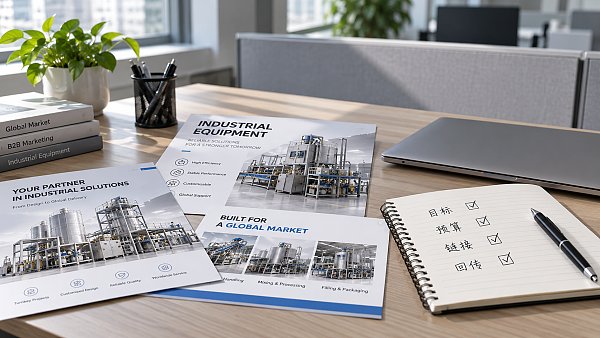
A user may be interested in a product but leave before finding what they need if the ad takes them to a cluttered website homepage. The landing page’s first screen should address the ad’s promise and provide a clear path to request a quote, make a purchase, or access information.
For example, when promoting specialist material such as Research on Tax Planning for Power Grid Enterprises, link to the relevant information page and explain its scope and how to access it, rather than directing users to an unrelated section. The same applies to product ads: model, application, language, and call to action should be consistent throughout.
For multilingual export websites, also check mobile loading speed, form length, international dialing codes, and contact options. When YiYingBao provides integrated website development and overseas marketing services, landing page creation, ad delivery, and conversion tracking can be coordinated in one workflow to reduce gaps such as “someone manages the ads, but no one tests the form.” Actual results still need to be verified with data.
Before publishing, take a few minutes to run through the final checklist
- Where will the ads run? Are the countries, languages, schedule, and time zone correct? Have you accidentally selected regions you do not serve?
- How much will you spend? Do the budget amount, currency, start and end dates match your plan? Is the payment method valid?
- What will users see? Does the mobile preview show any cropping? Does the copy include claims you cannot substantiate? Does it comply with advertising policies?
- What happens after a click? Are the link, redirect, form, thank-you page, and event feedback working properly? Does the URL include UTM parameters for tracking?
- Who will handle inquiries? Who will follow up? Where will notifications be sent? Will someone be available to respond during the target market’s working hours?
After submission, you still need to wait for review; clicking Publish does not mean the ad will appear immediately. During the initial launch, check that spending is proceeding normally, the page is accessible, and the data shows no anomalies. Once you have accumulated enough valid data, adjust the campaign based on qualified inquiry costs or sales performance. The priority for a first campaign is not to increase the budget too quickly, but to establish a customer acquisition process that can be tracked, handled, and reviewed.
Related Articles
 Is it better to pay for overseas search marketing services per click or by the month?
 Multiple Amazon Peak-Season Fees Are Rising, Putting Pressure on Seller Profit Margins
 When Should You Split Facebook Ad Sets by Language?


Related Products
 Yiyingbao SaaS Intelligent Website Building and Marketing SystemYiyingbao SaaS Intelligent Website Building and Marketing System, AI-powered no-code website building, rapid creation of multilingual B2B international websites in 10 minutes, global server acceleration, AI-powered SEO optimization, helping businesses connect efficiently with global markets. The perfect integration of technology and operation makes building an international trade website remarkably simple
 AI+SEM Intelligent Advertising Marketing SystemAI+SEM drives intelligent ad creation, empowering full-funnel precision advertising marketing. The system automatically generates weekly/monthly reports, AI recommends keywords and target countries, monitors core metrics in real-time with intelligent alerts, and enables one-click high-conversion ad solutions to help quickly acquire customers and improve ROI.
 AI+SEO Dual-Engine System Optimization ServicesYiyingbao’s AI+SEO dual-engine optimization system helps foreign trade enterprises acquire high-quality organic traffic through AI-powered keyword research, content generation, and comprehensive technical optimization, significantly improving search rankings and conversion rates.
 AI+SNS Social Media Marketing SystemYingbao AI+SNS Social Media Marketing System - Precision social capture for the social media era. Supports one-click content synchronization across major platforms like Facebook and LinkedIn. AI intelligently rewrites posts for enhanced relevance. 24/7 AI customer service and user profiling analysis empower businesses to efficiently expand into global markets.
 AI+SEO营销解决方案易营宝AI+SEO营销解决方案,通过AI批量写作、智能生成TDK、精准关键词扩词等功能,全面优化网站SEO效果,提升流量与转化率。助力企业构建高效智能网站新生态。
 AI+SEM Advertising Marketing SolutionsAI+SEM Advertising Marketing Solution leverages AI technology to deeply empower SEM ad campaigns. It automatically generates weekly/monthly reports using AI, presenting account data across multiple dimensions for comprehensive insights into campaign performance and trends. The system precisely recommends keywords and target countries, intelligently generates high-conversion ad copy, and enables one-click activation of efficient campaign plans to help businesses rapidly acquire customers. Simultaneously, it monitors core metrics in real time, intelligently identifies abnormal fluctuations, and issues timely alerts to ensure stable, high-return advertising results.
 Domain Name ServicesEasyWin provides professional domain name services, including intelligent queries, one-stop registration, brand protection, and full lifecycle management, helping businesses build a digital brand image.
 EasyOperate B2C Cross-Border E-Commerce Platform & Independent WebsiteEasyStore B2C Cross-border E-commerce Independent Store is an intelligent website building and cross-border e-commerce integrated solution independently developed by EasyStore Information Technology (Beijing) Co., Ltd. The system is specially designed for small and medium-sized as well as large export enterprises, integrating 'website building, operation, marketing, advertising, and conversion' into one, helping enterprises quickly establish cross-border e-commerce independent stores to achieve brand globalization and global sales growth.
The platform supports multiple languages, multiple currencies, and multi-channel marketing, with built-in AI intelligent translation and SEO optimization systems, suitable for mainstream markets such as Southeast Asia, Europe and America, Latin America, and the Middle East, assisting Chinese manufacturing enterprises in efficiently deploying international e-commerce strategies. SSL证书易营宝提供专业SSL安全证书服务,包括单域名和泛域名证书,确保网站数据传输加密、身份验证和完整性保护,助力企业建立安全可信的在线业务环境。









