









- Hengqin Cooperation Zone Shares Cross-Border E-Commerce Developments, Focusing on Macao-Hengqin Collaboration and International MarketsOct 24, 2026View details
- A Shenyang study highlights the development of the “cross-border e-commerce + industrial cluster” modelOct 24, 2026View details
- Three China Advertising Association GEO group standards take effect on October 23Oct 24, 2026View details
- Amazon Raises Fulfillment Fees Twice, Yet the Median Platform Fee Remains Around 40%Oct 22, 2026View details
- AliExpress and YouTube Partner to Expand Marketing Opportunities for Chinese Brands Going GlobalOct 22, 2026View details
- Publicis says AI marketing is developing at two speeds, with agentic AI helping win clientsOct 21, 2026View details
How Can You Exclude Existing Customers from Facebook Ad Retargeting?
How Can You Exclude Existing Customers from Facebook Retargeting Ads?
A user places an order, then sees an ad urging them to buy the same product—that kind of waste is often not a creative problem, but a sign that purchase data has not been added to the exclusion rules. In practice, a reliable approach in Facebook advertising is to create a dynamic Custom Audience based on the Purchase event, then add it to the ad set’s exclusions. For customers who buy offline, use a customer list to extend coverage.
However, “creating a Purchase audience” does not mean “buyers have been excluded.” You need to check separately whether the event is accurate, the audience is matching, and the exclusion is actually taking effect.
First, confirm that the website is recording actual purchases
Open Meta Events Manager and check the Purchase event in the relevant dataset. It should fire at the point your business defines as a completed sale—not as soon as a user clicks the checkout button. For online payment stores, you would typically verify that payment was successful. For cash-on-delivery orders or orders subject to manual review, define the criteria for a completed sale separately.
Use test events and spot-check real orders to confirm that Purchase events are not missing, firing more than once, or referencing the wrong data source. If you use both the Meta Pixel and Conversions API, set a consistent event name and event ID for the same purchase so it can be deduplicated. The Conversions API can supplement server-side signals, but it cannot guarantee that every buyer will be identified, nor does it replace necessary privacy notices and consent.
Do not rely solely on visits to a “Thank you” page. The page may be refreshed, bookmarked, or opened directly, so URL rules alone can lead to false matches. When Purchase events can be reported accurately, use event-based rules as the preferred option.
Set up the audience and ad set exclusions in two places
In the “Audiences” section of Meta Ads Manager, choose to create a Custom Audience, select “Website” as the source, choose the dataset or Pixel that actually receives your store events, and set the condition to the Purchase event. Interface labels may vary by account version, but the key is to select the correct data source, event, and retention period.
The retention period determines how long users are excluded after making a purchase. You can use a name such as “Purchasers—30 days” to make the audience easy to identify. The 30 days here is only an example, not a universal recommendation. Choose a period based on your product’s repurchase cycle and the options currently available in your account. The audience also needs time to populate and update.
Next, open the ad set you want to control, add the newly created Purchase audience under “Exclude Custom Audiences” in the audience settings, and publish the changes. If your account uses Advantage+ audience, distinguish between “audience suggestions” and explicit exclusion controls; adding a Purchase audience should not be mistaken for excluding it. If the relevant option is not available for your campaign type, check which controls are supported and adjust your campaign structure if necessary.
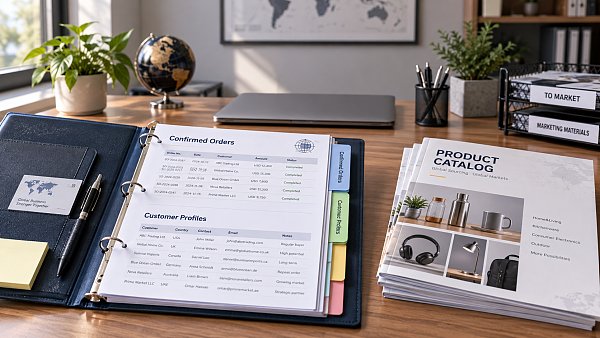
For example, a cart recovery ad can target “people who added items to their cart” while excluding “people who purchased within the specified period.” Check website visitor retargeting, new-customer promotions, and other ad sets individually as well. Changing one ad set does not automatically apply the exclusion to others.
For offline sales and long purchasing cycles, supplement with customer lists
B2B export websites often record only inquiries, while actual sales happen through email, quotations, and contracts. In this case, treating “form submission” as a purchase could wrongly exclude leads that have not yet converted. Relying only on website Purchase events, meanwhile, will not exclude actual existing customers.
You can compile a list of customers with completed sales from your customer management system and use supported fields such as email addresses and phone numbers to create a customer list Custom Audience. Then add it to the exclusions for the relevant ad sets. Before uploading, confirm that your company is authorized to use the information for ad matching and complies with the platform’s terms and applicable data protection requirements.
Uploading a list once is not enough. Newly converted customers need to be synced regularly, and not every submitted record will necessarily match a platform user. Generic business email addresses, phone numbers without country codes, and outdated information can all affect match rates. Website event audiences and customer lists can complement each other, but you should not promise 100% exclusion.
Still seeing ads after being excluded? Check these items first
First, confirm that what you saw was a paid ad rather than organic content on a Page. Then identify the relevant ad set and check whether the exclusion was missed or the changes were not published. Next, verify that the purchase occurred within the retention period and that the Purchase event was sent to the correct dataset.
Users who have just made a purchase may still see ads briefly due to delays in event processing, audience updates, or identity matching. Cross-device purchases, tracking restrictions, and insufficient list matching can also lead to missed exclusions, so a single impression is not enough to conclude that the setup has failed. Investigate using order records, event diagnostics, and ad set settings together.
A longer exclusion period is not always better. For customer acquisition campaigns for durable goods, a longer period may be appropriate; for consumables, accessories, and replenishment products, allow room for repeat purchases. Existing customers may be better served by a dedicated repeat-purchase ad set rather than being excluded from all advertising permanently. For stores with multiple product categories, decide whether to exclude all purchasers or only people who bought the product currently being advertised.
This is also a practical connection that an integrated website and marketing service needs to address. Yiyingbao, founded in 2013 and headquartered in Beijing, provides smart website building, cross-border e-commerce stores, and overseas advertising services. Delivering this type of project should go beyond “installing the Pixel.” It should also define how order statuses map to events, who is responsible for syncing customer lists, and which ad sets the exclusions apply to.
Before your next retargeting campaign adjustment, check the Purchase event, audience retention period, and ad set exclusion settings. Once all three are correct, decide whether to change the creative or adjust the budget. This helps prevent data integration issues from being mistaken for advertising performance problems.
Related Articles
 How Can You Exclude Existing Customers from Facebook Ad Retargeting?
 How can you evaluate a landing page agency's conversion tracking capabilities?
 How much does it cost to run Google paid ads in Japan?


Related Products
 Yiyingbao SaaS Intelligent Website Building and Marketing SystemYiyingbao SaaS Intelligent Website Building and Marketing System, AI-powered no-code website building, rapid creation of multilingual B2B international websites in 10 minutes, global server acceleration, AI-powered SEO optimization, helping businesses connect efficiently with global markets. The perfect integration of technology and operation makes building an international trade website remarkably simple
 AI+SEM Intelligent Advertising Marketing SystemAI+SEM drives intelligent ad creation, empowering full-funnel precision advertising marketing. The system automatically generates weekly/monthly reports, AI recommends keywords and target countries, monitors core metrics in real-time with intelligent alerts, and enables one-click high-conversion ad solutions to help quickly acquire customers and improve ROI.
 AI+SEO Dual-Engine System Optimization ServicesYiyingbao’s AI+SEO dual-engine optimization system helps foreign trade enterprises acquire high-quality organic traffic through AI-powered keyword research, content generation, and comprehensive technical optimization, significantly improving search rankings and conversion rates.
 AI+SNS Social Media Marketing SystemYingbao AI+SNS Social Media Marketing System - Precision social capture for the social media era. Supports one-click content synchronization across major platforms like Facebook and LinkedIn. AI intelligently rewrites posts for enhanced relevance. 24/7 AI customer service and user profiling analysis empower businesses to efficiently expand into global markets.
 AI+SEO营销解决方案易营宝AI+SEO营销解决方案,通过AI批量写作、智能生成TDK、精准关键词扩词等功能,全面优化网站SEO效果,提升流量与转化率。助力企业构建高效智能网站新生态。
 AI+SEM Advertising Marketing SolutionsAI+SEM Advertising Marketing Solution leverages AI technology to deeply empower SEM ad campaigns. It automatically generates weekly/monthly reports using AI, presenting account data across multiple dimensions for comprehensive insights into campaign performance and trends. The system precisely recommends keywords and target countries, intelligently generates high-conversion ad copy, and enables one-click activation of efficient campaign plans to help businesses rapidly acquire customers. Simultaneously, it monitors core metrics in real time, intelligently identifies abnormal fluctuations, and issues timely alerts to ensure stable, high-return advertising results.
 Domain Name ServicesEasyWin provides professional domain name services, including intelligent queries, one-stop registration, brand protection, and full lifecycle management, helping businesses build a digital brand image.
 EasyOperate B2C Cross-Border E-Commerce Platform & Independent WebsiteEasyStore B2C Cross-border E-commerce Independent Store is an intelligent website building and cross-border e-commerce integrated solution independently developed by EasyStore Information Technology (Beijing) Co., Ltd. The system is specially designed for small and medium-sized as well as large export enterprises, integrating 'website building, operation, marketing, advertising, and conversion' into one, helping enterprises quickly establish cross-border e-commerce independent stores to achieve brand globalization and global sales growth.
The platform supports multiple languages, multiple currencies, and multi-channel marketing, with built-in AI intelligent translation and SEO optimization systems, suitable for mainstream markets such as Southeast Asia, Europe and America, Latin America, and the Middle East, assisting Chinese manufacturing enterprises in efficiently deploying international e-commerce strategies. SSL证书易营宝提供专业SSL安全证书服务,包括单域名和泛域名证书,确保网站数据传输加密、身份验证和完整性保护,助力企业建立安全可信的在线业务环境。









