








- 21st Century Business Herald: AI and CTV Become Core Growth Engines for Digital Marketing in Overseas MarketsNov 18, 2026View details
- China Presents 25 Cooperation Outcomes in Areas Including Cross-Border E-Commerce During APECNov 18, 2026View details
- AI Products Drive Hong Kong Exports Up 64.9% in September, Fastest Growth in Over 40 YearsNov 17, 2026View details
- National Bureau of Statistics: Foreign trade grew rapidly in October, providing stable support for global tradeNov 17, 2026View details
- The U.S. has ended the $800 de minimis exemption for non-postal shipments; express courier packages must be formally declared.Nov 16, 2026View details
- ASEAN Signs Digital Economy Framework Agreement, Moving Toward Harmonized Cross-Border E-Commerce RulesNov 15, 2026View details
Do Mexican customers' complaints about slow loading stem from server deployment?
“Is a Mexican customer's complaint that the website loads slowly related to global server deployment?” This is a question frequently encountered by after-sales maintenance personnel. Customers may only describe issues such as “the page keeps loading,” “product images will not open,” or “inquiry submission fails,” while the website appears to function normally when tested in China or the United States. In this case, server deployment may indeed be one of the causes, but it cannot be concluded solely from the customer's location that “moving the server to Mexico” will solve the problem.
The access experience for users in Mexico is usually determined jointly by the origin server location, cross-border network routes, CDN edge node cache hits, DNS resolution, page resource size, and third-party scripts. The truly effective approach is to first identify “where the slowdown occurs” and then select the corresponding optimization measures.
Server Distance Affects Speed, but It Is Not the Only Variable
If the website's origin server is deployed in mainland China, an access request initiated by a Mexican user often needs to pass through multiple international network routes. The longer the route and the more network exchange nodes involved, the greater the likelihood of latency and jitter. In particular, on marketing websites with many images, videos, and JS files, users may find that the above-the-fold content takes a long time to render completely.
However, a “distant server” does not mean that a “website will inevitably be slow.” If the website is connected to a CDN covering North America and Latin America, and static resources can be served from cached edge nodes close to users, users do not need to return to the remote origin server every time they load images, style sheets, and scripts. In many cases, the issue is not the physical location of the origin server, but rather incorrect CDN configuration, cache policies that are too short, or key pages configured to always dynamically fetch from the origin.
For foreign trade websites targeting the Mexican market, a common deployment approach is to place the origin server in overseas regions with reliable network egress and stability, such as the western United States, the southern United States, or other cloud resource regions suitable for the target market, together with global CDN distribution. Whether local Mexican nodes are needed should be determined based on actual traffic volume, business type, and the provider's node coverage, rather than mechanically pursuing “a server closest to the customer.”
First Distinguish: Is the Entire Website Slow, or Only a Specific Loading Stage?
During after-sales troubleshooting, the biggest concern is migrating the server immediately. Migration involves DNS switching, data synchronization, certificates, email, and API configuration. It is costly and may not resolve the root cause. It is recommended to first ask customers to provide the specific page URL, access time, city, network operator, and device type. If they can also provide browser screenshots or screen recordings, troubleshooting efficiency will improve significantly.
Then, test the homepage, product detail pages, and inquiry pages from test nodes in Mexico or North America, focusing on the following issues:
- Significantly high TTFB: The browser waits too long for the first byte to be returned, which may be related to origin server performance, database queries, cross-border origin fetches, or server load.
- Abnormal DNS resolution time: Slow responses from domain name resolution services, unreasonable resolution routes, or multiple redirects can cause waiting before the page connection has even been established.
- Images and video resources delay above-the-fold content: Uncompressed large product images, autoplay videos, and failure to enable modern image formats are often direct causes of slow marketing pages.
- Excessive JS execution time: When third-party code such as pop-up tools, live chat, heatmaps, ad tracking, and translation plugins is layered together, the page may take a long time to become interactive even after downloading is complete.
- Only form pages or backend APIs are slow: In such cases, check API origin fetching, CAPTCHA, email services, CRM synchronization, and security policies instead of simply attributing the issue to static page loading.

Establish a Reusable Troubleshooting Sequence from Network Routes to Page Waterfall Charts
For after-sales maintenance teams, a more practical approach is to narrow down the scope layer by layer in the sequence of “domain name—network—origin server—page—third-party services.”
The first step is to check whether domain name resolution is stable. Confirm whether DNS uses a service with overseas resolution capabilities, whether A records or CNAME records point to currently valid resources, and whether there are issues such as uncleared old records, abnormal IPv6 resolution, or excessively long HTTPS redirect chains. If Mexican customers access the website through mobile networks, delays caused by poor DNS quality can be more easily amplified.
The second step is to review CDN configuration and cache hit rates. Static resources should have reasonable cache periods configured to avoid returning to the origin on every visit; at the same time, confirm whether the CDN covers Mexico and surrounding North American regions. It should be noted that pages containing user login sessions, shopping carts, or personalized content cannot be indiscriminately cached in full. A strategy combining static resource caching, page rules, and dynamic acceleration should be used.
The third step is to check origin server responses. Use server monitoring to observe CPU, memory, disk I/O, bandwidth, connection counts, and error logs, and determine whether peaks occur during the periods when customers report issues. If application environments such as PHP, Java, or Node.js are used, also investigate slow queries, API timeouts, program error retries, and cache failures. When origin server resources are insufficient, dynamic requests that miss the CDN cache will still expose performance shortcomings even if CDN deployment is well configured.
The fourth step is to open browser developer tools or a performance testing report and review the network waterfall chart. Do not look only at the overall score; instead, identify where the files with the longest loading times come from: your own server, a CDN domain, or external domains such as maps, live customer service, social media components, and analytics code. The accessibility of some overseas services can be unstable on Mexican networks, often causing “intermittent slowness,” which is separate from the server configuration itself.
Several Easily Misjudged Scenarios
“It opens quickly in China but slowly in Mexico, so the server must be migrated.” This conclusion is incomplete. Fast access in China only indicates that domestic network routes are normal; results should also be verified across multiple Mexican cities, different carriers, and different network environments. If only individual users experience slowness, the issue may be related to local networks, corporate firewalls, or carrier routing.
“Once a CDN is connected, it cannot be slow.” A CDN is not a universal switch that takes effect automatically. Uncached resources, frequently invalidated caches, slow origin fetches, poor node selection, and incorrect HTTPS configuration can all greatly reduce acceleration effectiveness. Especially for cross-border online stores, dynamic requests for inventory, prices, and shopping carts still require application-layer optimization.
“Compressing images is enough.” Image optimization is important, but above-the-fold performance also depends on critical CSS, JS loading order, font files, above-the-fold image priority, and server response. It is recommended to use compatible formats such as WebP or AVIF, enable lazy loading, and set appropriate dimensions and loading priority for core above-the-fold images, avoiding the simultaneous loading of multiple high-resolution assets in carousel banners.
Optimization Recommendations for the Mexican Market
If the website is intended to generate B2B inquiries, the focus should be on stable access to the homepage, product pages, case study pages, and inquiry forms. Pages should not be overloaded with excessive animations, high-definition autoplay videos, and irrelevant plugins; Spanish content, product specifications, and contact details should be output directly whenever possible to reduce the script burden caused by secondary client-side translation.
For B2C cross-border online stores, additional testing is required for paths including product details, search, add-to-cart, checkout, payment callbacks, and logistics tracking. Store “slowness” may sometimes occur in payment services or inventory APIs and is not necessarily a frontend webpage issue. Maintenance records should note slow pages, slow APIs, affected regions, reproduction probability, and handling results, to avoid repeated troubleshooting later based only on vague complaints.
When Yiyingbao builds multilingual websites and cross-border online stores for overseas markets, it typically handles intelligent website building, overseas nodes, CDN distribution, and page performance optimization from the same operational perspective. For after-sales personnel, the key is not to memorize a fixed deployment solution, but to understand the access path: how a request initiated by a user in Mexico is resolved by the domain name, which node returns the resources, when dynamic data returns to the origin, and which external dependencies are present on the page.
Conclusion: Server Deployment Matters, but Actions Should Be Determined by Test Results
Returning to the question, “Is a Mexican customer's complaint that the website loads slowly related to global server deployment?”, the answer is: yes, but it is usually not the only cause. An origin server that is too far away, poor international network quality, and a lack of appropriate CDN nodes can indeed affect the access experience in Mexico; however, overly heavy pages, cache failures, API bottlenecks, and abnormal third-party scripts can also be more direct bottlenecks.
The ideal result of after-sales handling is not to hastily replace the server, but to obtain verifiable data showing whether the delay occurs in DNS, connection establishment, first byte, resource downloads, or page rendering. Once this is clear, you can decide whether to adjust global deployment, optimize CDN strategy, upgrade origin server resources, or streamline pages and external services, so that every optimization genuinely improves the customer's access experience.
Related Articles
 Are Your Export Website Conversion Tracking Data Inaccurate? Troubleshoot Form Submissions and Duplicate Counts
 Low Inquiry Form Submission Rates on Your Export Website? Troubleshoot Everything from Form Fields to the Mobile Experience
 Getting Traffic but No Inquiries on Your B2B Website? Check Every Step from Product Pages to Forms



Related Products
 Yiyingbao SaaS Intelligent Website Building and Marketing SystemYiyingbao SaaS Intelligent Website Building and Marketing System, AI-powered no-code website building, rapid creation of multilingual B2B international websites in 10 minutes, global server acceleration, AI-powered SEO optimization, helping businesses connect efficiently with global markets. The perfect integration of technology and operation makes building an international trade website remarkably simple
 AI+SEM Intelligent Advertising Marketing SystemAI+SEM drives intelligent ad creation, empowering full-funnel precision advertising marketing. The system automatically generates weekly/monthly reports, AI recommends keywords and target countries, monitors core metrics in real-time with intelligent alerts, and enables one-click high-conversion ad solutions to help quickly acquire customers and improve ROI.
 AI+SEO Dual-Engine System Optimization ServicesYiyingbao’s AI+SEO dual-engine optimization system helps foreign trade enterprises acquire high-quality organic traffic through AI-powered keyword research, content generation, and comprehensive technical optimization, significantly improving search rankings and conversion rates.
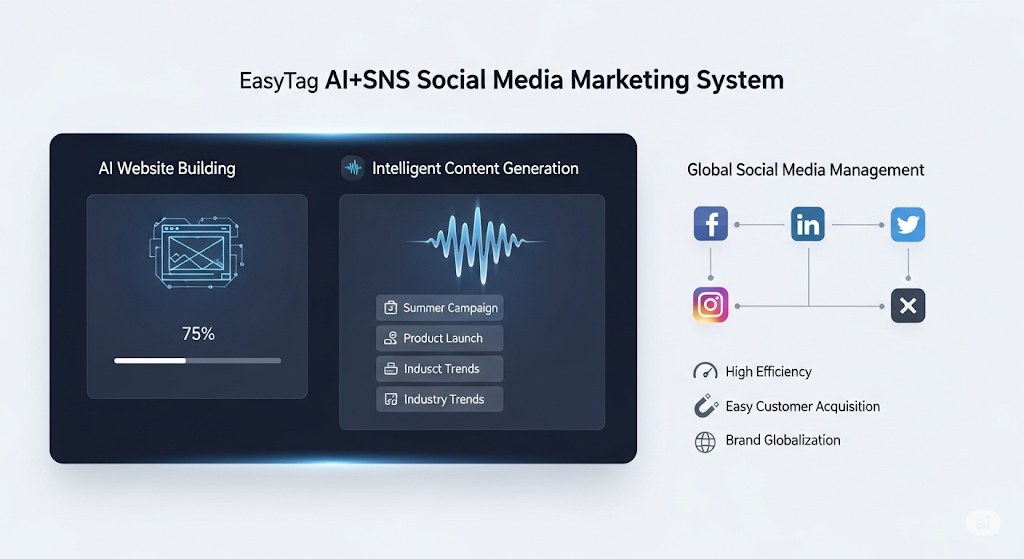
 AI+SNS Social Media Marketing SystemYingbao AI+SNS Social Media Marketing System - Precision social capture for the social media era. Supports one-click content synchronization across major platforms like Facebook and LinkedIn. AI intelligently rewrites posts for enhanced relevance. 24/7 AI customer service and user profiling analysis empower businesses to efficiently expand into global markets.
 AI+SEO营销解决方案易营宝AI+SEO营销解决方案,通过AI批量写作、智能生成TDK、精准关键词扩词等功能,全面优化网站SEO效果,提升流量与转化率。助力企业构建高效智能网站新生态。
 AI+SEM Advertising Marketing SolutionsAI+SEM Advertising Marketing Solution leverages AI technology to deeply empower SEM ad campaigns. It automatically generates weekly/monthly reports using AI, presenting account data across multiple dimensions for comprehensive insights into campaign performance and trends. The system precisely recommends keywords and target countries, intelligently generates high-conversion ad copy, and enables one-click activation of efficient campaign plans to help businesses rapidly acquire customers. Simultaneously, it monitors core metrics in real time, intelligently identifies abnormal fluctuations, and issues timely alerts to ensure stable, high-return advertising results.
 Domain Name ServicesEasyWin provides professional domain name services, including intelligent queries, one-stop registration, brand protection, and full lifecycle management, helping businesses build a digital brand image.
 EasyOperate B2C Cross-Border E-Commerce Platform & Independent WebsiteEasyStore B2C Cross-border E-commerce Independent Store is an intelligent website building and cross-border e-commerce integrated solution independently developed by EasyStore Information Technology (Beijing) Co., Ltd. The system is specially designed for small and medium-sized as well as large export enterprises, integrating 'website building, operation, marketing, advertising, and conversion' into one, helping enterprises quickly establish cross-border e-commerce independent stores to achieve brand globalization and global sales growth.
The platform supports multiple languages, multiple currencies, and multi-channel marketing, with built-in AI intelligent translation and SEO optimization systems, suitable for mainstream markets such as Southeast Asia, Europe and America, Latin America, and the Middle East, assisting Chinese manufacturing enterprises in efficiently deploying international e-commerce strategies. SSL证书易营宝提供专业SSL安全证书服务,包括单域名和泛域名证书,确保网站数据传输加密、身份验证和完整性保护,助力企业建立安全可信的在线业务环境。