








- China’s Ministry of Commerce Responds to Additional Charges on Low-Value Imports Imposed by the EUNov 06, 2026View details
- Two Internet Development Reports Released at the 2026 World Internet ConferenceNov 05, 2026View details
- Internet Business Revenue of Enterprises Above the Designated Size Reached RMB 1.716 Trillion in the First Three Quarters, with Profits Up 17.6%Nov 05, 2026View details
- Shopify's Third-Quarter Revenue and GMV Fall Short of Expectations, Sending Shares Tumbling Before the Market OpensNov 04, 2026View details
- Temu Sellers See a Decline in Traffic as the Platform’s Traffic Allocation ShiftsNov 04, 2026View details
- UK Regulator Requires E-Commerce Businesses to Clearly Display Total Prices Including Mandatory Delivery ChargesNov 04, 2026View details
How to troubleshoot when a website takes more than 5 seconds to load for customers in Mexico?
A Mexican customer reports that the website takes more than 5 seconds to load. This does not necessarily mean the server lacks sufficient performance; the cause could also be cross-border network conditions, a cache miss, or advertising scripts slowing down the page. When handling this kind of support issue, the easiest mistake is to replace the server right away. If the real delay is caused by the customer’s browser downloading images or executing scripts, migrating the site may not solve the problem. First determine where the delay occurs, then decide what to change.
Turn the customer’s “5 seconds” into a reproducible issue
To identify why a website takes more than 5 seconds to load for a customer in Mexico, you usually need to assess the specific page and access conditions. What the customer means by “loaded” may be that the first screen is visible, or that all images and the chat window have appeared. These two scenarios call for different troubleshooting approaches. Ask the customer to provide the URL, the time the issue occurred, their city, device model, browser, network type, and whether they are stuck on a blank screen or the first-screen content is taking a long time to finish loading. If possible, a screen recording is more useful than simply saying, “The website is slow.”
Next, test the same URL on the homepage and the product page or advertising landing page reported by the customer, distinguishing between the first visit and subsequent visits. Where possible, test on both local mobile and fixed networks. If you can only simulate the connection remotely, record the test location and network conditions; do not treat speed-test results from an office in China as representative of the customer’s actual experience in Mexico.
Also check whether the test URL includes advertising parameters, a language path, or a redirect. The actual URL reached after clicking an ad may differ from the homepage entered directly. Missing this detail can lead to a common situation: “Support testing is fine, but the customer’s access is still slow.” Before sharing screenshots or logs, redact any account information or customer data.
Trace the access path: Is the connection slow, or is the page rendering slowly?
Open the browser’s developer tools and go to the Network panel. Clear the cache and reload the page, then review the request waterfall. Start with DNS resolution, connection establishment, and the initial document request, then check resources such as images and scripts. Comparing the time spent at each stage makes it easier to identify what needs attention than looking only at the total load time.

Slow response to the initial document request: Check DNS resolution, connection establishment, redirects, and server processing time. Time to First Byte (TTFB) measures the time from sending a request to receiving the first byte of the response, but it may include both network and server-side time. It is not enough on its own to conclude that the database is slow. Further isolate the cause using server logs, application response times, and test results from different regions.
The document responds normally, but the first screen is still slow to appear: Focus on large images above the fold, stylesheets, fonts, and render-blocking scripts. For example, if an export equipment website uses an uncompressed product image as its banner, a mobile device must download and decode a large file before displaying it. The page opening does not mean the customer can already see its main content.
The first screen appears, but the page still shows a loading indicator: Check whether third-party analytics, ad conversion code, live chat, or video requests are taking a long time to complete. At the same time, check whether buttons and forms work. A loading icon that keeps spinning does not necessarily mean the customer cannot browse, but if script execution occupies the main thread, the page may be visible yet unresponsive to clicks.
For slow access from Mexico, check these areas first
Cross-border network paths are a common area to investigate, but the issue cannot simply be attributed to “long distance.” The origin server’s location, carrier routing, node selection, and the customer’s current network can all affect the results. If multiple test points in Mexico show long delays during connection or download, while other regions are relatively unaffected, check whether the content delivery network (CDN) covers the target access region, whether the domain is correctly connected to it, and what the cache status is in the response headers. Cache status indicators vary by provider, so refer to the provider’s documentation.
Do not just confirm that “the CDN is enabled.” Product images may be cached while HTML pages are fetched from the origin on every request; advertising links with query parameters may also produce different results depending on the cache rules. When checking, distinguish static resources from dynamic pages: images and stylesheets are generally suitable for caching according to an update policy, whereas content containing login status, shopping cart details, or customer information should not be cached publicly without careful consideration. Before making changes, confirm the cache key, invalidation method, and origin-fetch rules.
For page resources, start with files in the waterfall that are large, requested early, and affect the first screen, rather than compressing every image indiscriminately. Generate images at the dimensions they are displayed, and enable lazy loading for images below the fold. Avoid blindly lazy-loading the main image above the fold, as this may delay the appearance of the primary content. For video backgrounds, consider using a poster image and loading the video only after user interaction, especially on mobile advertising landing pages.
For multilingual websites, also check language redirects. If visitors from Mexico first land on the default-language homepage and are then redirected to a Spanish-language page based on their region, the extra redirect adds waiting time. A more reliable approach is to have ad and social media links point directly to the relevant language page, while retaining a clear language switcher. Before changing URLs, check the redirects and tracking settings, especially if existing search indexing or advertising links are involved.
Do not let optimization disrupt lead inquiries and ad attribution
Website development, SEO, and advertising are often handled by different people, and script issues are especially prone to recurring. A common scenario is a landing page with multiple analytics scripts, ad conversion tags, and live chat plugins. Each may have a purpose on its own, but together they can slow down the first screen. Before making changes, list who is responsible for each script and what it is used for. First remove code confirmed to be disabled or duplicated, then assess which scripts can be loaded later.
Deferring execution is not without trade-offs: loading scripts too late may result in missed conversions or affect forms and live chat. Make changes one at a time in a test environment. After publishing, check that advertising parameters are retained, forms can be submitted, inquiry notifications are delivered, and conversion events fire as expected. For projects using an integrated website-building and marketing platform such as 易营宝, also confirm whether the relevant settings are managed by the platform or on the customer’s side, to avoid duplicate changes or accidentally deleting tracking code.
Retest under the same conditions after fixing the issue, and keep the evidence
As far as possible, retest the same page, region, device, and network conditions as before, and record performance on both the first visit and after the cache is hit. In addition to total load time, compare TTFB, the time until the main first-screen content appears, and whether users can click and submit forms normally. A single test only reflects conditions at that moment. If results vary considerably, repeat the tests at different times and save the request waterfall and key response headers.
If only a particular customer experiences slow loading on a specific network while other local networks work normally, ask the customer to compare access over a mobile and a fixed network, then provide the DNS resolution results and request failure details to the network service provider for investigation. If the issue continues to occur across multiple entry points, route it to the server, website development, or advertising team as appropriate, based on the evidence. A support ticket that specifies the affected URL, time, test conditions, and issues already ruled out is usually easier to act on than a vague request to “make the website faster.”
Related Articles
 Getting Plenty of Traffic but No Leads from Your B2B Website? Check Your Forms, Content, and Conversion Path
 How to troubleshoot when a website takes more than 5 seconds to load for customers in Mexico?
 How Can You Prevent Duplicate Shipments in Cross-Border E-Commerce Order Management?



Related Products
 Yiyingbao SaaS Intelligent Website Building and Marketing SystemYiyingbao SaaS Intelligent Website Building and Marketing System, AI-powered no-code website building, rapid creation of multilingual B2B international websites in 10 minutes, global server acceleration, AI-powered SEO optimization, helping businesses connect efficiently with global markets. The perfect integration of technology and operation makes building an international trade website remarkably simple
 AI+SEM Intelligent Advertising Marketing SystemAI+SEM drives intelligent ad creation, empowering full-funnel precision advertising marketing. The system automatically generates weekly/monthly reports, AI recommends keywords and target countries, monitors core metrics in real-time with intelligent alerts, and enables one-click high-conversion ad solutions to help quickly acquire customers and improve ROI.
 AI+SEO Dual-Engine System Optimization ServicesYiyingbao’s AI+SEO dual-engine optimization system helps foreign trade enterprises acquire high-quality organic traffic through AI-powered keyword research, content generation, and comprehensive technical optimization, significantly improving search rankings and conversion rates.
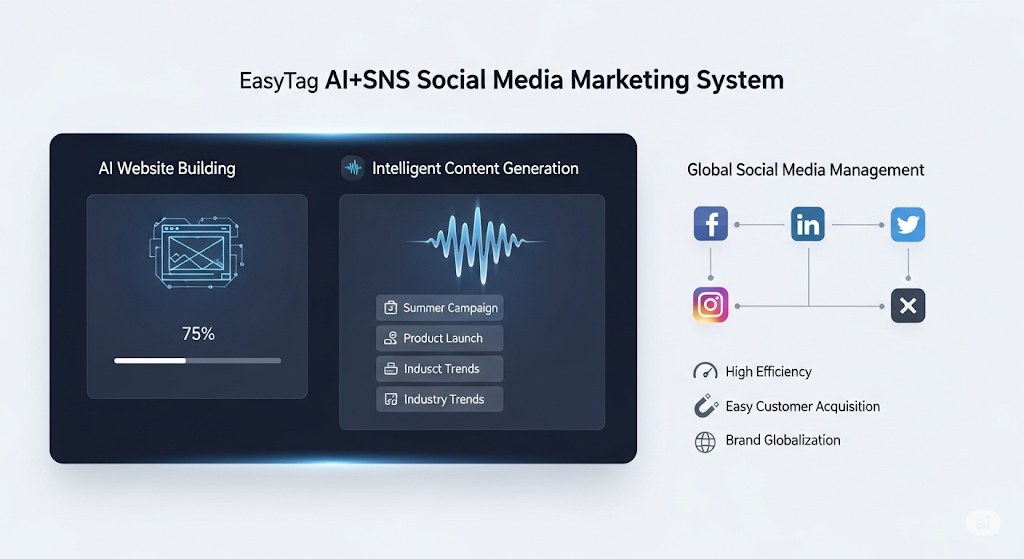
 AI+SNS Social Media Marketing SystemYingbao AI+SNS Social Media Marketing System - Precision social capture for the social media era. Supports one-click content synchronization across major platforms like Facebook and LinkedIn. AI intelligently rewrites posts for enhanced relevance. 24/7 AI customer service and user profiling analysis empower businesses to efficiently expand into global markets.
 AI+SEO营销解决方案易营宝AI+SEO营销解决方案,通过AI批量写作、智能生成TDK、精准关键词扩词等功能,全面优化网站SEO效果,提升流量与转化率。助力企业构建高效智能网站新生态。
 AI+SEM Advertising Marketing SolutionsAI+SEM Advertising Marketing Solution leverages AI technology to deeply empower SEM ad campaigns. It automatically generates weekly/monthly reports using AI, presenting account data across multiple dimensions for comprehensive insights into campaign performance and trends. The system precisely recommends keywords and target countries, intelligently generates high-conversion ad copy, and enables one-click activation of efficient campaign plans to help businesses rapidly acquire customers. Simultaneously, it monitors core metrics in real time, intelligently identifies abnormal fluctuations, and issues timely alerts to ensure stable, high-return advertising results.
 Domain Name ServicesEasyWin provides professional domain name services, including intelligent queries, one-stop registration, brand protection, and full lifecycle management, helping businesses build a digital brand image.
 EasyOperate B2C Cross-Border E-Commerce Platform & Independent WebsiteEasyStore B2C Cross-border E-commerce Independent Store is an intelligent website building and cross-border e-commerce integrated solution independently developed by EasyStore Information Technology (Beijing) Co., Ltd. The system is specially designed for small and medium-sized as well as large export enterprises, integrating 'website building, operation, marketing, advertising, and conversion' into one, helping enterprises quickly establish cross-border e-commerce independent stores to achieve brand globalization and global sales growth.
The platform supports multiple languages, multiple currencies, and multi-channel marketing, with built-in AI intelligent translation and SEO optimization systems, suitable for mainstream markets such as Southeast Asia, Europe and America, Latin America, and the Middle East, assisting Chinese manufacturing enterprises in efficiently deploying international e-commerce strategies. SSL证书易营宝提供专业SSL安全证书服务,包括单域名和泛域名证书,确保网站数据传输加密、身份验证和完整性保护,助力企业建立安全可信的在线业务环境。