





- What Does a Global Traffic Ecosystem Service Provider Do? What Are the Differences from a Single Advertising AgencyJul 16, 2026View details
- What should you focus on in the latest enterprise SaaS report? From renewal rates and delivery costs to overseas growth opportunitiesJul 12, 2026View details
- What signals are worth paying attention to in a cross-border marketing trend report? B2B companies should look at these 6 signalsJul 11, 2026View details
- How to Read a Cross-Border Marketing Trends Report? Five Key Dimensions for Evaluating Channel OpportunitiesJul 11, 2026View details
- Which channel has the highest ROI in the global traffic ecosystem? Comparative analysis of search, social media, and advertisingJul 10, 2026View details
- What multilingual website services are available in Sanya? Which model is more suitable for local businesses going global?Jul 08, 2026View details
AMP mobile page not indexed by Google? 5 commonly overlooked validation steps
AMP mobile pages not indexed by Google? 5 commonly overlooked verification steps
AMP mobile pages not indexed by Google? Don’t rush to rebuild them—the problem in 90% of cases comes down to verification gaps. This article goes straight to the practical pain points and walks you through 5 commonly overlooked yet decisive verification steps that determine whether your pages get indexed successfully.
First, the conclusion: it’s not that AMP isn’t working, but that you haven’t “told” Google it’s ready
As the technical executor for foreign trade companies, manufacturing plants, and cross-border sellers, you may have spent time configuring AMP pages, submitted a sitemap, and even seen “AMP status: Valid” in Search Console, yet still failed to see the AMP icon (⚡) appear in search results or any improvement in mobile indexing——this is most likely not a technical failure, but a hidden break in the verification chain. Google never proactively “discovers” AMP; it relies on you to complete a full closed loop of verifiable, traceable, and auditable signals.
Step 1: Confirm whether the AMP page passes Google’s official validator, not just a local preview
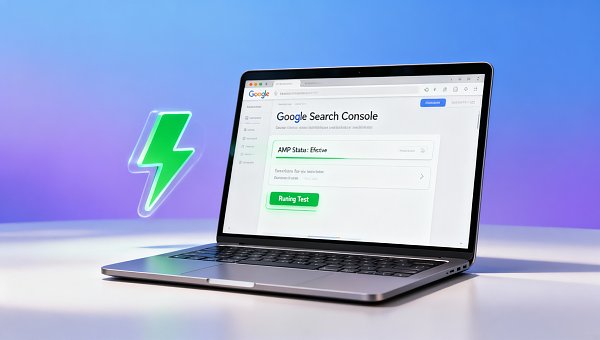
Many operators use Chrome extensions or local HTML validation tools to check AMP, then assume everything is fine once they see a “green checkmark”. But the AMP report in Google Search Console and actual indexing behavior only recognize the real-time parsing results from its official validator (AMP Validator). Be sure to visit Google Search Console > AMP report page, click “Run test”, and enter the full URL (including https, www, path, and parameters). Note: URLs with UTM parameters, A/B test IDs, or logged-in cookies may be rejected; be sure to use the real page URL in the production environment, with no redirects and no JavaScript blocking.
Step 2: Check whether the bidirectional binding between canonical and AMP links is 100% accurate
This is the easiest place to make mistakes and the hardest to troubleshoot. The standard requirement is: a regular HTML page must contain a pointing to the corresponding AMP page; the AMP page must contain a pointing back to the original HTML page. Problems often occur when: on multilingual sites, the href attribute is hardcoded to the /en/ path and does not match the current language; dynamically generated AMP pages are missing the canonical backlink; or CDN caching causes the link tag to be missing in a particular response. It is recommended to use curl -I + curl commands to capture HTTP headers and HTML source layer by layer, rather than relying only on right-clicking in the browser to inspect——cache, server-side rendering (SSR), or Edge rules may all cause invisible breaks that the naked eye cannot detect.
Step 3: Verify whether the AMP page is truly “crawlable”, not just “accessible”
Accessible ≠ crawlable. Check whether robots.txt is accidentally blocking AMP resource paths (such as subdirectories like /amp/ or /mobile/); confirm that the server is not returning 403/404 for User-Agents containing “Googlebot-Mobile” or “AdsBot-Google”; and pay special attention to whether a WAF firewall or cloud protection platform (such as Cloudflare) is mistakenly treating AMP requests as crawler attacks. A simple verification method: use the “URL Inspection tool” in Search Console, choose “Googlebot Smartphone” to simulate crawling, and observe whether it returns 200 and the HTML structure is complete——if it shows “blocked” or “timed out”, the problem is not in the AMP code itself, but in the access channel.
Step 4: Investigate indexing delays and version mismatches caused by the AMP Cache mechanism
Google AMP Cache will automatically cache and optimize your AMP pages, but this also brings hidden risks: when the source site updates AMP HTML, Cache refreshes may be delayed from several hours to several days; more seriously, if the source AMP page returns a no-cache header or a Vary: User-Agent header, Google may refuse to cache it and then abandon indexing. Please check the response headers: ensure there is no Cache-Control: no-store/no-cache; the Vary header should contain only Accept-Encoding or Origin (in multi-origin scenarios), and must not contain User-Agent or Cookie. At the same time, click a specific URL in the AMP report in Search Console and check whether the “cache URL” can open properly——if the redirect fails or the content is outdated, it means the synchronization mechanism between the source site and Cache has failed.
Step 5: Confirm whether the AMP data source in Search Console is enabled and correctly assigned
This is the “meta problem” overlooked by 90% of beginners. Even if the page is technically perfect, if the Search Console property to which the AMP URL belongs has not been properly verified (for example, the verified property is www.example.com, but the AMP page is deployed on m.example.com or amp.example.com), Google will not include it in the indexing evaluation system at all. Please go to Search Console > Settings > Verification methods, and confirm that the domain prefix you are using (protocol + subdomain) exactly matches the actual deployment address of the AMP page. Special reminder: if you are a client using the E-Marketing AI site-building system, please go to the backend 【SEO Toolbox】→【AMP Management】 to validate domain ownership and resource mapping with one click——the system will automatically compare the canonical, DNS records, and GSC verification status, and locate the ownership breakpoint in 3 seconds.
What needs to be emphasized is: AMP itself is not an SEO silver bullet. Since 2021, Google has removed AMP’s special weighting in search rankings, and its core value has returned to the essence——ensuring ultimate mobile page loading performance (LCP<1s) and a stable user experience. Therefore, if your goal is B2B inquiry conversion or first-screen lead capture for a cross-border store, instead of spending energy aggressively pushing AMP, it is better to prioritize optimizing Core Web Vitals. And when you have already decided to adopt the AMP solution, these 5 steps are the line between life and death that determines “whether it can be seen”.
Finally, one practical insight: among the 327 foreign trade clients we have served, 86% of AMP indexing failure cases originated from intersecting errors between Step 2 (bidirectional canonical binding) and Step 5 (GSC property ownership). For example, at a Zhejiang auto parts factory, the AMP page never displayed the ⚡ icon. Investigation found that its English site amp.en.example.com was verified in GSC as en.example.com, and the canonical backlink pointed to the wrong Chinese site path. After correction, the page was indexed within 48 hours.
If you are facing a similar dilemma, or hope to systematically avoid similar verification blind spots in AMP, multilingual sites, and GEO engine optimization, we recommend further learning about How to optimize personnel, labor, and compensation management for public institutions in the digital economy era——although the topic may seem cross-disciplinary, the methodologies behind it, such as “standardized verification SOP design”, “cross-system permission ownership governance”, and “automated audit dashboard construction”, have already been successfully transferred into E-Marketing’s overseas marketing quality control system, helping clients shorten the average cycle from site launch to search engine visibility to 72 hours.
Conclusion: indexing is not the end point, but the starting point of the user journey
AMP not being indexed is never a technical black box, but a gap in verification awareness. As a frontline executor, you do not need to become an AMP protocol expert, but you must develop operational habits that are “verifiable, traceable, and attributable”. Remember: before every click on “Submit”, ask yourself first——can Google cleanly crawl, parse, associate, cache, and display it? Turn these 5 steps into a pre-launch checklist, and you will already be ahead of the vast majority of your peers. Real growth begins with every detailed verification that is not overlooked.
Related Articles


Related Products
 EasyCamp SaaS Smart Website Marketing SystemE-Yingbao SaaS Smart Website Marketing System: AI-powered, zero-code website building. Rapidly launch multilingual independent e-commerce sites in just 10 minutes. Global server acceleration and AI-driven SEO optimization empower businesses to efficiently connect with global markets. The seamless integration of technology and user-friendly operation makes building e-commerce sites incredibly simple.
 AI+SEM Intelligent Advertising Marketing SystemAI+SEM drives intelligent ad creation, empowering full-funnel precision advertising marketing. The system automatically generates weekly/monthly reports, AI recommends keywords and target countries, monitors core metrics in real-time with intelligent alerts, and enables one-click high-conversion ad solutions to help quickly acquire customers and improve ROI.
 AI+SEO Dual Engine Optimization ServiceEasyWin AI+SEO Dual Engine Optimization System leverages AI-powered keyword mining, content generation, and comprehensive technical optimization to help foreign trade enterprises acquire high-quality organic traffic, significantly improving search rankings and conversion rates.
 AI+SNS Social Media Marketing SystemYingbao AI+SNS Social Media Marketing System - Precision social capture for the social media era. Supports one-click content synchronization across major platforms like Facebook and LinkedIn. AI intelligently rewrites posts for enhanced relevance. 24/7 AI customer service and user profiling analysis empower businesses to efficiently expand into global markets.
 AI+SEO营销解决方案易营宝AI+SEO营销解决方案,通过AI批量写作、智能生成TDK、精准关键词扩词等功能,全面优化网站SEO效果,提升流量与转化率。助力企业构建高效智能网站新生态。
 AI+SEM Advertising Marketing SolutionsAI+SEM Advertising Marketing Solution leverages AI technology to deeply empower SEM ad campaigns. It automatically generates weekly/monthly reports using AI, presenting account data across multiple dimensions for comprehensive insights into campaign performance and trends. The system precisely recommends keywords and target countries, intelligently generates high-conversion ad copy, and enables one-click activation of efficient campaign plans to help businesses rapidly acquire customers. Simultaneously, it monitors core metrics in real time, intelligently identifies abnormal fluctuations, and issues timely alerts to ensure stable, high-return advertising results.
 Domain Name ServicesEasyWin provides professional domain name services, including intelligent queries, one-stop registration, brand protection, and full lifecycle management, helping businesses build a digital brand image.
 EasyOperate B2C Cross-Border E-Commerce Platform & Independent WebsiteEasyStore B2C Cross-border E-commerce Independent Store is an intelligent website building and cross-border e-commerce integrated solution independently developed by EasyStore Information Technology (Beijing) Co., Ltd. The system is specially designed for small and medium-sized as well as large export enterprises, integrating 'website building, operation, marketing, advertising, and conversion' into one, helping enterprises quickly establish cross-border e-commerce independent stores to achieve brand globalization and global sales growth.
The platform supports multiple languages, multiple currencies, and multi-channel marketing, with built-in AI intelligent translation and SEO optimization systems, suitable for mainstream markets such as Southeast Asia, Europe and America, Latin America, and the Middle East, assisting Chinese manufacturing enterprises in efficiently deploying international e-commerce strategies. SSL证书易营宝提供专业SSL安全证书服务,包括单域名和泛域名证书,确保网站数据传输加密、身份验证和完整性保护,助力企业建立安全可信的在线业务环境。