









- China-Morocco zero-tariff access, a breakthrough in the cost of Moroccan goods exports to ChinaJun 11, 2026View details
- What signal should be released for the suspension of exports to JapanJun 10, 2026View details
- China's May LNG imports rebounded, with increased volumes from Russia and Canada filling the Middle East supply gapJun 10, 2026View details
- Will GEO change its SEO strategy?Jun 04, 2026View details
- What types of businesses are end-to-end solutions suitable for?Jun 03, 2026View details
- 2026 Global Growth Channel TrendsJun 02, 2026View details
- Changes in Search Engine Ranking Factors in 2026Jun 06, 2026View details
- Which stages is the brand visibility enhancement service suitable forMay 29, 2026View details
Why Is Mobile Website Speed Slow? Common Causes and Troubleshooting
When mobile site building slows down, don’t rush to blame the images first
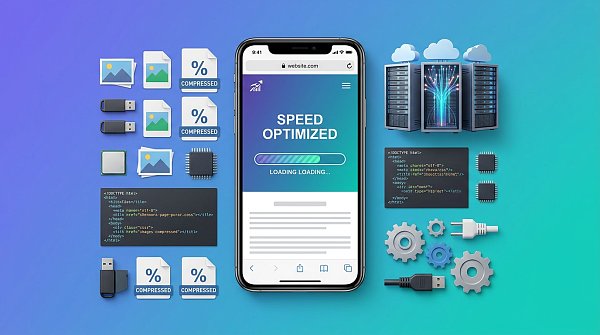
When a mobile site loads slowly, it may seem like the page is simply opening with a delay, but in reality it often affects the efficiency of the entire site’s marketing efforts. For website+marketing service integration projects, once a page loads slowly, it not only reduces the user experience, but also affects indexing, landing page quality scores, and subsequent conversions.
In actual maintenance work, mobile site performance issues are rarely caused by a single factor. More commonly, the causes are oversized images, too much code, slow server response, and the stacking of third-party plugins, which together end up prolonging the initial screen load time. This is especially true for multilingual sites targeting overseas markets, where network conditions vary significantly by region, making the problem even more pronounced.
Teams like YiYingBao, which provide long-term overseas independent site services, usually do not treat mobile site performance as a single technical metric. Instead, they assess it together with the promotion scenario, language version, distribution channel, and page objective. Because lead-generation pages, brand official websites, and advertising landing pages each have different tolerance levels for speed.
First clarify the page purpose, then investigate the priorities so you do not go off track
The evaluation logic for mobile site building is not the same for corporate websites and campaign landing pages. Official websites place more emphasis on long-term stability, indexing, and multi-page coordination, while landing pages focus more on initial screen speed, form triggering, and ad conversion. If you do not distinguish the scenario from the start, later optimization can easily become “local acceleration with no overall effect”.
Multilingual sites are also a typical case of differences. An English, Spanish, or Arabic page generated from a Chinese backend may use the same set of components, but the font loading, regional nodes, translation scripts, and map plugins are all different. In this situation, mobile site evaluation cannot be based on just one page; it is necessary to look at the access results in different regions.
High-frequency issues usually occur in four areas
Excessive image resources are the most common, and also the easiest to underestimate
The most common problem in mobile site building is that design files are suitable for display but not for mobile access. Many pages upload original images directly, and a single file exceeds 1MB. After carousels, wide banners, and product detail images are stacked together, the initial screen quickly loses control. A more hidden issue is that compression was clearly applied, but desktop-sized assets were still exported.
In cases like this, it is not enough to simply compress images. You also need to check whether responsive sizes are enabled, whether next-generation formats are being used, and whether large hero images on the first screen are truly necessary. If it is an overseas advertising page, users often enter through mobile networks, so keeping one core visual on the first screen is more effective than stacking many selling-point images.
Code and component stacking can make a mobile site slower and slower
Many sites keep adding modules after launch, including pop-ups, live chat, heatmaps, anchor points, maps, and social media widgets, with very little cleanup afterward. The result is not a sudden server failure, but rather more and more code for the browser to execute. Mobile devices have limited performance, so this delay becomes more obvious.
If a website uses a visual site-building system, the problem may also come from repeated component calls. Copying the same block multiple times brings multiple sets of styles and script requests. For smart site-building projects, the real value of optimization is not simply “removing features”, but rearranging the loading order so that core content and conversion entry points are guaranteed first.
The server is not slow, but the wrong nodes can still drag down the experience
Some mobile site projects work normally in local testing, but overseas access is clearly slower. The issue is not on the page itself, but in node deployment, DNS resolution, and caching strategy. This is especially true for sites serving North America, Europe, and the Middle East. If resources are still concentrated in a single region, initial mobile load time is usually stretched out.
For websites targeting global customer acquisition, troubleshooting should separately examine host response, static asset distribution, and database queries. If the page also handles SEO and advertising tasks, it is important to ensure the speed test is not being performed while logged into the backend, otherwise the real access speed can be easily misjudged.
Third-party scripts may seem helpful, but they often create hidden burdens
Many pages integrate analytics, customer service, retargeting, video players, and social share buttons for tracking purposes. A single script is not a big issue, but once multiple scripts are chained together, first-screen rendering is affected. This is especially obvious on advertising landing pages, because each additional layer of monitoring means one more wait for the browser.
At this stage, you cannot simply delete everything. You need to identify which scripts are directly related to conversion and which are merely retained out of habit. For example, advertising pages that require accurate evaluation of keywords and audience performance should keep Google Ads promotion-related tracking, but it can be changed to delayed execution or invoked according to page type to avoid loading everything on every page.
Different business pages should also have different optimization priorities
Mobile site building is not a one-size-fits-all formula. The more common approach is to first see what business the page serves, and then decide what to optimize first. Brand showcase pages can accept delayed loading of some secondary modules, but inquiry pages cannot allow forms and contact methods to appear later than the main content.
- Brand official website: first remove invalid modules, then optimize images and fonts while keeping the structure stable.
- Foreign trade inquiry page: prioritize ensuring that the first screen copy, buttons, and forms are visible quickly.
- Cross-border mall: prioritize product thumbnails, filtering interfaces, and shopping cart scripts.
- Multilingual pages: test each language version separately, and do not assume the default English page represents all performance.
If the page is responsible for both SEO and ad traffic, the optimization order must also balance acquisition and conversion. For service systems like YiYingBao that cover website building, SEO, and advertising at the same time, page speed, indexability, and data tracking are usually handled in one workflow rather than being patched separately at different stages.
The easiest mistake to make is not a technical issue, but a judgment issue
During mobile site troubleshooting, the most common mistake is looking only at one speed test result. Speed testing tools can indicate risk, but they cannot replace business judgment. A 90-point page is not necessarily more convertible than a 75-point page; the key is whether the first screen is complete, whether the interaction is smooth, and whether the key scripts are controllable.
Another misunderstanding is attributing all slowness to the server. In reality, many pages improve only slightly after switching hosts because the frontend asset size has not changed and the third-party code has not been reduced. There is also the case where only the homepage is optimized while detail pages, category pages, and landing pages are ignored. As a result, the traffic entry becomes faster, but the pages that actually carry conversions remain slow.
If the site has ongoing advertising needs, you should also avoid deleting necessary tracking just to pursue extreme speed. A more stable approach is to keep the key monitoring paths, and then control traffic quality through keyword filtering, performance tracking, and intelligent bidding. This is also why Google Ads promotion is often evaluated together with page performance in foreign trade lead-generation scenarios.
When troubleshooting landing pages, it is recommended to advance along this path
If you want to improve mobile site efficiency, it is best to establish a fixed troubleshooting sequence. First confirm whether the slowness affects all pages or only certain types; then see whether the issues are concentrated in images, scripts, or nodes; finally, based on business objectives, decide which modules must be kept and which can be merged or delayed.
- First sample the home page, category page, detail page, and landing page to identify commonalities and differences.
- Count first-screen image sizes, script volume, outbound requests, and API latency.
- Retest by access region to confirm whether regional delays exist.
- Establish page hierarchy rules, and prioritize fine-tuned optimization for core conversion pages.
- After launch, continue monitoring bounce rate, dwell time, and form submission rate, rather than only looking at the score.
Truly effective mobile site optimization is not about pushing every parameter to the extreme, but about making the page enter a state that is more readable, more clickable, and more convertible in a real access environment. First sort out the page purpose, then verify the resource structure, access region, and tracking requirements; this usually solves the problem better than blindly compressing one item.
Related Articles



Related Products
 EasyCamp SaaS Smart Website Marketing SystemE-Yingbao SaaS Smart Website Marketing System: AI-powered, zero-code website building. Rapidly launch multilingual independent e-commerce sites in just 10 minutes. Global server acceleration and AI-driven SEO optimization empower businesses to efficiently connect with global markets. The seamless integration of technology and user-friendly operation makes building e-commerce sites incredibly simple.
 AI+SEM Intelligent Advertising Marketing SystemAI+SEM drives intelligent ad creation, empowering full-funnel precision advertising marketing. The system automatically generates weekly/monthly reports, AI recommends keywords and target countries, monitors core metrics in real-time with intelligent alerts, and enables one-click high-conversion ad solutions to help quickly acquire customers and improve ROI.
 AI+SEO Dual Engine Optimization ServiceEasyWin AI+SEO Dual Engine Optimization System leverages AI-powered keyword mining, content generation, and comprehensive technical optimization to help foreign trade enterprises acquire high-quality organic traffic, significantly improving search rankings and conversion rates.
 AI+SNS Social Media Marketing SystemYingbao AI+SNS Social Media Marketing System - Precision social capture for the social media era. Supports one-click content synchronization across major platforms like Facebook and LinkedIn. AI intelligently rewrites posts for enhanced relevance. 24/7 AI customer service and user profiling analysis empower businesses to efficiently expand into global markets.
 AI+SEO营销解决方案易营宝AI+SEO营销解决方案,通过AI批量写作、智能生成TDK、精准关键词扩词等功能,全面优化网站SEO效果,提升流量与转化率。助力企业构建高效智能网站新生态。
 AI+SEM Advertising Marketing SolutionsAI+SEM Advertising Marketing Solution leverages AI technology to deeply empower SEM ad campaigns. It automatically generates weekly/monthly reports using AI, presenting account data across multiple dimensions for comprehensive insights into campaign performance and trends. The system precisely recommends keywords and target countries, intelligently generates high-conversion ad copy, and enables one-click activation of efficient campaign plans to help businesses rapidly acquire customers. Simultaneously, it monitors core metrics in real time, intelligently identifies abnormal fluctuations, and issues timely alerts to ensure stable, high-return advertising results.
 Domain Name ServicesEasyWin provides professional domain name services, including intelligent queries, one-stop registration, brand protection, and full lifecycle management, helping businesses build a digital brand image.
 EasyOperate B2C Cross-Border E-Commerce Platform & Independent WebsiteEasyStore B2C Cross-border E-commerce Independent Store is an intelligent website building and cross-border e-commerce integrated solution independently developed by EasyStore Information Technology (Beijing) Co., Ltd. The system is specially designed for small and medium-sized as well as large export enterprises, integrating 'website building, operation, marketing, advertising, and conversion' into one, helping enterprises quickly establish cross-border e-commerce independent stores to achieve brand globalization and global sales growth.
The platform supports multiple languages, multiple currencies, and multi-channel marketing, with built-in AI intelligent translation and SEO optimization systems, suitable for mainstream markets such as Southeast Asia, Europe and America, Latin America, and the Middle East, assisting Chinese manufacturing enterprises in efficiently deploying international e-commerce strategies. SSL证书易营宝提供专业SSL安全证书服务,包括单域名和泛域名证书,确保网站数据传输加密、身份验证和完整性保护,助力企业建立安全可信的在线业务环境。









