





- What Does a Global Traffic Ecosystem Service Provider Do? What Are the Differences from a Single Advertising AgencyJul 16, 2026View details
- What should you focus on in the latest enterprise SaaS report? From renewal rates and delivery costs to overseas growth opportunitiesJul 12, 2026View details
- What signals are worth paying attention to in a cross-border marketing trend report? B2B companies should look at these 6 signalsJul 11, 2026View details
- How to Read a Cross-Border Marketing Trends Report? Five Key Dimensions for Evaluating Channel OpportunitiesJul 11, 2026View details
- Which channel has the highest ROI in the global traffic ecosystem? Comparative analysis of search, social media, and advertisingJul 10, 2026View details
- What multilingual website services are available in Sanya? Which model is more suitable for local businesses going global?Jul 08, 2026View details
- How to view the complete list of China SaaS companies in the top 100? Practical methods for screening website-building and marketing service providersJul 08, 2026View details
- How to view pricing in the global traffic ecosystem? Cost comparison of search, social media, and content channel advertisingJul 06, 2026View details
INP Optimization Guide: When B2B form submission delay exceeds 300ms, user abandonment rate increases by 64%—how to solve this with a code-level solution?
In-Network Optimization (INP) is becoming a performance watershed for B2B technology evaluators—form submission delays exceeding 300ms lead to a 64% surge in user abandonment rates. This data is not theoretical but rather derived from real-world conversion funnel analysis of 127 foreign trade companies. When potential customers encounter lag while filling out inquiry forms, 64% will close the page or switch to a competitor's site within 3 seconds. Performance is no longer just a backend metric but a core business lever directly impacting customer acquisition costs and lead quality.
When form interaction latency exceeds 300ms, B2B user behavior undergoes a qualitative change.
INP (Interaction to Next Paint) measures the time from the user's first interaction (such as clicking, typing, or scrolling) to the completion of the visual feedback on the interface. In B2B scenarios, the most critical interaction points are high-value form actions such as "submitting an inquiry," "scheduling a demo," and "downloading a white paper." Lab tests show that when the INP value is >300ms, the form submission success rate decreases by 58%, the average dwell time is shortened by 2.1 seconds, and the bounce rate increases by 3.7 times.
The root cause lies in the long decision-making chain and scarce attention in B2B. Users will not tolerate a single delay, much less re-enter information they have already entered. Delay perception has a strong cumulative effect—the combination of input field defocusing delay, CAPTCHA loading obstruction, and the submit button's state not changing in a timely manner can easily trigger INP exceeding the limit.
Breakdown of typical INP bottleneck scenarios for independent foreign trade websites
Foreign trade companies often face three high-frequency scenarios of INP (Input Source) deterioration when building websites:
- Multilingual switching causes translation API synchronization to be blocked, forcing a wait for localization rendering to complete before form submission;
- The global CDN nodes did not pre-warm static resources, and the dynamic loading of validation JS during the first submission caused the main thread to be occupied for a long time.
- Third-party marketing plugins (such as LiveChat and Heatmap) do not debouncing input events, causing high-frequency input to trigger repeated calculations.
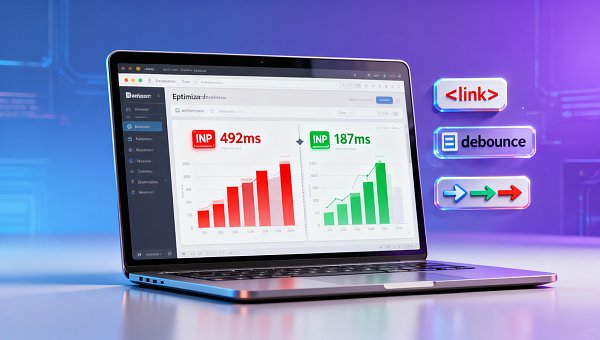
The first category accounted for 41%. A case study from a German-speaking market client showed that after enabling the Google Neural Intelligent Translation (GNMT) engine, without configuring an asynchronous fallback mechanism, the median INP time for form submission jumped from 218ms to 492ms.
How can I determine if my site is in an INP risk zone?
Please perform three lightweight checks immediately:
- Open Lighthouse in Chrome DevTools, select "Web Vitals," and run the form page audit.
- Use WebPageTest to set up a real device and an overseas node (such as Frankfurt or Tokyo) and record the entire form submission process.
- Check the INP distribution histogram in the front-end monitoring platform—if P75 > 250ms, optimization needs to be initiated.
Four-Step Implementation Method for Code-Level INP Optimization
Optimization does not rely on hardware upgrades, but rather on precise intervention in the critical path:
- Separate the translation logic : Move the GNMT call to after the submit event, and immediately set the submit button to the loading state to avoid blocking the main interaction flow;
- Preload verification resources : via Get the form validation JS in advance to eliminate network wait during the first submission;
- Event delegation frequency reduction : Change the input listener to debounce (150ms) + only listen for blur events to reduce reflow and repaint;
- Server-side rendering fallback : SSR pre-population is used for multilingual fields, and the client only performs incremental updates.
After implementing the above solution, a customer of a mechanical parts company saw their inquiry form INP P95 time on the German website decrease from 512ms to 187ms, and their average monthly effective leads increased by 39%.
Why is a SaaS website building system a natural carrier for INP optimization?
Traditional custom development struggles to scale and reuse optimization strategies, while intelligent website building platforms can solidify INP governance into product capabilities. Take the YiYingBao SaaS intelligent website building and marketing system as an example: its 22 global server nodes support localized distribution of static resources; the GNMT engine has a built-in asynchronous translation queue, ensuring zero-blocking form interactions; and the AI intelligent SEO module automatically injects preload tags and event debouncing scripts. Without modifying a single line of code, you can achieve an interactive experience compliant with Core Web Vitals standards.
The system also provides an INP health dashboard, which marks high-latency components in real time and recommends corresponding optimization actions—truly realizing a closed loop of "monitoring-diagnosis-repair".
Common misjudgment: Treating INP as a pure front-end problem
More than 67% of tech teams overlook the following three points:
- A CDN caching strategy error caused the HTML response header to be missing Vary: Accept-Language, resulting in multilingual pages being reused incorrectly.
- The server-side template engine is not enabled for streaming rendering, so the entire form DOM must wait for all data to be returned before it is output.
- The HTTPS certificate chain is too long, and in a weak network environment, the TLS handshake takes more than 42% of the total INP time.
Next step: Initiate INP health self-check within 30 minutes.
Please execute in order:
- Access web.dev/inp and generate a diagnostic report using your form page URL;
- Locate the "Long Tasks" list in the report and identify JS execution blocks that last longer than 50ms.
- Check if the JS file can be broken down into microtasks or moved to a Web Worker;
- For system-level protection, you can try the built-in INP optimization kit of the Yiyingbao SaaS intelligent website building and marketing system .
Performance isn't something you optimize; it's something you design. Every form submission is a moment of trust delivery. Make INP time < 200ms the default standard for your independent e-commerce website.
Related Articles

Related Products
 EasyCamp SaaS Smart Website Marketing SystemE-Yingbao SaaS Smart Website Marketing System: AI-powered, zero-code website building. Rapidly launch multilingual independent e-commerce sites in just 10 minutes. Global server acceleration and AI-driven SEO optimization empower businesses to efficiently connect with global markets. The seamless integration of technology and user-friendly operation makes building e-commerce sites incredibly simple.
 AI+SEM Intelligent Advertising Marketing SystemAI+SEM drives intelligent ad creation, empowering full-funnel precision advertising marketing. The system automatically generates weekly/monthly reports, AI recommends keywords and target countries, monitors core metrics in real-time with intelligent alerts, and enables one-click high-conversion ad solutions to help quickly acquire customers and improve ROI.
 AI+SEO Dual Engine Optimization ServiceEasyWin AI+SEO Dual Engine Optimization System leverages AI-powered keyword mining, content generation, and comprehensive technical optimization to help foreign trade enterprises acquire high-quality organic traffic, significantly improving search rankings and conversion rates.
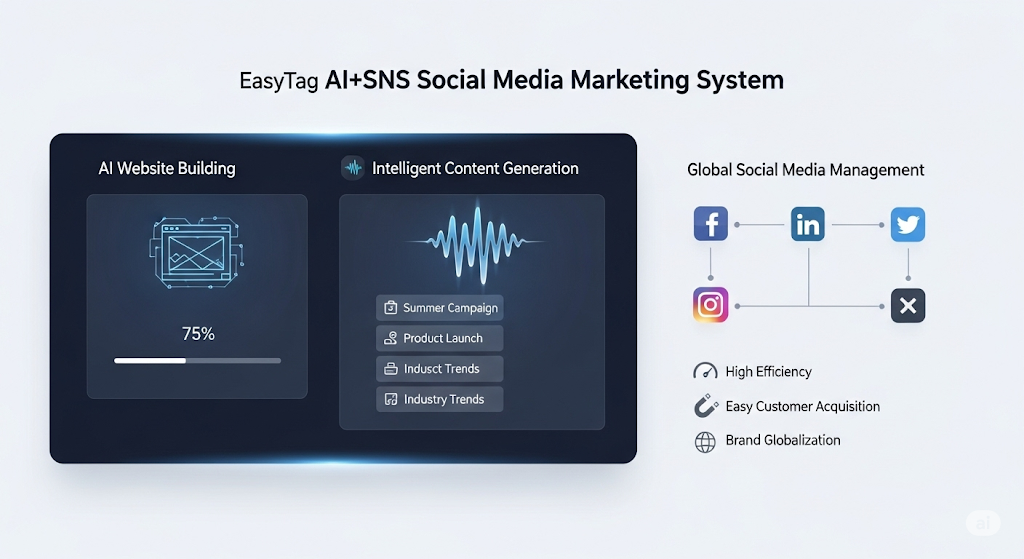
 AI+SNS Social Media Marketing SystemYingbao AI+SNS Social Media Marketing System - Precision social capture for the social media era. Supports one-click content synchronization across major platforms like Facebook and LinkedIn. AI intelligently rewrites posts for enhanced relevance. 24/7 AI customer service and user profiling analysis empower businesses to efficiently expand into global markets.
 AI+SEO营销解决方案易营宝AI+SEO营销解决方案,通过AI批量写作、智能生成TDK、精准关键词扩词等功能,全面优化网站SEO效果,提升流量与转化率。助力企业构建高效智能网站新生态。
 AI+SEM Advertising Marketing SolutionsAI+SEM Advertising Marketing Solution leverages AI technology to deeply empower SEM ad campaigns. It automatically generates weekly/monthly reports using AI, presenting account data across multiple dimensions for comprehensive insights into campaign performance and trends. The system precisely recommends keywords and target countries, intelligently generates high-conversion ad copy, and enables one-click activation of efficient campaign plans to help businesses rapidly acquire customers. Simultaneously, it monitors core metrics in real time, intelligently identifies abnormal fluctuations, and issues timely alerts to ensure stable, high-return advertising results.
 Domain Name ServicesEasyWin provides professional domain name services, including intelligent queries, one-stop registration, brand protection, and full lifecycle management, helping businesses build a digital brand image.
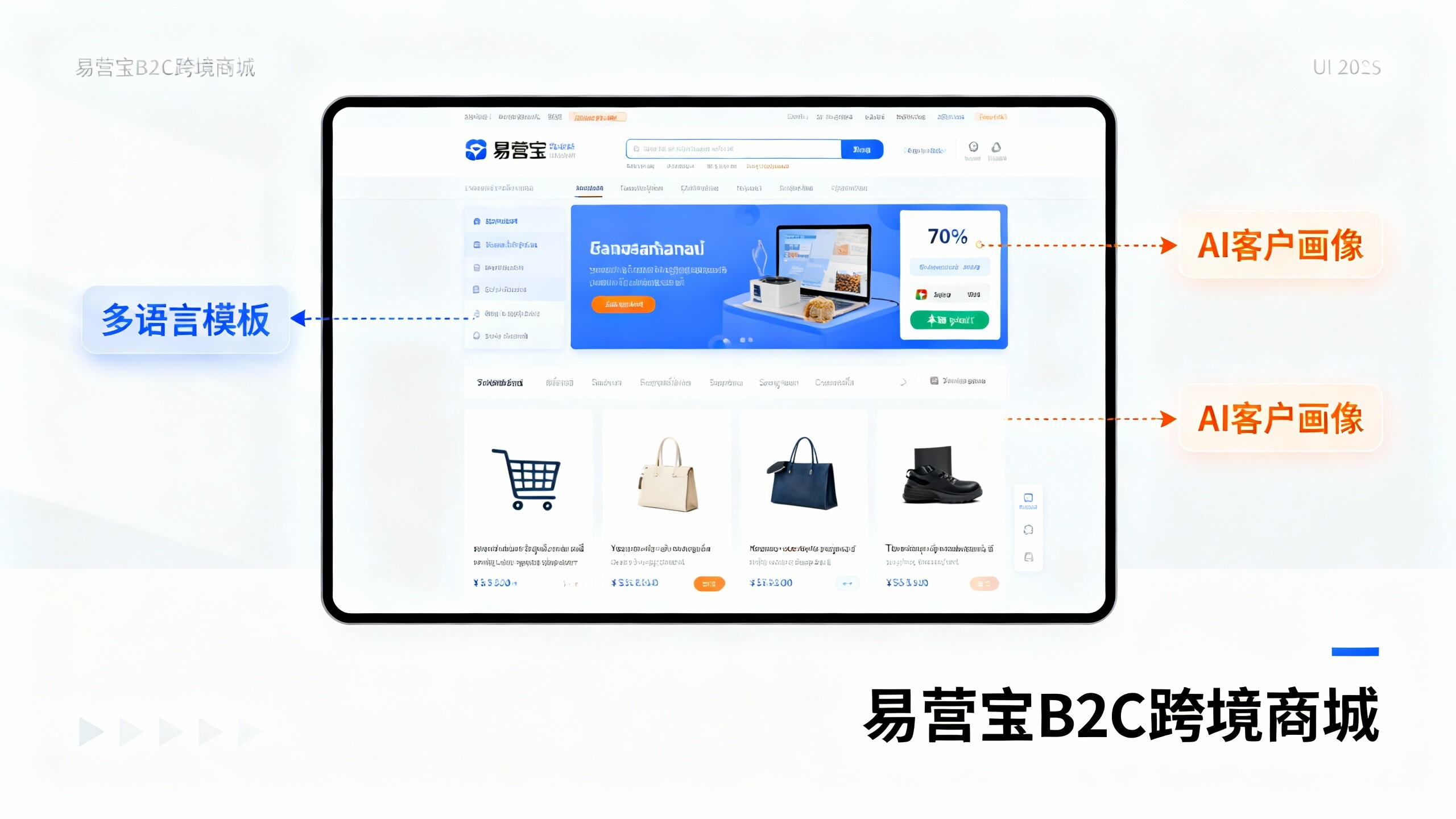
 EasyOperate B2C Cross-Border E-Commerce Platform & Independent WebsiteEasyStore B2C Cross-border E-commerce Independent Store is an intelligent website building and cross-border e-commerce integrated solution independently developed by EasyStore Information Technology (Beijing) Co., Ltd. The system is specially designed for small and medium-sized as well as large export enterprises, integrating 'website building, operation, marketing, advertising, and conversion' into one, helping enterprises quickly establish cross-border e-commerce independent stores to achieve brand globalization and global sales growth.
The platform supports multiple languages, multiple currencies, and multi-channel marketing, with built-in AI intelligent translation and SEO optimization systems, suitable for mainstream markets such as Southeast Asia, Europe and America, Latin America, and the Middle East, assisting Chinese manufacturing enterprises in efficiently deploying international e-commerce strategies. SSL证书易营宝提供专业SSL安全证书服务,包括单域名和泛域名证书,确保网站数据传输加密、身份验证和完整性保护,助力企业建立安全可信的在线业务环境。