- What Does a Global Traffic Ecosystem Service Provider Do? What Are the Differences from a Single Advertising AgencyJul 16, 2026View details
- What should you focus on in the latest enterprise SaaS report? From renewal rates and delivery costs to overseas growth opportunitiesJul 12, 2026View details
- What signals are worth paying attention to in a cross-border marketing trend report? B2B companies should look at these 6 signalsJul 11, 2026View details
- How to Read a Cross-Border Marketing Trends Report? Five Key Dimensions for Evaluating Channel OpportunitiesJul 11, 2026View details
- Which channel has the highest ROI in the global traffic ecosystem? Comparative analysis of search, social media, and advertisingJul 10, 2026View details
- What multilingual website services are available in Sanya? Which model is more suitable for local businesses going global?Jul 08, 2026View details
- How to view the complete list of China SaaS companies in the top 100? Practical methods for screening website-building and marketing service providersJul 08, 2026View details
- How to view pricing in the global traffic ecosystem? Cost comparison of search, social media, and content channel advertisingJul 06, 2026View details
What free tools can be used for website speed optimization?
What free tools can be used for website speed optimization? For corporate websites, foreign trade independent sites, and marketing landing pages, speed directly affects indexing, rankings, and conversions. This article reviews efficient and easy-to-use free speed testing and diagnostic tools based on practical scenarios.
For B2B companies, website loading speed is not merely a technical issue; it is also closely related to lost inquiries, advertising costs, and the user experience of overseas visitors. This is especially true for multilingual websites, cross-border e-commerce stores, Google SEO pages, and advertising landing pages. Once above-the-fold content takes more than 3 seconds to load, the user bounce rate usually increases significantly, while marketing campaign efficiency is also affected.
In an integrated website and marketing services scenario, the value of speed testing tools is not limited to “checking the score.” They help companies identify specific issues such as oversized images, blocked scripts, insufficient cache configuration, and slow server response times. For companies seeking long-term SEO growth, overseas promotion, and independent-site conversion optimization, establishing a diagnostic system with free tools is often more effective than blindly redesigning the website.
Why Should Corporate Website Speed Optimization Start with Free Tools?
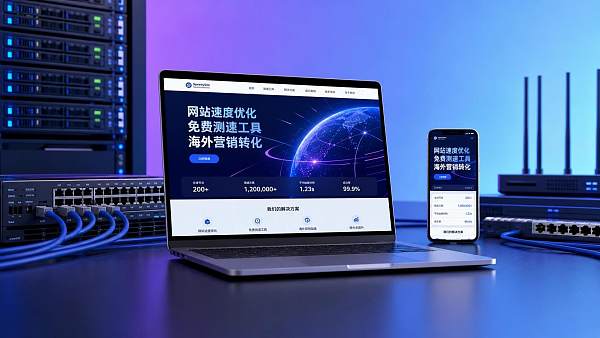
When optimizing website speed, many companies first consider changing servers or rebuilding the website. However, this is not necessarily the most cost-effective approach. A more reliable method is to first use three types of free tools to complete speed testing, issue identification, and page-level troubleshooting, and then decide whether to proceed with code optimization, resource compression, or architectural upgrades.
Which Business Scenarios Are Free Tools Suitable For?
If a company currently operates a foreign trade website, a B2B inquiry site, a B2C cross-border e-commerce store, or a Google Ads landing page, free speed testing tools can cover more than 80% of its routine basic diagnostic needs. Tool-based testing is particularly necessary during the initial website-building stage, within 7 days after a redesign goes live, 48 hours before launching campaigns, and when SEO indexing fluctuates.
4 Common Types of Speed Issues
- Above-the-fold images have not been compressed, with a single resource exceeding 300KB or even 1MB
- There are too many JS and CSS files, with more than 50 requests
- Server response time is too high, with TTFB exceeding 800ms
- Third-party plugins, tracking code, or chat tools block rendering
The table below can be used to quickly determine at which stage a company needs free speed testing tools instead of directly investing development resources.
In terms of execution efficiency, the greatest advantages of free tools are their low barrier to entry and high retesting frequency. Operations, SEO, advertising, and technical teams can collaborate based on the same set of data, avoiding subjective judgments about whether a website is “slow.”
What Free Tools Can Be Used for Website Speed Optimization?
When answering the question of what free tools can be used for website speed optimization, the tools most worth prioritizing in practice are usually Google PageSpeed Insights, GTmetrix, WebPageTest, Chrome DevTools, Google Search Console, and Pingdom Website Speed Test. These 6 types of tools cover key dimensions including scores, waterfall charts, Core Web Vitals, real-world crawling, and mobile experience.
1. Google PageSpeed Insights
This is one of the most commonly used free speed testing tools for businesses. It is suitable for checking mobile and desktop performance, with a focus on core metrics such as LCP, INP, and CLS. For SEO pages, an LCP within 2.5 seconds and a CLS below 0.1 generally indicate a solid foundation for page experience.
2. GTmetrix
GTmetrix is more suitable for resource-level analysis, especially for reviewing the request sequence of images, scripts, fonts, and third-party plugins. For marketing landing pages, it helps teams quickly identify which files are slowing down above-the-fold loading, making it particularly suitable for detailed checks before launching advertising campaigns.
3. WebPageTest
If a company’s markets cover North America, Europe, Southeast Asia, or the Middle East, multi-region speed testing is very important. WebPageTest supports simulations using different nodes and devices, making it suitable for evaluating global access performance for cross-border businesses. It is recommended to test at least 2–3 core market nodes to avoid relying solely on domestic network conditions.
4. Chrome DevTools
This is a browser developer tool commonly used by front-end and technical teams. It is suitable for troubleshooting blocked requests, rendering paths, and console errors. Its advantage is that it can directly identify specific files, scripts, and resource sizes, making it suitable for use during the implementation stage of optimization.
5. Google Search Console
It is not a speed testing tool in the traditional sense, but it is very important for SEO teams. It reflects website experience issues from a search engine perspective and is particularly suitable for checking mobile usability, page experience, and crawl status. For corporate websites and foreign trade independent sites, it is an important link between technical optimization and indexing growth.
6. Pingdom Website Speed Test
Pingdom has a simple interface and is suitable for operations personnel, marketing personnel, and non-technical decision-makers who need to review results quickly. Although its functionality is not as in-depth as that of the tools mentioned above, it is highly efficient for routine rechecks, page comparisons, and speed testing before and after a redesign.
To make tool selection easier for businesses, the common free tools below are compared in the same table, allowing different roles to quickly match tools with their usage needs.
If team resources are limited, it is recommended to start with PageSpeed Insights and GTmetrix, and then add WebPageTest based on the distribution of overseas markets. This combination can usually complete the first round of diagnosis for core pages within 1–3 days.
How Can Free Speed Test Results Be Converted into Actionable Optimization Tasks?
Many companies know what free tools can be used for website speed optimization, but the real challenge lies not in the tools themselves, but in converting test results into a clear action list. For B2B websites, the most common approach is to prioritize tasks according to their “impact on conversion,” rather than their technical difficulty.
5 Page Elements to Address First
- Large images and banners on the homepage and key landing pages
- Bulk images and video covers on product detail pages
- Multilingual switching scripts and translation plugins
- Online chat, event tracking, and advertising tracking code
- CSS, JS, and font files that affect above-the-fold loading
A Practical Execution Sequence
Companies are advised to proceed in 5 steps: test the speed first, identify the page, isolate resource issues, perform template-level optimization, and then retest. For a corporate website with 10–50 pages, the first round of speed fixes usually takes 3–7 days. If the website includes an e-commerce store, blog, or multilingual structure, the cycle may extend to 2–4 weeks.
If image files are too large, prioritize compressing the main above-the-fold image to the 150KB–300KB range. If the number of requests is too high, reduce plugins and combine static resources. If TTFB remains high, investigate the hosting network, cache configuration, and database response rather than focusing only on front-end optimization.
Common Mistakes Made by Companies
First, companies look only at desktop scores and ignore mobile performance. In reality, many foreign trade purchasing decision-makers first access a website on their phones. Second, they focus only on achieving a score above 90 while overlooking page usability and conversion structure. Third, they test only the homepage instead of product pages, content pages, and form pages, leaving the pages that truly affect inquiries unoptimized.
For multilingual websites, attention should also be paid to the performance of CDN nodes in different regions. Normal access in North America does not mean that performance will be equally stable in Southeast Asia and the Middle East. Cross-border business websites should conduct a full-site spot check at least once a month, increasing the frequency to once a week during peak advertising periods.
From Speed Testing to Growth: How Should an Integrated Website and Marketing Team Implement Optimization?
Website speed optimization ultimately serves more than technical metrics; it supports indexing, rankings, lead generation, and sales. For companies, a truly efficient solution is not isolated fixes, but placing website development, SEO, advertising landing pages, content publishing, and ongoing monitoring within the same operating system.
A Suitable Collaboration Model for Businesses
Ideally, the operations team manages page priorities, the SEO team evaluates traffic pages, the technical team optimizes resources, and the advertising team verifies landing-page conversions. This turns a “speed test report” into a “growth action” and prevents repeated testing without any actual improvement.
Why Are Integrated Services More Suitable for Companies Expanding Overseas?
Foreign trade companies, manufacturing factories, cross-border sellers, and brands expanding overseas often face multiple languages, regional nodes, and customer acquisition channels at the same time. If website architecture, SEO strategy, and advertising landing pages are managed separately, duplicated page development, disorganized loading resources, and inconsistent user experiences can easily occur.
Service models such as Yiyingbao’s, which combine intelligent website building, Google SEO optimization, advertising placement, and overseas marketing, have the advantage of considering the relationship between speed, indexing, and conversion from the foundation of website development. For companies seeking to expand into North America, Europe, Southeast Asia, Japan and South Korea, the Middle East, and Latin America, this model is more conducive to long-term operations.
The answer to what free tools can be used for website speed optimization is not complicated. What truly matters is whether a company can turn tool results into a continuous improvement mechanism. Starting with basic diagnosis using free tools and then optimizing according to page structure, marketing objectives, and overseas access scenarios often leads to faster improvements in indexing, lower bounce rates, and higher conversions.
If you are building a corporate website, foreign trade independent site, multilingual website, or advertising landing page and want to balance speed, SEO, and conversion efficiency, it is recommended to establish a standardized speed testing process as early as possible and work with a professional team on page-level optimization. If you would like to learn more about an integrated website-building and marketing solution suited to your business, please contact us now for a customized proposal and more solutions.
Related Articles

Related Products
 EasyCamp SaaS Smart Website Marketing SystemE-Yingbao SaaS Smart Website Marketing System: AI-powered, zero-code website building. Rapidly launch multilingual independent e-commerce sites in just 10 minutes. Global server acceleration and AI-driven SEO optimization empower businesses to efficiently connect with global markets. The seamless integration of technology and user-friendly operation makes building e-commerce sites incredibly simple.
 AI+SEM Intelligent Advertising Marketing SystemAI+SEM drives intelligent ad creation, empowering full-funnel precision advertising marketing. The system automatically generates weekly/monthly reports, AI recommends keywords and target countries, monitors core metrics in real-time with intelligent alerts, and enables one-click high-conversion ad solutions to help quickly acquire customers and improve ROI.
 AI+SEO Dual Engine Optimization ServiceEasyWin AI+SEO Dual Engine Optimization System leverages AI-powered keyword mining, content generation, and comprehensive technical optimization to help foreign trade enterprises acquire high-quality organic traffic, significantly improving search rankings and conversion rates.
 AI+SNS Social Media Marketing SystemYingbao AI+SNS Social Media Marketing System - Precision social capture for the social media era. Supports one-click content synchronization across major platforms like Facebook and LinkedIn. AI intelligently rewrites posts for enhanced relevance. 24/7 AI customer service and user profiling analysis empower businesses to efficiently expand into global markets.
 AI+SEO营销解决方案易营宝AI+SEO营销解决方案,通过AI批量写作、智能生成TDK、精准关键词扩词等功能,全面优化网站SEO效果,提升流量与转化率。助力企业构建高效智能网站新生态。
 AI+SEM Advertising Marketing SolutionsAI+SEM Advertising Marketing Solution leverages AI technology to deeply empower SEM ad campaigns. It automatically generates weekly/monthly reports using AI, presenting account data across multiple dimensions for comprehensive insights into campaign performance and trends. The system precisely recommends keywords and target countries, intelligently generates high-conversion ad copy, and enables one-click activation of efficient campaign plans to help businesses rapidly acquire customers. Simultaneously, it monitors core metrics in real time, intelligently identifies abnormal fluctuations, and issues timely alerts to ensure stable, high-return advertising results.
 Domain Name ServicesEasyWin provides professional domain name services, including intelligent queries, one-stop registration, brand protection, and full lifecycle management, helping businesses build a digital brand image.
 EasyOperate B2C Cross-Border E-Commerce Platform & Independent WebsiteEasyStore B2C Cross-border E-commerce Independent Store is an intelligent website building and cross-border e-commerce integrated solution independently developed by EasyStore Information Technology (Beijing) Co., Ltd. The system is specially designed for small and medium-sized as well as large export enterprises, integrating 'website building, operation, marketing, advertising, and conversion' into one, helping enterprises quickly establish cross-border e-commerce independent stores to achieve brand globalization and global sales growth.
The platform supports multiple languages, multiple currencies, and multi-channel marketing, with built-in AI intelligent translation and SEO optimization systems, suitable for mainstream markets such as Southeast Asia, Europe and America, Latin America, and the Middle East, assisting Chinese manufacturing enterprises in efficiently deploying international e-commerce strategies. SSL证书易营宝提供专业SSL安全证书服务,包括单域名和泛域名证书,确保网站数据传输加密、身份验证和完整性保护,助力企业建立安全可信的在线业务环境。