









- CBP Finalizes Electronic Rail Export Manifest Rule, Effective October 26, 2026Oct 26, 2026View details
- Amazon’s 2026 peak season surcharge takes effect on October 25Oct 26, 2026View details
- AI Is Eating SaaS: Three Real-World Cases in One AfternoonOct 25, 2026View details
- Exiger CEO: The SaaS Apocalypse Is Real, but It Means Something DifferentOct 25, 2026View details
- Hengqin Cooperation Zone Shares Cross-Border E-Commerce Developments, Focusing on Macao-Hengqin Collaboration and International MarketsOct 24, 2026View details
- A Shenyang study highlights the development of the “cross-border e-commerce + industrial cluster” modelOct 24, 2026View details
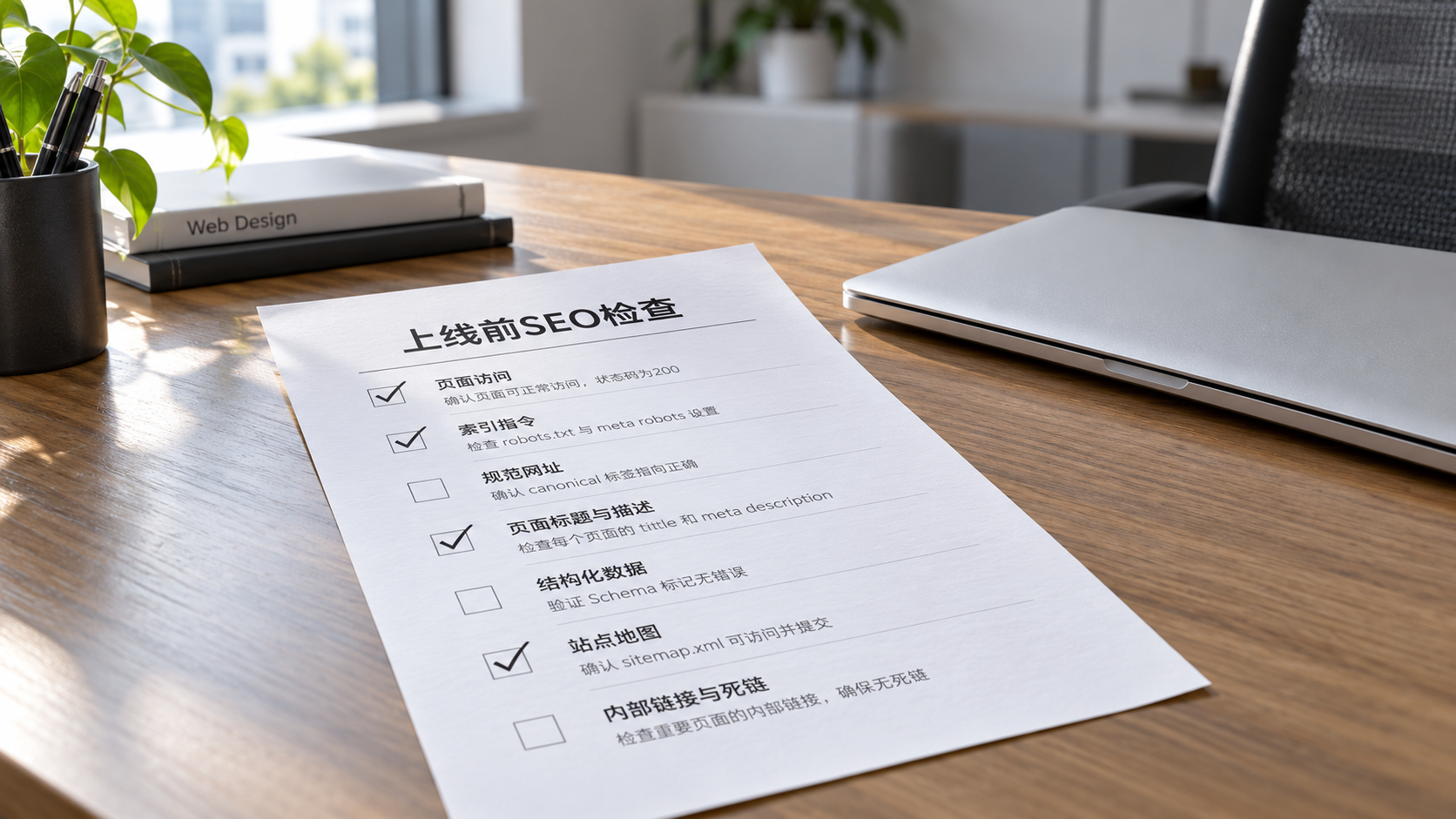
What should be included in a pre-publication SEO content checklist?

What should an SEO content checklist include before an article is published?
Finishing an article does not mean it is ready to go live. The title promises practical instructions, but the body contains only general concepts; the page looks fine in preview, but after publication it still has a noindex setting; a reader is ready to make an inquiry, but the form cannot be submitted. Proofreading for typos alone will not catch these problems.
A practical SEO content checklist should cover the content, page, links, and conversion path. For international business websites, language versions, target markets, and inquiry handling should also be included in the same review, rather than leaving editors, web developers, and marketing staff to check everything separately.
First, confirm: does the article really answer the reader’s question?
Before publication, write down in one sentence what readers will be able to do after reading the article. If the answer is only “understand a service,” that is usually not enough. Someone searching for “things to consider when redesigning an international business website” is more likely to need to know how to handle old URLs, which data to preserve, and what to test before launch—not to read another overview of website-building benefits.
- Do the title, introduction, and body address the same question, or does the article promise too much and deliver too little?
- Where instructions are given, are the prerequisites, steps, criteria for evaluating results, and actions to take if something goes wrong clearly explained?
- Can the sources of specifications, service scope, case studies, and citations be verified, and are applicable conditions clearly stated?
- Does the article substantially overlap with existing content on the site? Would updating an existing article be more appropriate than publishing a new one?
AI-assisted writing requires particular care when checking facts and limitations. Do not promise a definite delivery timeline or results without supporting project information. Statements about materials, processes, and certifications in manufacturing content should be reviewed by business or technical staff; fluent wording alone is not enough to approve them.
Check the actual page output, not just what is entered in the backend
Seeing that a field is “filled in” in the backend does not mean it is displayed correctly on the live page. Use a staging page to check the content and settings, then verify the page at its live URL after publication. It can be appropriate to restrict indexing in a preview environment, but that setting must not be mistakenly carried over to the live page.
- Page title and description: Accurately summarize the topic and avoid using the same copy across the entire site. Explain the page’s value in the description instead of treating a fixed character count as the only standard.
- Heading hierarchy and URL: Make sure the content is clearly structured and the live URL is stable. When changing the URL of an existing article, confirm that the old address redirects to the corresponding new page.
- Indexing and canonical URL: Check the live page’s accessibility, indexing directives, and canonical link to avoid pointing accidentally to the homepage, an old URL, or a version in another language.
- Multilingual links: Check that the language switcher, hreflang, and actual translations correspond correctly. Make sure the body is not still in the original language after only the menus have been translated.
The workflow can be organized as “editorial pre-check—technical review—live URL verification.” Incorrect indexing directives, missing body content, and abnormal URLs are blocking issues. Minor layout problems can be logged for correction and need not be treated as blocking issues.
Links and images: check more than whether they open
Internal links should help readers make their next decision. An article about selecting a product can link to specification details or application solutions; one about implementation can link to a checklist of information to prepare. Do not force unrelated pages into the body just to increase the number of links.
For example, if the article under review is Application Strategies for Lean Cost Concepts in Enterprise Inventory Management, check whether the link text matches the destination page and whether that page is relevant to the current reader’s question. Even if the URL works, that does not mean the page belongs in an introduction to website-building services.
For images, check clarity, usage rights, file size, and display on mobile devices. Alt text should describe the image rather than repeat keywords. Key steps shown in a process diagram should also be included in the body so readers do not lose the information they need if the image fails to load.
Test the inquiry path on a phone before approving publication
A B2B article does not need an inquiry button everywhere, but readers should be able to find the right contact point when they are ready. An article about multilingual website development could invite readers to submit their target market, languages, and current URL, rather than offering only a context-free “Contact us” link.
When testing, do not stop at checking whether the button can be clicked. Submit a test form and check required fields, error messages, success confirmations, receipt by email or the customer management system, and whether analytics events are triggered more than once. On mobile, also check whether pop-ups obscure the body, forms extend beyond the screen, or the page has noticeable loading delays.
Yingyingbao integrates intelligent website building, multilingual websites, SEO, and overseas marketing into a unified service. The key to making this kind of collaboration work is to have content publishing and the technical and customer-acquisition teams use the same acceptance records: editors confirm that the answers are accurate, technical staff confirm that the page is accessible, and marketing staff confirm that inquiries and data are being received. This helps prevent issues from being missed between teams.
The final item on the checklist: keep records that can be reviewed
For every article, keep a record of the person responsible, the live URL, the inspection date, and any unresolved issues. After publication, recheck page accessibility, internal entry points, the sitemap, and indexing status in search platforms. Submitting a URL does not guarantee that it will be indexed, much less that it will rank.
If time is limited, prioritize preventing factual errors, indexing restrictions, broken links, and interruptions to the inquiry process. Once the page is genuinely usable, adjust the content based on impressions, clicks, and qualified inquiries. This is usually more valuable than repeatedly adding keywords before publication.
Related Articles
 Before launching a new website, how can you use an SEO checklist to identify indexing barriers?
 What should be included in a pre-publication SEO content checklist?
 Page SEO Optimization Checklist: Review Every Item from Title Tags to Content Structure

Related Products
 Yiyingbao SaaS Intelligent Website Building and Marketing SystemYiyingbao SaaS Intelligent Website Building and Marketing System, AI-powered no-code website building, rapid creation of multilingual B2B international websites in 10 minutes, global server acceleration, AI-powered SEO optimization, helping businesses connect efficiently with global markets. The perfect integration of technology and operation makes building an international trade website remarkably simple
 AI+SEM Intelligent Advertising Marketing SystemAI+SEM drives intelligent ad creation, empowering full-funnel precision advertising marketing. The system automatically generates weekly/monthly reports, AI recommends keywords and target countries, monitors core metrics in real-time with intelligent alerts, and enables one-click high-conversion ad solutions to help quickly acquire customers and improve ROI.
 AI+SEO Dual-Engine System Optimization ServicesYiyingbao’s AI+SEO dual-engine optimization system helps foreign trade enterprises acquire high-quality organic traffic through AI-powered keyword research, content generation, and comprehensive technical optimization, significantly improving search rankings and conversion rates.
 AI+SNS Social Media Marketing SystemYingbao AI+SNS Social Media Marketing System - Precision social capture for the social media era. Supports one-click content synchronization across major platforms like Facebook and LinkedIn. AI intelligently rewrites posts for enhanced relevance. 24/7 AI customer service and user profiling analysis empower businesses to efficiently expand into global markets.
 AI+SEO营销解决方案易营宝AI+SEO营销解决方案,通过AI批量写作、智能生成TDK、精准关键词扩词等功能,全面优化网站SEO效果,提升流量与转化率。助力企业构建高效智能网站新生态。
 AI+SEM Advertising Marketing SolutionsAI+SEM Advertising Marketing Solution leverages AI technology to deeply empower SEM ad campaigns. It automatically generates weekly/monthly reports using AI, presenting account data across multiple dimensions for comprehensive insights into campaign performance and trends. The system precisely recommends keywords and target countries, intelligently generates high-conversion ad copy, and enables one-click activation of efficient campaign plans to help businesses rapidly acquire customers. Simultaneously, it monitors core metrics in real time, intelligently identifies abnormal fluctuations, and issues timely alerts to ensure stable, high-return advertising results.
 Domain Name ServicesEasyWin provides professional domain name services, including intelligent queries, one-stop registration, brand protection, and full lifecycle management, helping businesses build a digital brand image.
 EasyOperate B2C Cross-Border E-Commerce Platform & Independent WebsiteEasyStore B2C Cross-border E-commerce Independent Store is an intelligent website building and cross-border e-commerce integrated solution independently developed by EasyStore Information Technology (Beijing) Co., Ltd. The system is specially designed for small and medium-sized as well as large export enterprises, integrating 'website building, operation, marketing, advertising, and conversion' into one, helping enterprises quickly establish cross-border e-commerce independent stores to achieve brand globalization and global sales growth.
The platform supports multiple languages, multiple currencies, and multi-channel marketing, with built-in AI intelligent translation and SEO optimization systems, suitable for mainstream markets such as Southeast Asia, Europe and America, Latin America, and the Middle East, assisting Chinese manufacturing enterprises in efficiently deploying international e-commerce strategies. SSL证书易营宝提供专业SSL安全证书服务,包括单域名和泛域名证书,确保网站数据传输加密、身份验证和完整性保护,助力企业建立安全可信的在线业务环境。









