









- Levanta’s Inaugural China Summit Held in Shenzhen, Focusing on AI and Cross-Border Brand GrowthOct 20, 2026View details
- The October Edition of the 2026 GGE Shenzhen Cross-Border E-Commerce Expo OpensOct 20, 2026View details
- Dongguan’s foreign trade imports and exports reached RMB 1.29 trillion in the first three quarters, a record high for the same periodOct 20, 2026View details
- Liaoning Holds Province-Wide Meeting to Advance Cross-Border E-Commerce, Emphasizing the Need to Explore Differentiated Development PathsOct 20, 2026View details
- Advanced Manufacturing Seizes Global Opportunities as Guangdong’s Q3 Foreign Trade Surpasses RMB 3 Trillion for the First TimeOct 20, 2026View details
- Can the average annual growth rate reflect real opportunities in overseas markets?Oct 07, 2026View details
How can you test responsive design compatibility in a global website-building SaaS platform?
The desktop page looks fine, but on a phone the product specifications table overflows and the inquiry button is obscured. This is often not a question of whether a mobile version exists, but whether the template, content, and interactions have all been adapted together. To evaluate the responsive performance of a global website-building SaaS platform, don’t rely solely on backend preview images. Test real business pages and conduct acceptance checks using continuous resizing, real-device interactions, language switching, and the complete conversion flow.
The key questions are: Is the content fully readable at different viewport sizes? Do the key actions work? Can users complete their tasks? When evaluating a platform, ask the supplier to provide an editable, publishable test environment rather than showing only a carefully selected demo homepage.
Decide what to test first to avoid evaluating only a polished homepage
Test pages should include at least the homepage, product listing, product detail, and inquiry or checkout pages. Populate each page with content close to its launch-ready state, including long product names, actual specification tables, multiple images, and required form fields. An empty template may resize automatically, but that does not mean it will remain stable once populated with business content.
When building a test matrix, you can start with viewport widths such as 320, 375, 768, 1024, and 1440 CSS pixels, then add tests based on the devices used by your target customers. These are test samples, not required layout breakpoints. Record browser zoom, system font size, and portrait or landscape orientation as well, so issues can be reproduced.
- Desktop: Check whether content is stretched excessively on wide screens and whether the proportions of the navigation, sidebar, and main content are appropriate.
- Mobile: Cover narrow screens, common phone sizes, and landscape orientation. Pay particular attention to menus, overlays, and input fields.
- Browsers: Choose mainstream browser engines for your target markets and verify results on real phones. Simulated viewports cannot fully replicate touch input, soft keyboards, or browser toolbar behavior.
Resize the window to find issues more easily than by switching between a few preset devices
Open your browser’s developer tools and slowly change the viewport width. Observe how the layout transitions from multiple columns to a single column. The number of breakpoints is not the main concern; look for squeezed text, overlapping cards, wrapped navigation, or buttons that suddenly disappear between breakpoints. When you find an issue, record the width at which it occurs and adjust the viewport around that width to investigate further.
For example, before a product listing switches from four columns to two, the cards may already be too narrow to accommodate the full button. In that case, adjust the column width or the breakpoint condition rather than simply reducing the font size. Fixed card heights can also cause content to be cut off when titles are long or translated text is used.
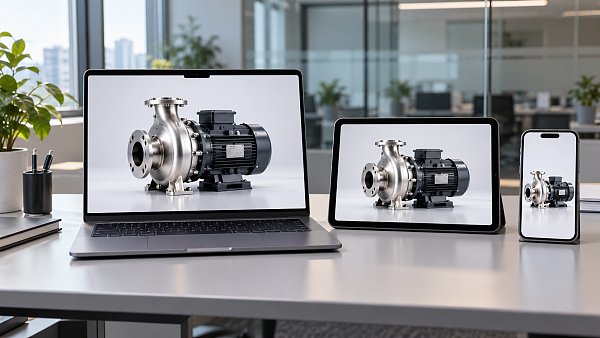
Also confirm that the page uses the correct viewport settings and does not conceal responsive design flaws by disabling zoom. When text is enlarged, the content should reflow rather than disappear because of fixed container heights.
Test whether users can complete tasks, not just tap on controls
One of the most commonly overlooked mobile states is what happens when the soft keyboard appears. Open the inquiry form, enter information in each field, trigger validation, correct any errors, and submit. Check that the active input field and error messages remain visible and that a fixed button at the bottom of the screen does not cover any fields. Use the agreed-upon submission method for testing, and confirm that the success message matches the actual receipt of the inquiry.
Navigation should not rely solely on mouse hover. Dropdown menus, language switches, and filters should all support touch interactions. Leave sufficient spacing between adjacent buttons and verify on a real device that they are easy to tap without accidentally hitting the wrong one. On desktop, also use the keyboard to check the focus order and whether focus returns to an appropriate location when a dialog closes.
For cross-border e-commerce stores, complete the full flow, including selecting product options, editing the cart, and checking out. For B2B websites, focus on file uploads, inquiry submission, and contact links. Test third-party customer service tools, cookie notices, and marketing pop-ups at the same time; working individually does not guarantee they will work when displayed together.
Verify multilingual content and loading behavior on published pages
Do not evaluate a global website in its default language only. Use longer translations planned for the actual launch and check whether navigation, buttons, and product titles overflow their containers. For right-to-left languages such as Arabic, also check reading direction, icon placement, and mixed number-and-text layouts rather than simply right-aligning the text.
Testing must include published pages. Backend previews do not usually reflect the full effects of caching, image processing, and third-party scripts. Reload the page under limited network speeds and observe whether content shifts significantly as images, fonts, and pop-ups appear, or whether buttons users are about to click are pushed out of place.
Images should display appropriately as their containers change size and load at suitable resolutions when needed. Use performance tools to review LCP, CLS, and INP, but do not treat a single lab score as the whole picture. If real traffic data is not yet available, clearly state the test conditions and continue checking actual user experience after launch.
Include issue-resolution capabilities in the acceptance criteria when evaluating a platform
When an issue is found, ask the supplier to explain whether it comes from the template, content configuration, custom code, or a third-party component, and to demonstrate a fix. Simply saying “responsive design is supported” is not meaningful. Check whether regular editors can adjust the mobile layout, whether changes affect other languages, and whether template upgrades will overwrite existing adjustments.
Keep the page URL, version, language, device, viewport, reproduction steps, and screenshots in the acceptance records. Issues such as failed inquiry submissions, invisible core content, or navigation that cannot be closed should be treated as launch blockers. Minor whitespace issues or non-critical line breaks can be addressed separately, but assign an owner and agree on the scope of re-testing.
Finally, change a product title or specification table in the test environment, publish the update, and test again. If routine content updates require styles to be added page by page, the responsive rules still depend on manual maintenance. This is a better indicator of the platform’s long-term maintenance costs than how polished its demo pages look.
Related Articles


Related Products
 Yiyingbao SaaS Intelligent Website Building and Marketing SystemYiyingbao SaaS Intelligent Website Building and Marketing System, AI-powered no-code website building, rapid creation of multilingual B2B international websites in 10 minutes, global server acceleration, AI-powered SEO optimization, helping businesses connect efficiently with global markets. The perfect integration of technology and operation makes building an international trade website remarkably simple
 AI+SEM Intelligent Advertising Marketing SystemAI+SEM drives intelligent ad creation, empowering full-funnel precision advertising marketing. The system automatically generates weekly/monthly reports, AI recommends keywords and target countries, monitors core metrics in real-time with intelligent alerts, and enables one-click high-conversion ad solutions to help quickly acquire customers and improve ROI.
 AI+SEO Dual-Engine System Optimization ServicesYiyingbao’s AI+SEO dual-engine optimization system helps foreign trade enterprises acquire high-quality organic traffic through AI-powered keyword research, content generation, and comprehensive technical optimization, significantly improving search rankings and conversion rates.
 AI+SNS Social Media Marketing SystemYingbao AI+SNS Social Media Marketing System - Precision social capture for the social media era. Supports one-click content synchronization across major platforms like Facebook and LinkedIn. AI intelligently rewrites posts for enhanced relevance. 24/7 AI customer service and user profiling analysis empower businesses to efficiently expand into global markets.
 AI+SEO营销解决方案易营宝AI+SEO营销解决方案,通过AI批量写作、智能生成TDK、精准关键词扩词等功能,全面优化网站SEO效果,提升流量与转化率。助力企业构建高效智能网站新生态。
 AI+SEM Advertising Marketing SolutionsAI+SEM Advertising Marketing Solution leverages AI technology to deeply empower SEM ad campaigns. It automatically generates weekly/monthly reports using AI, presenting account data across multiple dimensions for comprehensive insights into campaign performance and trends. The system precisely recommends keywords and target countries, intelligently generates high-conversion ad copy, and enables one-click activation of efficient campaign plans to help businesses rapidly acquire customers. Simultaneously, it monitors core metrics in real time, intelligently identifies abnormal fluctuations, and issues timely alerts to ensure stable, high-return advertising results.
 Domain Name ServicesEasyWin provides professional domain name services, including intelligent queries, one-stop registration, brand protection, and full lifecycle management, helping businesses build a digital brand image.
 EasyOperate B2C Cross-Border E-Commerce Platform & Independent WebsiteEasyStore B2C Cross-border E-commerce Independent Store is an intelligent website building and cross-border e-commerce integrated solution independently developed by EasyStore Information Technology (Beijing) Co., Ltd. The system is specially designed for small and medium-sized as well as large export enterprises, integrating 'website building, operation, marketing, advertising, and conversion' into one, helping enterprises quickly establish cross-border e-commerce independent stores to achieve brand globalization and global sales growth.
The platform supports multiple languages, multiple currencies, and multi-channel marketing, with built-in AI intelligent translation and SEO optimization systems, suitable for mainstream markets such as Southeast Asia, Europe and America, Latin America, and the Middle East, assisting Chinese manufacturing enterprises in efficiently deploying international e-commerce strategies. SSL证书易营宝提供专业SSL安全证书服务,包括单域名和泛域名证书,确保网站数据传输加密、身份验证和完整性保护,助力企业建立安全可信的在线业务环境。









