








- China’s Tariff Commission of the State Council Adjusts Additional Tariffs on U.S. Goods: 24% Tariff Suspended for Two MonthsNov 10, 2026View details
- APEC Shenzhen Spotlight: Cross-Border E-Commerce Orders Promote Asia-Pacific Trade and Economic CooperationNov 08, 2026View details
- China-Europe Railway Express and CIIE Hold Business Matchmaking Event, Focusing on Cross-Border E-commerce B2B ExportsNov 07, 2026View details
- China’s Ministry of Commerce Responds to Additional Charges on Low-Value Imports Imposed by the EUNov 06, 2026View details
- Two Internet Development Reports Released at the 2026 World Internet ConferenceNov 05, 2026View details
- Internet Business Revenue of Enterprises Above the Designated Size Reached RMB 1.716 Trillion in the First Three Quarters, with Profits Up 17.6%Nov 05, 2026View details
What should you check first if your website is still slow after enabling CDN acceleration?
After enabling CDN acceleration, users may still report that “the homepage loads slowly,” “product images take forever to appear,” or “the backend occasionally times out.” Many maintenance personnel immediately suspect insufficient node coverage or poor CDN provider performance. In actual troubleshooting, however, a CDN often only delivers static assets from locations closer to users. It cannot automatically resolve source server application lag, ineffective cache rules, inefficient domain resolution paths, or third-party scripts that delay above-the-fold content.
This is especially true for multilingual corporate websites targeting overseas markets, B2B lead generation sites, and cross-border online stores, where visitors are located across North America, Europe, Southeast Asia, and other regions. A page performing well when tested in Beijing does not necessarily load quickly on a mobile network in the United States. During after-sales maintenance, breaking down “a slow website” into verifiable stages is usually more effective than repeatedly switching CDN plans.
First Identify Where the Slowness Occurs: A Slow Page Does Not Necessarily Mean a Slow CDN
It is recommended to first retain a browser waterfall chart from an actual visit and focus on three timing points: DNS lookup, time to first byte (TTFB), and main resource download time. If the HTML document itself takes a long time to respond while subsequent images, CSS, and JS download normally, the issue is most likely with the source server, application, or database rather than edge nodes. Conversely, if the document returns quickly but large images, fonts, or scripts queue for download, cache strategy, resource size, and concurrent loading should be examined first.
One common misjudgment is assuming that all content is accelerated once the page status shows “CDN enabled.” In reality, dynamic APIs, image links with parameters, backend paths, and certain downloadable files may return to the origin due to rule settings. Maintenance personnel should directly check cache status in the response headers, such as hit, miss, and cache bypass indicators. Fields vary by provider, but the key is to confirm whether a request is served by an edge node or returns to the origin every time.

Source Server Response Is the Top Priority—Do Not Be Misled by “Enabled” Status
Slow source servers typically manifest in several ways: TTFB rises significantly during peak traffic; the first visit to the same page is slow but refreshes are slightly faster; the frontend frequently times out shortly after content is published in the backend; or API requests remain in a waiting state for extended periods. The underlying cause may be limited server CPU, memory, or connection capacity, or delays caused by CMS plugins, template queries, search APIs, or poorly designed database indexes.
For marketing websites, the homepage is often more prone to issues than internal pages. Carousel images, recommended products, form validation, pop-up tools, and analytics code are all concentrated on the homepage. If multiple database modules are read in real time on every visit, users will still experience poor above-the-fold loading times even when all CSS and images are served from the CDN. At this point, evidence should be sought in source server logs, application performance monitoring, or database slow-query records, rather than expanding cache coverage first.
“Strong caching across the entire site” should be handled with particular caution. Content such as product prices, inventory, login status, shopping carts, and inquiry form tokens generally cannot simply be cached as static pages. A more reliable approach is to distinguish between public pages, dynamic APIs, and backend paths: set reasonable cache durations for public content that does not change frequently; explicitly bypass cache for personalized APIs; and use version numbers or active refresh mechanisms for cacheable pages to prevent users from continuing to see outdated content after updates.
Low Cache Hit Rates Often Indicate Problems with Rules and Resource Management
Many sites keep static resource filenames unchanged for long periods. Even after updating a banner image, it may still be named banner.jpg. To prevent users from seeing the old image, maintenance personnel then have to set a very short cache duration. Although convenient, this causes CDN caches to expire frequently. A more suitable approach is to add version parameters to updated resources or use filenames with content fingerprints, allowing browsers and edge nodes to safely cache older versions while enabling new versions to take effect promptly.
Another often overlooked factor is query parameters. Some systems automatically append timestamps, language parameters, or tracking parameters to images and scripts. If the CDN treats every parameter combination as a new URL, the cache becomes highly fragmented. However, indiscriminately ignoring all parameters may affect product filtering, image processing, or security validation. During troubleshooting, list the parameters that appear most frequently in actual requests, then define rules to retain, ignore, or normalize them according to resource type.
Images are not simply done with once they are “placed on a CDN.” Uncompressed original product images, autoplay videos above the fold, and loading dozens of product detail images at once can all consume bandwidth and main-thread resources. For display images, appropriately sized versions can be delivered based on device dimensions; images below the fold can be lazy-loaded; and videos are better presented with a cover image and user-initiated playback. The trade-off here is practical: visual teams want clarity, marketing teams want complete information, and maintenance teams need to establish acceptable file sizes and loading order rather than compressing everything until quality is lost.
DNS Resolution and Domain Configuration Are Often Hidden Pitfalls for Cross-Regional Access
No matter how many CDN nodes are available, users must first be correctly routed to them. An incompletely propagated domain CNAME, conflicting DNS records, retaining both A records and CDN records, or inconsistent IPv6 configuration can all cause some users to bypass the CDN and connect directly to the source server. Typical symptoms include fast performance in certain regions and consistently slow performance in others, or normal access on office networks while customer mobile networks frequently fail.
During maintenance, do not draw conclusions based solely on a single local DNS lookup. Observe the final domain resolution result from the network environment of the target market, and separately verify www, the apex domain, mobile subdomains, image domains, and download domains. The HTTPS certificate chain and number of redirects should also be checked. If a page redirects from http to https, then from the apex domain to www, and subsequently to a language directory, users have already experienced multiple round trips before receiving the actual content.
If a website serves both users in mainland China and overseas users, deployment and compliance status should also be verified. For sites accessible within China, ICP filing information should remain consistent with the actual service configuration when connecting to a provider, migrating servers, or changing the entity. When processes such as new ICP filings, changes, or access transfers are involved, materials and process coordination can be verified in advance through theDomestic ICP Filing Service Number, avoiding a passive delay to the launch window caused by inconsistencies in domain, entity, or access information.
Third-Party Resources Delaying Above-the-Fold Content Are a Common Issue for Marketing Websites
Advertising pixels, live chat, maps, CAPTCHA, social media embeds, behavioral analytics, and A/B testing tools are generally outside the control of your own CDN. A slow external script response may block subsequent rendering, while repeated loading by multiple tag managers can magnify the issue. If the domain of a slow request does not belong to the site, the responsibility should not be attributed entirely to CDN configuration.
The principle is to retain scripts that genuinely contribute to lead acquisition and attribution while removing legacy code. Tools that do not affect above-the-fold display can be loaded later; fallback plans should be prepared for third-party services with regionally restricted access or occasional failures. Foreign trade websites in particular should avoid directly copying commonly used domestic components to overseas sites. Overseas users have longer access paths, and every external wait may directly affect their patience before submitting a form.
Troubleshoot in the Same Sequence to Avoid Ineffective Changes
When handling actual support tickets, proceed in the sequence of “page document—cache status—DNS routing—resource waterfall—source server logs.” First confirm whether HTML is slow, then determine whether static resources are being served from cache. After confirming that traffic is actually reaching the CDN, return to examine the application, database, and third-party services. After each adjustment, retest under the same regional and network conditions; otherwise, network fluctuations can easily be mistaken for optimization results.
When Yiyingbao provides long-term services for multilingual website development, cross-border online stores, and overseas promotion scenarios, it typically evaluates website performance together with advertising landing pages, indexing and crawling, and form conversion as part of the same chain. CDN is one link in that chain, not a universal fix. The issue most worth prioritizing is the bottleneck that can be proven through logs, response headers, and actual access paths. Once this is identified, subsequent adjustments to the source server, cache rules, or resource strategy will not require repeated rework.
Related Articles
 Getting Plenty of Traffic but No Leads from Your B2B Website? Check Your Forms, Content, and Conversion Path
 How to troubleshoot when a website takes more than 5 seconds to load for customers in Mexico?
 How Can You Prevent Duplicate Shipments in Cross-Border E-Commerce Order Management?



Related Products
 Yiyingbao SaaS Intelligent Website Building and Marketing SystemYiyingbao SaaS Intelligent Website Building and Marketing System, AI-powered no-code website building, rapid creation of multilingual B2B international websites in 10 minutes, global server acceleration, AI-powered SEO optimization, helping businesses connect efficiently with global markets. The perfect integration of technology and operation makes building an international trade website remarkably simple
 AI+SEM Intelligent Advertising Marketing SystemAI+SEM drives intelligent ad creation, empowering full-funnel precision advertising marketing. The system automatically generates weekly/monthly reports, AI recommends keywords and target countries, monitors core metrics in real-time with intelligent alerts, and enables one-click high-conversion ad solutions to help quickly acquire customers and improve ROI.
 AI+SEO Dual-Engine System Optimization ServicesYiyingbao’s AI+SEO dual-engine optimization system helps foreign trade enterprises acquire high-quality organic traffic through AI-powered keyword research, content generation, and comprehensive technical optimization, significantly improving search rankings and conversion rates.
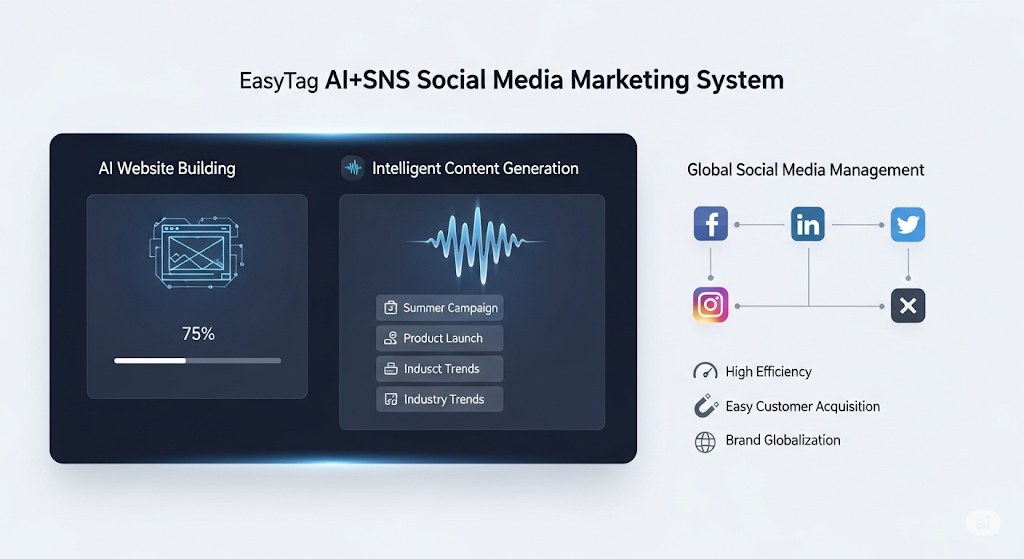
 AI+SNS Social Media Marketing SystemYingbao AI+SNS Social Media Marketing System - Precision social capture for the social media era. Supports one-click content synchronization across major platforms like Facebook and LinkedIn. AI intelligently rewrites posts for enhanced relevance. 24/7 AI customer service and user profiling analysis empower businesses to efficiently expand into global markets.
 AI+SEO营销解决方案易营宝AI+SEO营销解决方案,通过AI批量写作、智能生成TDK、精准关键词扩词等功能,全面优化网站SEO效果,提升流量与转化率。助力企业构建高效智能网站新生态。
 AI+SEM Advertising Marketing SolutionsAI+SEM Advertising Marketing Solution leverages AI technology to deeply empower SEM ad campaigns. It automatically generates weekly/monthly reports using AI, presenting account data across multiple dimensions for comprehensive insights into campaign performance and trends. The system precisely recommends keywords and target countries, intelligently generates high-conversion ad copy, and enables one-click activation of efficient campaign plans to help businesses rapidly acquire customers. Simultaneously, it monitors core metrics in real time, intelligently identifies abnormal fluctuations, and issues timely alerts to ensure stable, high-return advertising results.
 Domain Name ServicesEasyWin provides professional domain name services, including intelligent queries, one-stop registration, brand protection, and full lifecycle management, helping businesses build a digital brand image.
 EasyOperate B2C Cross-Border E-Commerce Platform & Independent WebsiteEasyStore B2C Cross-border E-commerce Independent Store is an intelligent website building and cross-border e-commerce integrated solution independently developed by EasyStore Information Technology (Beijing) Co., Ltd. The system is specially designed for small and medium-sized as well as large export enterprises, integrating 'website building, operation, marketing, advertising, and conversion' into one, helping enterprises quickly establish cross-border e-commerce independent stores to achieve brand globalization and global sales growth.
The platform supports multiple languages, multiple currencies, and multi-channel marketing, with built-in AI intelligent translation and SEO optimization systems, suitable for mainstream markets such as Southeast Asia, Europe and America, Latin America, and the Middle East, assisting Chinese manufacturing enterprises in efficiently deploying international e-commerce strategies. SSL证书易营宝提供专业SSL安全证书服务,包括单域名和泛域名证书,确保网站数据传输加密、身份验证和完整性保护,助力企业建立安全可信的在线业务环境。