









- Levanta’s Inaugural China Summit Held in Shenzhen, Focusing on AI and Cross-Border Brand GrowthOct 20, 2026View details
- The October Edition of the 2026 GGE Shenzhen Cross-Border E-Commerce Expo OpensOct 20, 2026View details
- Dongguan’s foreign trade imports and exports reached RMB 1.29 trillion in the first three quarters, a record high for the same periodOct 20, 2026View details
- Liaoning Holds Province-Wide Meeting to Advance Cross-Border E-Commerce, Emphasizing the Need to Explore Differentiated Development PathsOct 20, 2026View details
- Advanced Manufacturing Seizes Global Opportunities as Guangdong’s Q3 Foreign Trade Surpasses RMB 3 Trillion for the First TimeOct 20, 2026View details
- Can the average annual growth rate reflect real opportunities in overseas markets?Oct 07, 2026View details
How can you solve slow loading on an agricultural export website?
If an agricultural product export website loads slowly, do not rush to only compress images or switch hosting providers. Page speed is determined jointly by visitor location, server response, above-the-fold resources, the number of scripts, and the page content structure. Especially for sites targeting overseas markets, fast loading in domestic tests does not mean access from North America, Europe, or the Middle East will also be smooth. Loading delays can cause product images to appear late, specification pages to become unreadable, and inquiry forms to be available only after a delay, weakening the first impression of supply capability and professionalism.
Before taking action, first distinguish between “the entire site is slow” and “only some pages are slow.” If the homepage is slow while product detail pages are normal, the issue is likely overly heavy above-the-fold banners, carousels, videos, or third-party plugins; if detail pages are slow while the homepage is normal, check the product gallery, related product modules, and dynamic filters; if all pages are slow, first investigate server response time, cross-border network routes, cache configuration, and database queries. Different issues require different solutions. Blindly removing content can result in lost product information without necessarily delivering effective speed improvements.
Start by identifying delays along the actual visitor access path
When testing, do not look only at the time when the browser indicates that “the page has opened.” More useful indicators include: how long it takes for the browser to begin receiving content returned by the server, when the main above-the-fold image appears, whether the main text is readable, and when forms and menus become clickable. If the server takes a long time to return the first page file, optimizing images is almost meaningless; if text has already appeared but images remain blank, focus on media assets and content delivery; if the page looks visually complete but is still loading, analytics code, maps, live chat, or ad tracking scripts are often blocking subsequent resources.
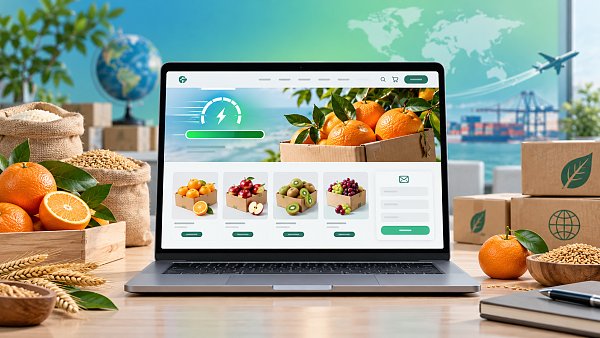
Testing should also be performed in target regions. Agricultural product websites often include origin photos, cultivation environment videos, packaging details, and inspection documents, with resources typically stored locally on the website server. When the source server is far from the visitor location, every image requires a cross-border request. Even if each individual file is not large, consecutive loading can slow down the page. Using a content delivery network to cache static images, style files, and scripts at nodes close to visitor locations is usually more aligned with the root cause than simply upgrading server specifications.
Make above-the-fold content lighter first
The above-the-fold area is what visitors see immediately after opening a page. It should retain a clear product name, core categories, main selling points, and one clear entry point. Many pages load slowly because the above-the-fold area includes automatic carousels, multiple high-resolution banners, background videos, pop-ups, and floating customer service at the same time. All of these elements need to be downloaded, parsed, and executed, which is especially noticeable on mobile networks.
- Replace automatic carousels with one optimized hero image. The second and third images in a carousel often begin loading when the page opens, even if they are never seen.
- If a background video is not essential for understanding the product, replace it with a cover image and a play button; request the video file only when it is actually played, preventing it from competing with above-the-fold images and text for loading priority.
- Export hero images according to their actual display dimensions. If the desktop display width is only around one thousand pixels but an original image several thousand pixels wide is uploaded directly, it will increase transfer and decoding workloads.
- Use lazy loading for product images, certificate scans, and production process diagrams below the fold. Retrieve these resources when the visitor scrolls to the relevant position instead of downloading all images on the complete page at once.
When compressing images, consider the image type. Real photos of fruits and vegetables, grains, frozen products, and similar items contain rich color gradations; excessive compression can cause color banding and make packaging labels and textures difficult to distinguish. Specification tables, icons, and text posters are more susceptible to blurring and should use formats suited to lines and text. Prioritize modern image formats while retaining compatible alternatives. File names and alt text should describe the product itself, such as the variety, packaging format, or processing status. Do not use meaningless sequential numbers, and do not stuff keywords into the alt text of a single image.
The often overlooked weight of product detail pages
Agricultural product detail pages are often more likely than homepages to get out of control. A single page may include multi-angle images, packaging specifications, cold-chain instructions, seasonal availability information, downloadable materials, related recommendations, and inquiry modules. The content itself can be retained, but its loading method needs to be layered. Load the title, specification summary, main image, and inquiry entry first; longer cultivation descriptions, production videos, and downloadable file previews can be placed in expandable sections or lower on the page. Collapsed content does not mean it will not be indexed. The key is to avoid allowing non-priority resources to block the rendering of primary content.
PDFs are another common hidden issue. Directly embedding large inspection reports, product catalogs, or packaging design files into a page causes the browser to load the complete document within the detail page. A more appropriate approach is to display the file name, page count, or update time, and provide it as a download or for viewing in a new window. When a preview is needed, first show a thumbnail of the first page to avoid automatically embedding the full PDF on every product page.
More scripts do not mean more complete functionality
Website builders, form tools, live chat, heat maps, social media components, translation plugins, and ad tracking code all insert scripts. They may seem unrelated, but they can compete for network connections and browser processing time on the same page. Especially on multilingual sites, if the body text is translated in real time by front-end scripts on every visit, the page may flicker by first displaying one language and then switching to another, while also increasing the number of executable scripts.
Script management should not consider only the quantity, but also the loading order. Form validation and menu interactions that support core page functions can remain; code used only for analytics, remarketing, or embedded social content can be set to load after the main page content is complete. For every additional plugin, confirm whether it needs to run on every page. A carousel script needed on the homepage does not need to be loaded on an inquiry information page containing only text and tables.
Servers and caching must match site changes
When a website first goes live, it has relatively few pages and limited traffic, so performance issues may not be obvious. As multilingual pages, product categories, image libraries, and advertising landing pages increase, the original cache rules may no longer cover pages with parameters, and the time required to generate pages in the backend may also become longer. Static resources should have reasonable browser cache durations; page-level caching, however, should exclude areas that require immediate updates, such as login, shopping carts, real-time inventory queries, or form submission results.
Multilingual versions must also avoid incorrectly returning cached content in one language to another language. Cache keys should include language paths, regional versions, or domain rules. If the same URL relies on the browser to automatically determine the language, the cache system can easily cause content mismatches and is also unfavorable for stable search engine crawling. Using clear, independently accessible language URLs both facilitates caching and makes it easier to identify whether a page in a specific language has missing resources.
After completing an optimization, recheck the homepage, typical product pages, category pages, and inquiry pages rather than testing only one page. Also confirm in a mobile network environment whether the main image, menu, and form appear as expected. Speed optimization is not about reducing page content to a minimum; it is about ensuring that key information arrives first, non-critical resources load on demand, and visitor requests from different regions follow appropriate caching and server routes.
Related Articles


Related Products
 Yiyingbao SaaS Intelligent Website Building and Marketing SystemYiyingbao SaaS Intelligent Website Building and Marketing System, AI-powered no-code website building, rapid creation of multilingual B2B international websites in 10 minutes, global server acceleration, AI-powered SEO optimization, helping businesses connect efficiently with global markets. The perfect integration of technology and operation makes building an international trade website remarkably simple
 AI+SEM Intelligent Advertising Marketing SystemAI+SEM drives intelligent ad creation, empowering full-funnel precision advertising marketing. The system automatically generates weekly/monthly reports, AI recommends keywords and target countries, monitors core metrics in real-time with intelligent alerts, and enables one-click high-conversion ad solutions to help quickly acquire customers and improve ROI.
 AI+SEO Dual-Engine System Optimization ServicesYiyingbao’s AI+SEO dual-engine optimization system helps foreign trade enterprises acquire high-quality organic traffic through AI-powered keyword research, content generation, and comprehensive technical optimization, significantly improving search rankings and conversion rates.
 AI+SNS Social Media Marketing SystemYingbao AI+SNS Social Media Marketing System - Precision social capture for the social media era. Supports one-click content synchronization across major platforms like Facebook and LinkedIn. AI intelligently rewrites posts for enhanced relevance. 24/7 AI customer service and user profiling analysis empower businesses to efficiently expand into global markets.
 AI+SEO营销解决方案易营宝AI+SEO营销解决方案,通过AI批量写作、智能生成TDK、精准关键词扩词等功能,全面优化网站SEO效果,提升流量与转化率。助力企业构建高效智能网站新生态。
 AI+SEM Advertising Marketing SolutionsAI+SEM Advertising Marketing Solution leverages AI technology to deeply empower SEM ad campaigns. It automatically generates weekly/monthly reports using AI, presenting account data across multiple dimensions for comprehensive insights into campaign performance and trends. The system precisely recommends keywords and target countries, intelligently generates high-conversion ad copy, and enables one-click activation of efficient campaign plans to help businesses rapidly acquire customers. Simultaneously, it monitors core metrics in real time, intelligently identifies abnormal fluctuations, and issues timely alerts to ensure stable, high-return advertising results.
 Domain Name ServicesEasyWin provides professional domain name services, including intelligent queries, one-stop registration, brand protection, and full lifecycle management, helping businesses build a digital brand image.
 EasyOperate B2C Cross-Border E-Commerce Platform & Independent WebsiteEasyStore B2C Cross-border E-commerce Independent Store is an intelligent website building and cross-border e-commerce integrated solution independently developed by EasyStore Information Technology (Beijing) Co., Ltd. The system is specially designed for small and medium-sized as well as large export enterprises, integrating 'website building, operation, marketing, advertising, and conversion' into one, helping enterprises quickly establish cross-border e-commerce independent stores to achieve brand globalization and global sales growth.
The platform supports multiple languages, multiple currencies, and multi-channel marketing, with built-in AI intelligent translation and SEO optimization systems, suitable for mainstream markets such as Southeast Asia, Europe and America, Latin America, and the Middle East, assisting Chinese manufacturing enterprises in efficiently deploying international e-commerce strategies. SSL证书易营宝提供专业SSL安全证书服务,包括单域名和泛域名证书,确保网站数据传输加密、身份验证和完整性保护,助力企业建立安全可信的在线业务环境。









