





- What Does a Global Traffic Ecosystem Service Provider Do? What Are the Differences from a Single Advertising AgencyJul 16, 2026View details
- What should you focus on in the latest enterprise SaaS report? From renewal rates and delivery costs to overseas growth opportunitiesJul 12, 2026View details
- What signals are worth paying attention to in a cross-border marketing trend report? B2B companies should look at these 6 signalsJul 11, 2026View details
- How to Read a Cross-Border Marketing Trends Report? Five Key Dimensions for Evaluating Channel OpportunitiesJul 11, 2026View details
- Which channel has the highest ROI in the global traffic ecosystem? Comparative analysis of search, social media, and advertisingJul 10, 2026View details
- What multilingual website services are available in Sanya? Which model is more suitable for local businesses going global?Jul 08, 2026View details
B2B Landing Page Optimization Tips: 92% of Companies Make These 3 Visual Flow Errors in the 'Technical Specifications Display Area'
In B2B landing page optimization, 92% of companies stumble in the technical parameter display area—disorganized visual flow, lack of information hierarchy, and key data being buried. This article directly addresses three common mistakes and provides immediately implementable solutions for frontline operations and website building personnel to avoid these pitfalls.
Why did the technical parameters section become a "breakpoint" in the conversion process?
In the integrated practice of website + marketing services, B2B landing pages are not information galleries, but decision accelerators. Technical parameters, as the core basis for procurement decisions, should serve as "trust anchors," but often, due to poor visual organization, they become a cause of user churn. Yiyingbao Information Technology, serving over 100,000 enterprises, found that the average dwell time on parameter modules is less than 8 seconds, with a bounce rate 47% higher than the homepage average—the problem lies not in the data itself, but in its presentation logic.
Three major visual flow errors (with immediate corrective actions)
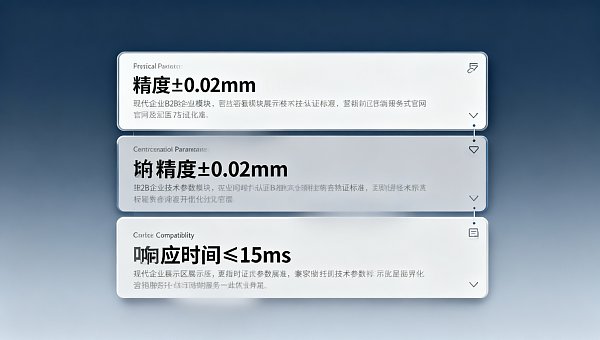
- The horizontal parameter table's "full-screen tiling" layout has been replaced with a vertical grouping and collapsing structure. The three types of data—physical parameters, certification standards, and compatibility—are encapsulated into expandable blocks, with the first screen displaying only core indicators (such as accuracy ±0.02mm and response time ≤15ms), reducing the initial cognitive load.
- Remove redundant icons and decorative lines next to parameter items, and uniformly adopt a three-level text style with left alignment, bold main parameters, and grayscale secondary descriptions to ensure that the eye naturally moves down along a Z-shaped path and avoids interruption of the flow of movement due to icon jumps.
- Key comparative parameters (such as "industry average power consumption vs. actual measured value of this product") are highlighted at the top of the parameter area and the differences are visualized using color blocks and arrows, enabling decision-makers to capture the value gap within 3 seconds.
Key points for adapting movement patterns in different scenarios
For industrial equipment procurement scenarios, it is necessary to provide "installation interface size diagram + on-site wiring diagram" in advance, and the parameter text must be embedded in the corresponding diagram area to avoid plain text listing; for SaaS-based B2B services, performance parameters such as API response latency and concurrent capacity should be placed alongside real-time monitoring dashboard screenshots to enhance credibility with dynamic data.
On the multi-model comparison page, the horizontal scrolling parameter table is disabled—instead, it is stacked vertically in a single column, with each model occupying an independent card. A "One-Click Comparison" floating button is set at the top. Clicking it will automatically highlight the differences, avoiding fatigue caused by manual horizontal scanning by users.
3 often overlooked risk signals
When the parameter section contains errors such as "mixed units" (e.g., using both MPa and psi), "unspecified test conditions" (e.g., lack of temperature and humidity information), or "missing version number" (e.g., both firmware V2.1 and V3.0 parameters), users will assume the company lacks engineering rigor. The loss of trust caused by such omissions far exceeds that due to typographical errors.
When the parameter font size is less than 14px, the line spacing is less than 1.4 times, and the color contrast is less than 4.5:1, the mobile reading accuracy drops by 63%. YiYingBao's 2023 A/B testing confirmed that increasing the minimum font size in the parameter area to 16px increased the form submission rate by 22%.
The lack of independent anchor links (such as #tech-specs) for parameter sections prevents the sales team from accurately pushing key parameter paragraphs during communication, reducing collaboration efficiency. All parameter blocks must support direct access via URL fragments.
Four-Step Implementation Suggestions
- Use a heatmap tool (such as Hotjar) to record the mouse trajectory of a real user in the parameter area, and mark the nodes that have more than 3 eye-tracking retraces or hover for more than 5 seconds as flow blockage points.
- Have a colleague with a non-technical background read the parameter text aloud. If there are more than two pauses or questions, it means that the terminology has not been explained properly, and a tooltip or parenthetical comment should be inserted.
- A lightweight CTA is embedded at the bottom of the parameter area: "Get the complete technical white paper" or "Schedule a one-on-one consultation with an engineer", which transforms information consumption into the action of lead accumulation.
- Each quarter, Lighthouse is used to test the accessibility score of the parameter area to ensure that users with color vision deficiencies can distinguish between numerical values and units, and that screen readers can sequentially parse the hierarchical relationships.
Conclusion: Let parameters become growth drivers, not design burdens.
The essence of B2B landing page optimization is transforming professional information into decision-making momentum. The technical parameters section is not merely a repository of technical documents, but a navigator of the user's mental map. Every subtle adjustment to the user's flow shortens the distance from "seeing" to "believing."
Based on ten years of digital marketing experience, Yiyingbao Information Technology has distilled the above methodology into a "parameter flow diagnosis engine" within its intelligent website building system. This engine supports automatic identification of visual breakpoints and generates optimization suggestions. Simultaneously, it recommends in-depth study of investment research on environmental protection funds within the energy conservation and environmental protection industry , extracting patterns in industry technology evolution to guide parameter display priority settings.
Take immediate action: Open your B2B landing page, focus on the technical parameters section, and record a 3-second screen capture with your phone—observe whether your gaze naturally completes a Z-shaped path. If any lag occurs, this is the starting point for optimization.
Related Articles
Related Products
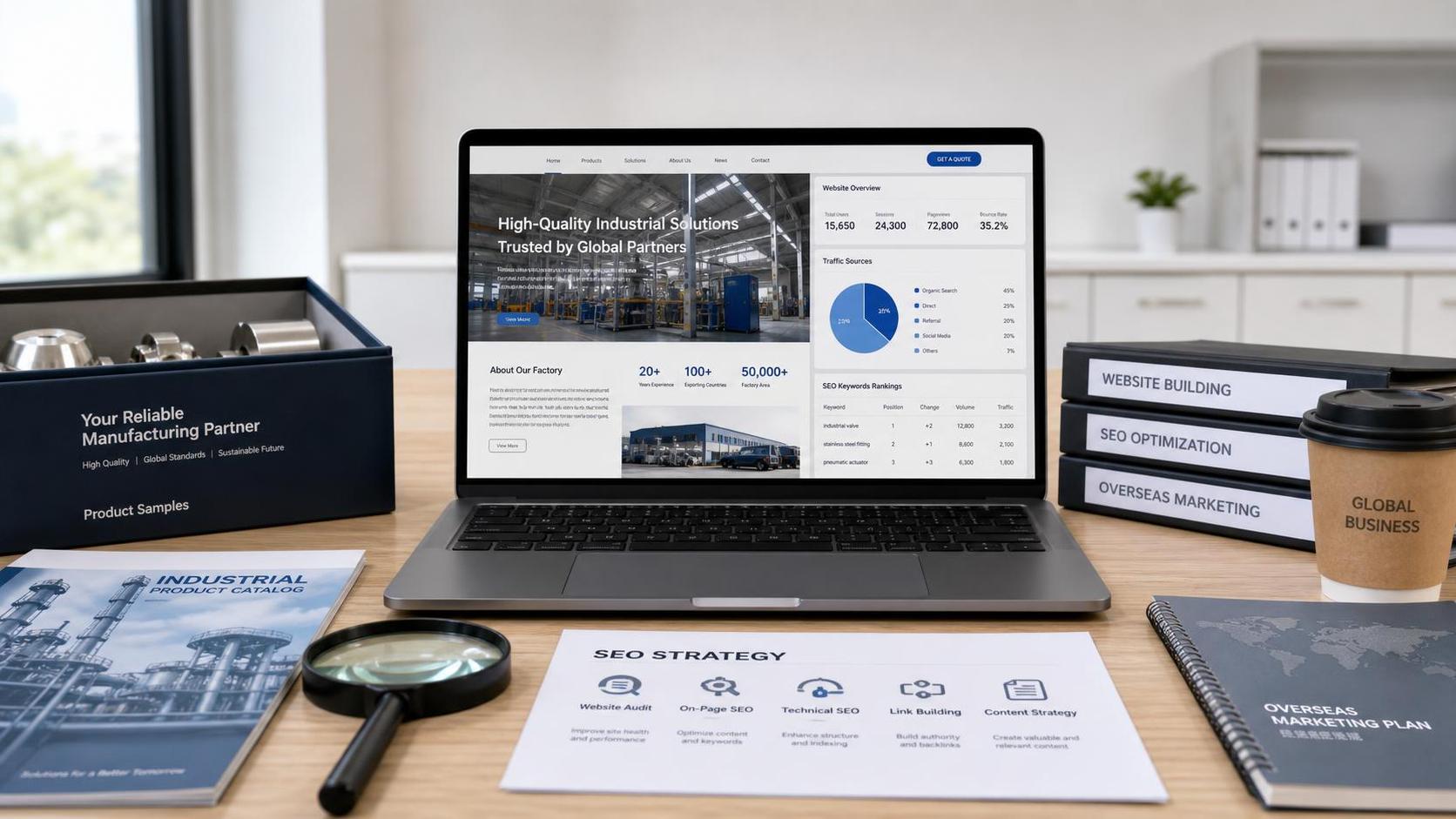
 EasyCamp SaaS Smart Website Marketing SystemE-Yingbao SaaS Smart Website Marketing System: AI-powered, zero-code website building. Rapidly launch multilingual independent e-commerce sites in just 10 minutes. Global server acceleration and AI-driven SEO optimization empower businesses to efficiently connect with global markets. The seamless integration of technology and user-friendly operation makes building e-commerce sites incredibly simple.
 AI+SEM Intelligent Advertising Marketing SystemAI+SEM drives intelligent ad creation, empowering full-funnel precision advertising marketing. The system automatically generates weekly/monthly reports, AI recommends keywords and target countries, monitors core metrics in real-time with intelligent alerts, and enables one-click high-conversion ad solutions to help quickly acquire customers and improve ROI.
 AI+SEO Dual Engine Optimization ServiceEasyWin AI+SEO Dual Engine Optimization System leverages AI-powered keyword mining, content generation, and comprehensive technical optimization to help foreign trade enterprises acquire high-quality organic traffic, significantly improving search rankings and conversion rates.
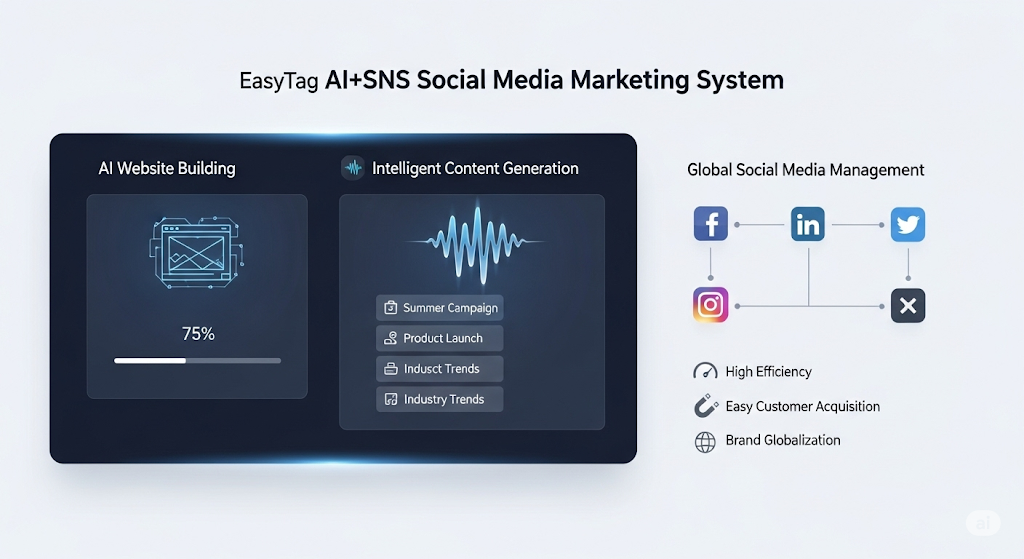
 AI+SNS Social Media Marketing SystemYingbao AI+SNS Social Media Marketing System - Precision social capture for the social media era. Supports one-click content synchronization across major platforms like Facebook and LinkedIn. AI intelligently rewrites posts for enhanced relevance. 24/7 AI customer service and user profiling analysis empower businesses to efficiently expand into global markets.
 AI+SEO营销解决方案易营宝AI+SEO营销解决方案,通过AI批量写作、智能生成TDK、精准关键词扩词等功能,全面优化网站SEO效果,提升流量与转化率。助力企业构建高效智能网站新生态。
 AI+SEM Advertising Marketing SolutionsAI+SEM Advertising Marketing Solution leverages AI technology to deeply empower SEM ad campaigns. It automatically generates weekly/monthly reports using AI, presenting account data across multiple dimensions for comprehensive insights into campaign performance and trends. The system precisely recommends keywords and target countries, intelligently generates high-conversion ad copy, and enables one-click activation of efficient campaign plans to help businesses rapidly acquire customers. Simultaneously, it monitors core metrics in real time, intelligently identifies abnormal fluctuations, and issues timely alerts to ensure stable, high-return advertising results.
 Domain Name ServicesEasyWin provides professional domain name services, including intelligent queries, one-stop registration, brand protection, and full lifecycle management, helping businesses build a digital brand image.
 EasyOperate B2C Cross-Border E-Commerce Platform & Independent WebsiteEasyStore B2C Cross-border E-commerce Independent Store is an intelligent website building and cross-border e-commerce integrated solution independently developed by EasyStore Information Technology (Beijing) Co., Ltd. The system is specially designed for small and medium-sized as well as large export enterprises, integrating 'website building, operation, marketing, advertising, and conversion' into one, helping enterprises quickly establish cross-border e-commerce independent stores to achieve brand globalization and global sales growth.
The platform supports multiple languages, multiple currencies, and multi-channel marketing, with built-in AI intelligent translation and SEO optimization systems, suitable for mainstream markets such as Southeast Asia, Europe and America, Latin America, and the Middle East, assisting Chinese manufacturing enterprises in efficiently deploying international e-commerce strategies. SSL证书易营宝提供专业SSL安全证书服务,包括单域名和泛域名证书,确保网站数据传输加密、身份验证和完整性保护,助力企业建立安全可信的在线业务环境。