









- The China-US tariff arrangement has reached a preliminary consensus, and the trade association will be establishedJun 15, 2026View details
- China-Morocco zero-tariff access, a breakthrough in the cost of Moroccan goods exports to ChinaJun 11, 2026View details
- What signal should be released for the suspension of exports to JapanJun 10, 2026View details
- China's May LNG imports rebounded, with increased volumes from Russia and Canada filling the Middle East supply gapJun 10, 2026View details
- Will GEO change its SEO strategy?Jun 04, 2026View details
- What types of businesses are end-to-end solutions suitable for?Jun 03, 2026View details
- 2026 Global Growth Channel TrendsJun 02, 2026View details
- Changes in Search Engine Ranking Factors in 2026Jun 06, 2026View details
Why won’t an AMP mobile page open or pass validation? What are the common causes?
Why won’t the AMP mobile page open or pass validation? What should be suspected first?
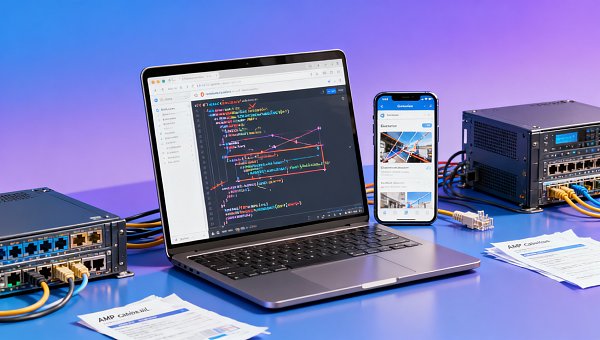
If the AMP mobile page won’t open, or cannot display properly in search results, it is usually not a single-point failure. More often, page code, static resources, caching strategy, and third-party plugins have all developed subtle deviations at the same time, eventually showing up as pages that won’t open, broken layouts, or validation failures.
In an integrated website operations and marketing services scenario, this kind of issue affects not only the user experience, but also mobile indexing, ad landing page quality, and natural traffic conversion. Especially for websites targeting overseas promotion, once the AMP mobile page becomes abnormal, the conversion path often slows down.
Simply put, when troubleshooting, do not focus only on the result of “page won’t open”; first determine whether it is a validation failure, cache not updated, script conflict, or server response abnormality. Breaking the fault down into layers actually makes it faster to handle.
Why can the page be accessed, but still shows an AMP validation failure?
This is the most common situation. The page may seem to open fine, but as long as it does not comply with AMP specifications, the search platform may not give it priority on mobile devices, and may even report an error directly. Many maintenance tasks get stuck here, because “can open” does not mean “can pass”.
There are several common triggers: disallowed tags, excessive inline styles, custom script injection, undisclosed image dimensions, and ordinary HTML components mixed into the page. Especially when building pages with a site system or plugin assembly, these issues are easier to overlook.
In real-world applications, you may also encounter the situation where “the template is compliant, but editing the content breaks it.” For example, if operations staff temporarily embed analytics code, customer service pop-ups, or external video components, the AMP mobile page can go from compliant to validation failed.
If the website itself is responsible for both SEO and ad placement tasks, it is recommended to include AMP validation in the pre-launch review process instead of waiting for search console errors before fixing them. This can avoid repeated fluctuations in traffic entry points.
If the AMP mobile page won’t open, is it definitely a server or network issue?
Not necessarily. Server abnormalities can certainly cause the AMP mobile page not to open, but in maintenance practice, resource loading path issues are more common. For example, the main page returns 200, but fonts, images, stylesheets, or component scripts are blocked, and the final result still looks like the page “won’t open”.
The following areas need to be checked with particular attention:
- Whether the HTTPS certificate is complete and whether mixed content loading exists.
- Whether CDN caching is too old, causing the AMP version and the official page version to be inconsistent.
- Whether static resource URLs have changed, especially image and component reference paths.
- Whether the server has imposed restrictions on specific regions, devices, or user agents.
For multilingual websites or overseas independent sites, this kind of problem is even more prominent. In long-term cross-border website building, SEO optimization, and ad landing page operations, EasyYingbao usually checks pages, caching, regional access, and search crawling in one integrated review rather than looking at a single error message in isolation.
If an industrial manufacturing company website is responsible for both display and inquiry conversion, then pages like precision machining, fasteners, which often have many images, many parameters, and many modules, are more likely to encounter resource overflow or incomplete component replacement issues during AMP conversion.
Why do plugins, themes, and marketing scripts often drag AMP pages down?
The reason is straightforward: AMP imposes strict code constraints, while marketing systems often rely on a large number of external scripts. The two naturally conflict. Tools such as pop-ups, tracking tools, live chat, and A/B testing scripts are usually fine on ordinary web pages, but on AMP mobile pages they may directly trigger validation errors.
What is even more troublesome is that such issues do not necessarily surface on the day of launch. Many websites only start failing after subsequent plugin updates, theme upgrades, or changes to ad tracking parameters.
A more stable approach is to first do “elimination-based troubleshooting”. Disable newly added plugins step by step, restore the default template, and compare the page source code before and after the anomaly. Once you confirm that a certain extension caused it, then decide whether to replace it with an AMP-compatible component or migrate that function to a non-AMP page.
If the site uses an integrated website-building and marketing solution, the value is reflected here. Mature platforms usually manage website structure, SEO rules, ad scripts, and page performance within the same system logic, avoiding multiple teams making changes separately and eventually breaking the AMP page.
When troubleshooting, should you look at the code first, or the cache and crawl status first?
Many people go straight into code inspection of tags, but the more common way to judge is to first determine whether “the current page is broken” or “the page seen by the platform is still the old version”. Because after AMP repairs, cache and crawl delays can cause misjudgment.
A practical sequence can be referenced as follows:
- First use a real-time validation tool to see whether the current URL still reports an error.
- Then check whether the search platform cache page has already been updated.
- Confirm whether the structured data tags, canonical, and AMP correspondence are correct.
- Finally return to the code layer to handle specific tag, style, and resource issues.
The advantage of doing this is that it reduces duplicate rework. Especially for marketing websites with many pages and many templates, if you start changing code page by page and later find out it was only a cache refresh problem, maintenance costs will be very high.
Some companies, when building product display pages, pursue both structured content and visual presentation. For example, second-screen product matrices, nine-grid selling-point areas, and case card sections look more complete visually, but they also more severely test AMP compatibility. At this point, the page architecture is best considered clearly during the website-building stage rather than being forcefully compressed and modified later.
Which fixes are easiest to make but least likely to work?
The first is simply deleting the error code without looking at upstream and downstream dependencies. For example, removing an incompatible component but failing to add back image dimensions, lazy-loading logic, or replacement display content can still leave the page abnormal.
The second is fixing only the AMP page and not checking the standard page. If the correspondence between AMP and the normal page is broken, search engines may still not be able to identify it correctly. This issue is especially common in multilingual and multi-directory sites.
The third is ignoring the subsequent operations of the content team and the advertising team. Today it is fixed, tomorrow a new script is added and breaks the AMP mobile page again; this cycle is very common. If the maintenance process does not change, the problem will keep reappearing.
Therefore, a more practical suggestion is to establish a page change checklist that at least covers template modifications, plugin updates, tracking additions, resource replacements, and cache refreshes. For industrial sites that emphasize display capability, if the page carries content such as precision machining, fasteners, it is even more necessary to record changes to images, parameter tables, and interactive modules.
After an AMP mobile page abnormality occurs, how should long-term maintenance standards be established?
Short-term fixes are only the first step; what really saves effort is incorporating AMP mobile pages into regular maintenance standards. For websites that do SEO, ad placement, social media traffic acquisition, and independent site operations at the same time, this step is crucial, because any page failure will affect traffic conversion efficiency.
A more stable practice is to divide checks into three layers: pre-launch validation, post-launch crawl confirmation, and periodic monitoring review. This can both intercept new issues and detect hidden risks brought by old cache, old plugins, and old templates.
- Before launch, confirm AMP tags, style size, resource references, and component legality.
- After launch, check crawl status, cache refresh, and actual mobile opening performance.
- Review high-traffic pages every month, focusing on plugin updates and ad script changes.
If a website has already entered the multilingual and multi-channel growth stage, it is hard to stay stable by relying only on temporary patches. A more suitable approach is to put website building, SEO, content publishing, and marketing script governance into one unified system. In this way, AMP mobile page issues will not repeatedly appear when different teams hand off work.
In the end, the reason AMP mobile pages won’t open or fail validation is mostly not because the technical point is too difficult, but because page specifications, resource management, and marketing actions have not been placed under the same standards. First clarify the fault layers, then establish a fixed inspection list, and ongoing maintenance will become much easier.
Related Articles



Related Products
 EasyCamp SaaS Smart Website Marketing SystemE-Yingbao SaaS Smart Website Marketing System: AI-powered, zero-code website building. Rapidly launch multilingual independent e-commerce sites in just 10 minutes. Global server acceleration and AI-driven SEO optimization empower businesses to efficiently connect with global markets. The seamless integration of technology and user-friendly operation makes building e-commerce sites incredibly simple.
 AI+SEM Intelligent Advertising Marketing SystemAI+SEM drives intelligent ad creation, empowering full-funnel precision advertising marketing. The system automatically generates weekly/monthly reports, AI recommends keywords and target countries, monitors core metrics in real-time with intelligent alerts, and enables one-click high-conversion ad solutions to help quickly acquire customers and improve ROI.
 AI+SEO Dual Engine Optimization ServiceEasyWin AI+SEO Dual Engine Optimization System leverages AI-powered keyword mining, content generation, and comprehensive technical optimization to help foreign trade enterprises acquire high-quality organic traffic, significantly improving search rankings and conversion rates.
 AI+SNS Social Media Marketing SystemYingbao AI+SNS Social Media Marketing System - Precision social capture for the social media era. Supports one-click content synchronization across major platforms like Facebook and LinkedIn. AI intelligently rewrites posts for enhanced relevance. 24/7 AI customer service and user profiling analysis empower businesses to efficiently expand into global markets.
 AI+SEO营销解决方案易营宝AI+SEO营销解决方案,通过AI批量写作、智能生成TDK、精准关键词扩词等功能,全面优化网站SEO效果,提升流量与转化率。助力企业构建高效智能网站新生态。
 AI+SEM Advertising Marketing SolutionsAI+SEM Advertising Marketing Solution leverages AI technology to deeply empower SEM ad campaigns. It automatically generates weekly/monthly reports using AI, presenting account data across multiple dimensions for comprehensive insights into campaign performance and trends. The system precisely recommends keywords and target countries, intelligently generates high-conversion ad copy, and enables one-click activation of efficient campaign plans to help businesses rapidly acquire customers. Simultaneously, it monitors core metrics in real time, intelligently identifies abnormal fluctuations, and issues timely alerts to ensure stable, high-return advertising results.
 Domain Name ServicesEasyWin provides professional domain name services, including intelligent queries, one-stop registration, brand protection, and full lifecycle management, helping businesses build a digital brand image.
 EasyOperate B2C Cross-Border E-Commerce Platform & Independent WebsiteEasyStore B2C Cross-border E-commerce Independent Store is an intelligent website building and cross-border e-commerce integrated solution independently developed by EasyStore Information Technology (Beijing) Co., Ltd. The system is specially designed for small and medium-sized as well as large export enterprises, integrating 'website building, operation, marketing, advertising, and conversion' into one, helping enterprises quickly establish cross-border e-commerce independent stores to achieve brand globalization and global sales growth.
The platform supports multiple languages, multiple currencies, and multi-channel marketing, with built-in AI intelligent translation and SEO optimization systems, suitable for mainstream markets such as Southeast Asia, Europe and America, Latin America, and the Middle East, assisting Chinese manufacturing enterprises in efficiently deploying international e-commerce strategies. SSL证书易营宝提供专业SSL安全证书服务,包括单域名和泛域名证书,确保网站数据传输加密、身份验证和完整性保护,助力企业建立安全可信的在线业务环境。









