





- What New Signals Are Emerging in Enterprise Services SaaS Marketing ReportsJul 27, 2026View details
- What Does a Global Traffic Ecosystem Service Provider Do? What Are the Differences from a Single Advertising AgencyJul 16, 2026View details
- What should you focus on in the latest enterprise SaaS report? From renewal rates and delivery costs to overseas growth opportunitiesJul 12, 2026View details
- What signals are worth paying attention to in a cross-border marketing trend report? B2B companies should look at these 6 signalsJul 11, 2026View details
- How to Read a Cross-Border Marketing Trends Report? Five Key Dimensions for Evaluating Channel OpportunitiesJul 11, 2026View details
- Which channel has the highest ROI in the global traffic ecosystem? Comparative analysis of search, social media, and advertisingJul 10, 2026View details
How to defend against website attacks? Common risks and basic protection checklist for SME websites
How to protect a website from attacks? First, make the risks clear
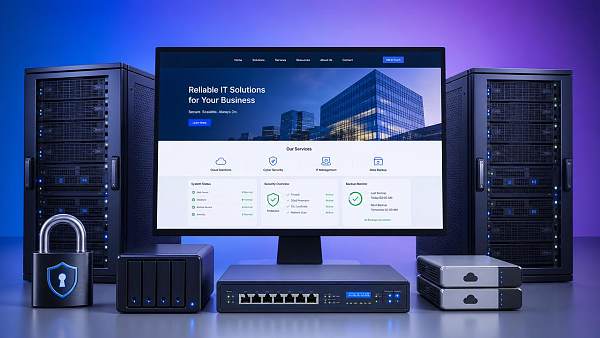
How to protect a website from attacks? For a small or medium-sized enterprise official website, this is not a question of “whether to do it”, but a question of “where to start”.
Many intrusions are not complicated at all; they are often caused by basic issues such as weak passwords, outdated plugins, excessive permissions, and missing backups.
Once an official website is taken over, defaced, or injected with malicious redirect code, what is affected is not only whether the page can be opened, but also brand trust, inquiry conversion, and search engine indexing.
From a business perspective, security issues on small and medium-sized enterprise official websites often arise in three stages: “rapid development, rushed launch, and weak post-launch maintenance”.
This also means that when it comes to how to protect a website from attacks, the key is not how many security products are purchased at once, but whether a foundation of defense can be established for long-term execution.
Five most common risk types for small and medium-sized enterprise official websites
1. Weak passwords and shared accounts
Using simple passwords for backend accounts over a long period of time is the most common and most easily overlooked entry point.
If multiple positions share the same account, once a problem occurs later, it is very difficult to trace who did what, when, and what actions were taken.
2. Systems and plugins not updated for a long time
If the website program, plugins, theme, or extension components are not updated for a long time, publicly disclosed vulnerabilities may be exposed.
Attackers usually do not “study who you are”; they directly scan websites in bulk for known vulnerabilities.
3. Upload points and forms lack validation
Features such as uploading resumes, downloading materials, and leaving messages online may look ordinary, but in fact they are high-risk entry points.
If there are no file type restrictions, content filtering, and access controls, malicious scripts may use these points to enter the server.
4. Loose server permission configuration
Some websites, in an effort to save trouble, allow directories to be writable, set database permissions too broadly, or expose management ports directly to the public network.
In this case, even a small vulnerability may be expanded into a site-wide compromise.
5. Lack of backups and monitoring
Many companies do not realize there is no usable backup and no anomaly alerts until the website fails to open or the homepage is defaced.
By then, recovery time, business losses, and brand impact will all be magnified.
How to protect a website from attacks? First, implement this basic protection checklist
If you want to answer how to protect a website from attacks, the most practical approach is not to talk in general terms, but to check and implement item by item.
- Enable a strong password policy, prohibit sharing backend accounts, and enable two-factor authentication for important accounts.
- Establish a patch update mechanism, and regularly inspect and promptly upgrade the website system, plugins, and server components.
- Close unnecessary ports and services, and restrict access to the admin backend by source to avoid full-network exposure.
- Perform whitelist validation on uploaded files, form inputs, and API requests to block abnormal content.
- Allocate directory, database, and operations account permissions according to the principle of least privilege to reduce the risk of lateral spread.
- Deploy HTTPS across the entire site, and renew certificates in a timely manner to prevent login information and business data from being transmitted in plain text.
- Configure a firewall, basic anti-crawling protection, and rate limiting to reduce brute-force attacks and malicious request pressure.
- Set up automatic backups and off-site backups, and verify the recovery process at least once to ensure the backups are truly usable.
- Retain access logs, operation logs, and anomaly alerts to achieve “early detection and rapid localization”.
This checklist may seem basic, but it is precisely where website security problems are most likely to occur.
Many companies focus only on advanced protection while ignoring the underlying systems and execution, which is also an important reason why attacks succeed at a high rate.
From an operations perspective, why security issues affect marketing results
Website security is not just a technical topic; it is directly related to marketing results.
For example, if a page is hacked, search engines may reduce trust, keyword rankings may drop accordingly, and inquiry entry points may also decrease.
For example, if the site frequently crashes and ad landing pages cannot be accessed, the upfront investment in advertising is simply wasted.
For companies that need to do overseas promotion and search growth for the long term, how to protect a website from attacks is essentially “how to protect traffic assets”.
Yiyingbao Information Technology (Beijing) Co., Ltd. has long served multilingual official websites, foreign trade sites, and brand independent site scenarios, emphasizing website building, indexing, conversion, and security coordination.
In actual projects, only by putting the security baseline at the front of website development and marketing operations can subsequent SEO, advertising, and content growth be more stable.
By the way, when many companies are doing risk management, they also synchronously refer to other business-related materials, such as financial risks and countermeasures arising from the merger and acquisition of state-owned enterprises; this kind of cross-topic risk awareness is actually worth learning from.
Establish a website security baseline that can be pushed forward in three layers
Layer 1: First block obvious vulnerabilities
Prioritize checking weak passwords, expired components, public backends, unauthorized directories, and abnormal script files.
This step delivers results the fastest, and is also the first action to take when answering how to protect a website from attacks.
Layer 2: Complete systems and processes
Clearly define who can make site changes, who can publish, and who can export data, while keeping approval and log records.
Without process constraints, even the best technical configuration can be broken by a single misoperation.
Layer 3: Build continuous monitoring capability
Regularly perform vulnerability scanning, homepage tamper monitoring, certificate checks, log audits, and backup recovery drills.
Looking at recent changes, many attacks do not erupt all at once, but first probe, then exploit, and then spread further.
Therefore, how to protect a website from attacks cannot rely only on “dealing with it after something happens”; monitoring and early warning must become daily actions.
A checklist more suitable for on-site execution
The focus of this table is not on “writing it down”, but on “having someone follow up, someone check, and someone review”.
Once the inspection frequency is fixed, how to protect a website from attacks will no longer be a temporary action, but will gradually become standardized work.
Conclusion: Do website protection before problems occur
How to protect a website from attacks, in the final analysis, is about first identifying risks, then solidifying responsibilities, and finally executing the checklist all the way through.
For small and medium-sized enterprise official websites, truly effective protection is often not the most complex solution, but the most basic, most stable, and most sustainable action over the long term.
If your company has not yet systematically sorted out official website security, you may as well start with the five items of accounts, updates, permissions, backups, and monitoring.
Build the baseline first, then pursue higher-level security capabilities; only then can the website truly become an asset that supports stable customer acquisition and brand growth.
Related Articles

Related Products
 EasyCamp SaaS Smart Website Marketing SystemE-Yingbao SaaS Smart Website Marketing System: AI-powered, zero-code website building. Rapidly launch multilingual independent e-commerce sites in just 10 minutes. Global server acceleration and AI-driven SEO optimization empower businesses to efficiently connect with global markets. The seamless integration of technology and user-friendly operation makes building e-commerce sites incredibly simple.
 AI+SEM Intelligent Advertising Marketing SystemAI+SEM drives intelligent ad creation, empowering full-funnel precision advertising marketing. The system automatically generates weekly/monthly reports, AI recommends keywords and target countries, monitors core metrics in real-time with intelligent alerts, and enables one-click high-conversion ad solutions to help quickly acquire customers and improve ROI.
 AI+SEO Dual Engine Optimization ServiceEasyWin AI+SEO Dual Engine Optimization System leverages AI-powered keyword mining, content generation, and comprehensive technical optimization to help foreign trade enterprises acquire high-quality organic traffic, significantly improving search rankings and conversion rates.
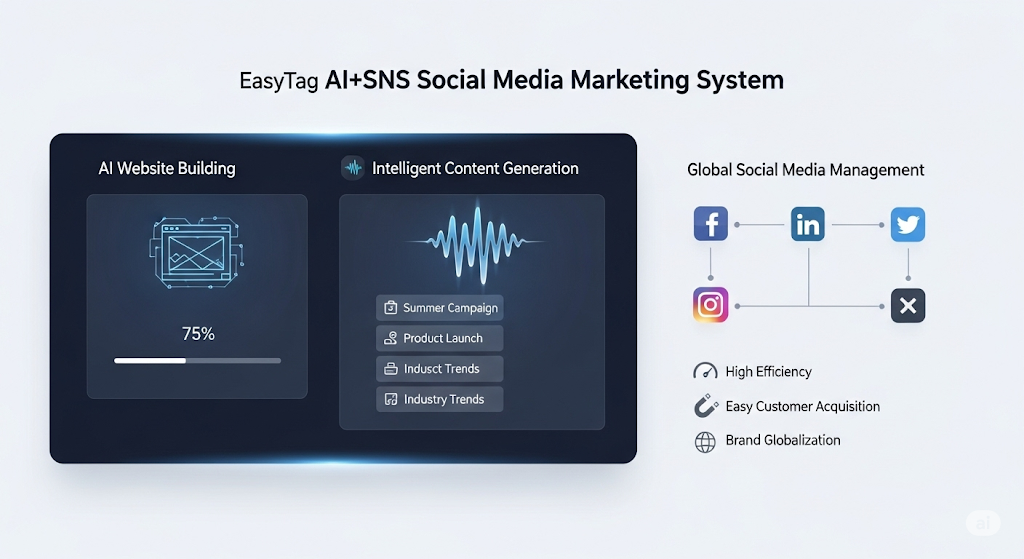
 AI+SNS Social Media Marketing SystemYingbao AI+SNS Social Media Marketing System - Precision social capture for the social media era. Supports one-click content synchronization across major platforms like Facebook and LinkedIn. AI intelligently rewrites posts for enhanced relevance. 24/7 AI customer service and user profiling analysis empower businesses to efficiently expand into global markets.
 AI+SEO营销解决方案易营宝AI+SEO营销解决方案,通过AI批量写作、智能生成TDK、精准关键词扩词等功能,全面优化网站SEO效果,提升流量与转化率。助力企业构建高效智能网站新生态。
 AI+SEM Advertising Marketing SolutionsAI+SEM Advertising Marketing Solution leverages AI technology to deeply empower SEM ad campaigns. It automatically generates weekly/monthly reports using AI, presenting account data across multiple dimensions for comprehensive insights into campaign performance and trends. The system precisely recommends keywords and target countries, intelligently generates high-conversion ad copy, and enables one-click activation of efficient campaign plans to help businesses rapidly acquire customers. Simultaneously, it monitors core metrics in real time, intelligently identifies abnormal fluctuations, and issues timely alerts to ensure stable, high-return advertising results.
 Domain Name ServicesEasyWin provides professional domain name services, including intelligent queries, one-stop registration, brand protection, and full lifecycle management, helping businesses build a digital brand image.
 EasyOperate B2C Cross-Border E-Commerce Platform & Independent WebsiteEasyStore B2C Cross-border E-commerce Independent Store is an intelligent website building and cross-border e-commerce integrated solution independently developed by EasyStore Information Technology (Beijing) Co., Ltd. The system is specially designed for small and medium-sized as well as large export enterprises, integrating 'website building, operation, marketing, advertising, and conversion' into one, helping enterprises quickly establish cross-border e-commerce independent stores to achieve brand globalization and global sales growth.
The platform supports multiple languages, multiple currencies, and multi-channel marketing, with built-in AI intelligent translation and SEO optimization systems, suitable for mainstream markets such as Southeast Asia, Europe and America, Latin America, and the Middle East, assisting Chinese manufacturing enterprises in efficiently deploying international e-commerce strategies. SSL证书易营宝提供专业SSL安全证书服务,包括单域名和泛域名证书,确保网站数据传输加密、身份验证和完整性保护,助力企业建立安全可信的在线业务环境。