









- China’s Ministry of Commerce Responds to Additional Charges on Low-Value Imports Imposed by the EUNov 06, 2026View details
- Two Internet Development Reports Released at the 2026 World Internet ConferenceNov 05, 2026View details
- Internet Business Revenue of Enterprises Above the Designated Size Reached RMB 1.716 Trillion in the First Three Quarters, with Profits Up 17.6%Nov 05, 2026View details
- Shopify's Third-Quarter Revenue and GMV Fall Short of Expectations, Sending Shares Tumbling Before the Market OpensNov 04, 2026View details
- Temu Sellers See a Decline in Traffic as the Platform’s Traffic Allocation ShiftsNov 04, 2026View details
- UK Regulator Requires E-Commerce Businesses to Clearly Display Total Prices Including Mandatory Delivery ChargesNov 04, 2026View details
No inquiries from Google Ads - is it a keyword issue or a landing page problem?
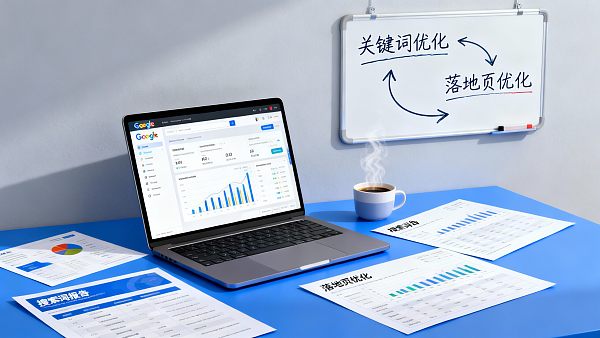
The "no inquiries" issue you encounter is likely not a single-point problem (just modifying keywords or just modifying the page) that can be solved, but rather a break in the chain from "click → conversion → lead capture → notification → statistical review." This article provides you with anexecutable troubleshooting sequence: first eliminate "actually having leads but no record/receipt," then use a decision tree to distinguish between "keyword issues vs. landing page issues," and finally offer a 30-minute localization method to ensure each optimization can be validated.
Table of Contents
- 1. First, Standardize: Which Type of "No Inquiries" Are You Facing?
- 2. Step One: First Eliminate Tracking/Notification/Statistical Breakpoints (Most Common)
- 3. Step Two: Use a Decision Tree to Distinguish Between Keyword Issues and Landing Page Issues
- 4. Step Three: 5 High-Frequency Root Causes and Corresponding Repair Actions
- 5. Step Four: The 30-Minute Localization Method (Follow This to Narrow the Scope)
- 6. Step Five: Turn "Keyword Optimization" and "Landing Page Optimization" into a Closed Loop
- 7. Why Many Teams Fail at Reviewing: Not Lack of Ability, But System Fragmentation
- 8. Frequently Asked Questions (FAQ Microstructure)

1) First, Standardize: Which Type of "No Inquiries" Are You Facing?
Before modifying keywords or pages, first confirm which type of "no inquiries" you are encountering. Different types correspond to entirely different troubleshooting directions:
- Type A: Truly 0 Inquiries (no forms/WhatsApp/calls)
- Type B: There Are Inquiries, But You Didn't Receive/Record Them (notification configuration issues, form submission failures, missing tracking/events)
- Type C: There Are Inquiries, But They Are Marked as "Invalid" (too few/too many fields, inconsistent filtering rules, broken follow-up processes)
It is recommended that you standardize a simple internal definition within your team:Inquiry = A lead formed by a user completing an "explicit expression of contact intent" action on the website; and ensure that once an inquiry is generated, it can promptly reach the responsible party via notification mechanisms.
2) Step One: First Eliminate Tracking/Notification/Statistical Breakpoints (Most Common)
2.1 Forms/WhatsApp/Call Buttons: Are They "Usable and Reachable"
- Can the form be successfully submitted: Are there too many mandatory fields? Is there clear success feedback after submission? Are there errors/loading failures/verification code issues?
- Can WhatsApp launch normally? (Test separately on mobile and desktop)
- Can phone/email be clicked? Are they blocked by the browser?
2.2 Inquiry Notifications: Are They Configured Correctly? (Avoid "Leads Exist But No One Sees Them")
- Have inquiry notification recipients been configured (email/corporate WeChat, etc.), and have real trigger tests been conducted?
- For multi-site/multi-language scenarios: Are leads from different sites sent to the wrong person or duplicated?
- Is there "only one type of lead entry being counted" (e.g., only forms, missing WhatsApp)?
If you use an integrated platform (like EasyYun), "inquiry notifications" are usually provided as a standard feature to ensure leads can be promptly followed up after generation.
2.3 Attribution and Statistics: Can They "Match Up"
- Do inquiry events/conversion actions exist? (At least distinguish: from ads / organic / other channels)
- Can you review by channel/page/language dimension: Which type of traffic didn't bring inquiries?
It is recommended to treat "inquiry events" as the core: establish a correspondence between leads and their source channels to determine whether the issue leans more toward keywords (traffic quality) or landing pages (conversion).
3) Step Two: Use a Decision Tree to Distinguish Between Keyword Issues and Landing Page Issues
The following table is the "most time-saving" way to differentiate: first look at four signals, then decide whether to modify keywords or landing pages first.
Remember a simple conclusion:"Search term bias" prioritizes keyword changes; "precise search terms but no leads" prioritizes landing page changes.
4) Step Three: 5 High-Frequency Root Causes and Corresponding Repair Actions
4.1 Search Intent Mismatch: You Want Inquiries, But the System Brings "Informational Traffic"
- Typical Performance: Search terms contain many informational words (how to/ what is/ tutorial/ free/ download) or B2C intent words
- Repair Action: Group by intent layers (inquiry type/ comparison type/ informational type); use stricter matching for inquiry-type terms; build a negative keyword library
4.2 Ad Group and Landing Page Mismatch: One Page for All Terms
- Typical Performance: Different product categories/ regions/ use cases all land on the same page, and users can't find corresponding information
- Repair Action: Ensure "keyword group ↔ corresponding landing page" one-to-one matching; at least split core product categories into 3–5 dedicated pages
4.3 Unclear Landing Page Above the Fold: Users Don't Know What You Solve Within 10 Seconds
- Typical Performance: Page starts with company introduction/ vision/ awards; users don't see "what you sell, how to collaborate, next steps"
- Repair Action: Above the fold should explain in "one sentence": product category/ target market + capabilities/ delivery + clear CTA (get quote/ get catalog/ schedule call)
4.4 Overly Complicated Conversion Path: Users Want to Contact You But Can't Be Bothered
- Typical Performance: Only one long form; too many fields; hard to fill on mobile; unclear buttons
- Repair Action: Minimize form fields (get contact info first, then deep dive); dual entry (form + WhatsApp); add fixed inquiry entry on mobile
4.5 Unverifiable Reviews: You Made Many Changes But Don't Know Which Worked
- Typical Performance: Ad data in one system, website data in another, leads in a third
- Repair Action: Connect inquiry events with source channels; at least review by channel/page/language; then iterate weekly/monthly
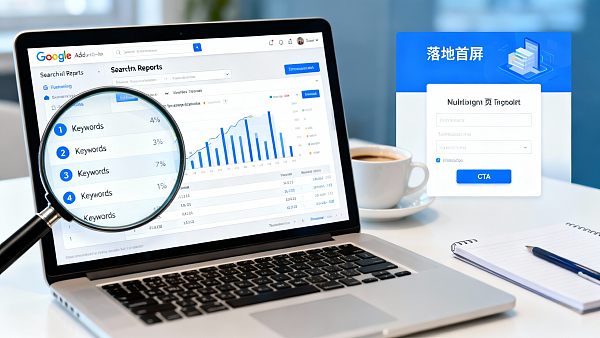
Landing Page "7-Item Checklist" (First Fix the Easiest Conversion Boosters)
Among these, "overseas access speed and stability indirectly affect conversion," especially noticeable in foreign trade campaigns.
5) Step Four: The 30-Minute Localization Method (Follow This to Narrow the Scope)
Use 30 minutes to localize the issue from "no inquiries" to the most likely root cause: tracking/notification breakpoints, keyword bias, or landing page conversion failure.
- 0–5 Minutes: Confirm If It's Truly 0 InquiriesTest forms/WhatsApp/phone for usability; check if inquiry notifications reach responsible parties; eliminate "leads exist but not received/recorded" scenarios.
- 5–15 Minutes: Check Search Term Reports, Stop the BleedingQuickly scan if search terms are biased; supplement negative keywords; pause/tighten obviously irrelevant terms to avoid further budget waste.
- 15–25 Minutes: Check Landing Page Above the Fold and CTAOpen landing page on mobile: Does above the fold explain "what you sell/for whom/how to collaborate"? Is CTA clear and multi-clickable? Is the form too long?
- 25–30 Minutes: Connect "Term → Page → Inquiry Event"At minimum: Each core keyword group has a corresponding landing page; inquiry events can be split by channel/page/language for review—otherwise, it's hard to judge if it's a keyword or page issue.
6) Step Five: Turn "Keyword Optimization" and "Landing Page Optimization" into a Closed Loop (Not Pulling Each Other Down)
- Keyword Responsibility: Bring in "the right people" (correct intent, region, language)
- Landing Page Responsibility: Make "the right people" willing to leave info (clear conversion, sufficient trust, short path)
- Data and Attribution Responsibility: Let you know "whose problem it really is" (review by channel/page/language)
Review rhythm recommendations: Use weekly and monthly reports—weekly for quick troubleshooting and iteration, monthly for trend evaluation and stage changes.
7) Why Many Teams Fail at Reviewing: Not Lack of Ability, But System Fragmentation
Many "no inquiries" projects are truly stuck because: ad backend shows clicks, website backend shows visits, but lead systems have no corresponding records; or there are leads but no way to trace which keyword, page, or language site they came from.
This is why more teams choose the "integrated website + marketing" model: placingwebsite → growth → conversion → attributionin the same system reduces execution and review costs caused by data fragmentation. Platforms like EasyYun are positioned as "website → growth → conversion → attribution" platform capabilities, used to operate websites as long-term lead assets.
On the ad side, if the system can output analysis reports for optimizers (localization structure and performance issues) and effectiveness reports for business owners (answering "what was spent, what was gained, next steps"), it usually facilitates better team collaboration and decision efficiency. If you want full-funnel ad operations, then aone-stop ad marketing system that covers ad planning to投放, from ad maintenance, monitoring, to report generation can meet your needs. EasyYun's AI-powered ad marketing system is such an ad system.
8) Frequently Asked Questions (FAQ Microstructure)
Low CTR But No Inquiries—Must It Be a Landing Page Issue?
Precise Search Terms But No Inquiries—What to Prioritize?
How Many Form Fields Are Reasonable for B2B Landing Pages?
Should I Optimize Keywords or Landing Pages First?
How to Avoid "Inquiries Exist But No One Sees Them"?
Related Articles
 How Can You Tell Whether a Lead from Export Marketing Is Qualified?
 What Is Overseas Search Lead Generation? The Path from Search Intent to Qualified Inquiries
 How to Plan the Inquiry Journey for a Cross-Border B2B Brand Website: From Product Page to Form


Related Products
 Yiyingbao SaaS Intelligent Website Building and Marketing SystemYiyingbao SaaS Intelligent Website Building and Marketing System, AI-powered no-code website building, rapid creation of multilingual B2B international websites in 10 minutes, global server acceleration, AI-powered SEO optimization, helping businesses connect efficiently with global markets. The perfect integration of technology and operation makes building an international trade website remarkably simple
 AI+SEM Intelligent Advertising Marketing SystemAI+SEM drives intelligent ad creation, empowering full-funnel precision advertising marketing. The system automatically generates weekly/monthly reports, AI recommends keywords and target countries, monitors core metrics in real-time with intelligent alerts, and enables one-click high-conversion ad solutions to help quickly acquire customers and improve ROI.
 AI+SEO Dual-Engine System Optimization ServicesYiyingbao’s AI+SEO dual-engine optimization system helps foreign trade enterprises acquire high-quality organic traffic through AI-powered keyword research, content generation, and comprehensive technical optimization, significantly improving search rankings and conversion rates.
 AI+SNS Social Media Marketing SystemYingbao AI+SNS Social Media Marketing System - Precision social capture for the social media era. Supports one-click content synchronization across major platforms like Facebook and LinkedIn. AI intelligently rewrites posts for enhanced relevance. 24/7 AI customer service and user profiling analysis empower businesses to efficiently expand into global markets.
 AI+SEO营销解决方案易营宝AI+SEO营销解决方案,通过AI批量写作、智能生成TDK、精准关键词扩词等功能,全面优化网站SEO效果,提升流量与转化率。助力企业构建高效智能网站新生态。
 AI+SEM Advertising Marketing SolutionsAI+SEM Advertising Marketing Solution leverages AI technology to deeply empower SEM ad campaigns. It automatically generates weekly/monthly reports using AI, presenting account data across multiple dimensions for comprehensive insights into campaign performance and trends. The system precisely recommends keywords and target countries, intelligently generates high-conversion ad copy, and enables one-click activation of efficient campaign plans to help businesses rapidly acquire customers. Simultaneously, it monitors core metrics in real time, intelligently identifies abnormal fluctuations, and issues timely alerts to ensure stable, high-return advertising results.
 Domain Name ServicesEasyWin provides professional domain name services, including intelligent queries, one-stop registration, brand protection, and full lifecycle management, helping businesses build a digital brand image.
 EasyOperate B2C Cross-Border E-Commerce Platform & Independent WebsiteEasyStore B2C Cross-border E-commerce Independent Store is an intelligent website building and cross-border e-commerce integrated solution independently developed by EasyStore Information Technology (Beijing) Co., Ltd. The system is specially designed for small and medium-sized as well as large export enterprises, integrating 'website building, operation, marketing, advertising, and conversion' into one, helping enterprises quickly establish cross-border e-commerce independent stores to achieve brand globalization and global sales growth.
The platform supports multiple languages, multiple currencies, and multi-channel marketing, with built-in AI intelligent translation and SEO optimization systems, suitable for mainstream markets such as Southeast Asia, Europe and America, Latin America, and the Middle East, assisting Chinese manufacturing enterprises in efficiently deploying international e-commerce strategies. SSL证书易营宝提供专业SSL安全证书服务,包括单域名和泛域名证书,确保网站数据传输加密、身份验证和完整性保护,助力企业建立安全可信的在线业务环境。









