








- APEC Shenzhen Spotlight: Cross-Border E-Commerce Orders Promote Asia-Pacific Trade and Economic CooperationNov 08, 2026View details
- China-Europe Railway Express and CIIE Hold Business Matchmaking Event, Focusing on Cross-Border E-commerce B2B ExportsNov 07, 2026View details
- China’s Ministry of Commerce Responds to Additional Charges on Low-Value Imports Imposed by the EUNov 06, 2026View details
- Two Internet Development Reports Released at the 2026 World Internet ConferenceNov 05, 2026View details
- Internet Business Revenue of Enterprises Above the Designated Size Reached RMB 1.716 Trillion in the First Three Quarters, with Profits Up 17.6%Nov 05, 2026View details
- Shopify's Third-Quarter Revenue and GMV Fall Short of Expectations, Sending Shares Tumbling Before the Market OpensNov 04, 2026View details
How Can You Tell Whether a Cross-Border E-Commerce Platform Supports Data Migration?
When evaluating whether a cross-border website platform supports data migration, do not look only at whether the platform provides an “Export” button. The key questions are whether the data the business needs to retain can be obtained in a usable format, whether relationships between data items can be reconstructed, and whether the new platform can accept the data and restore the necessary business functions.
Being able to export a product spreadsheet does not mean the entire website can be moved. Page layouts, multilingual versions, customer accounts, order statuses, image files, and URLs indexed by search engines may be stored in different locations or subject to platform architecture or third-party service limitations. When selecting a platform, verify both export and import capabilities rather than relying on a general statement that “migration is supported.”
First, define what “complete data” includes
The scope of migration depends on the website’s business model. A B2B website may focus more on product information, inquiries, and multilingual pages, while a cross-border e-commerce store also needs to handle product variants, inventory, customer accounts, and historical orders. During evaluation, create an inventory of data objects and confirm whether each can be exported and used in the target system after export.
- Content and media: Page copy, articles, product descriptions, images, videos, and attachments. Distinguish between exporting the actual files and exporting only links to files hosted on the original platform; the latter may no longer be accessible after the original site is shut down.
- Products and business records: Product codes, variants, prices, inventory, categories, customer information, inquiries, and orders. Check in particular whether stable identifiers linking variants, customers, and orders are retained.
- Website structure and search information: Page URLs, titles, descriptions, canonical URLs, multilingual page relationships, and redirect rules. Even if this information can be exported, the target platform must support the corresponding settings.
- Accounts and operational settings: Administrator permissions, forms, automated emails, and payment and logistics integrations. Some settings depend on the original platform or external services and may not migrate along with the data.
Also distinguish data migration from website functionality migration. Exporting page text does not mean the original templates and interactive components can be replicated; obtaining customer records does not mean login sessions or passwords can be migrated. Passwords are usually stored in an irreversible format. Whether users can continue logging in with their existing credentials depends on the authentication mechanisms of both platforms, and users may sometimes need to reset their passwords.

Inspect export results, not just feature lists
Common export methods include CSV, Excel, JSON, XML, APIs, and database or file archives provided by the vendor. The format alone does not prove migration quality: CSV is convenient for tabular data, but complex product variants, nested content, and multilingual relationships may be split across multiple tables. JSON can represent hierarchical structures, but you still need to confirm that the target platform accepts the same fields and data model.
Asking the vendor for field documentation and a sanitized sample is more useful than simply confirming that “CSV export is supported.” The sample should cover complex objects, such as products with multiple variants, multilingual content, records with attachments, and orders in different statuses. When reviewing it, check in particular:
- Whether the export includes all business-critical fields and retains internal IDs, relationship IDs, and timestamps;
- Whether text encoding, line breaks, special characters, and non-Latin text display correctly;
- Whether images can be downloaded in bulk and their file names or URLs matched to the original records;
- Whether the export includes all data or only the current filtered results, and whether there are limits on record counts, date ranges, or subscription plans;
- Whether deleted, archived, or historical-status data is included in the export.
For example, a product may have a different name, description, and unique URL in each language. If the export file retains only the default language, or if records for each language have no identifiable relationship, the data may be “successfully exported,” but the language mappings will still need to be recreated on the new site. Identify this workload during platform selection, rather than waiting until just before the switch.
API availability does not guarantee a successful migration
When migration relies on APIs, confirm read and write capabilities separately. The source platform may allow products to be read but not orders to be exported; the target platform may support creating products but not writing original timestamps, payment statuses, or specified IDs for historical orders. Data outside the APIs’ coverage may need to be imported by other means or retained as an archive.
Check API documentation against the actual permissions: Are the relevant endpoints available on the current plan? Do they support pagination, filtering, and incremental queries? Are there request-rate limits, per-request data limits, or attachment upload limits? For large data volumes, also confirm how failed requests are retried, duplicate submissions are handled, and errors are logged to prevent duplicate or missing records if migration is interrupted.
If the business cannot afford a prolonged site outage during the transition, a one-time full export is not enough. Confirm whether updates can be retrieved based on modification time, or whether there is another way to identify records added, changed, or deleted since the full export, and synchronize them within the final cutover window. If the platform cannot reliably provide change information, allow time for manual reconciliation or temporarily suspending writes.
Validate the full process—from export to usability—with a small-scale migration
Written descriptions of vendor capabilities are useful for initial screening, but the final assessment should be based on the import results in the target environment. Select a representative set of sanitized data covering multilingual pages, products with multiple variants, images, and customer and order relationships. Export it from the source platform, import it into the shortlisted platform, and record what needs to be converted or entered manually.
Validation should not stop at comparing total record counts. Also check field values and relationships—for example, whether product variants are matched with the correct images, orders are linked to the right customers, amounts and currencies are consistent, and multilingual pages point to the corresponding language versions. For failed imports, confirm whether the cause can be identified and whether the affected records can be retried individually after correction.
Website continuity also requires separate validation: Can the new site retain the original URLs? If not, can 301 redirects be configured in bulk? Can page titles, descriptions, and canonical URLs be configured? Redirects help handle URL changes, but cannot guarantee that search rankings or indexing status will remain completely unchanged. Domain DNS, certificates, and external link cutover plans should also be considered alongside content migration.
Include exit requirements in platform selection and the contract
Being able to export data technically does not mean a business can obtain complete data at any time. Confirm whether an export window remains available after a service expires, an account is deactivated, or a contract ends; whether vendor assistance is required; whether file delivery, field conversion, API calls, and technical support incur additional fees; and how delivery timelines are agreed upon.
For data containing customer information, inquiries, and orders, clarify access permissions, transfer methods, and arrangements for retaining and deleting the data after delivery. Assess applicable processing requirements based on data protection rules in the regions where the business operates. Use sanitized data during testing to avoid unnecessary exposure of personal information while validating migration capabilities.
Ultimately, platform capabilities can be divided into three categories: data that can be imported directly and validated, content that requires conversion or manual reconstruction, and items that cannot be migrated or can only be archived. Only by clearly defining the scope, responsibilities, and costs for each category can you determine whether the platform’s migration limitations are acceptable for the business.
Related Articles
 How to Compare Value for Money When SEO Agency Quotes Are Similar
 How Can You Tell Whether a Cross-Border E-Commerce Platform Supports Data Migration?
 Do SaaS website security features cost extra?



Related Products
 Yiyingbao SaaS Intelligent Website Building and Marketing SystemYiyingbao SaaS Intelligent Website Building and Marketing System, AI-powered no-code website building, rapid creation of multilingual B2B international websites in 10 minutes, global server acceleration, AI-powered SEO optimization, helping businesses connect efficiently with global markets. The perfect integration of technology and operation makes building an international trade website remarkably simple
 AI+SEM Intelligent Advertising Marketing SystemAI+SEM drives intelligent ad creation, empowering full-funnel precision advertising marketing. The system automatically generates weekly/monthly reports, AI recommends keywords and target countries, monitors core metrics in real-time with intelligent alerts, and enables one-click high-conversion ad solutions to help quickly acquire customers and improve ROI.
 AI+SEO Dual-Engine System Optimization ServicesYiyingbao’s AI+SEO dual-engine optimization system helps foreign trade enterprises acquire high-quality organic traffic through AI-powered keyword research, content generation, and comprehensive technical optimization, significantly improving search rankings and conversion rates.
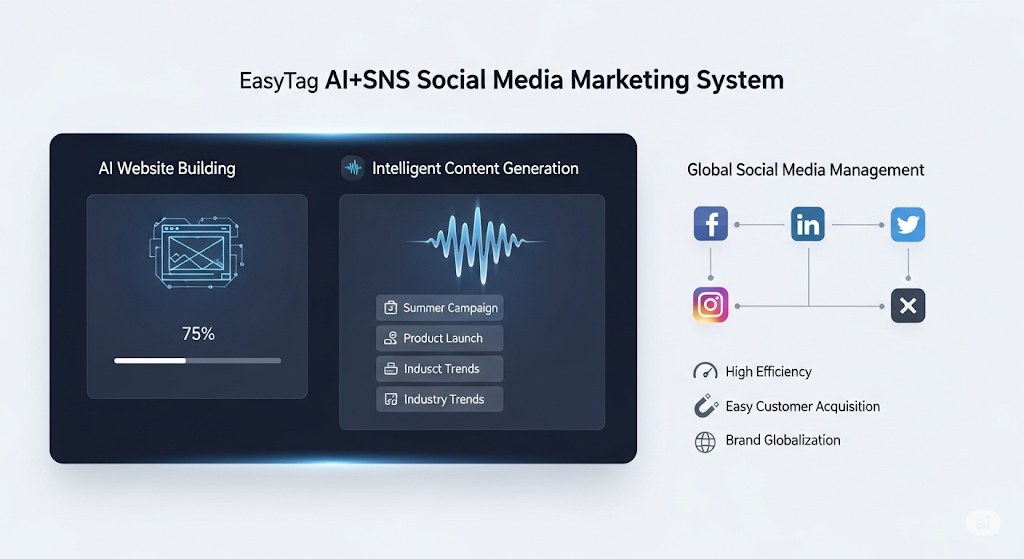
 AI+SNS Social Media Marketing SystemYingbao AI+SNS Social Media Marketing System - Precision social capture for the social media era. Supports one-click content synchronization across major platforms like Facebook and LinkedIn. AI intelligently rewrites posts for enhanced relevance. 24/7 AI customer service and user profiling analysis empower businesses to efficiently expand into global markets.
 AI+SEO营销解决方案易营宝AI+SEO营销解决方案,通过AI批量写作、智能生成TDK、精准关键词扩词等功能,全面优化网站SEO效果,提升流量与转化率。助力企业构建高效智能网站新生态。
 AI+SEM Advertising Marketing SolutionsAI+SEM Advertising Marketing Solution leverages AI technology to deeply empower SEM ad campaigns. It automatically generates weekly/monthly reports using AI, presenting account data across multiple dimensions for comprehensive insights into campaign performance and trends. The system precisely recommends keywords and target countries, intelligently generates high-conversion ad copy, and enables one-click activation of efficient campaign plans to help businesses rapidly acquire customers. Simultaneously, it monitors core metrics in real time, intelligently identifies abnormal fluctuations, and issues timely alerts to ensure stable, high-return advertising results.
 Domain Name ServicesEasyWin provides professional domain name services, including intelligent queries, one-stop registration, brand protection, and full lifecycle management, helping businesses build a digital brand image.
 EasyOperate B2C Cross-Border E-Commerce Platform & Independent WebsiteEasyStore B2C Cross-border E-commerce Independent Store is an intelligent website building and cross-border e-commerce integrated solution independently developed by EasyStore Information Technology (Beijing) Co., Ltd. The system is specially designed for small and medium-sized as well as large export enterprises, integrating 'website building, operation, marketing, advertising, and conversion' into one, helping enterprises quickly establish cross-border e-commerce independent stores to achieve brand globalization and global sales growth.
The platform supports multiple languages, multiple currencies, and multi-channel marketing, with built-in AI intelligent translation and SEO optimization systems, suitable for mainstream markets such as Southeast Asia, Europe and America, Latin America, and the Middle East, assisting Chinese manufacturing enterprises in efficiently deploying international e-commerce strategies. SSL证书易营宝提供专业SSL安全证书服务,包括单域名和泛域名证书,确保网站数据传输加密、身份验证和完整性保护,助力企业建立安全可信的在线业务环境。