








- What Are the Ranking Criteria for China's Top 100 SaaS Companies?Nov 28, 2026View details
- Eight Departments, Including the Ministry of Commerce, Issue the 15th Five-Year Plan for the Development of Trade in ServicesNov 27, 2026View details
- General Administration of Customs Issues New Rules on Import and Export Cosmetic Labeling, Effective December 1Nov 26, 2026View details
- U.S. to Announce Section 301 Investigation Findings on 16 Economies, Potentially Proposing New TariffsNov 26, 2026View details
- Hapag-Lloyd’s $4.2 billion acquisition of ZIM faces a closing delay; ZIM reports third-quarter net profit of $830 millionNov 24, 2026View details
- SCFI falls for a third straight week to 3,503.78 points, with blank sailings on trans-Pacific routes rising to 10Nov 24, 2026View details
How Should an Electronics Components B2B Website Present Part Numbers and Specifications?
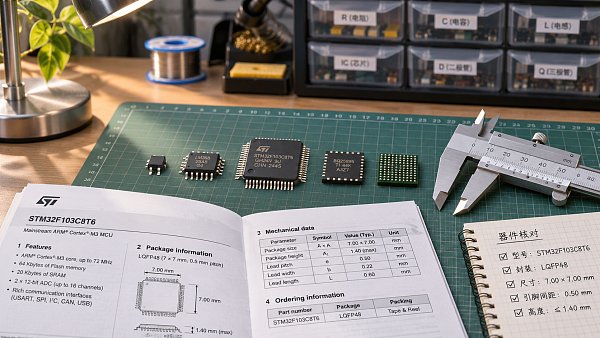
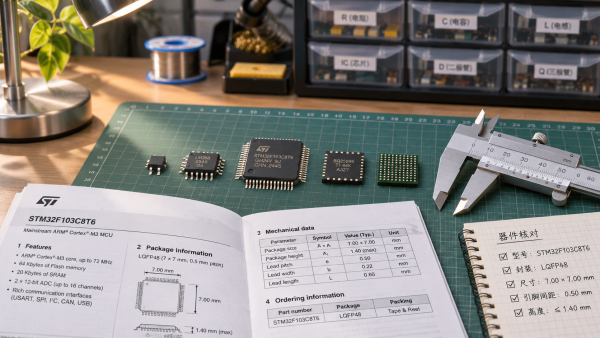
How do you build an independent website for exporting electronic components? Start by answering whether procurement professionals can find the exact part number, determine whether the specifications are suitable, and obtain the information they need for further evaluation. For project managers, the website content should be organized around “search by part number—check specifications—submit an inquiry.” When the product range is large, the filtering tools and product data maintenance must also be able to keep up.
The level of detail to provide depends on how you sell. A website focused on supplying standard part numbers should prioritize precise search, specification comparisons, and document downloads. If products are customized for specific projects, explain the available configuration options and what information customers need to provide. Avoid presenting specifications that have not yet been confirmed as fixed commitments.
Clarify Part Number Relationships Before Structuring Product Pages
Before building the website, organize product information into a maintainable list, recording the manufacturer, product series, complete orderable part number, package, key electrical parameters, document version, and sales status separately. Website categories, filters, and product detail pages should all draw on this list. Otherwise, the same part number may have different specifications on the listing and detail pages, making it difficult for procurement professionals to determine which version is valid.
Do not display only the series name as the part number. Similar part numbers may differ only by a suffix, yet correspond to different packages, temperature ranges, or packaging options. Preserve the complete orderable part number on the page, including hyphens and letter suffixes, and identify the manufacturer when you have authorization or a reliable basis for doing so. Search should support full part number queries. Differences in capitalization, spaces, and common separators can be handled for compatibility, provided the meaning of the part number is not changed.
Decide how to divide pages based on how customers evaluate products. If part numbers in the same series share most of their information and differ on only a few parameters, use a series page with a part number comparison table. If the documentation, application conditions, or delivery status varies significantly between part numbers, separate detail pages may be more appropriate. Either way, users should be able to find the specific part number and clearly see how it differs from similar options.
Place Selection Parameters Where They Are Easy to Compare
The first screen of a product page should help readers quickly confirm whether they have found the component they need. Show the complete part number, manufacturer or brand, product category, key specifications, package type, and links to documentation. Do not make users download a lengthy document just to find basic selection information.
Design parameter tables for each product category rather than using the same set of fields for every component. For example, highlight resistance, power rating, tolerance, and temperature coefficient for resistors; for connectors, highlight interface type, number of positions, pitch, and mounting method. Keep field names, units, and test conditions as consistent as possible to make side-by-side comparisons easier for procurement professionals and filtering more reliable.
Do not omit the conditions under which values apply. A component’s parameters may vary with operating temperature, load, or test conditions. If a page lists a value without specifying the relevant conditions, engineers may draw the wrong conclusions. Clearly identify whether values are limits, typical values, or operating ranges, and ensure they are consistent with the corresponding version of the technical documentation.
A part number comparison table is suitable for differences that affect initial selection, such as package, operating voltage range, and temperature range. Detailed electrical characteristics, pin definitions, and dimensional drawings can remain in the detail section or technical documentation. If reliable data is unavailable for a field, leaving it blank or omitting it is safer than entering a speculative value.
Match Technical Documentation to Specific Part Numbers
Place datasheets, specifications, dimensional drawings, and certification-related documents where users can find them easily. Identify each file by name, applicable part number or series, and version. If one document applies to an entire series, specify its coverage. When multiple versions exist, avoid mixing outdated files with the specifications shown on the page.
Assign responsibility for keeping documents up to date. The project manager can agree that product or engineering staff will verify specifications, the website administrator will publish them, and sales staff will check that external communications are consistent. When a part number is discontinued, replaced, or revised, update not only the detail page but also the listings, download files, and links to related part numbers. This helps reduce inquiries based on outdated information.
For replacement part numbers, the page can show confirmed replacement relationships and key differences, but should not claim they are “fully compatible.” Even when basic parameters are similar, package, pinout, operating conditions, or certification requirements may affect suitability. Final compatibility should be assessed against the customer’s circuit and application conditions.
Use Search, Filters, and Inquiry Forms to Support Different Stages of Demand
When procurement professionals already have the complete part number, the search box should prioritize matching results and clearly distinguish exact matches from similar part numbers. If they only know the required parameter range, they need to start with a category and narrow the options using a small number of key fields. Filters should be based on accurate, consistently structured data. Fields with substantial gaps or inconsistent units should be standardized before launch to avoid excluding suitable part numbers.
When displaying stock levels, lead times, and minimum order quantities, distinguish information that is synchronized in real time from information that needs manual confirmation. Without a stable data source, do not state stock quantities or shipping times as firm commitments. You can display sales status and ask customers to confirm quantities and delivery requirements when submitting an inquiry. When pricing depends heavily on quantity, packaging, and delivery terms, the quoting method can also be selected to suit the business model.
Place the inquiry option close to the part number and specification table, and automatically include the part number and product name. The form can collect the required quantity, target delivery date, destination, and additional technical requirements. For customized products, add fields for the application, target parameters, or drawings and other documents. Too many fields can make the form harder to submit, so the project manager can first retain only the information needed for pricing and technical assessment, leaving sales to follow up on the details.
For multilingual pages, pay particular attention to consistency in part numbers and units. Keep part numbers unchanged, use terminology for parameter names that is easy for the target market to understand, and check translated values, symbols, and document links against the original information item by item. After launch, regularly review part numbers that return no search results, frequently used filters, and follow-up questions in inquiries to determine what data and documentation should be added next.
Related Articles
 How Should an Electronics Components B2B Website Present Part Numbers and Specifications?
 Cross-Border E-Commerce Import and Export Fair Opens in Yiwu") The 2026 China (Zhejiang) Cross-Border E-Commerce Import and Export Fair Opens in Yiwu
 Is It Necessary to Integrate an Online Inquiry Function into a B2B Export Marketing Website?
Related Products
 Yiyingbao SaaS Intelligent Website Building and Marketing SystemYiyingbao SaaS Intelligent Website Building and Marketing System, AI-powered no-code website building, rapid creation of multilingual B2B international websites in 10 minutes, global server acceleration, AI-powered SEO optimization, helping businesses connect efficiently with global markets. The perfect integration of technology and operation makes building an international trade website remarkably simple
 AI+SEM Intelligent Advertising Marketing SystemAI+SEM drives intelligent ad creation, empowering full-funnel precision advertising marketing. The system automatically generates weekly/monthly reports, AI recommends keywords and target countries, monitors core metrics in real-time with intelligent alerts, and enables one-click high-conversion ad solutions to help quickly acquire customers and improve ROI.
 AI+SEO Dual-Engine System Optimization ServicesYiyingbao’s AI+SEO dual-engine optimization system helps foreign trade enterprises acquire high-quality organic traffic through AI-powered keyword research, content generation, and comprehensive technical optimization, significantly improving search rankings and conversion rates.
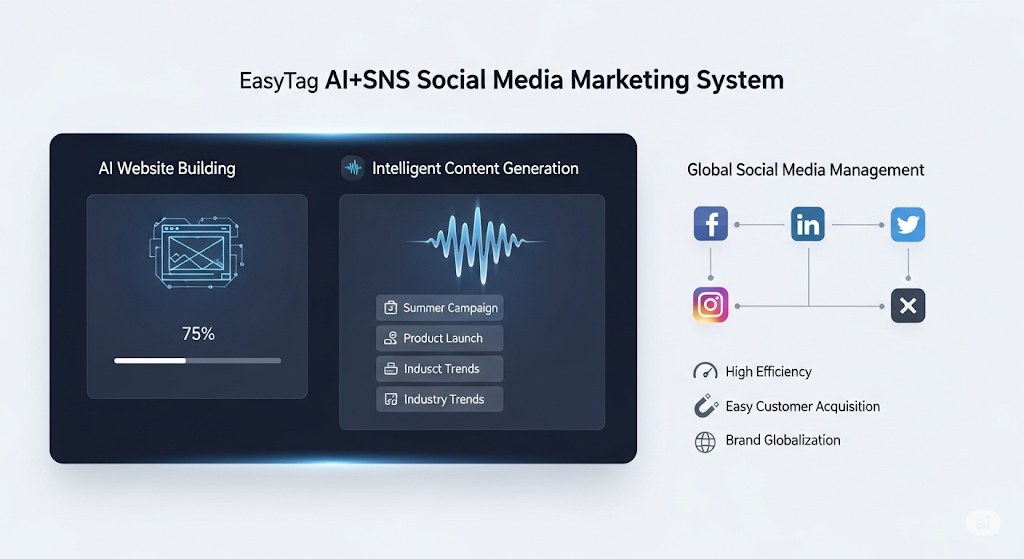
 AI+SNS Social Media Marketing SystemYingbao AI+SNS Social Media Marketing System - Precision social capture for the social media era. Supports one-click content synchronization across major platforms like Facebook and LinkedIn. AI intelligently rewrites posts for enhanced relevance. 24/7 AI customer service and user profiling analysis empower businesses to efficiently expand into global markets.
 AI+SEO营销解决方案易营宝AI+SEO营销解决方案,通过AI批量写作、智能生成TDK、精准关键词扩词等功能,全面优化网站SEO效果,提升流量与转化率。助力企业构建高效智能网站新生态。
 AI+SEM Advertising Marketing SolutionsAI+SEM Advertising Marketing Solution leverages AI technology to deeply empower SEM ad campaigns. It automatically generates weekly/monthly reports using AI, presenting account data across multiple dimensions for comprehensive insights into campaign performance and trends. The system precisely recommends keywords and target countries, intelligently generates high-conversion ad copy, and enables one-click activation of efficient campaign plans to help businesses rapidly acquire customers. Simultaneously, it monitors core metrics in real time, intelligently identifies abnormal fluctuations, and issues timely alerts to ensure stable, high-return advertising results.
 Domain Name ServicesEasyWin provides professional domain name services, including intelligent queries, one-stop registration, brand protection, and full lifecycle management, helping businesses build a digital brand image.
 EasyOperate B2C Cross-Border E-Commerce Platform & Independent WebsiteEasyStore B2C Cross-border E-commerce Independent Store is an intelligent website building and cross-border e-commerce integrated solution independently developed by EasyStore Information Technology (Beijing) Co., Ltd. The system is specially designed for small and medium-sized as well as large export enterprises, integrating 'website building, operation, marketing, advertising, and conversion' into one, helping enterprises quickly establish cross-border e-commerce independent stores to achieve brand globalization and global sales growth.
The platform supports multiple languages, multiple currencies, and multi-channel marketing, with built-in AI intelligent translation and SEO optimization systems, suitable for mainstream markets such as Southeast Asia, Europe and America, Latin America, and the Middle East, assisting Chinese manufacturing enterprises in efficiently deploying international e-commerce strategies. SSL证书易营宝提供专业SSL安全证书服务,包括单域名和泛域名证书,确保网站数据传输加密、身份验证和完整性保护,助力企业建立安全可信的在线业务环境。