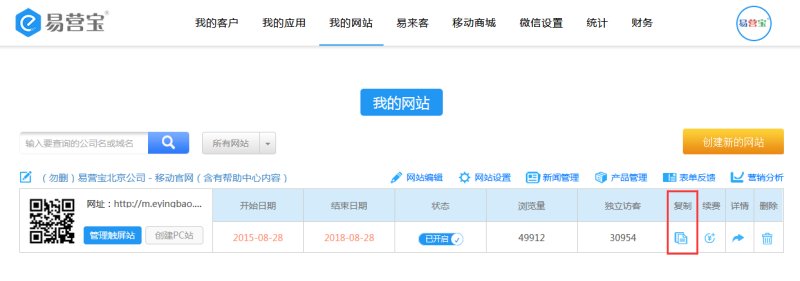
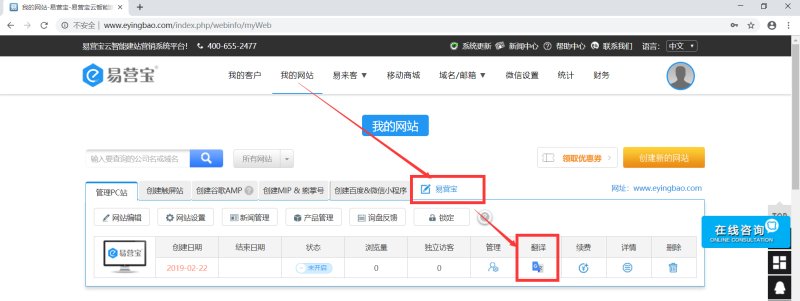
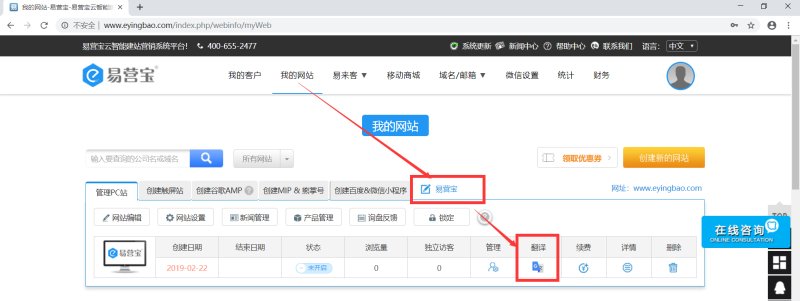
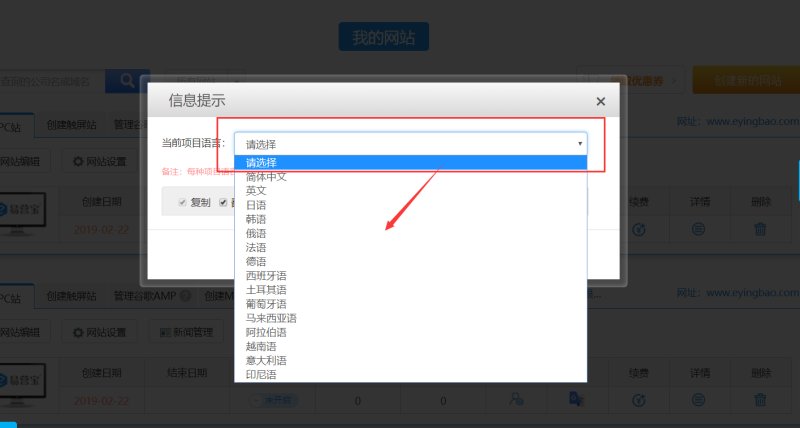
1. In the "My Websites" list, click the "Translate" button for the website:
![J6NIY0VG)T21W80Q~]CE$EE.png](http://img.bjyyb.net/sites/14000/14055/20190222145716996.png@!jw800 "J6NIY0VG)T21W80Q~]CE$EE.png")
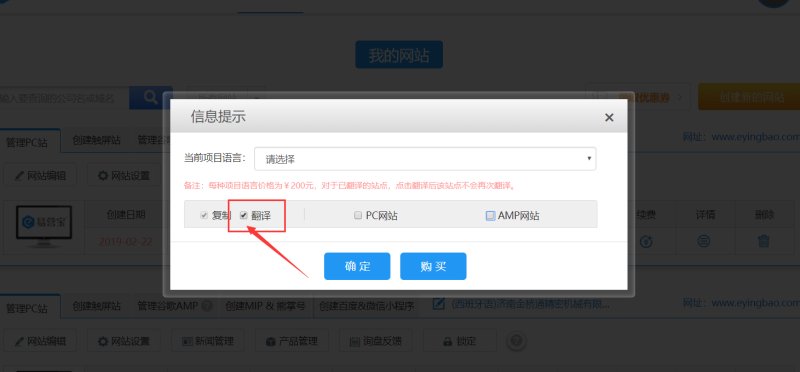
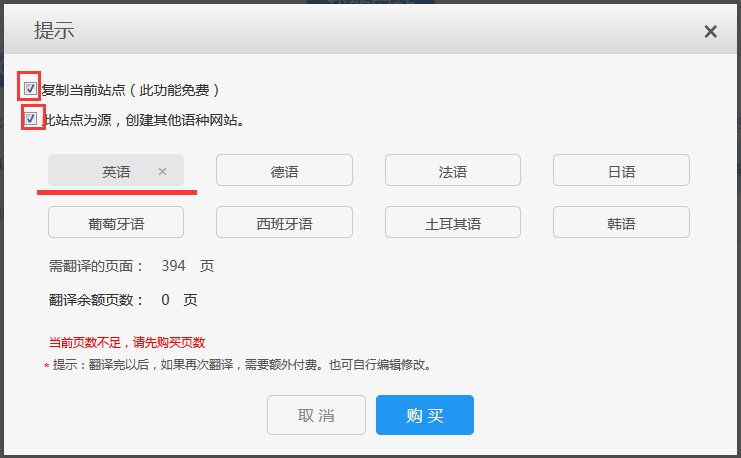
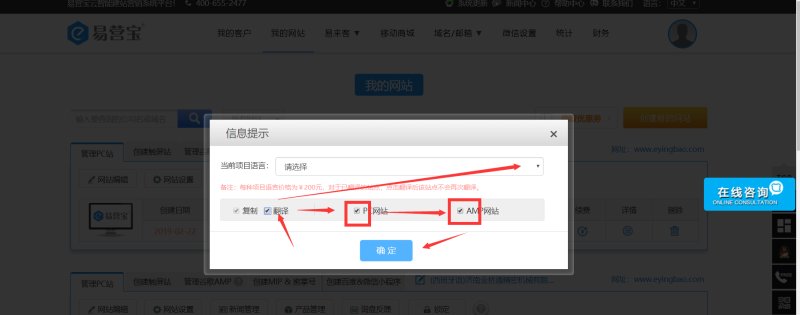
2. Check the "Translate" button
![]WG@`7W3M9E@32]VN712AOY.png](http://img.bjyyb.net/sites/14000/14055/20190222145620854.png@!jw800 "]WG@`7W3M9E@32]VN712AOY.png")
3. Select the target language for your website translation.
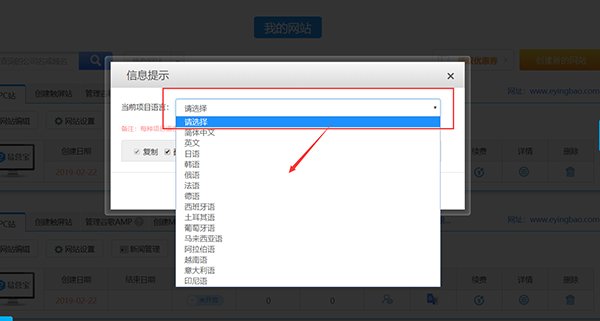
4. Choose "PC" or "Mobile Site (AMP or MIP)", multiple selections are allowed.
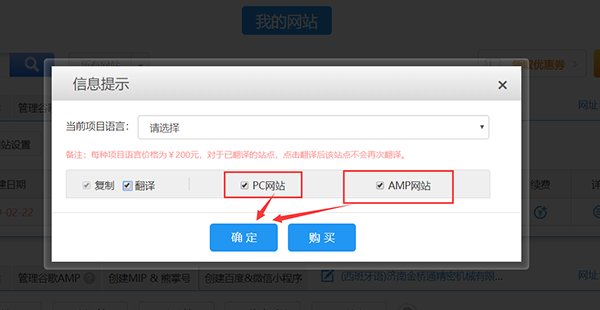
After payment is completed, a new website will be added to your website list, which is the translated version in your selected language.
Online Inquiry