









【Solution】
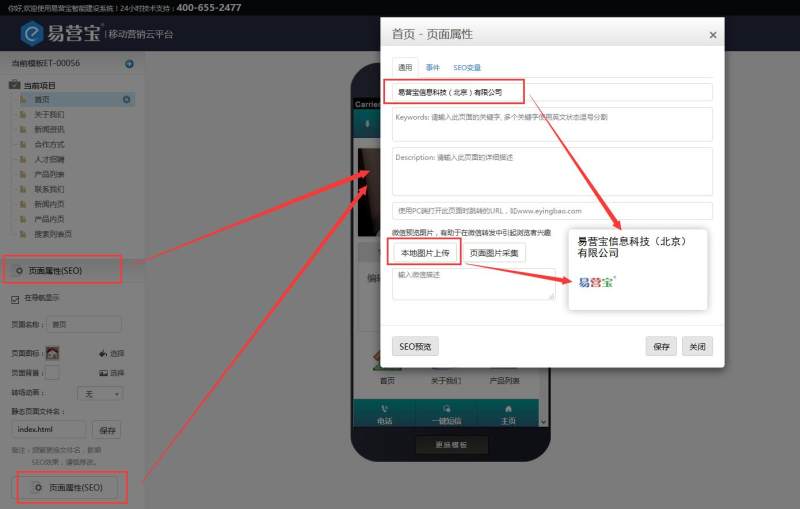
Select the homepage, locate the bottom section of the page properties, click on page properties, a pop-up box will appear to modify the company name and logo (size: 100*100px)
Note: Other pages can be modified in the same way. When replacing the logo, simply select the page image collection and choose the previously uploaded logo image from the user image library
Online Inquiry
