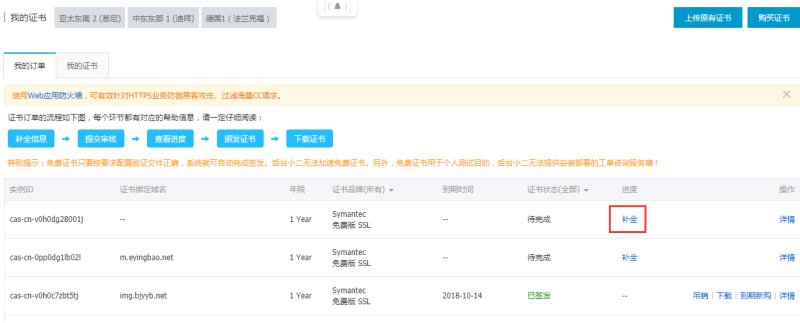
SSL Certificate Application Process
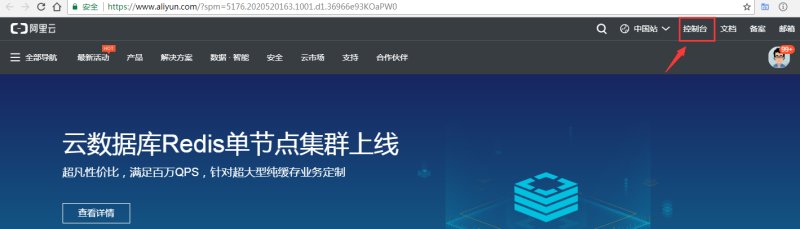
1. Log in to Alibaba Cloud https://www.aliyun.com and click Console
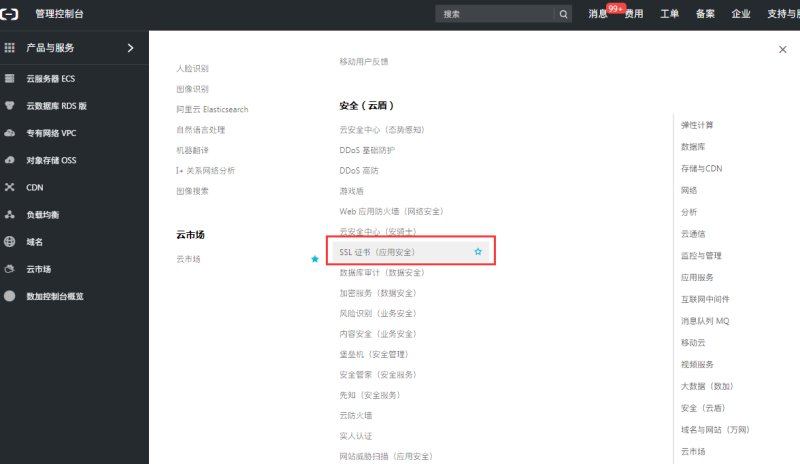
2. Click SSL Certificate in Products and Services - Security (Cloud Shield)
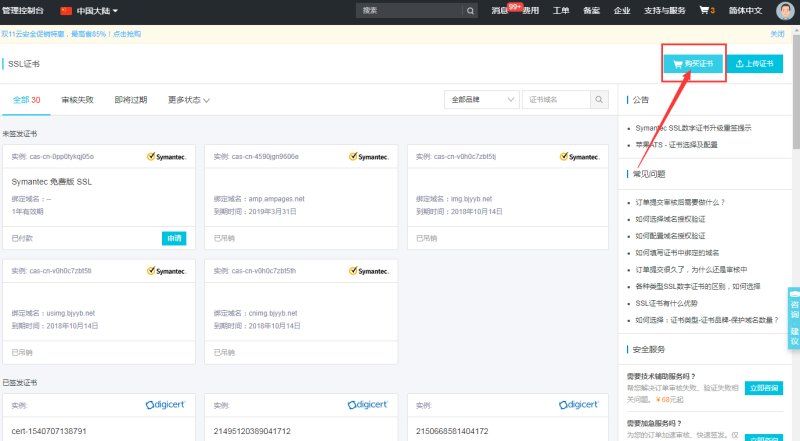
3. Click to purchase the certificate
4. Select Free and click Buy
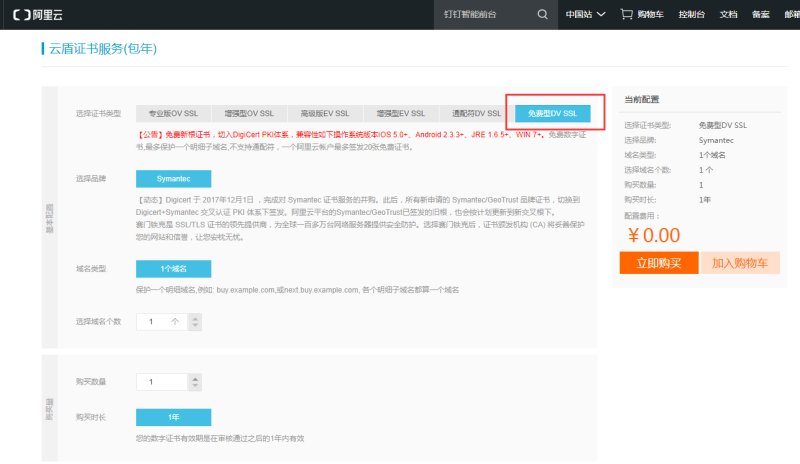
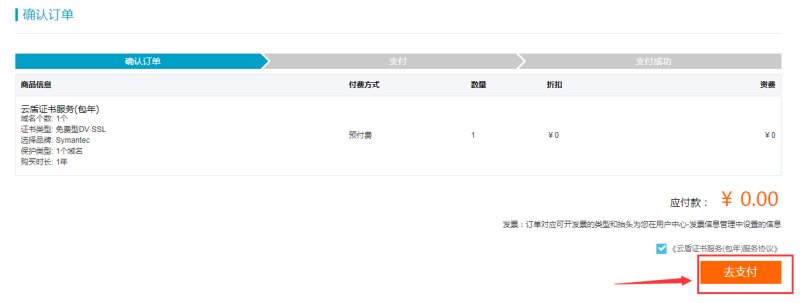
5. Click Pay
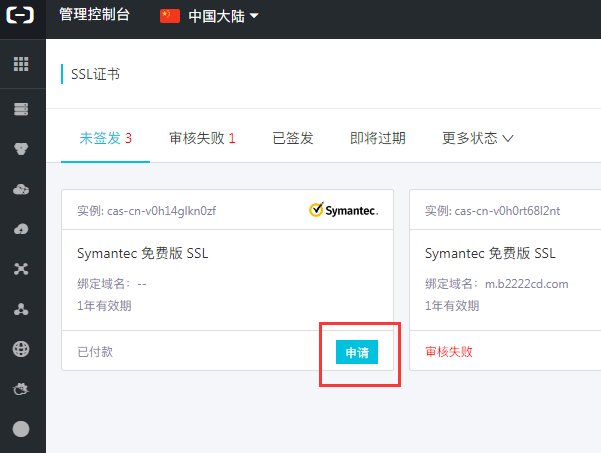
6. After the payment is successful, click "Certificate Console", return to the certificate list , and click Apply
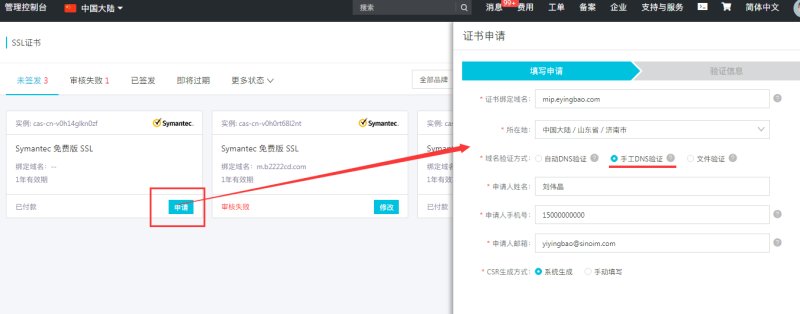
7. Enter the domain name and basic information bound to the certificate, and choose manual DNS verification as the verification method.
8. After clicking Next, verification information will be displayed on the page. Follow the prompts to go to the domain name management background to resolve the domain name. After the resolution takes effect, click Check Configuration to check whether it is correct. If correct, wait for Alibaba's review.
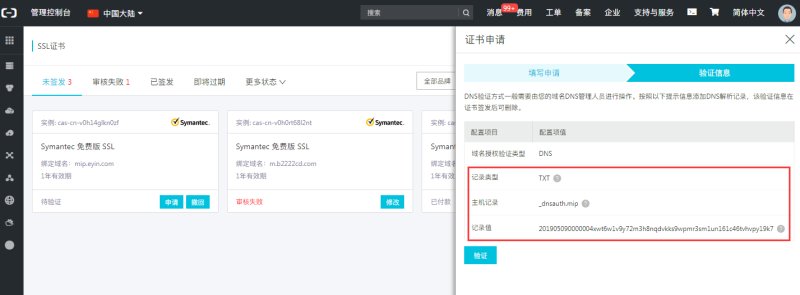
9. After the review is passed, the certificate will be displayed in the issued list. Click Download and the download type will be displayed on the right side of the screen.
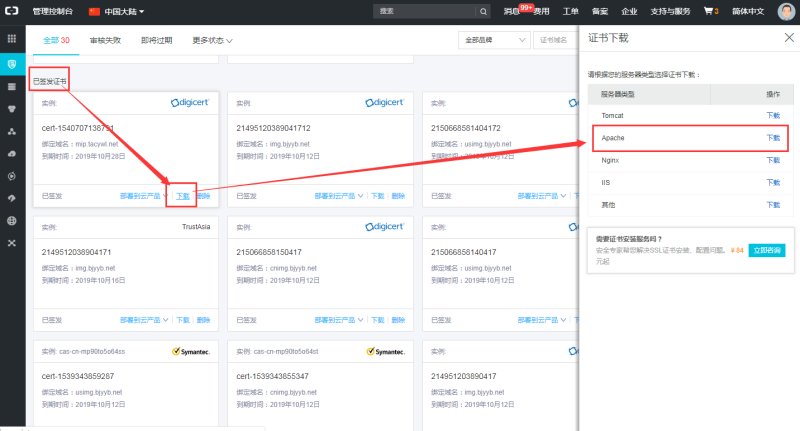
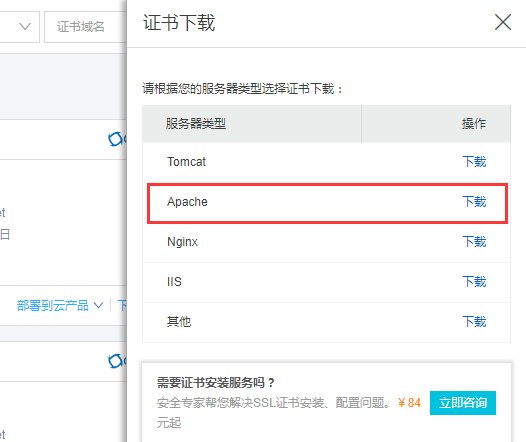
10. Note that Alibaba Cloud provides 5 types of certificates. If your website does not have CDN enabled, you need to download the Apache certificate (for websites with CDN enabled, download the Nginx certificate )
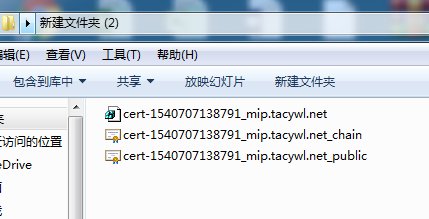
11. After downloading and unzipping, you will get 3 files
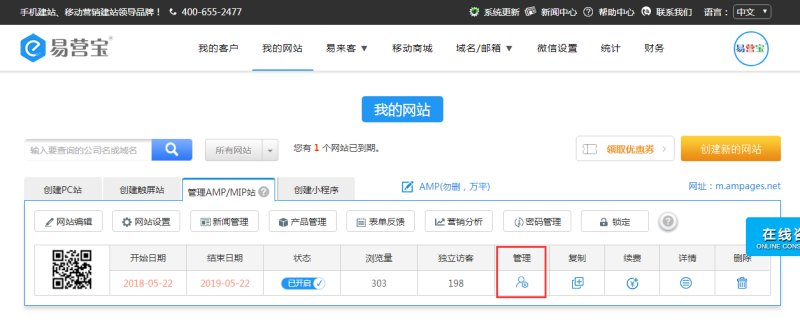
12. Enter the management backend of Yiyingbao
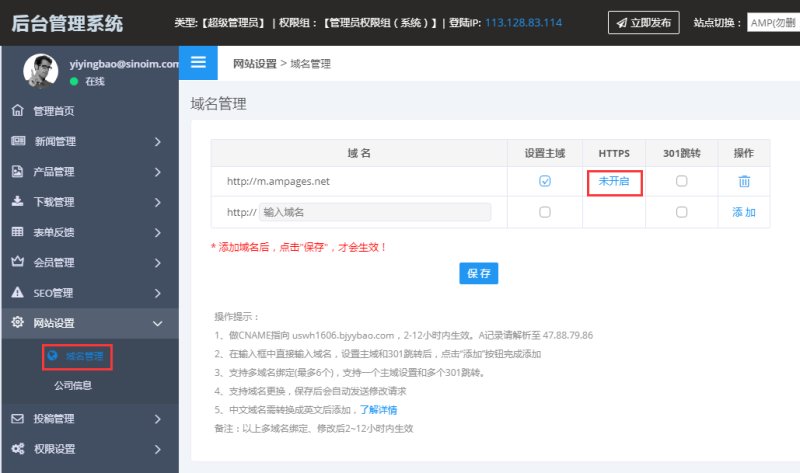
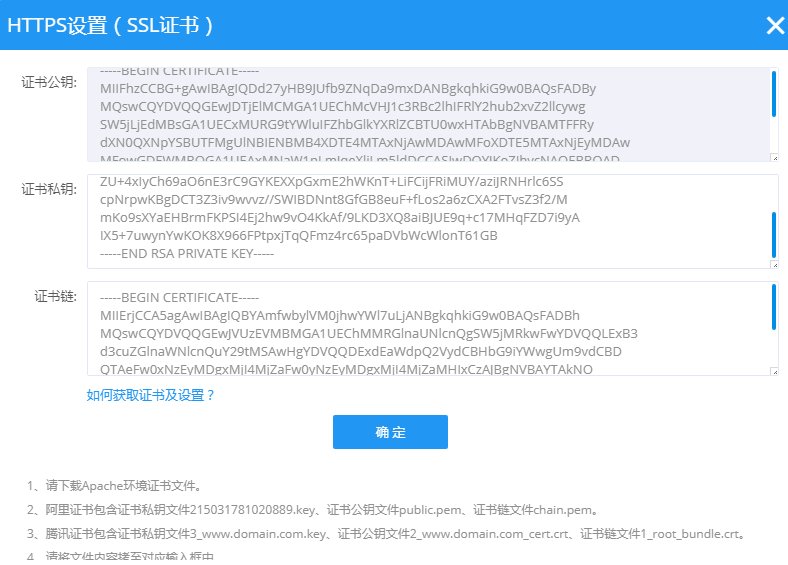
13. In Website Settings - Domain Management, click HTTPS "Not Enabled"
14. A pop-up window will pop up asking you to fill in the public key, private key and certificate chain of the SSL certificate.
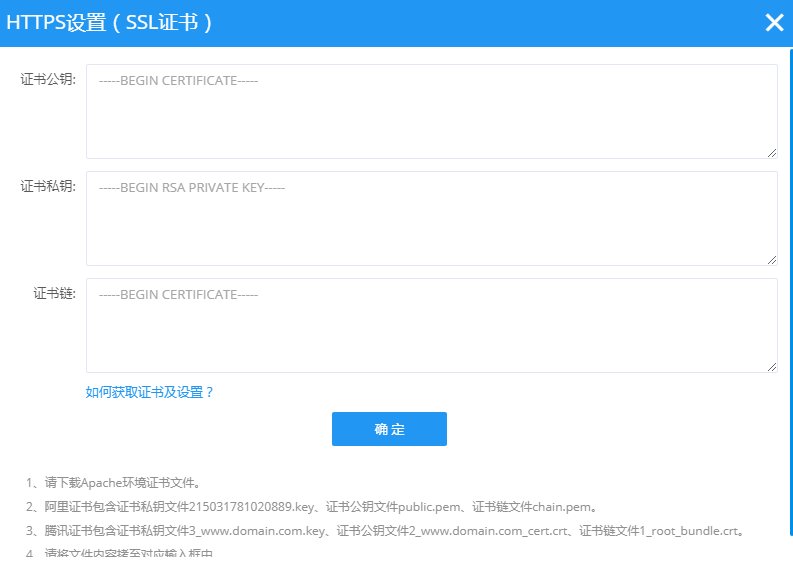
15, corresponding to the three files in the certificate: private key file.key, certificate public key file public.pem, certificate chain file chain.pem
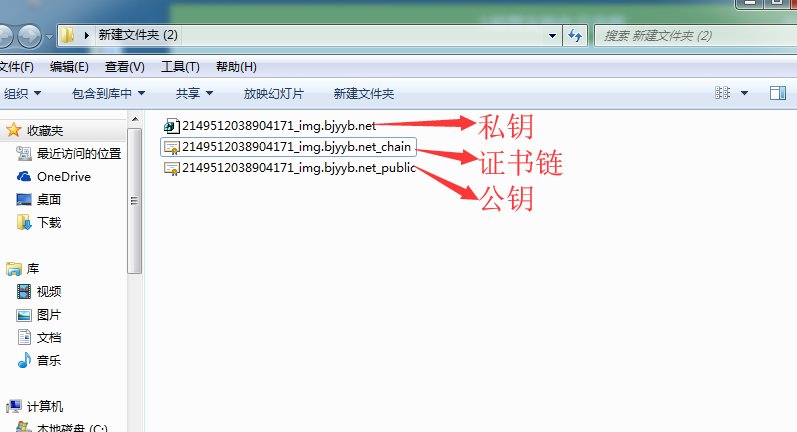
16. Open the above file using TXT text document, copy the content to the background, and click OK.
Online Inquiry