









【Solution】
》》 ①Open Alibaba Cloud Marketplace, log in to your account, and click "Manage My Services"

>> ②Click "Registration Management" in the lower right corner
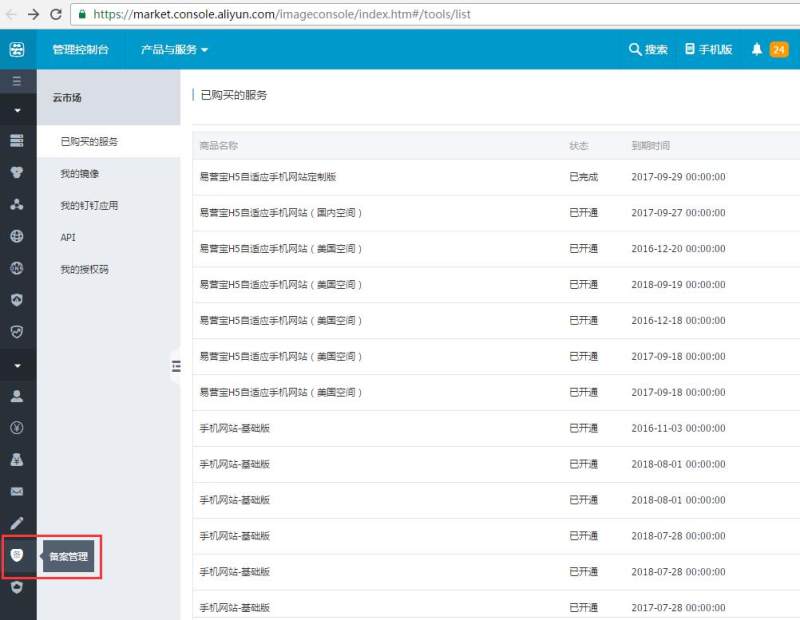
>> ③ Apply for a registration service number: You can apply for a registration service number for each product purchased from the website building market
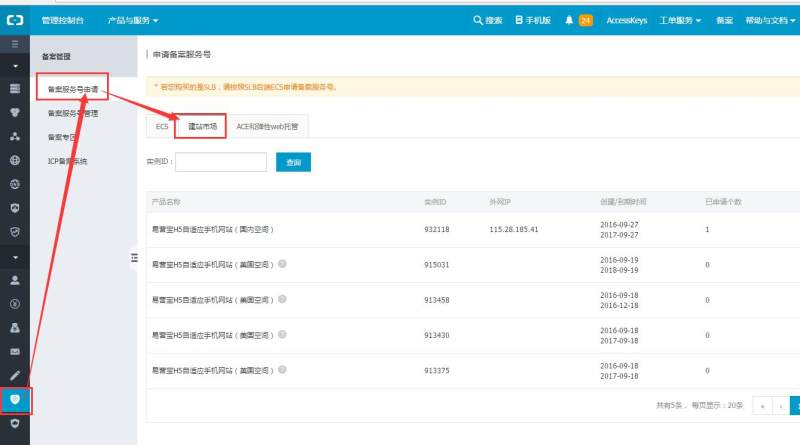
》》 ④After the application is successful, you can view it in the filing service account management and click "Go to filing"

》》 ⑤The page jumps to the filing management system, register and log in
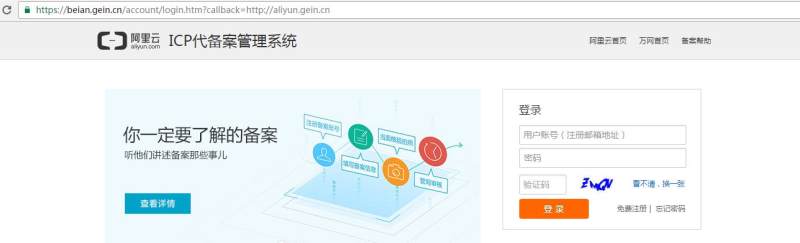
》》 ⑥After logging in, fill in the information according to the prompts and verify the filing type
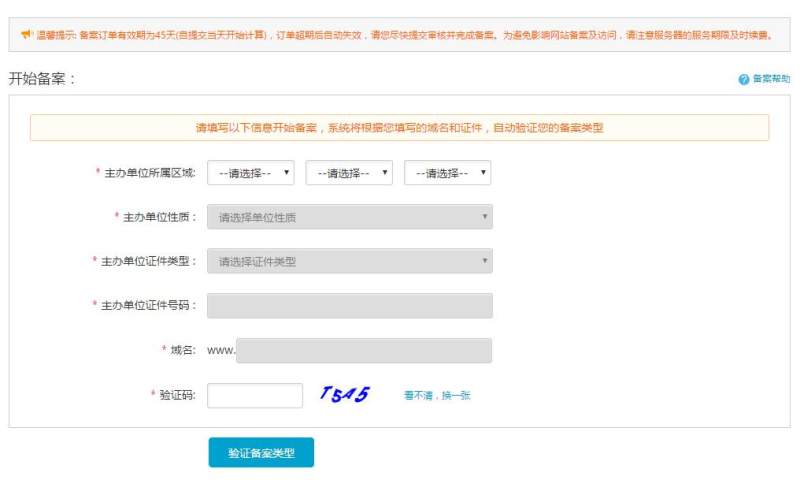
>> ⑦ For products purchased in the website building market, you can select "Alibaba Cloud" as the product type and enter the registration service number
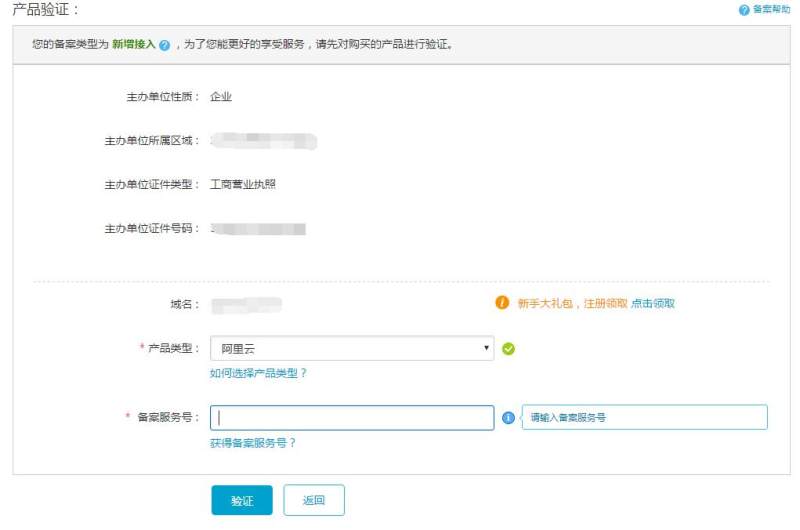
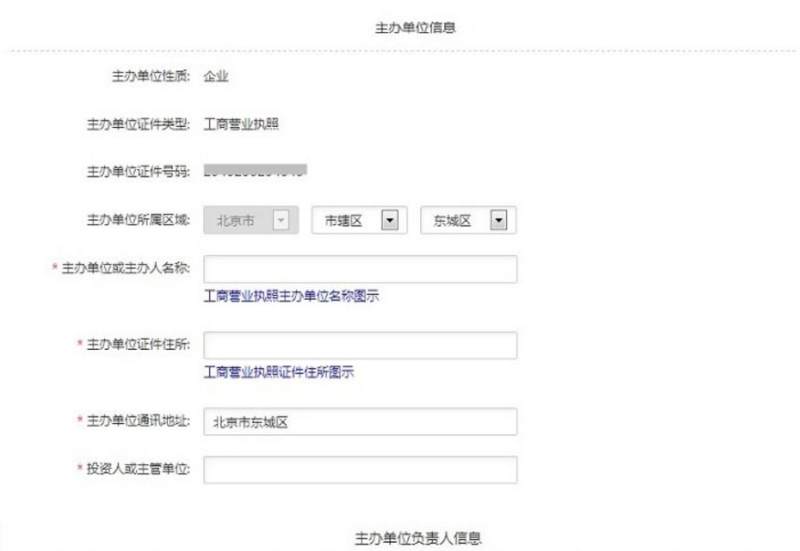
⑧Fill in the subject information
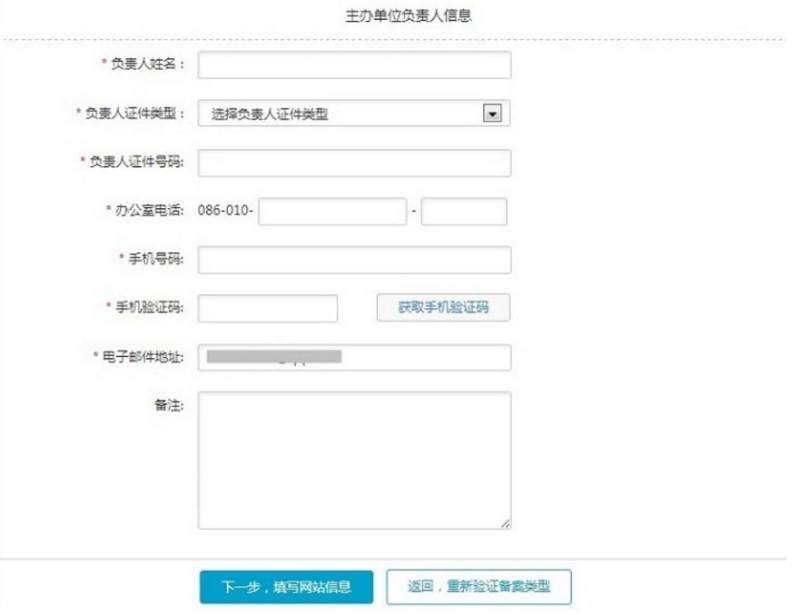
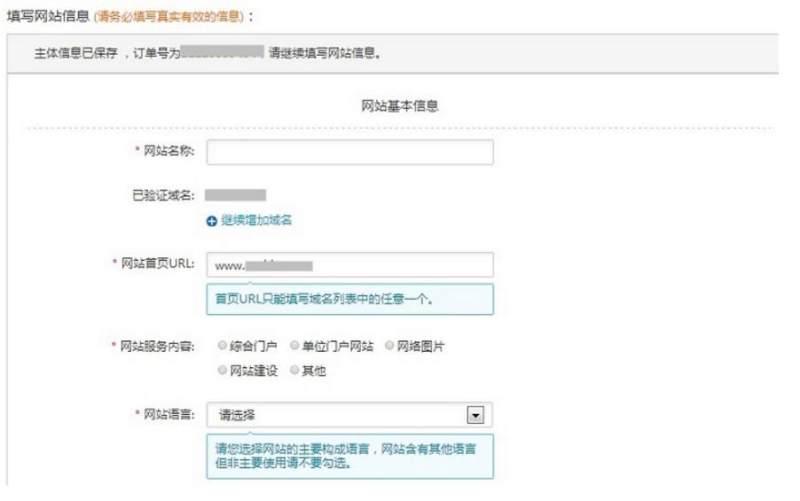
》》 ⑨Fill in website information
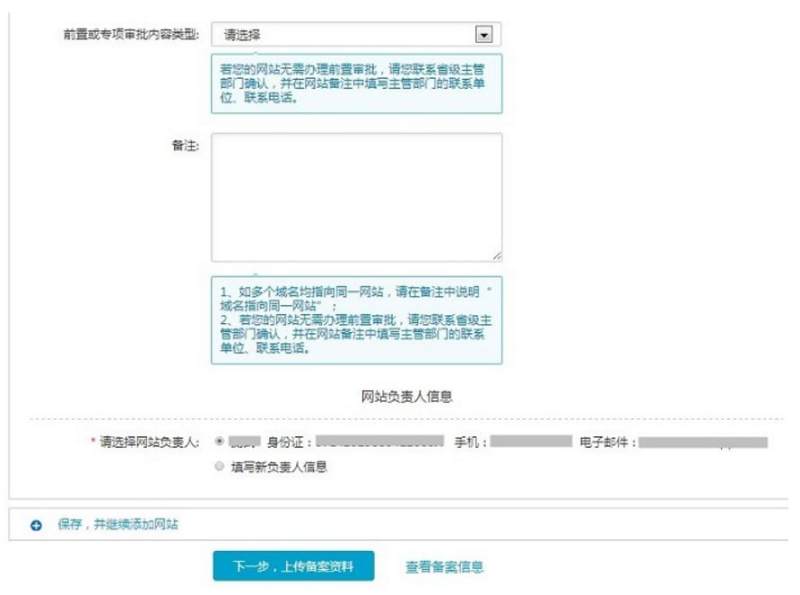
》》 ⑩Upload the filing information
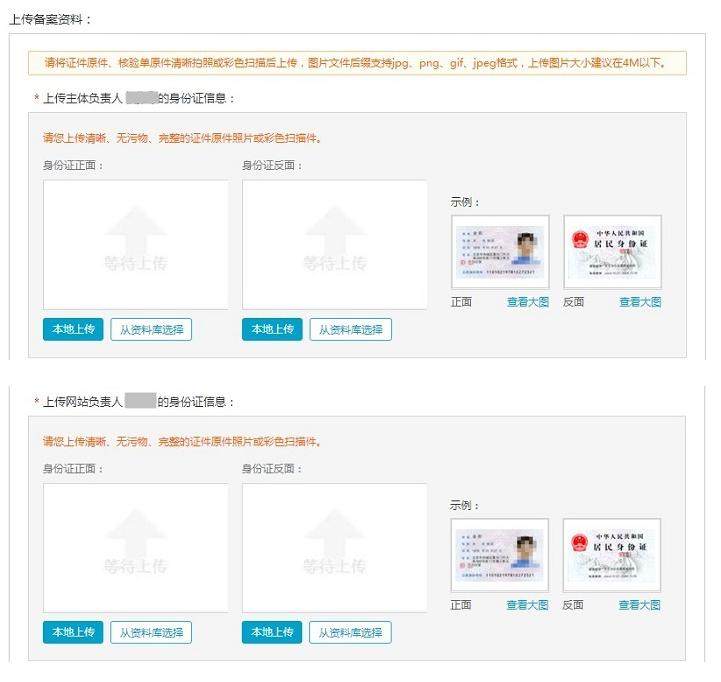
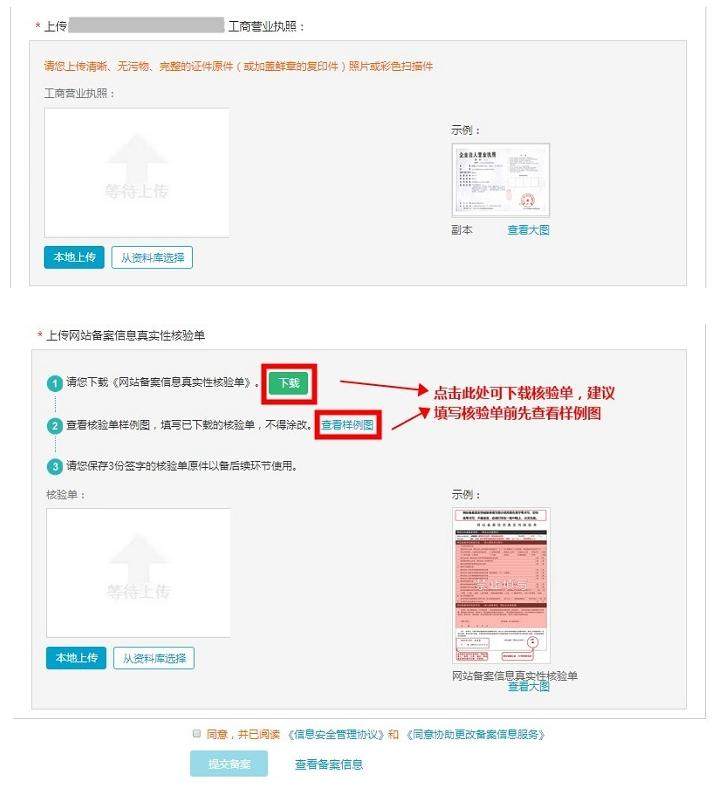
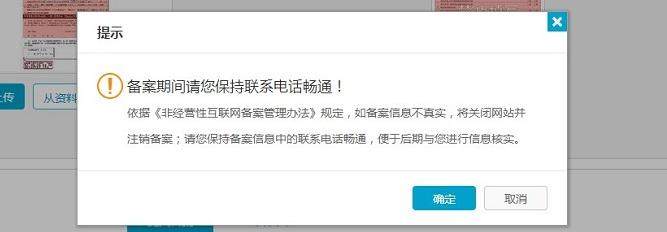
》》 ⑪After submission, please keep your phone open
》》 ⑫ Submit for filing to preliminary review
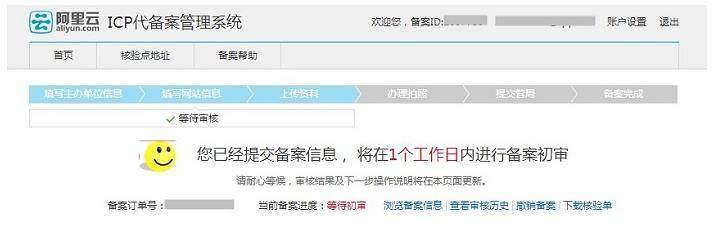
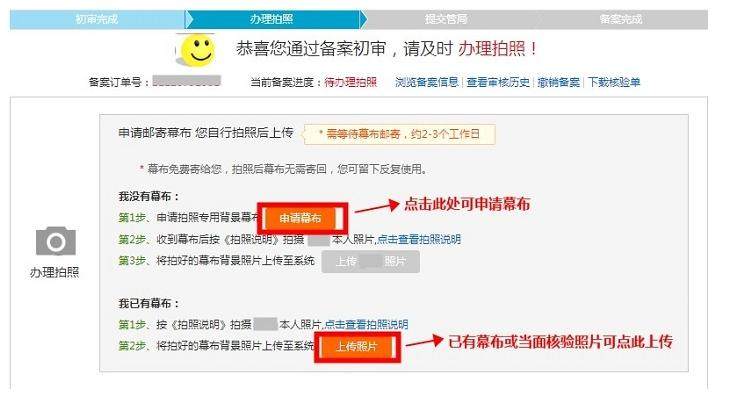
》》 ⑬ After passing the preliminary review, log in to the filing system to apply for the curtain. After receiving the curtain, take a photo by yourself and upload the photo for review (please read the photo instructions before taking photos , and avoid taking photos wearing red or blue tops)
》》 ⑭Submit photos and complete the review
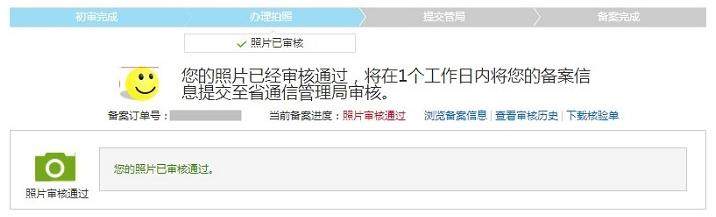
》》 ⑮Wait for review, about 20 days

》》 ⑯After successful filing, the review result will be notified via SMS and email
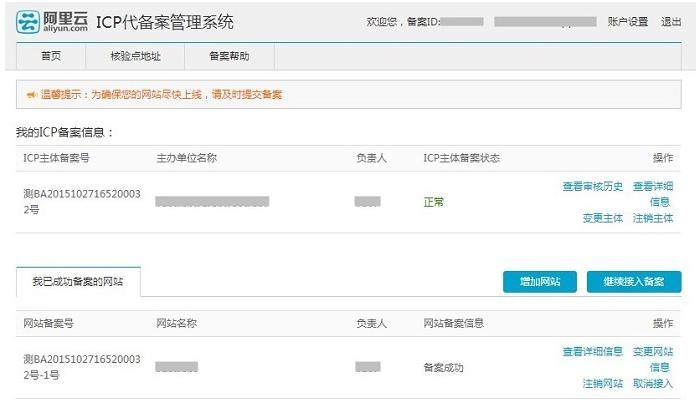
Alibaba Cloud Recording Instructions
New filing operation:
https://help.aliyun.com/knowledge_detail/36922.html?spm=5176.7736895.0.0.7suQS9
Access filing instructions:
https://help.aliyun.com/knowledge_detail/36927.html?spm=5176.product35468.3.3.YolJnl
Online Inquiry
