









【Solution】
Before uploading images, ensure to provide clear photographs. If the images are not sharp enough, process them in Photoshop. To ensure optimal display across various terminal devices, we recommend uploading images with a width of at least 900PX. To maintain website loading speed, save images in WEB format when using Photoshop—this won't compromise image quality or loading speed on devices.
You can also adjust the image width in the basic settings.
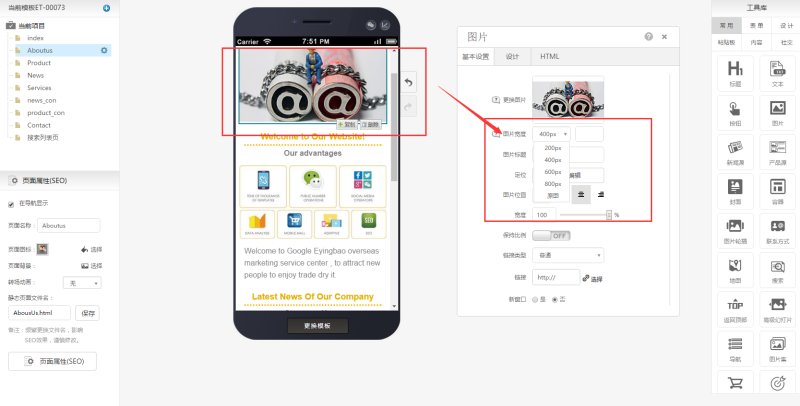
Note: While we continuously improve image quality, website loading speed remains a critical metric for us. Therefore, images undergo compression and sharpening to balance clarity and performance.
To ensure image clarity, avoid using screenshots captured with snipping tools.
Online Inquiry
