









Feature Introduction
Add custom border controls to the page to make the content more organized.
Usage Process
Step 1: Drag a custom border control to the desired page, as shown below:

Step 2: Select a suitable style according to your needs (there are 14 styles available), or customize the border color, as shown below:
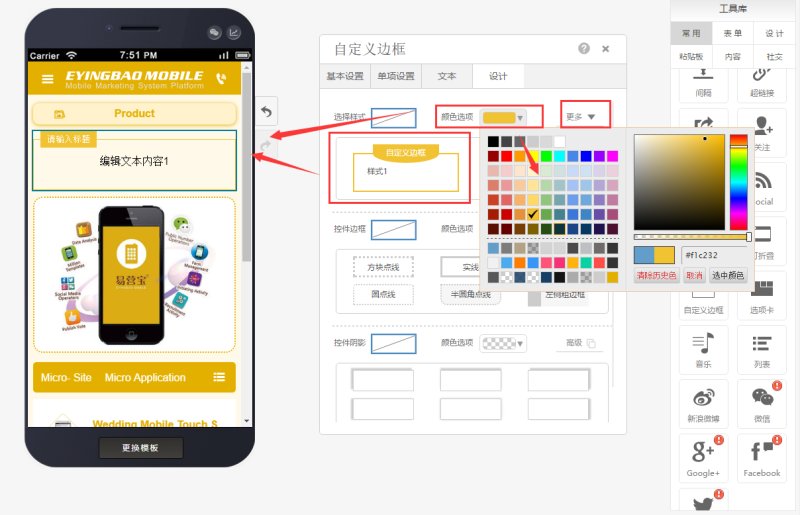
Step 3: Modify text, font, background color, positioning, border, and shadow in the properties according to your needs, as shown below:

Online Inquiry
