Feature Introduction
Adding a music widget to your webpage not only enhances user experience but also makes the page more engaging.
Usage Steps
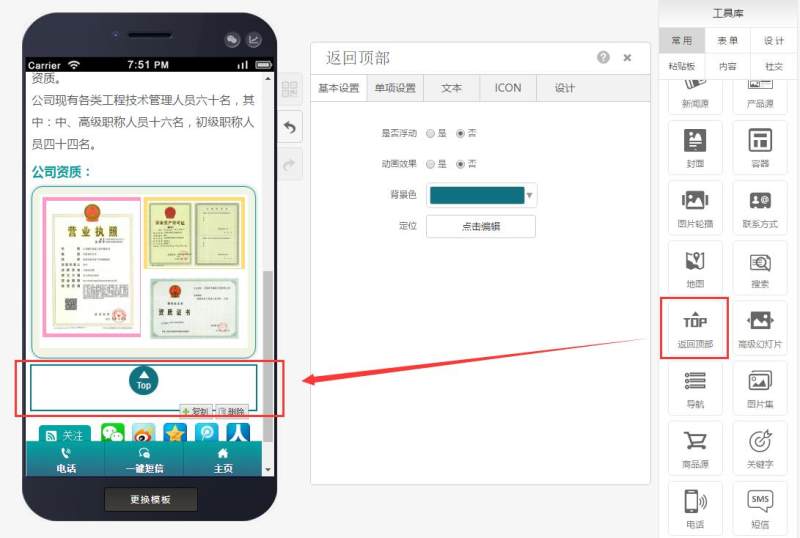
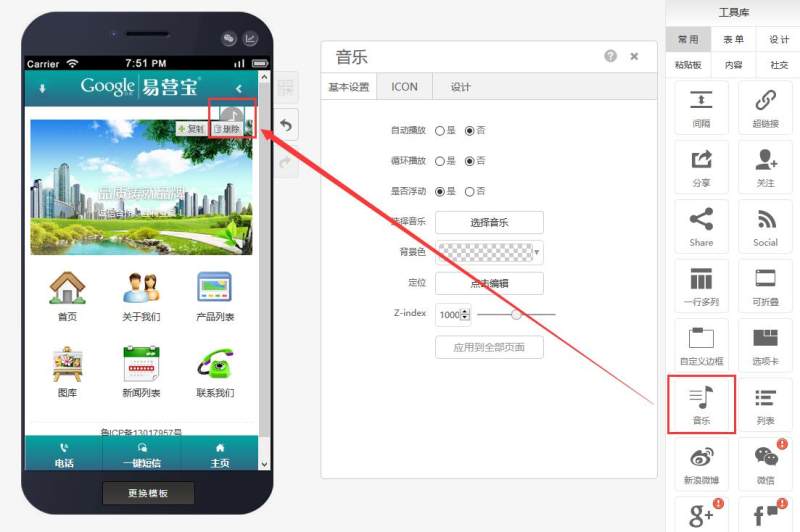
Step 1: Drag and drop a music widget onto the desired page, as shown below:
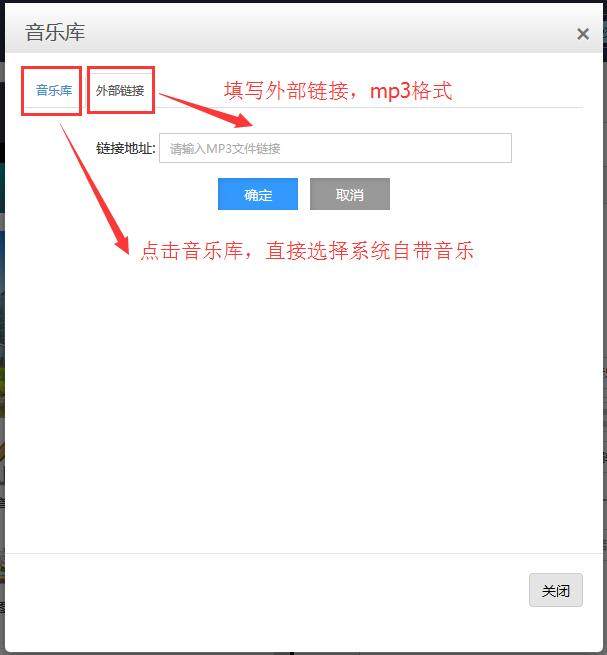
Step 2: Select music (you can choose from the music library or add your own music via external links), as shown below:
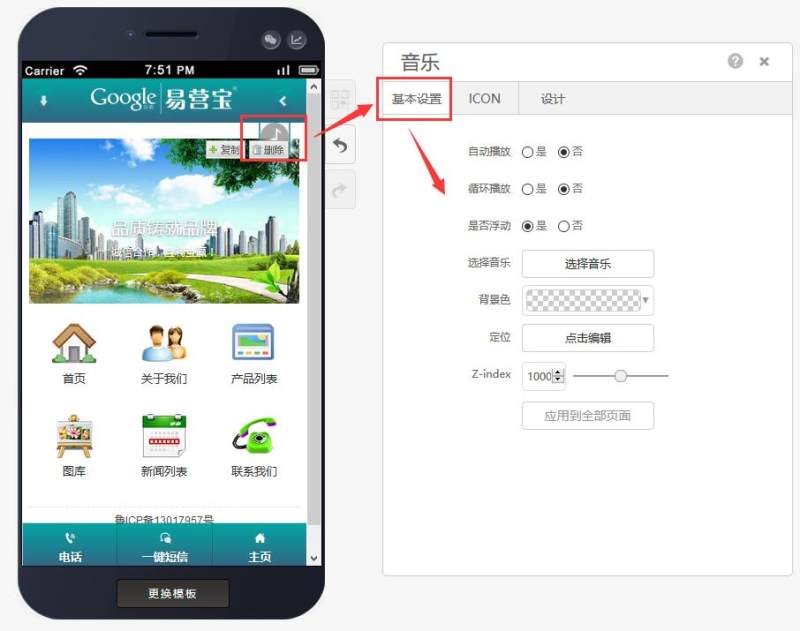
Step 3: In the basic settings, configure options such as auto-play/loop playback/floating controls, music and background color, positioning, and layer hierarchy, as shown below:
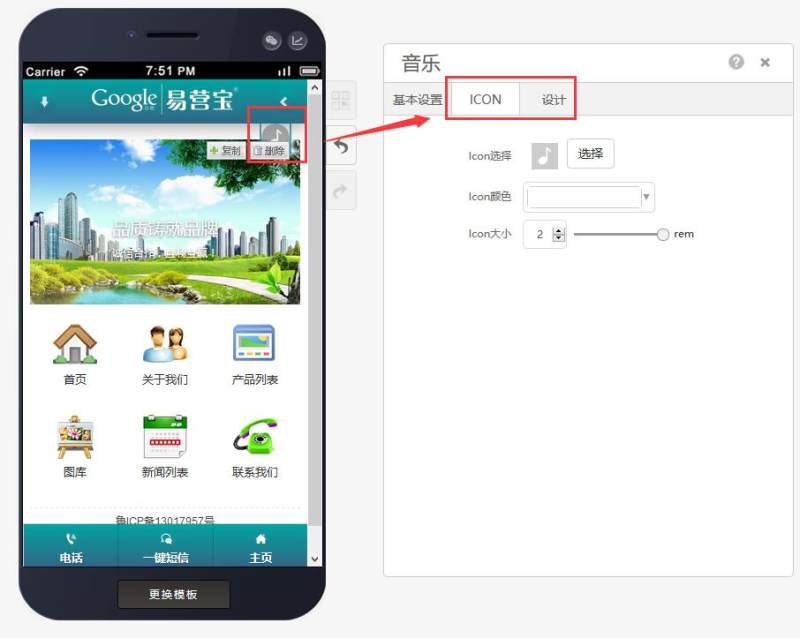
Step 4: Finally, edit the icon and adjust the border shadow in the design settings, as shown below:
Online Inquiry