









Feature Introduction
The tab control is used to nest other controls, allowing multiple tabs to differentiate between different functional windows. It can save page space, enhance design aesthetics, and provide selective browsing for website visitors.
Usage Process
Step 1: Drag a tab control to the desired page, as shown below:
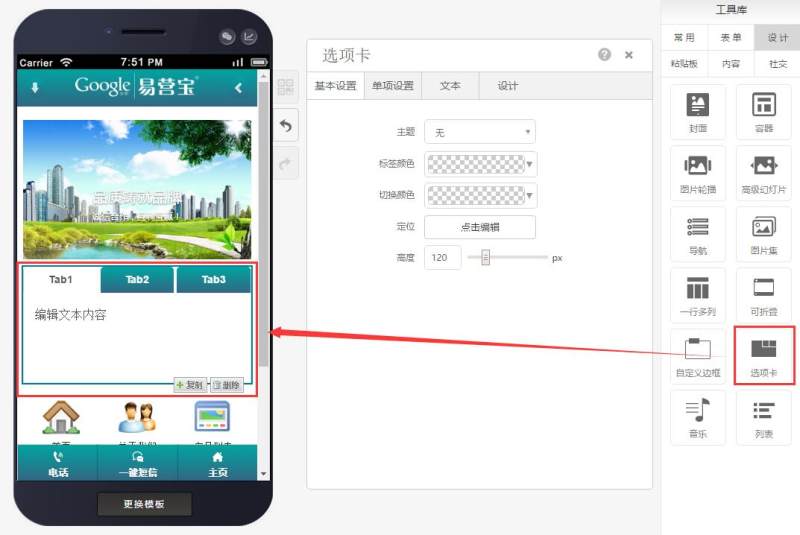
Step 2: Based on your needs, drag elements such as titles, text, buttons, images, news sources, and product sources into the tab control, as shown below:

Step 3: After selecting the desired style, perform individual settings (edit list titles), as shown below:

Step 4: After completing the individual settings, adjust the basic settings, text properties, and design options.

Online Inquiry
