









Feature Introduction
The news source control is used to add your own news, allowing customers to better understand our company's updates.
Usage Process
Step 1: Add News
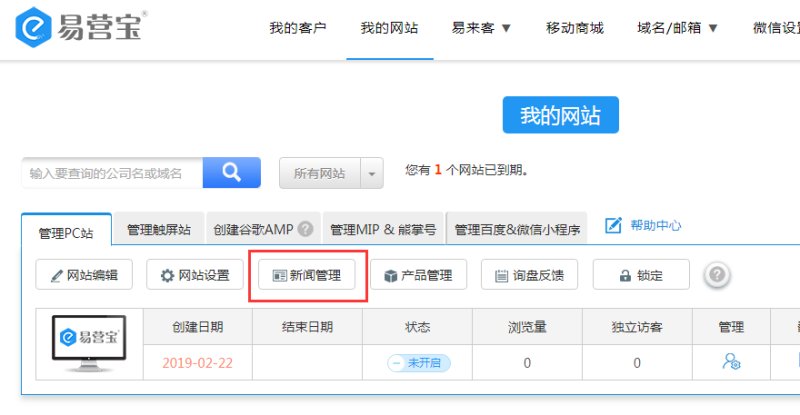
On my website list page, select the website where you want to upload news, click on News Management, as shown below:
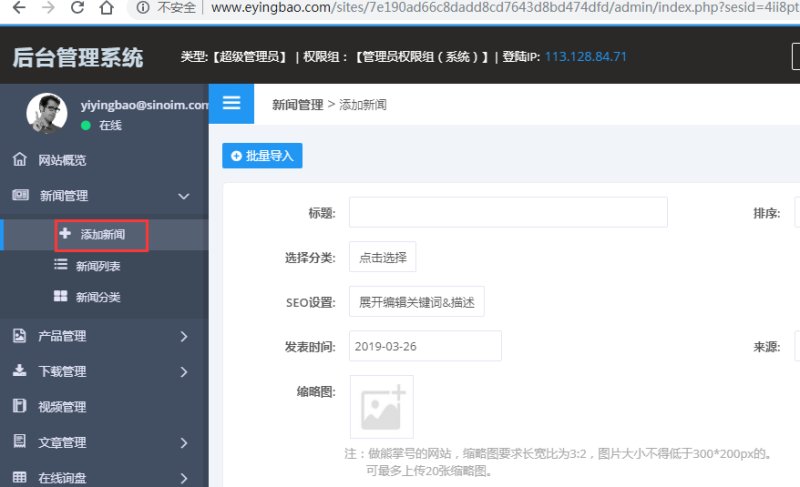
After entering the News Management page, click Add News. There are two ways to add news: ① Batch Upload: You can download a template in the backend, fill in the news content according to the template format, and then upload it. ② Manual Addition: On the Add News page, follow the prompts to input the corresponding news information. For detailed steps, refer to the video: http://www.iqiyi.com/w_19rydjbt1h.html
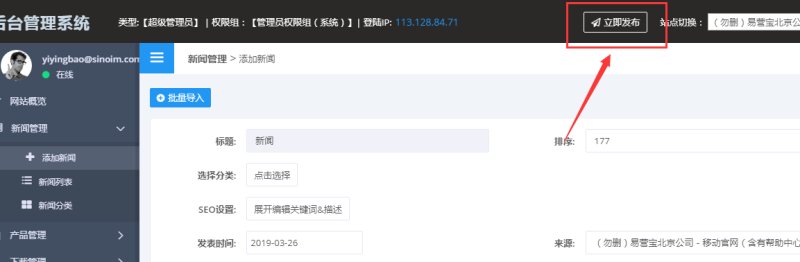
After completing all news additions, click Publish. Once published successfully, the updates will take effect simultaneously on both PC and mobile sites.
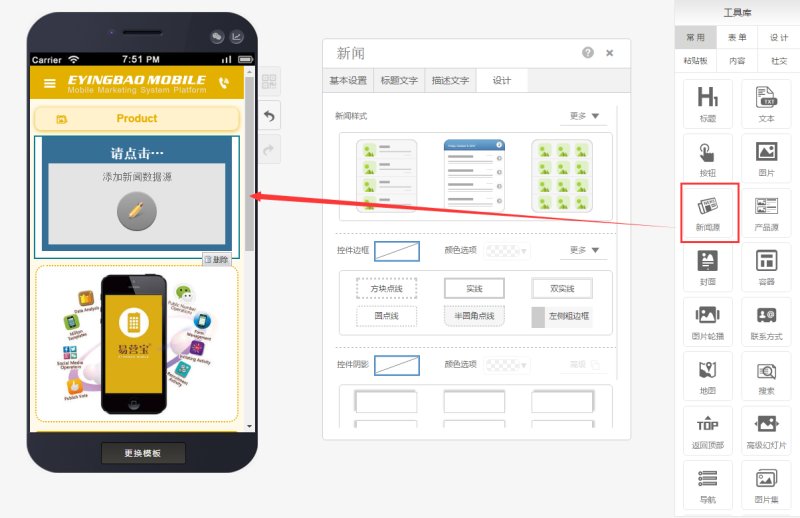
Step 2: Drag and drop a news source control from the editing page's tool library to the desired page, as shown below:
Step 2: Select the news source category and display style (10 styles available) based on your needs, as shown below:
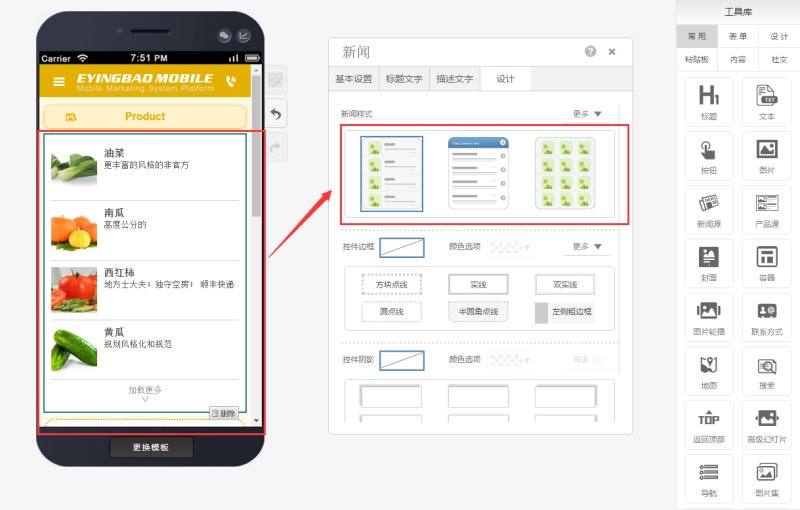
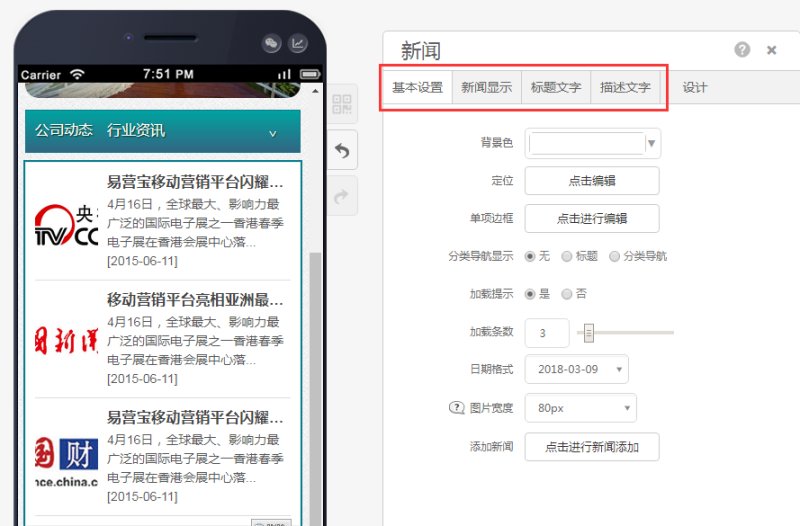
Step 3: Edit the basic settings of the news source control properties panel, including title and description text, as shown below:
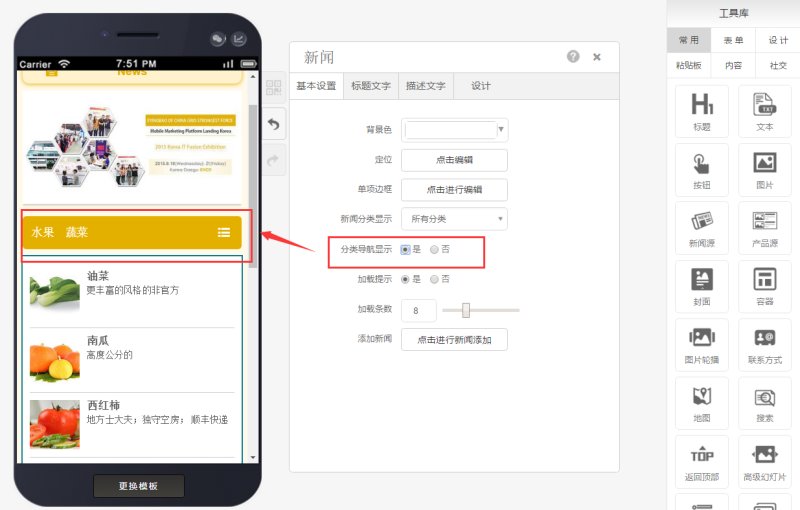
Step 4: Enable news categorization in the basic settings to make the interface clearer, as shown below:
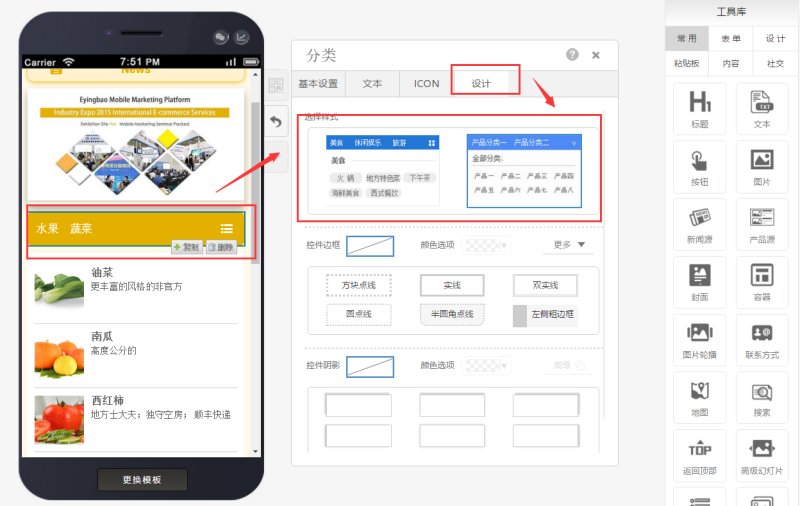
Step 5: Choose the display style for the selected categories (3 styles available) based on your needs, as shown below:
Online Inquiry
