Feature Introduction
The product source control, literally meaning the origin of products, is the carrier for displaying products.
Functional Advantages
Step 1: First, add products in the mall backend
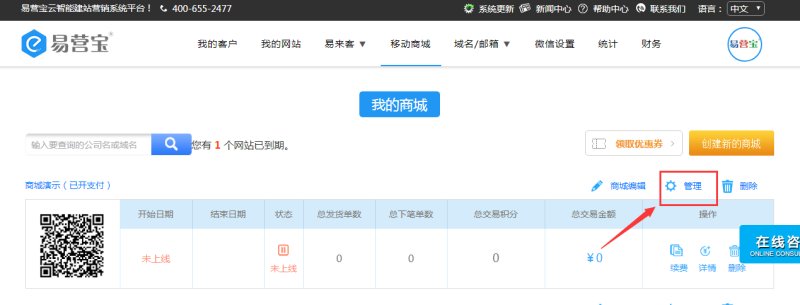
① In my mall list, click Manage, as shown below:
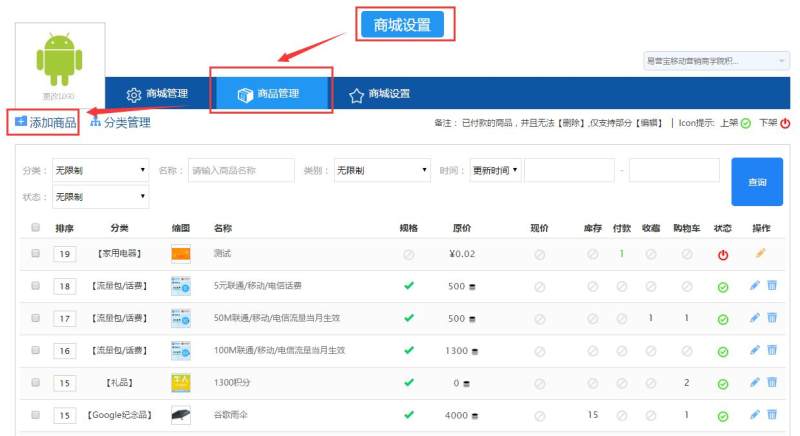
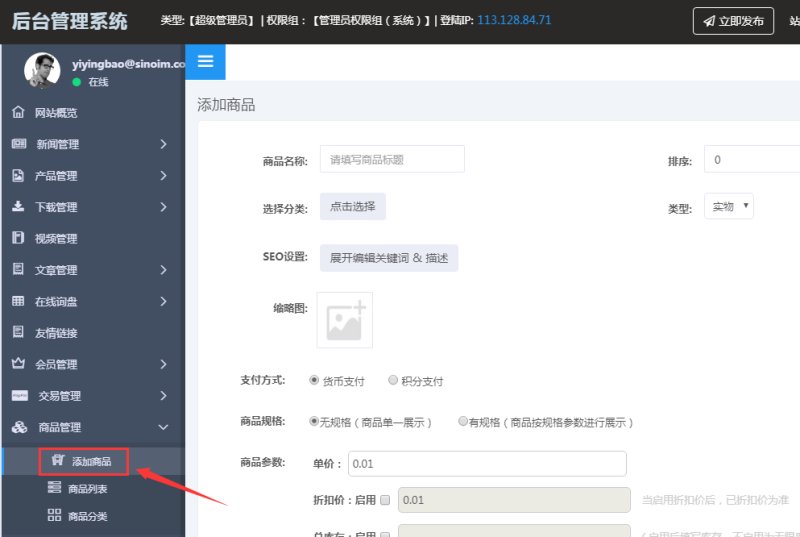
② After entering the management backend, click Add Product in Product Management:
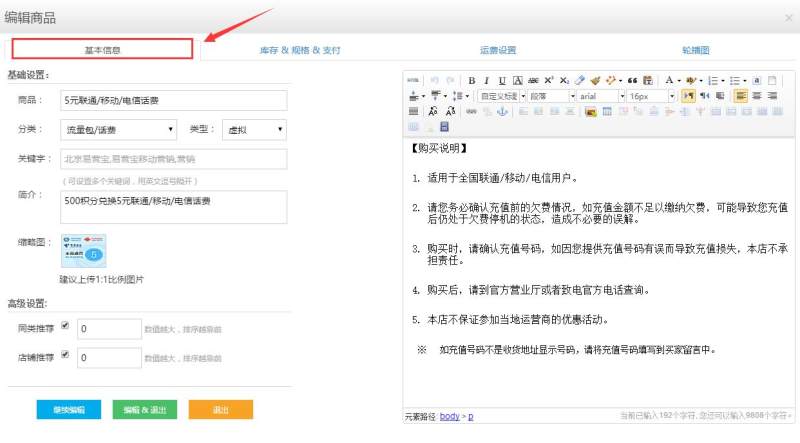
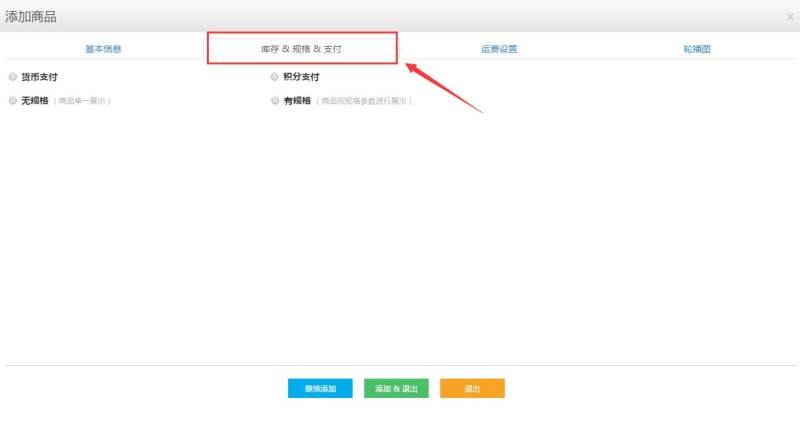
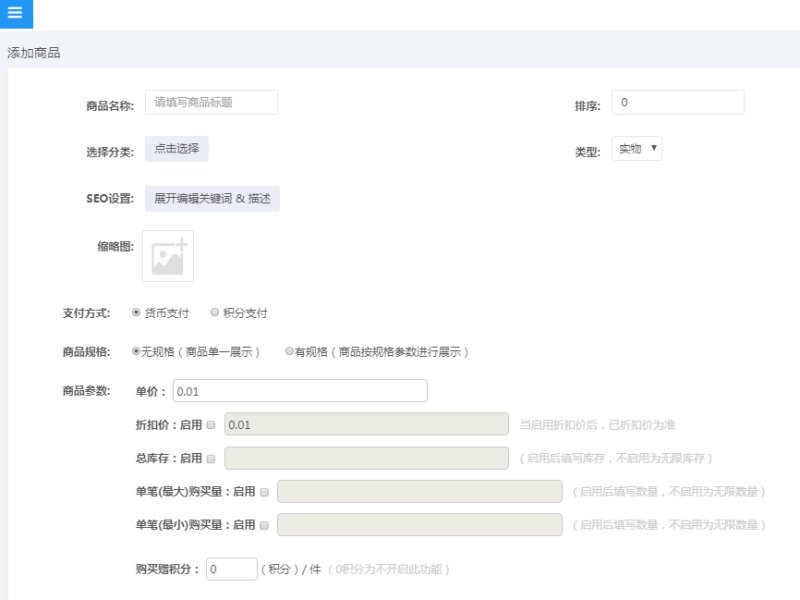
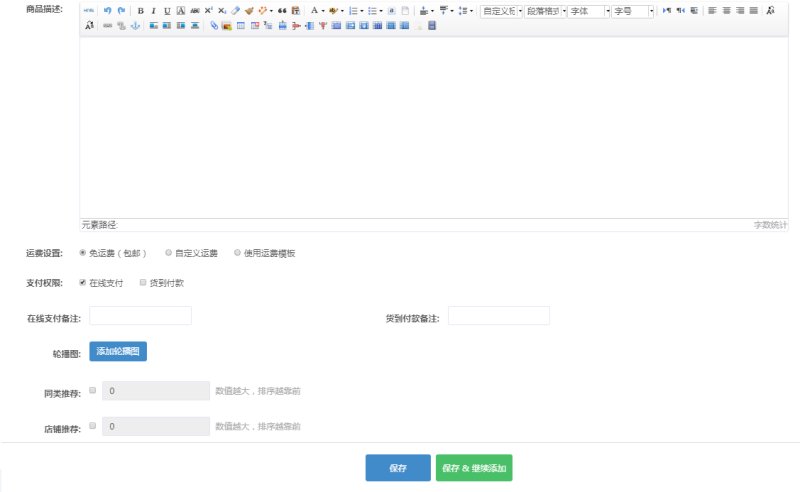
③ Follow the prompts on the page to fill in the basic product information, including product name, product category, payment method, product specifications, product price and inventory, shipping fees, product details, etc. As shown below:
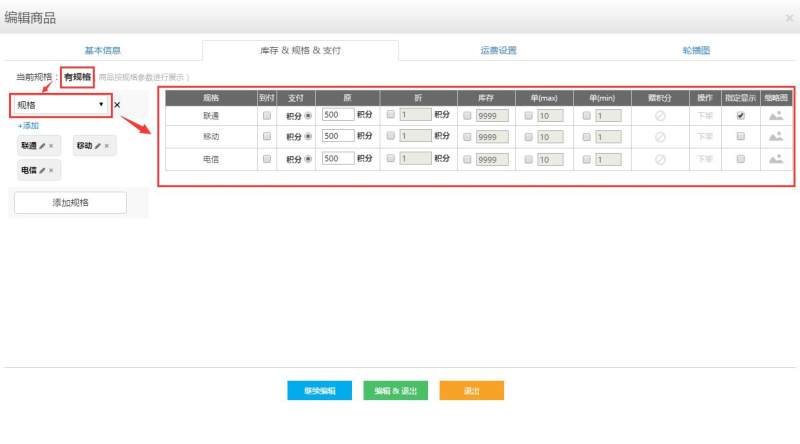
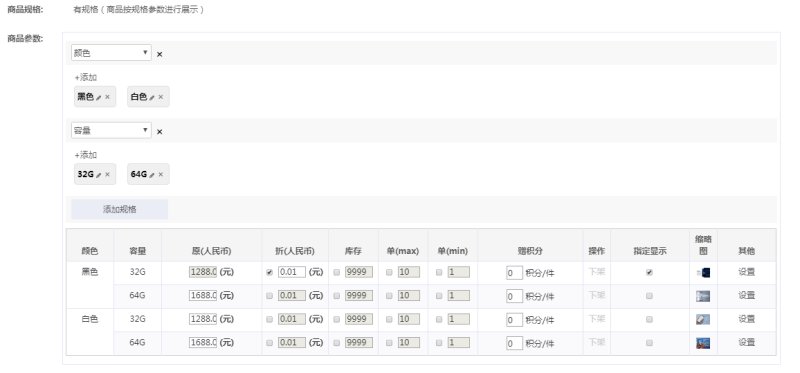
④ For products with specifications, in the product specifications section, select Has Specifications and then add them. After adding product specifications, you can set prices, inventory, etc. for different specifications of the same product. As shown below:
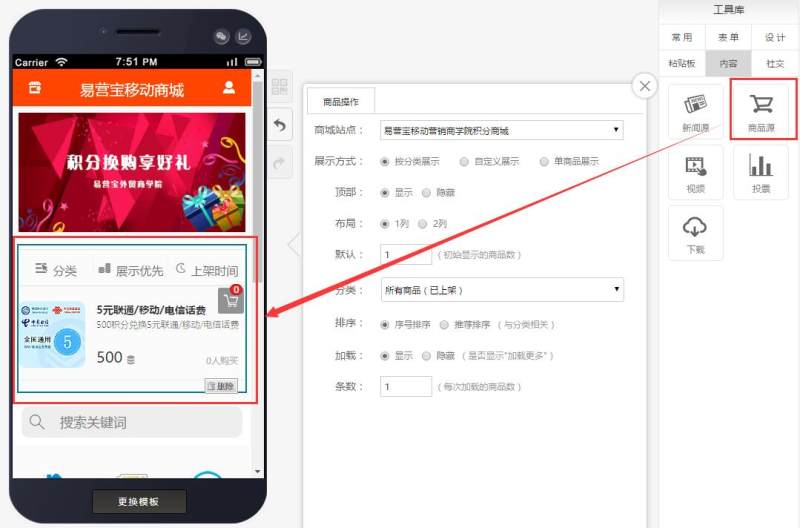
Step 2: After editing the product, enter the mall editing page and drag in the product source control, as shown below:
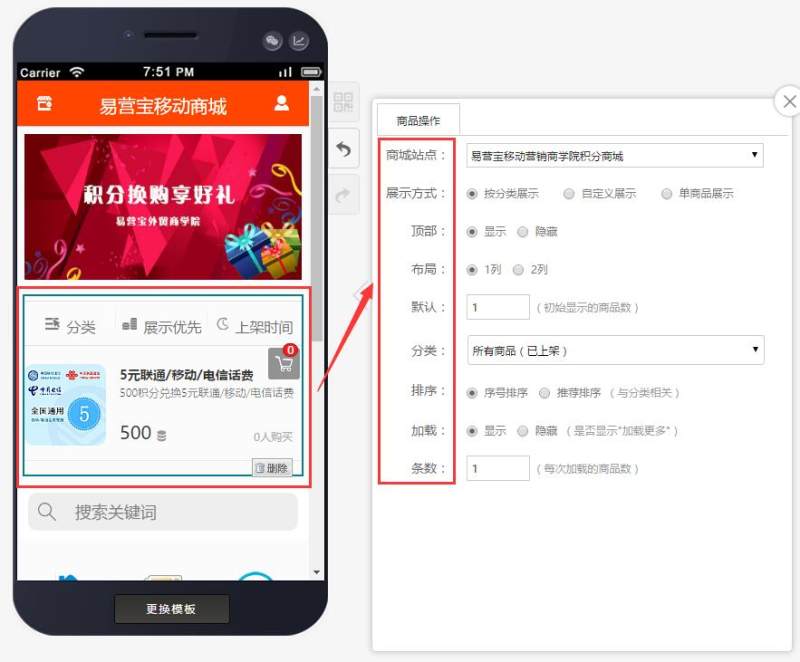
Step 3: Edit the product source attributes according to your needs, as shown below:
Online Inquiry