









Feature Introduction
A list is a finite sequence composed of multiple items, arranged in a specific linear order to form a collection. Basic operations performed on this structure include adding and deleting individual items.
Usage Process
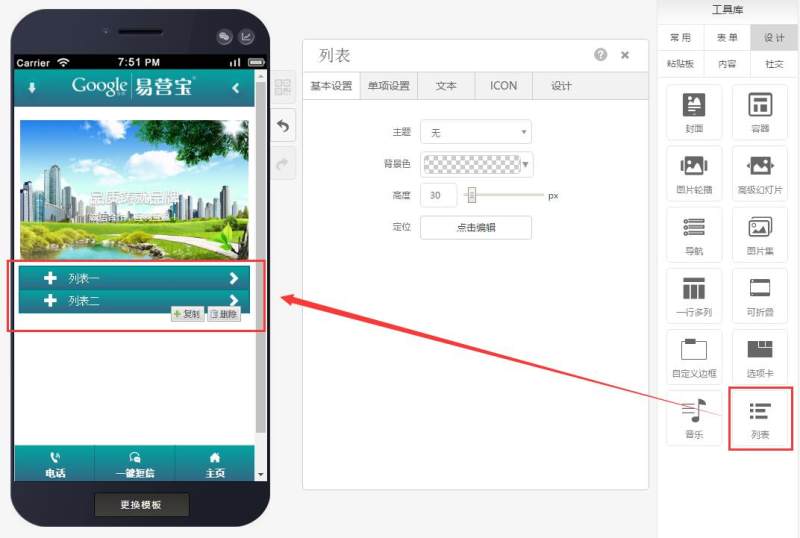
Step 1: Drag a list control to the desired page, as shown below:
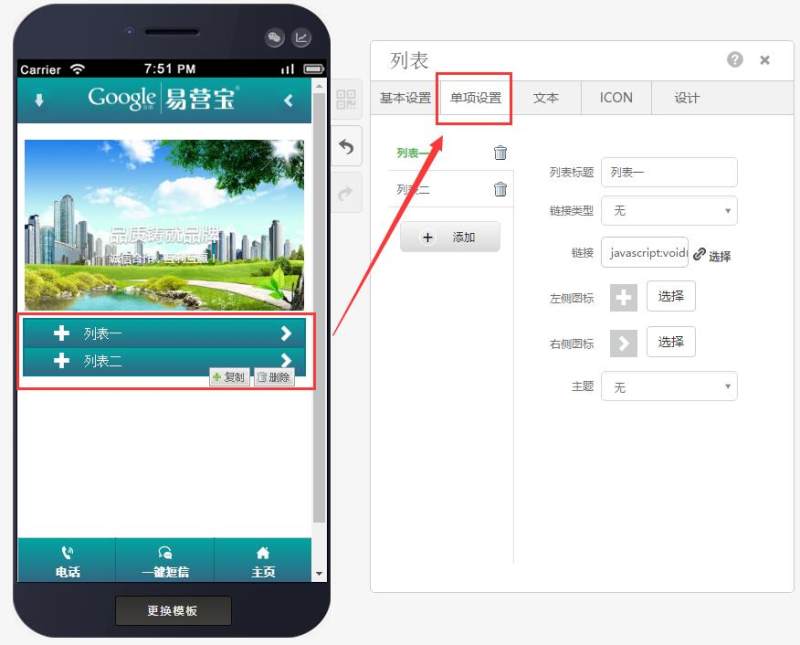
Step 2: In the item settings, you can add or remove items, modify titles, set link types, fill in links, replace icons, and select theme colors, as shown below:
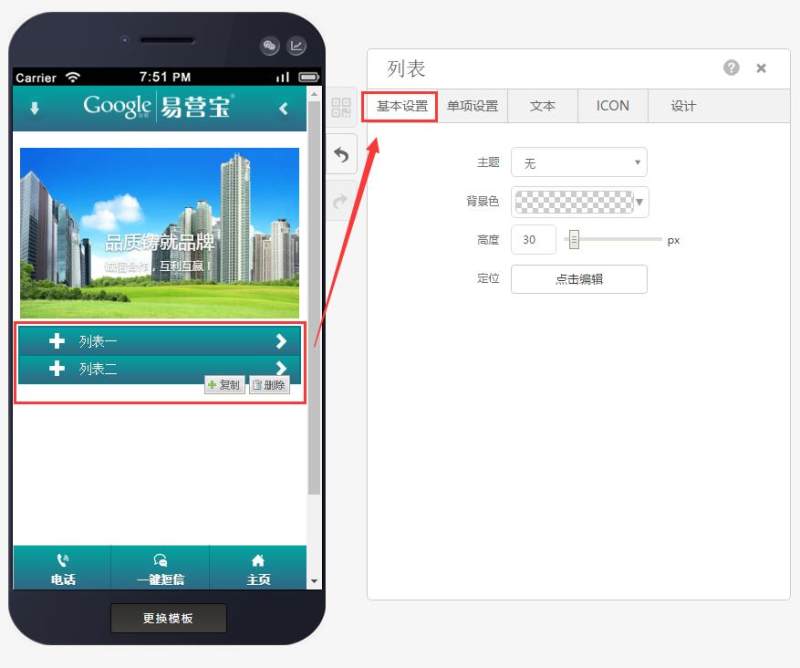
Step 3: Adjust the theme, background color, height, and positioning in the basic settings according to your needs, as shown below:
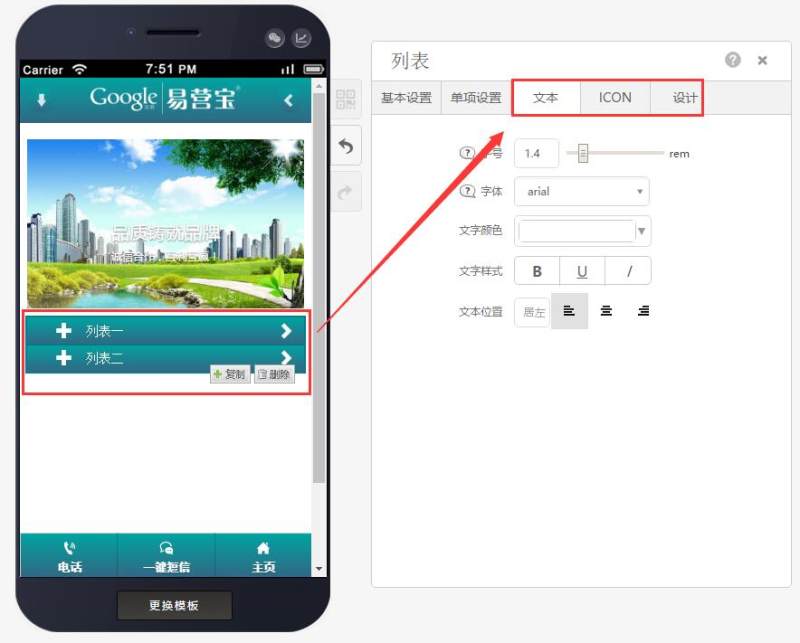
Step 4: You can also adjust the size and color of text and icons individually, as well as add shadows to list controls in the design, as shown below:
Online Inquiry
