









Feature Introduction
Add a short message component to the page with multiple style options available, and customize the icon.
Usage Process
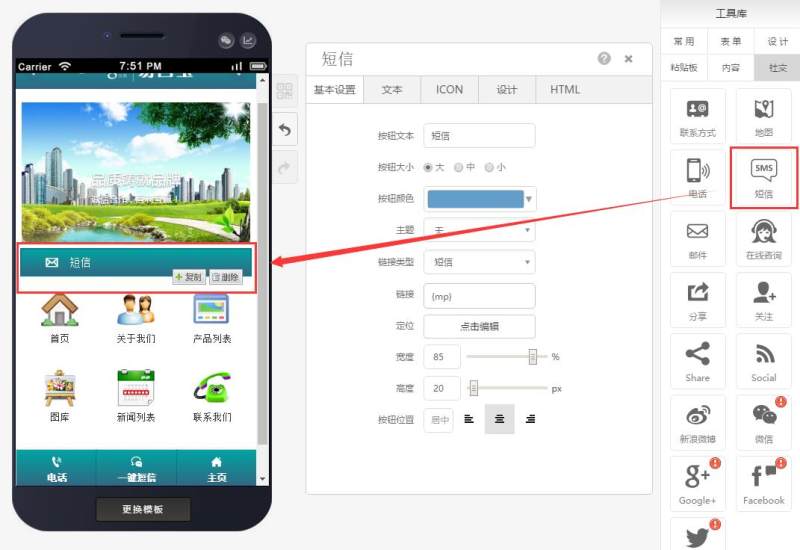
Step 1: Drag and drop a short message component to the desired page, as shown below:
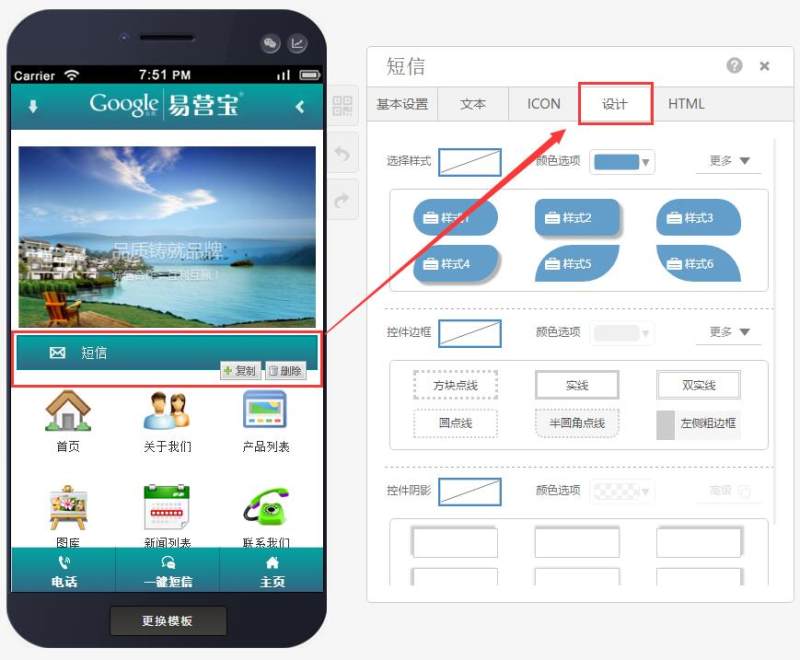
Step 2: Select the appropriate style (eight styles available), border, and shadow based on your needs, as shown below:
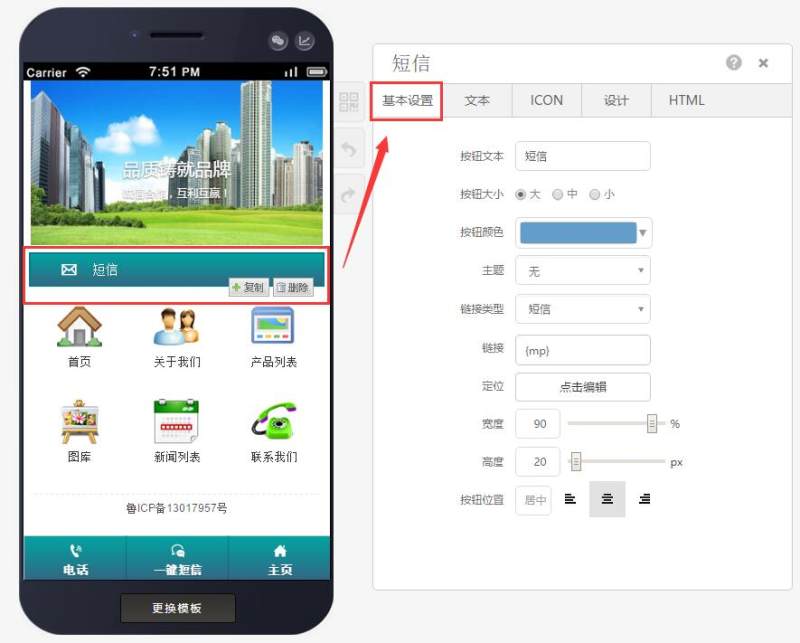
Step 3: Customize button size, background color, phone number, height/width, button position, etc., in the basic settings, as shown below:
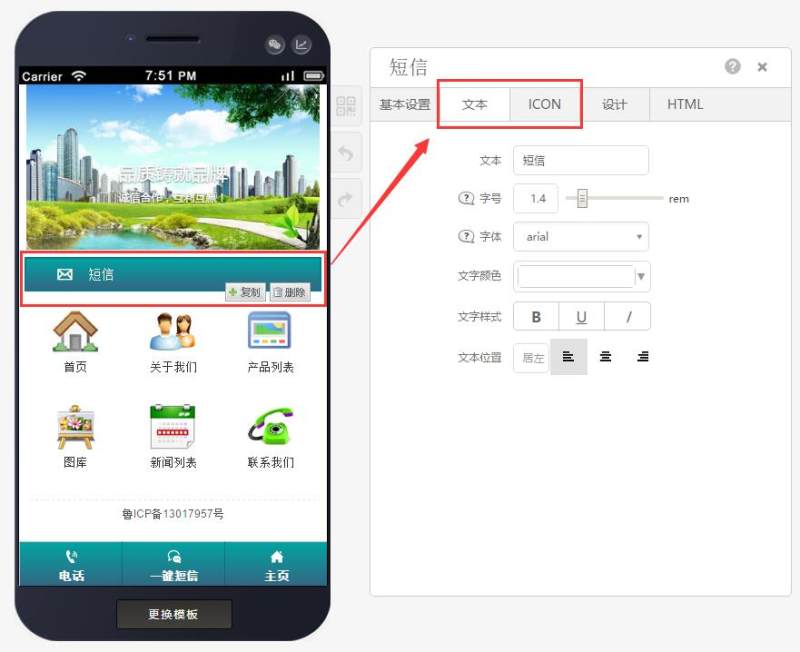
Step 4: Adjust text, replace icon (choose from black, white, colored icons, or upload a custom PNG icon with transparent background), as shown below:
Online Inquiry
