









Feature Introduction:The "Map" component in EasyStore comes in two display formats: "Baidu" (for Chinese websites) and "Google" (for foreign websites). Maps are an indispensable element in webpage creation. Firstly, they enhance website functionality; secondly, they boost corporate credibility; thirdly, they help visitors easily locate your company, providing added convenience for users.
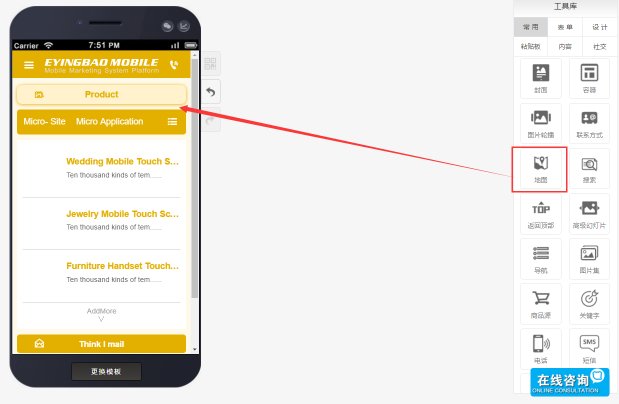
Usage Method:Locate the "Map" component in the tools library and drag it to the editing page.
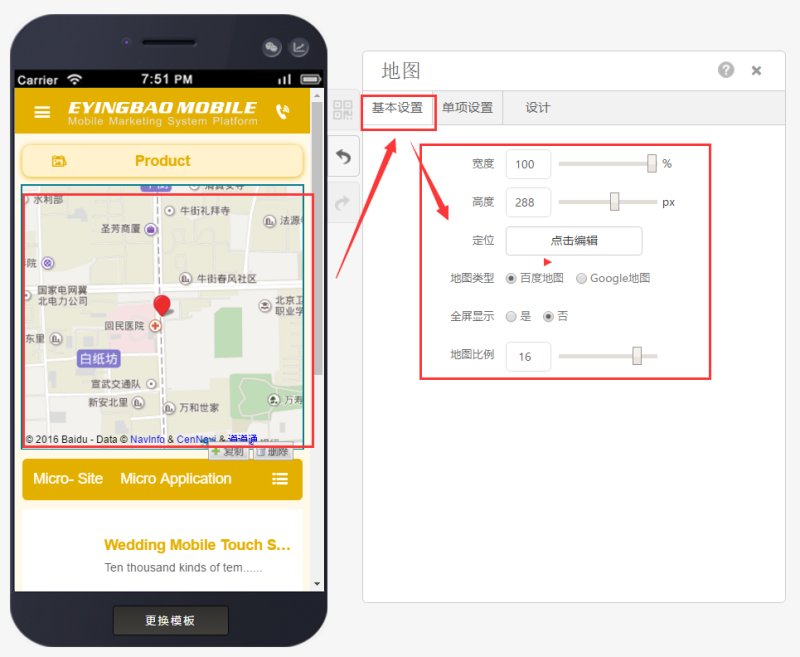
You can select the map type in basic settings and edit the map. (Note: Google Maps won't display in China; after website launch, users need VPN to view Google Maps.)
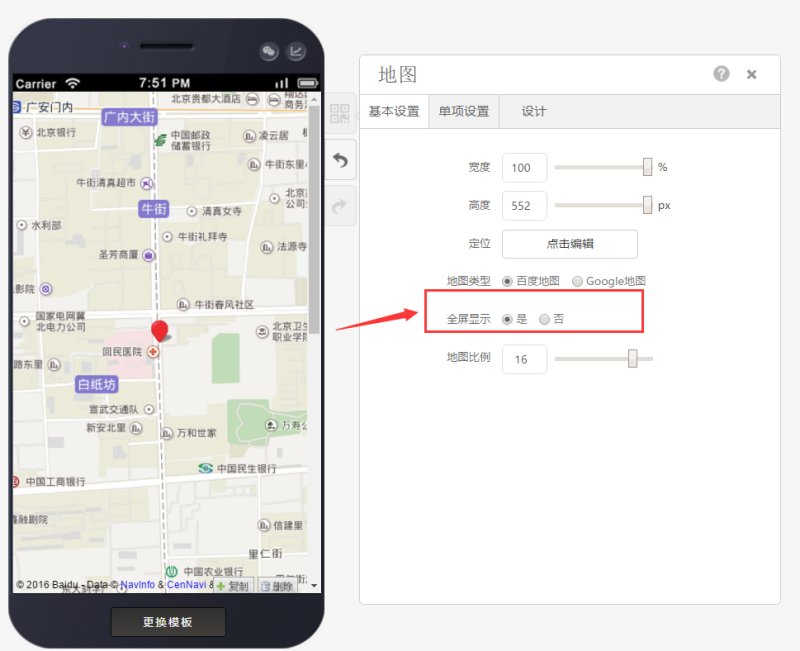
Maps can be displayed in full-screen mode with the following effect:
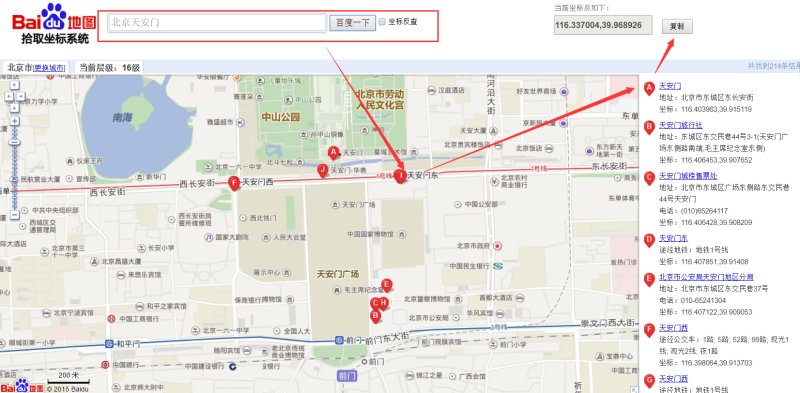
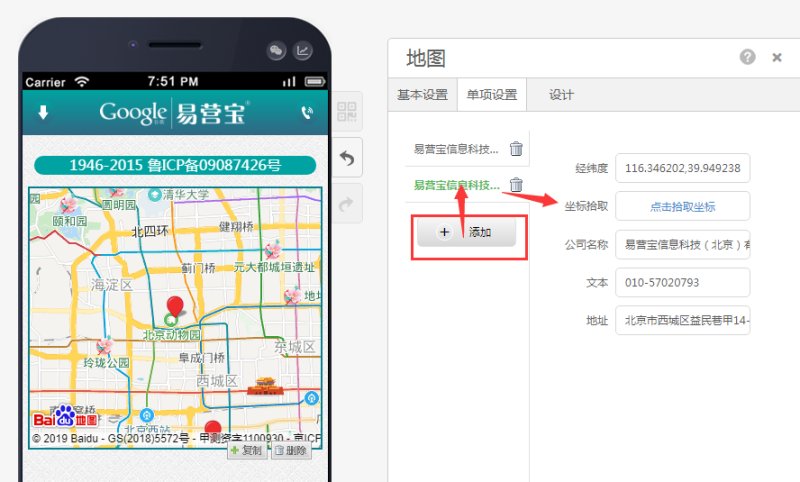
Set address, phone, coordinates and other information in individual settings. To obtain accurate address, click "Pick Coordinates".
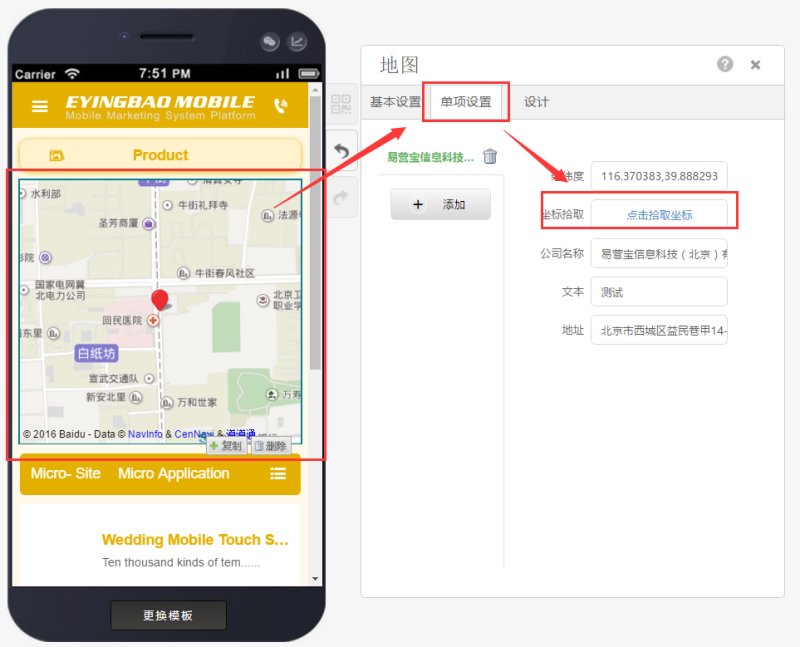
After searching for an address, copy the numbers in the upper right corner to replace the existing "Longitude & Latitude" in individual settings, then save to take effect.
To set multiple store locations in the same city, you can add new map information
Online Inquiry
