









1. If the customer's PC site and mobile site are under the same project in the backend, when the customer accesses the PC site domain on a mobile device, it will automatically redirect to the mobile site domain (if the PC site was launched earlier than the mobile site, the PC site needs to be republished after the mobile site goes live to enable the redirect).
When a customer accesses the mobile site domain on a computer, it will not automatically redirect and will directly display the mobile site. This is because people generally do not intentionally enter a mobile site domain on a PC. Only those reviewing websites for audits may need to view the mobile site on a PC. If it redirects, the audit cannot proceed, so we have set it to not redirect.
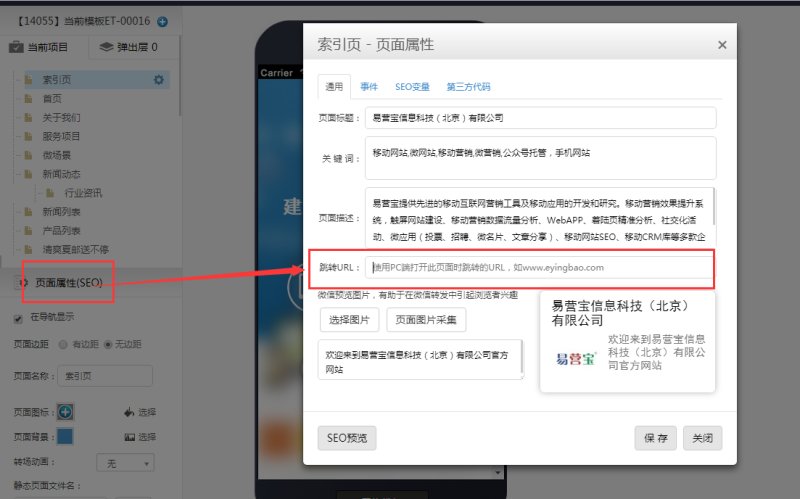
2. If the customer wants to enable automatic redirect from the mobile site domain to the PC site when accessed on a PC, they can enter the PC site domain in the "Redirect URL" field under "Page Properties" in the mobile site editing page, then save and publish.
Online Inquiry
