









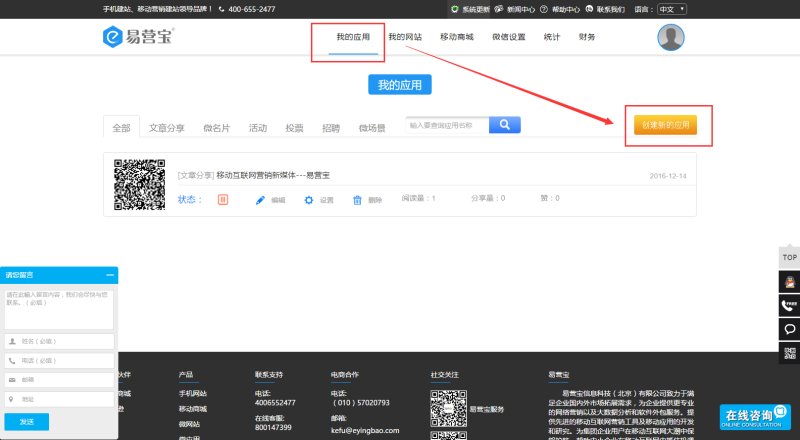
1. After logging into EasyStore, click "My Apps" —— "Create New App"
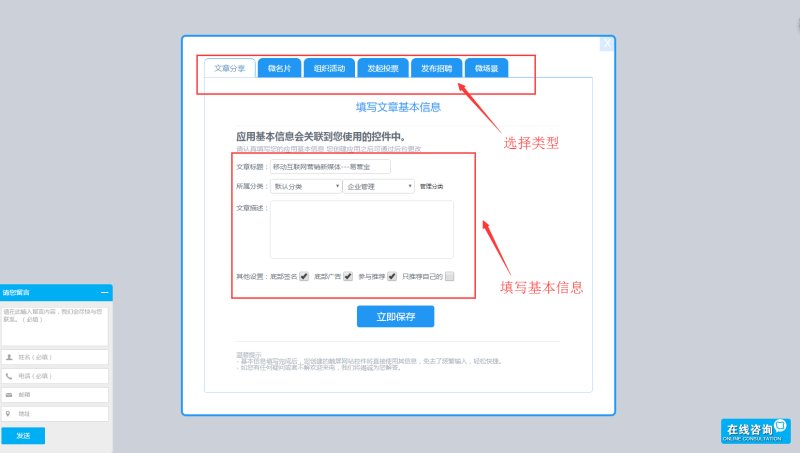
2. We provide five types of single-page creation: organizing events, article sharing, job posting, digital business cards, and voting. Select the type of app you want to create, fill in the basic information, and click Save.
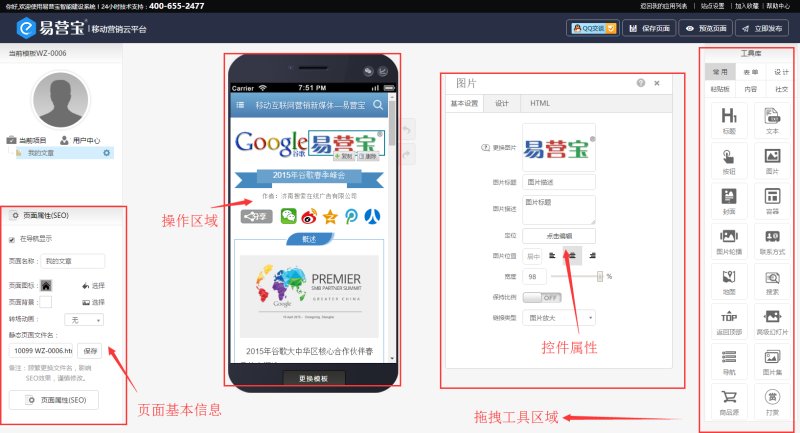
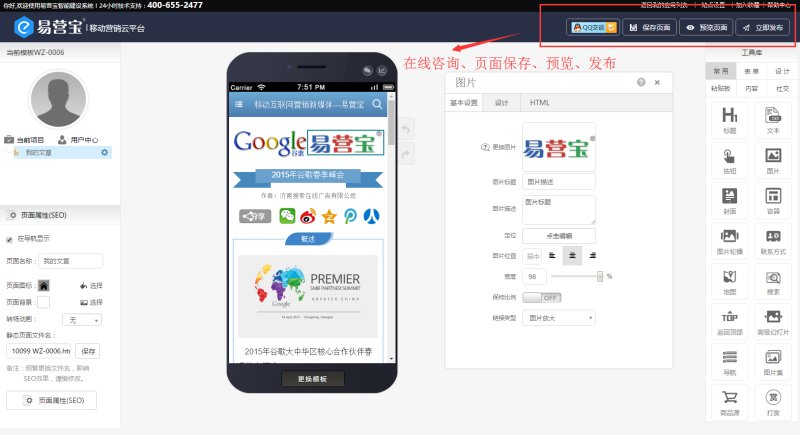
3. The operation interface is basically the same as website creation. Drag controls from the right side to build your single-page content.
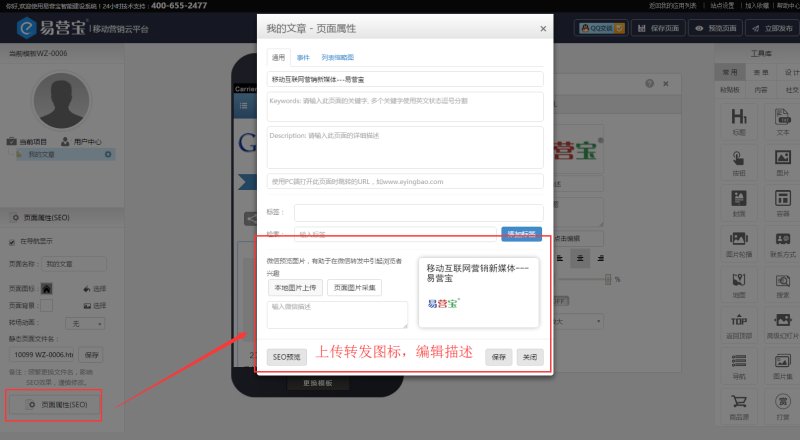
4. In the page properties at the bottom left, upload a sharing icon and write a description.
5. Save, preview, and publish
Online Inquiry
