









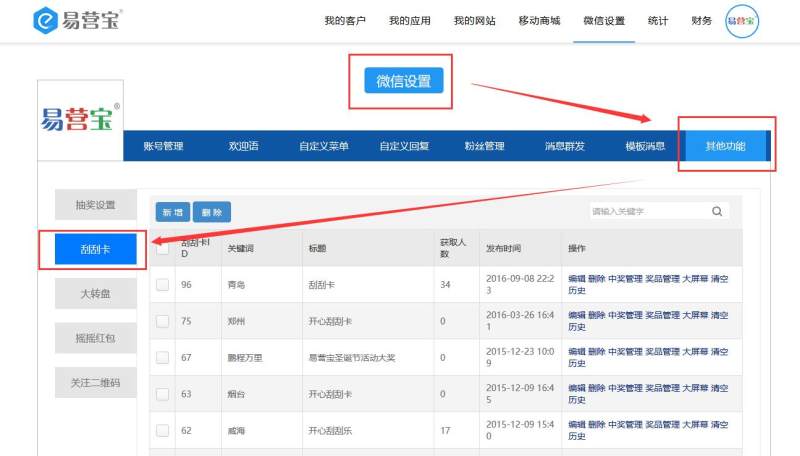
1. Go to WeChat Settings, click "Additional Features" — "Scratch Card"
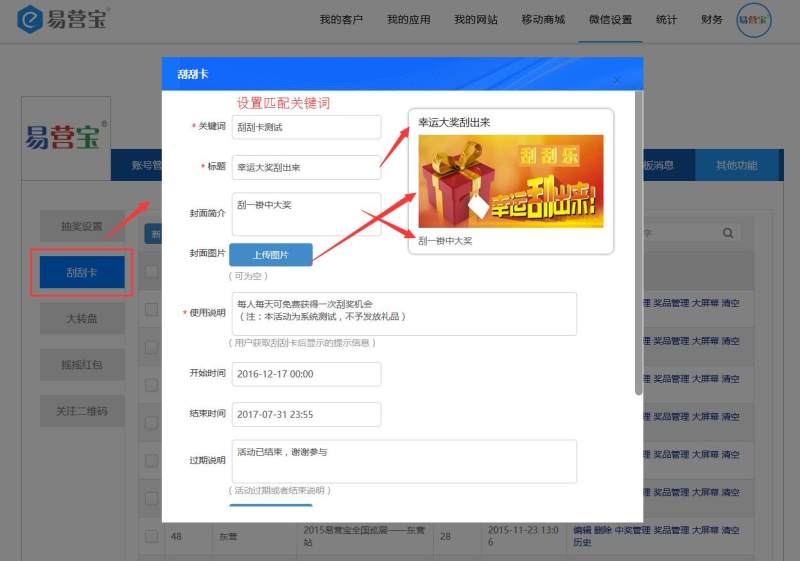
2. Click "Add New", fill in the basic information of the scratch card campaign in the pop-up window, and set matching keywords
3. Click "Prize Management" to set prize information

4. Add New Prize
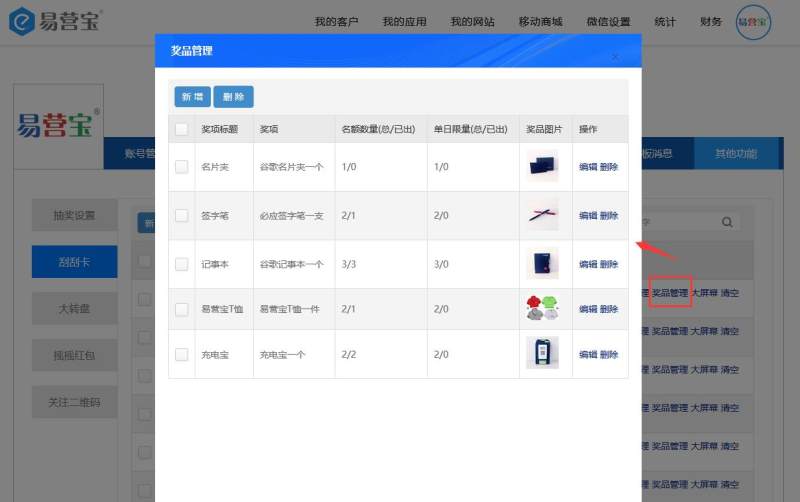
5. Fill in prize information

6. Preview

Online Inquiry
