









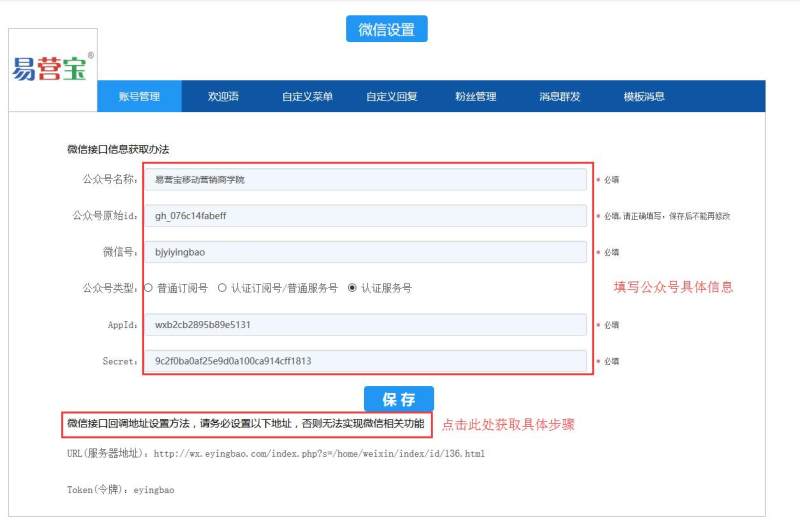
1. After logging in to Yiyingbao, click "WeChat Settings" to enter the public account management backend

2. First, fill in the basic information of the official account for binding, and set the callback address in the background of the official account
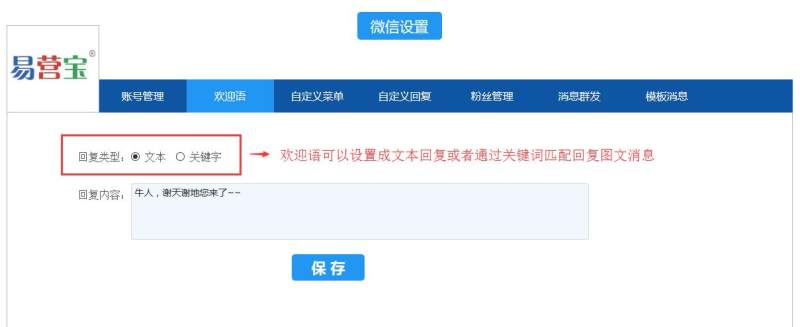
3. Set a welcome message: The welcome message is the message that the official account replies to when a fan first follows the official account. You can set the reply text or match keywords to reply with a picture or text message.
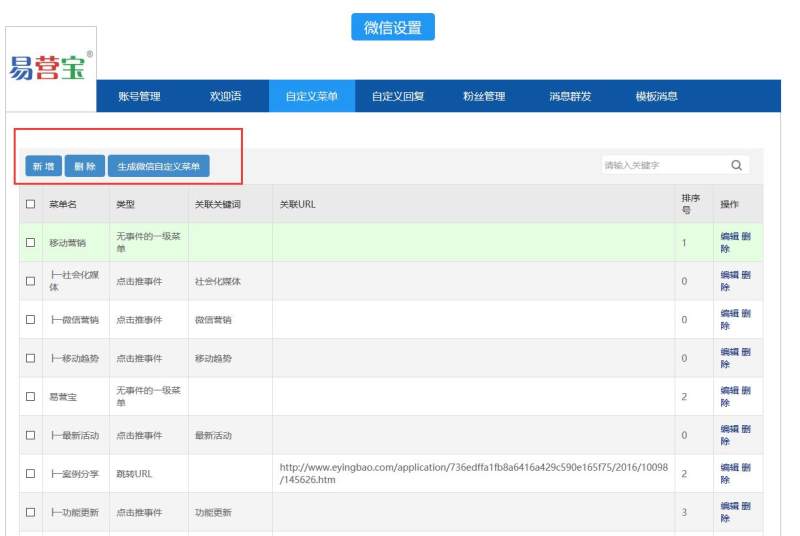
4. Add, delete, and generate public account menus under the "Custom Menu" column. Click "Add" to set the menu name and menu action.
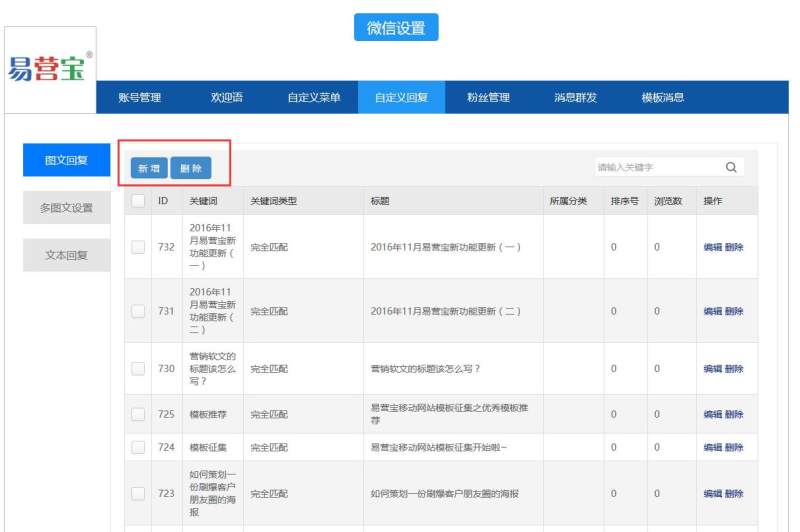
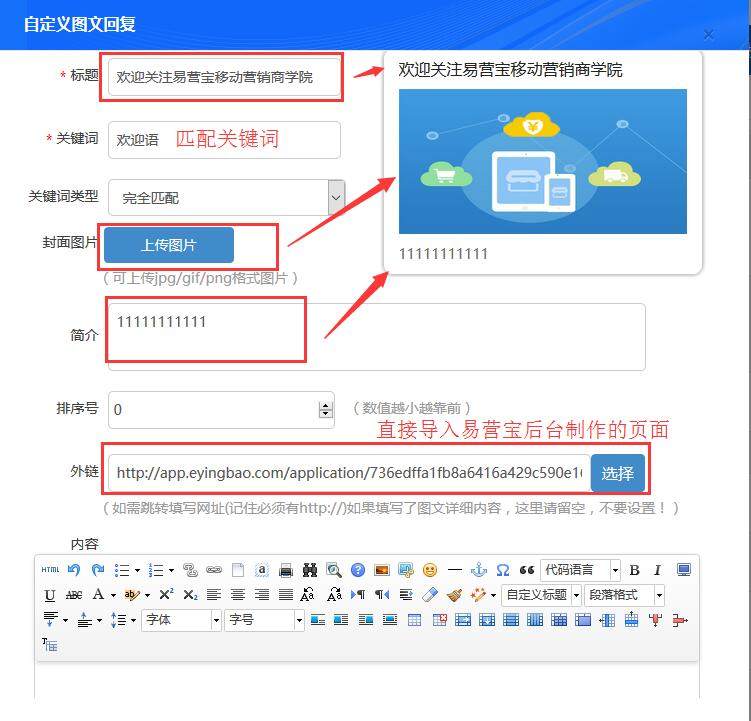
5. Set custom replies: Custom replies are automatic replies to messages by the system through keyword matching. Welcome messages and keyword matching replies in the menu are all set here. Custom replies have three forms: single image and text reply, multi-image and text reply, and text reply. Single pages such as article sharing, event registration, recruitment, etc. that you created on the Yiyingbao platform can be directly imported.
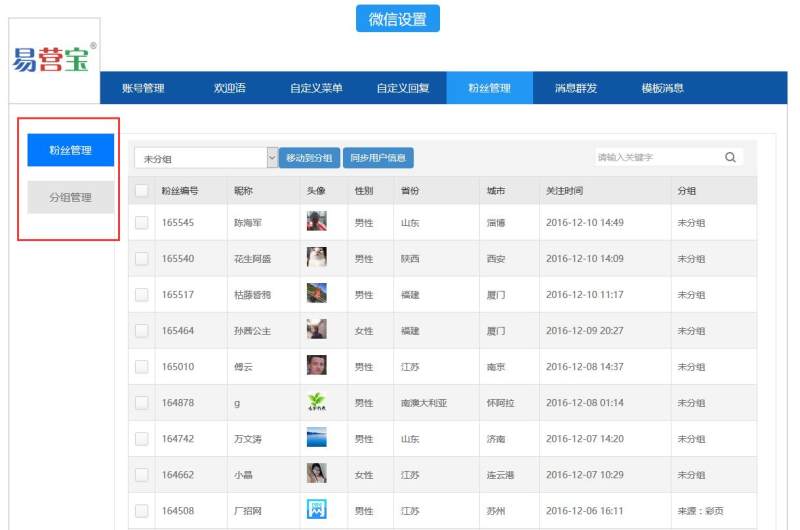
6. In fan management, you can add new groups and manage fans by groups.
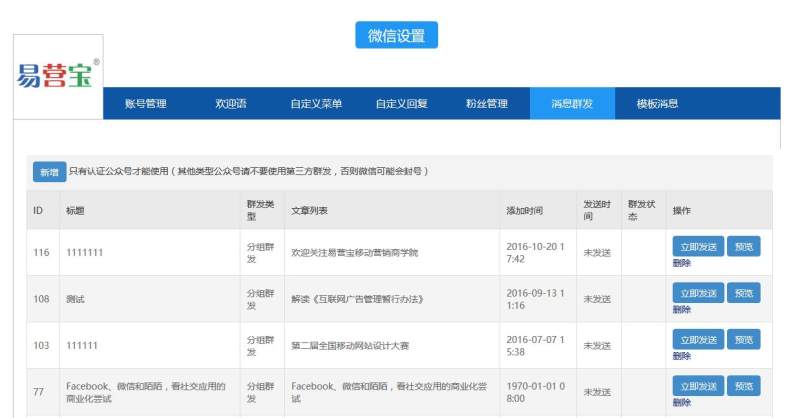
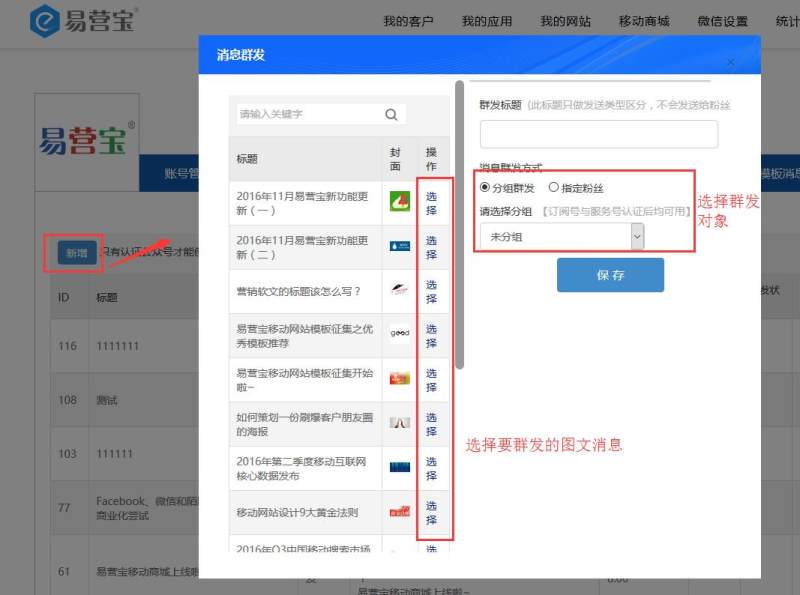
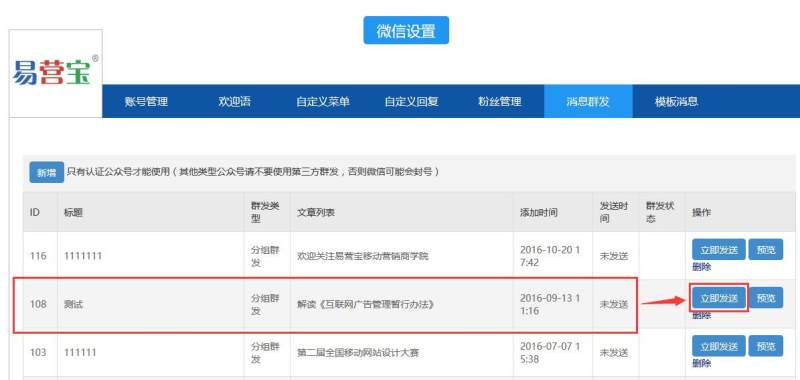
7. Group message: Create the content to be sent to the group in the custom reply, click "Add" in "Group message", select the picture and text message to be sent to the group, save and send. (Note: WeChat public platform has disabled the function of third-party group message to all fans, so it can only be sent by group or selected fans)
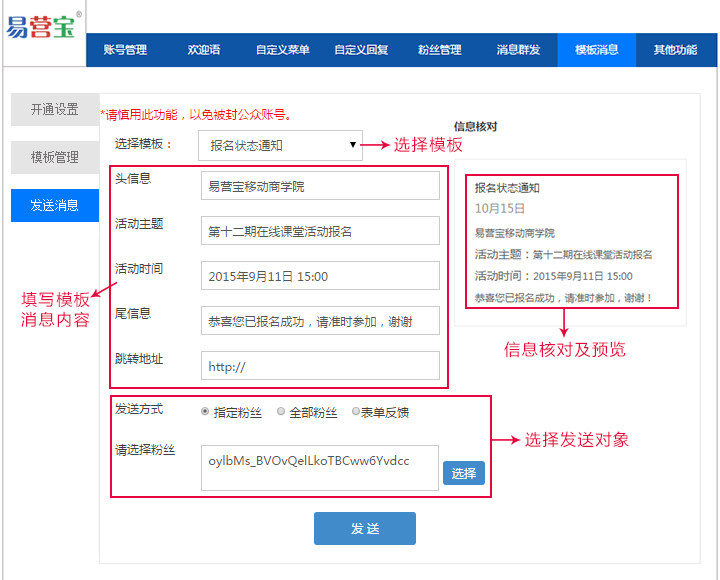
8. Template message: First, you need to enable the template message function in the official account background, and then copy the template information of the message to the Yiyingbao background
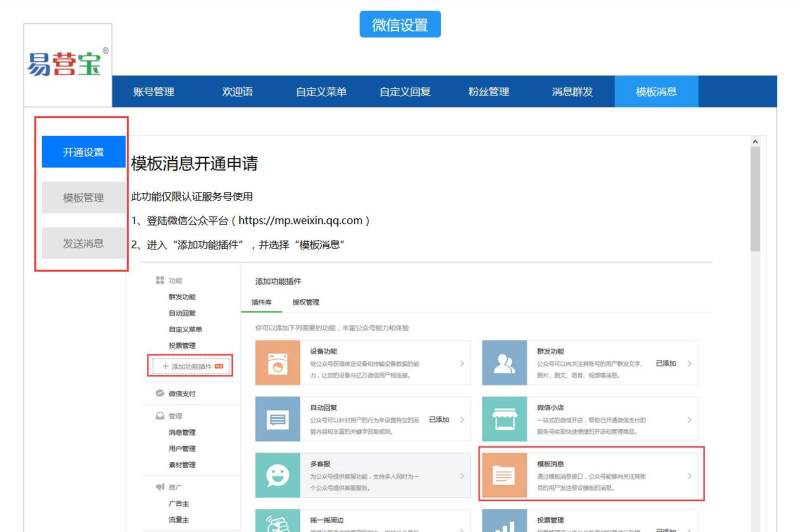
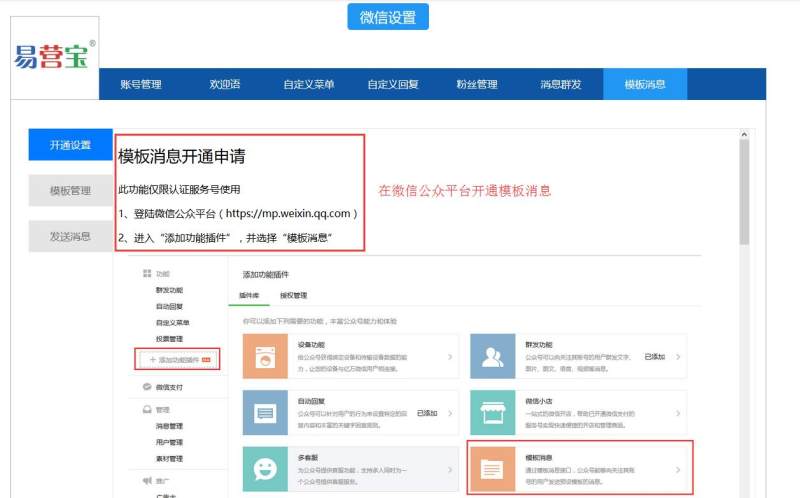
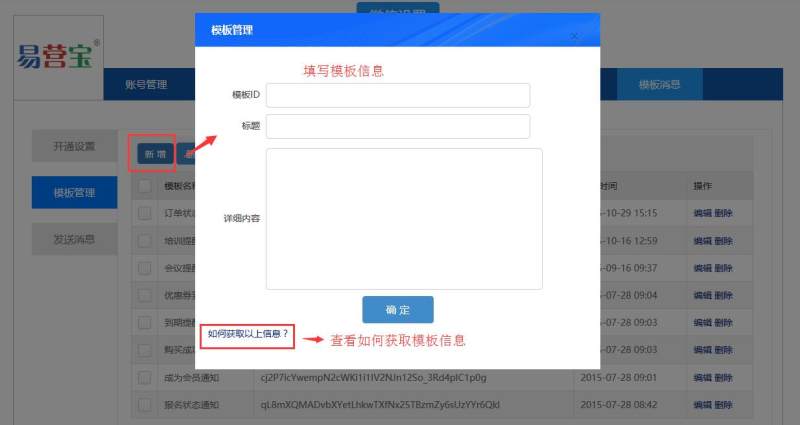
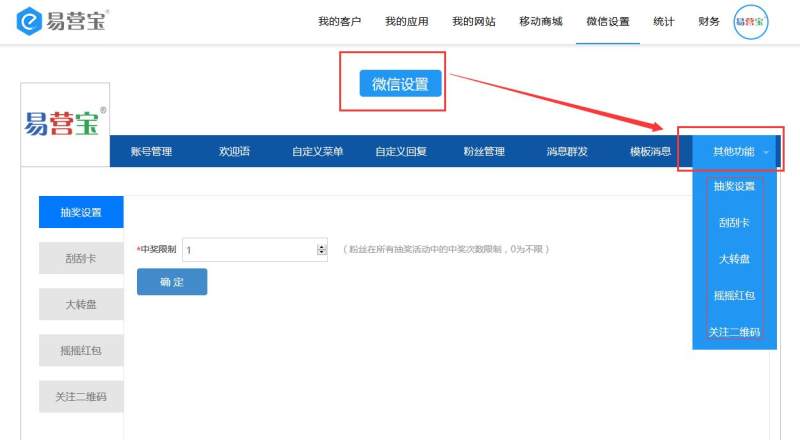
9. Other functions include: lottery settings, scratch cards, big turntable, shake red envelopes and follow QR codes
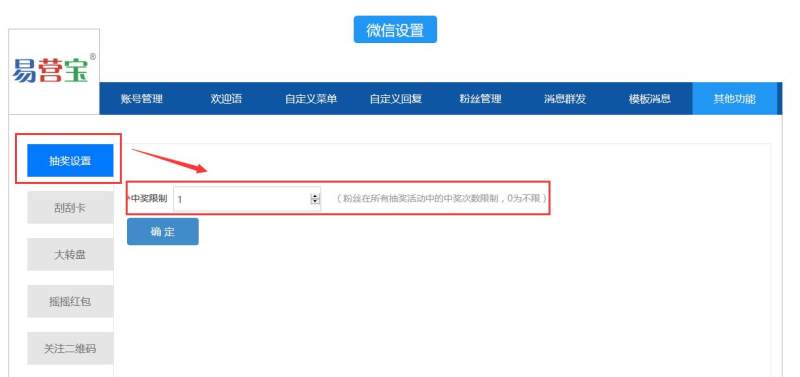
10. Lottery settings: refers to the overall control of winning when several lottery activities are carried out at the same time. When "1" is entered, it means a maximum of one chance to win, and "0" means no limit
11. Click Prize Management to set prizes
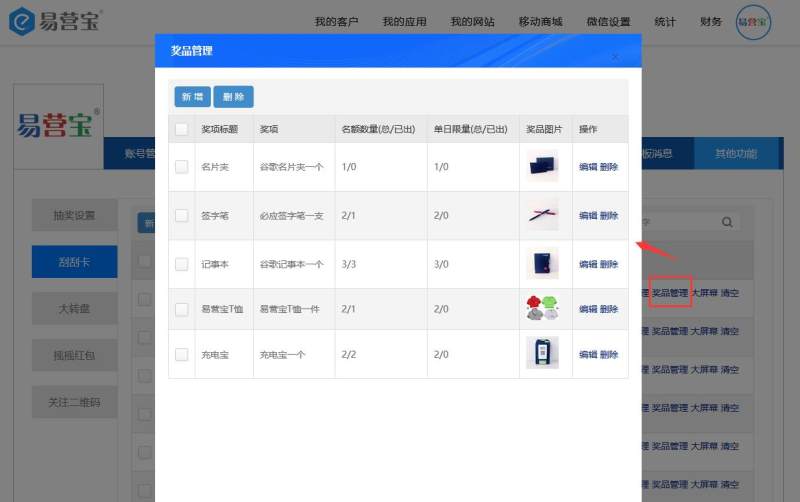
Add a new prize and fill in the prize information

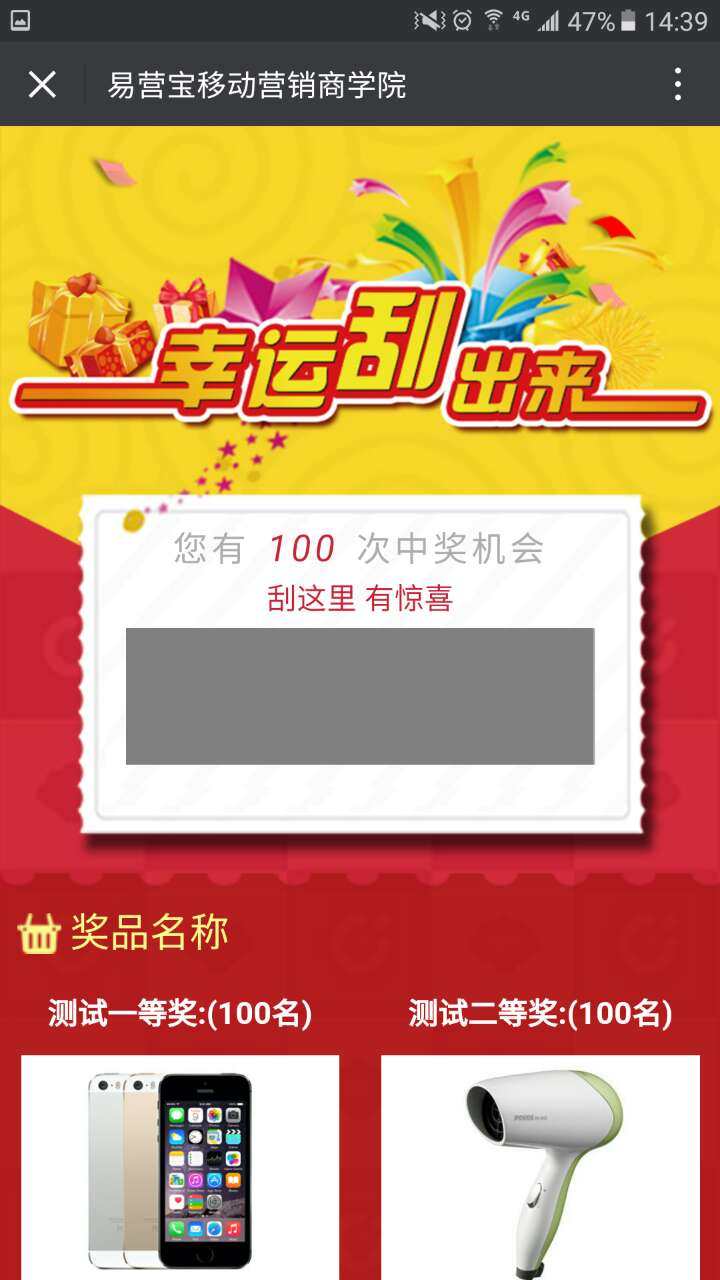
12. Scratch Card: Added - Fill in activity information
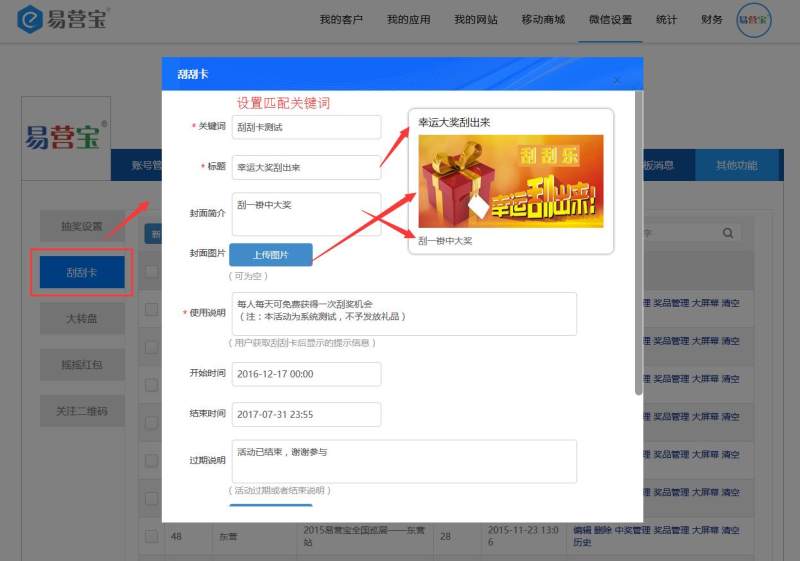
Preview
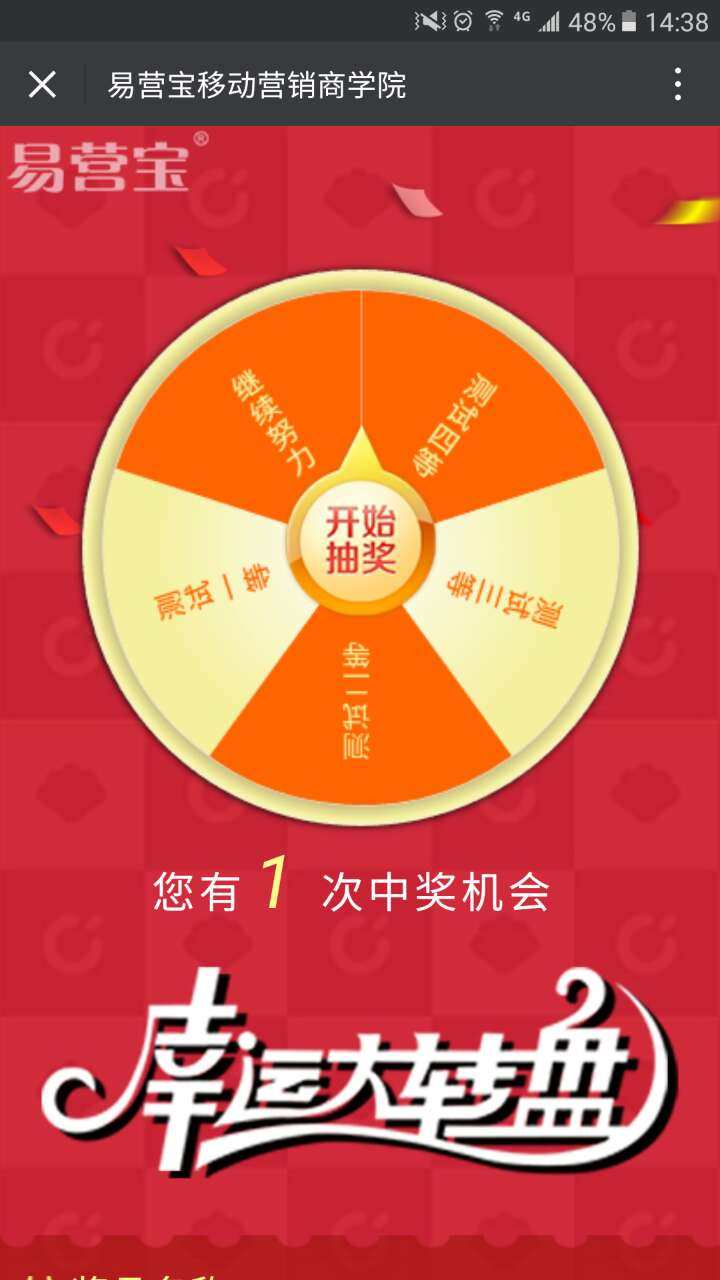
12. Big Wheel: Added - Fill in activity information
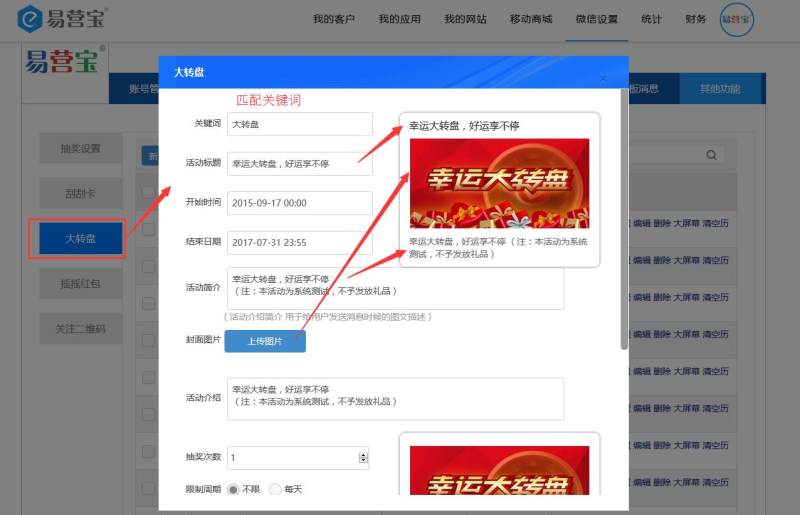
Preview
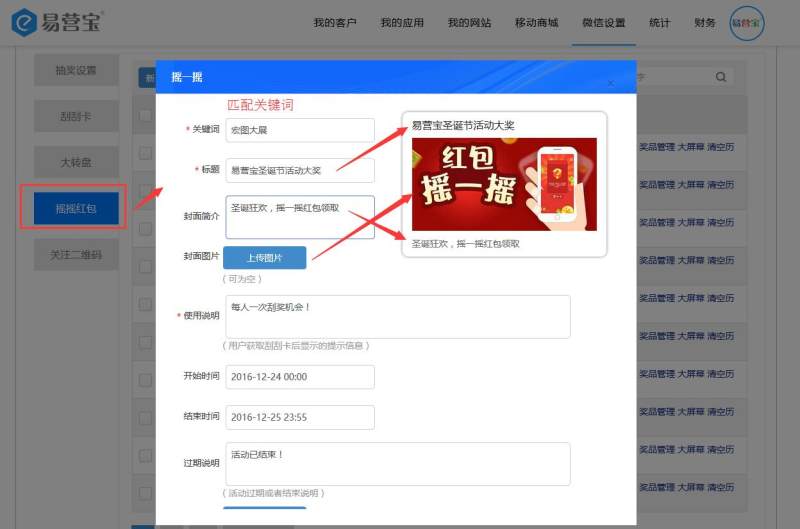
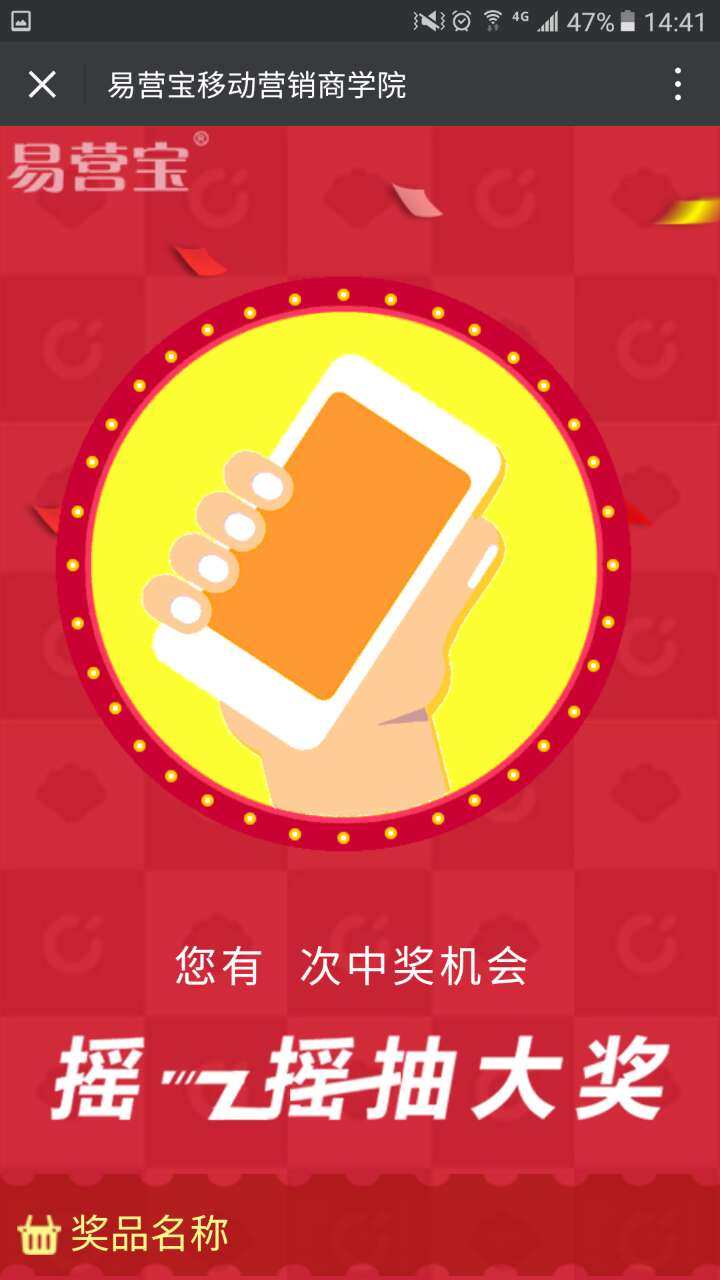
13. Shake Red Packet: Added - Fill in activity information
Preview
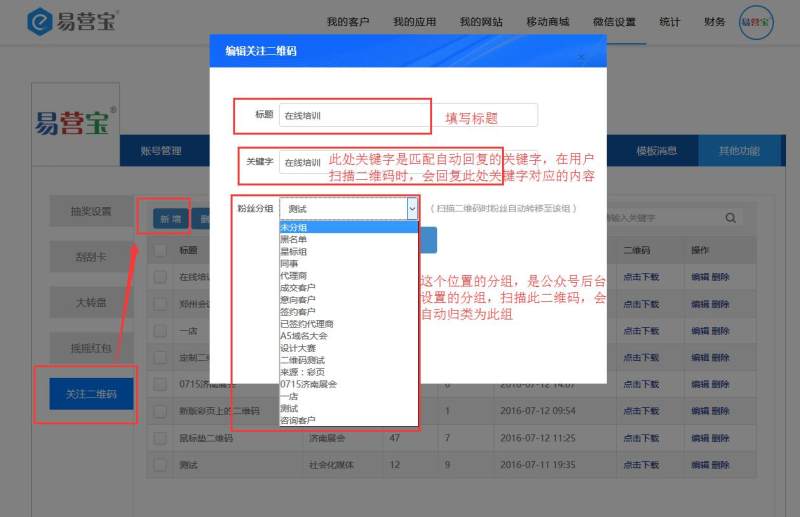
14. Follow QR code: directly classify fans according to different activities
Online Inquiry
