









Easy Operation Platform Service Number Application Process
Starting from October 13th, partners applying for the Easy Operation Platform service number no longer need to send emails. Simply apply directly in the backend after enabling the website. The specific steps are as follows:
1. Click the status button in the "My Websites" list to enable the website:
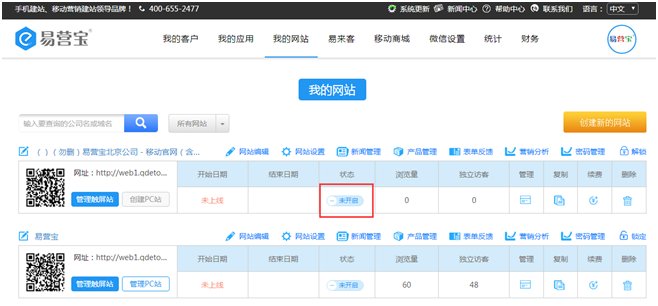
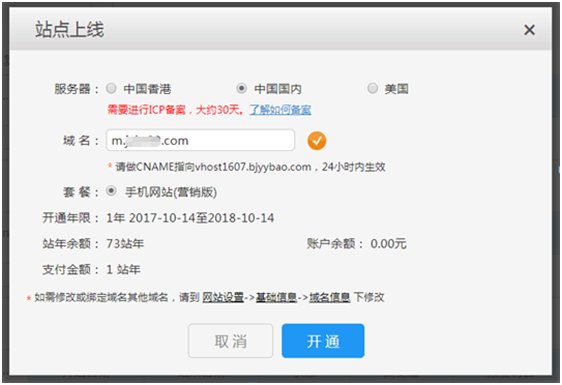
2. Select a domestic server, fill in the domain name, resolve it, choose a package, and click to activate
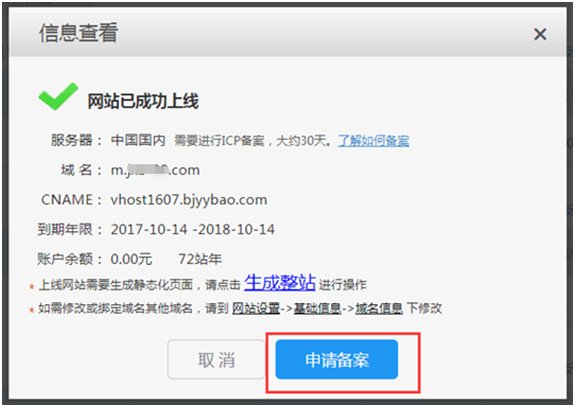
3. Then click to apply for the service number:
4. After applying, you can scan the QR code to receive message notifications about the Easy Operation Platform service number:
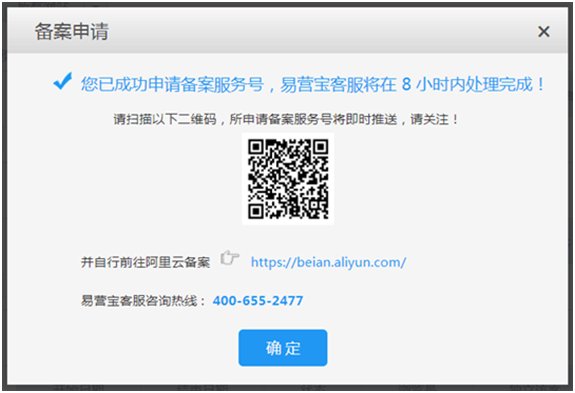
5. We will send you the service number within 8 working hours. You can check it on WeChat or click the details in the website list to view the application progress and results:
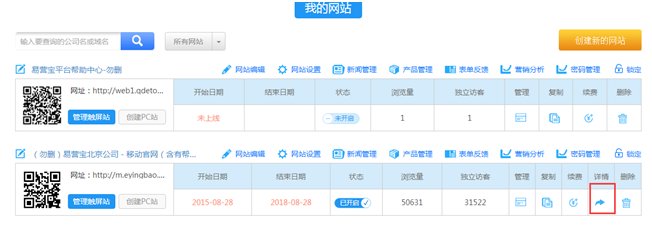
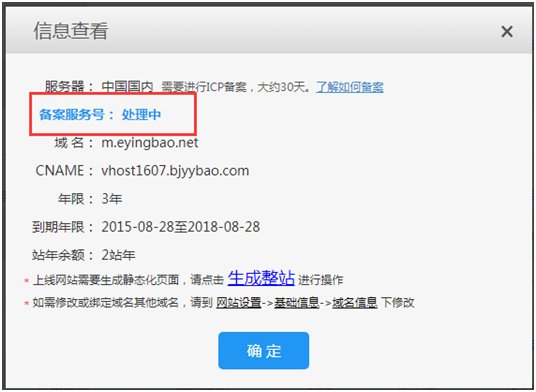
6. After receiving the service number, please proceed to Alibaba Cloud for filing at: https://beian.aliyun.com/
Filing instructions and process:
https://help.aliyun.com/knowledge_detail/36895.html?spm=5176.8087400.600752.1.322c93b3Yas1oF
Online Inquiry
